
SwiftUI:弹出式保持(在外部点击时不会被解除)
我创造了这个波波夫:
import SwiftUI

struct Popover : View {
  @State var showingPopover = false

  var body: some View {

    Button(action: {
      self.showingPopover = true
    }) {
      Image(systemName: "square.stack.3d.up")
    }
    .popover(isPresented: $showingPopover){

    Rectangle()

      .frame(width: 500, height: 500)

    }
  }
}

struct Popover_Previews: PreviewProvider {
    static var previews: some View {
        Popover()
        .colorScheme(.dark)
        .previewDevice("iPad Pro (12.9-inch) (3rd generation)")
    }
}
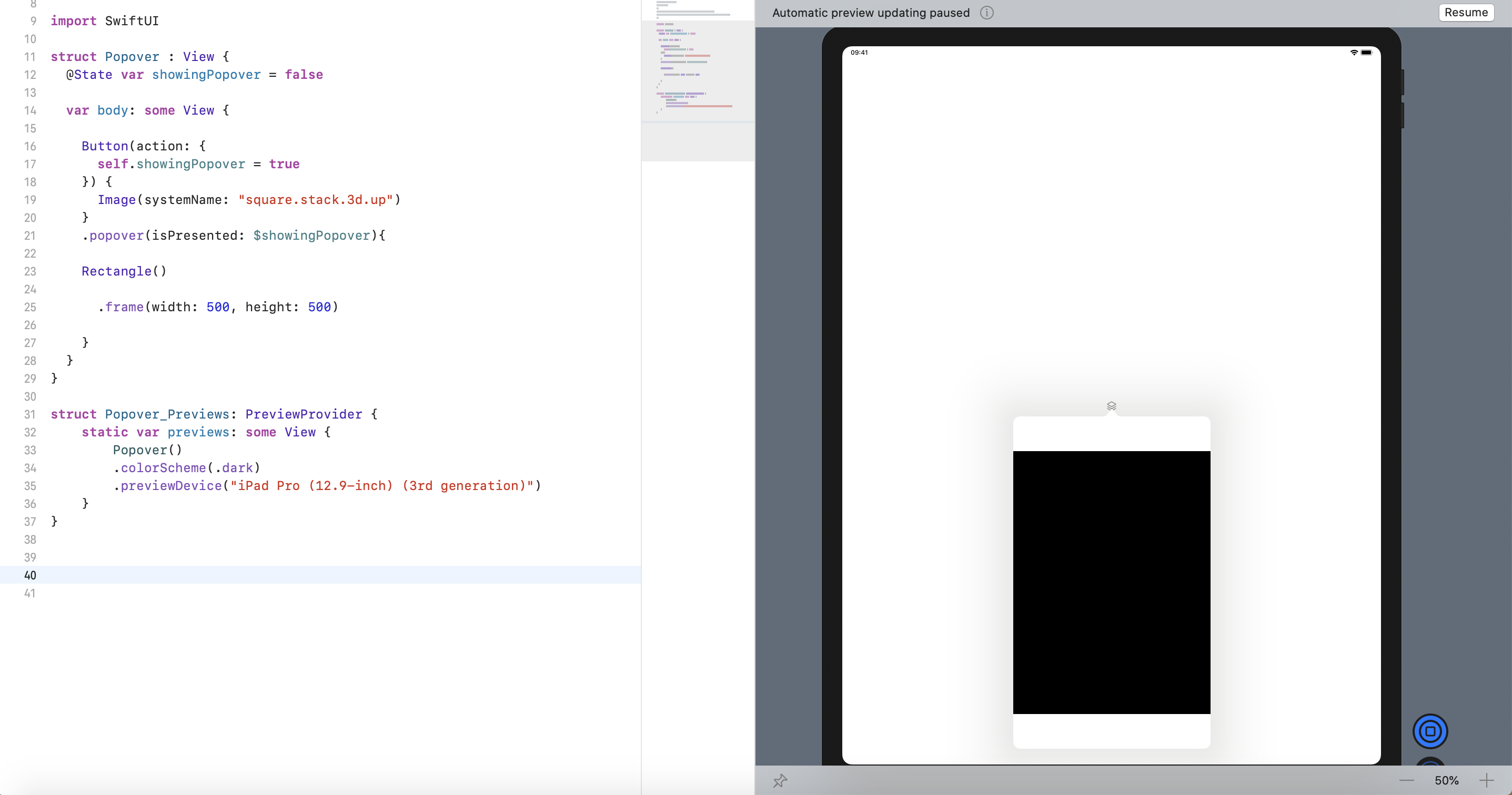
默认的行为是解雇,一旦被外接。
问:我如何将弹出设置为:-持久化(在外部点击时不被解除)?-激活时不要阻止屏幕?
回答 3
Stack Overflow用户
发布于 2022-11-15 06:06:35
我对这个问题的解决方案不涉及旋转你自己的弹出式外观。只需将.interactiveDismissDisabled()修饰符应用于弹出程序的父内容,如下面的示例所示:
import SwiftUI

struct ContentView: View {
    @State private var presentingPopover = false
    @State private var count = 0

    var body: some View {
        VStack {
            Button {
                presentingPopover.toggle()
            } label: {
                Text("This view pops!")
            }.popover(isPresented: $presentingPopover) {
                Text("Surprise!")
                    .padding()
                    .interactiveDismissDisabled()
            }.buttonStyle(.borderedProminent)

            Text("Count: \(count)")
            Button {
                count += 1
            } label: {
                Text("Doesn't block other buttons too!")
            }.buttonStyle(.borderedProminent)
        }
        .padding()
    }
}
在iPadOS 16 (Xcode 14.1)上进行了测试,演示视频包括以下内容:
注意:虽然看起来按钮失去了焦点,但它们仍然是可交互的,并且可能是一个bug,因为在macOS上运行时不存在这种行为。
Stack Overflow用户
发布于 2019-11-27 09:07:39
我试着和.popover和.sheet玩,但却没有找到很好的解决方案。.sheet可以显示模式视图,但它阻止父视图。因此,我可以提供您使用ZStack并做出类似的行为(对于用户):
import SwiftUI

struct Popover: View {

    @State var showingPopover = false

    var body: some View {

        ZStack {

            // rectangles only for color control
            Rectangle()
                .foregroundColor(.gray)

            Rectangle()
                .foregroundColor(.white)
                .opacity(showingPopover ? 0.75 : 1)

            Button(action: {
                withAnimation {
                    self.showingPopover.toggle()
                }
            }) {
                Image(systemName: "square.stack.3d.up")
            }

            ModalView()
                .opacity(showingPopover ? 1: 0)
                .offset(y: self.showingPopover ? 0 : 3000)
        }

    }
}

// it can be whatever you need, but for arrow you should use Path() and draw it, for example
struct ModalView: View {

    var body: some View {

        VStack {
            Spacer()

            ZStack {
                Rectangle()
                    .frame(width: 520, height: 520)
                    .foregroundColor(.white)
                    .cornerRadius(10)

                Rectangle()
                    .frame(width: 500, height: 500)
                    .foregroundColor(.black)
            }

        }
    }

}

struct Popover_Previews: PreviewProvider {
    static var previews: some View {
        Popover()
        .colorScheme(.dark)
        .previewDevice("iPad Pro (12.9-inch) (3rd generation)")
    }
}在这里,ModalView从下面弹出,背景变得更暗一些。但是你仍然可以在你的“父”视图上触摸所有的东西。
更新:忘记显示结果:
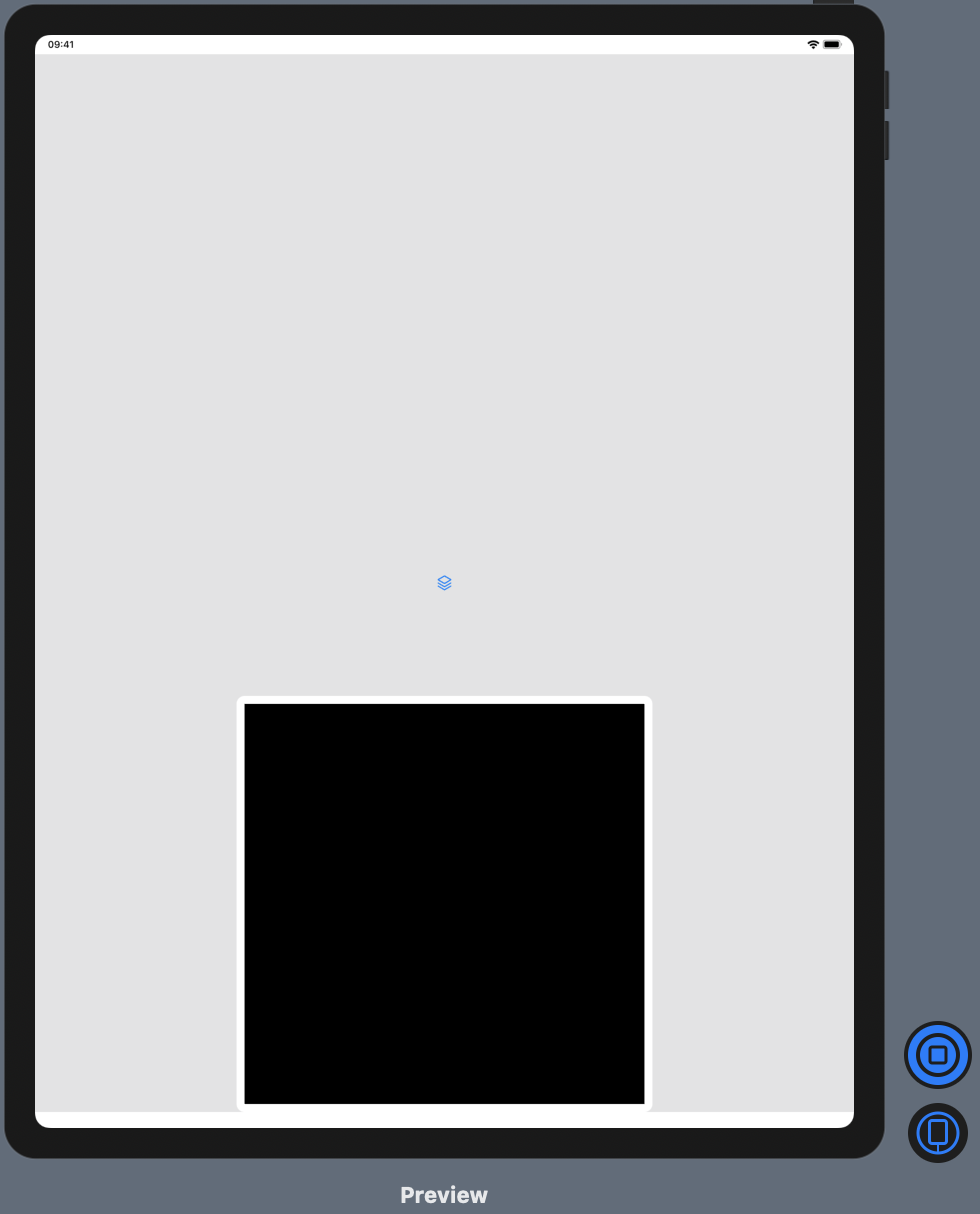
P.S.:从这里你可以走得更远。例如,您可以将所有内容放入GeometryReader中以计数ModalView位置,为最后一个.gesture(DragGesture()...)添加以再次偏移底部下的视图等等。
Stack Overflow用户
发布于 2020-09-16 14:13:01
您只需使用.constant(showingPopover)而不是$showingPopover.当您使用$时,当您按下该弹出并关闭您的弹出时,它将使用绑定并更新您的@State变量。如果使用.constant(),它只会读取@State变量中的值,而不会关闭弹出窗口。您的代码应该如下所示:
struct Popover : View {

  @State var showingPopover = false

  var body: some View {
    Button(action: {
      self.showingPopover = true
    }) {
      Image(systemName: "square.stack.3d.up")
    }
    .popover(isPresented: .constant(showingPopover)) {
       Rectangle()
         .frame(width: 500, height: 500)
       }
    }
}https://stackoverflow.com/questions/59065455
复制相似问题
腾讯云开发者

Copyright © 2013 - 2026 Tencent Cloud. All Rights Reserved. 腾讯云 版权所有
深圳市腾讯计算机系统有限公司 ICP备案/许可证号:粤B2-20090059  粤公网安备44030502008569号
腾讯云计算(北京)有限责任公司 京ICP证150476号 | 京ICP备11018762号