
SwiftUI。如何设置空间收缩行为?
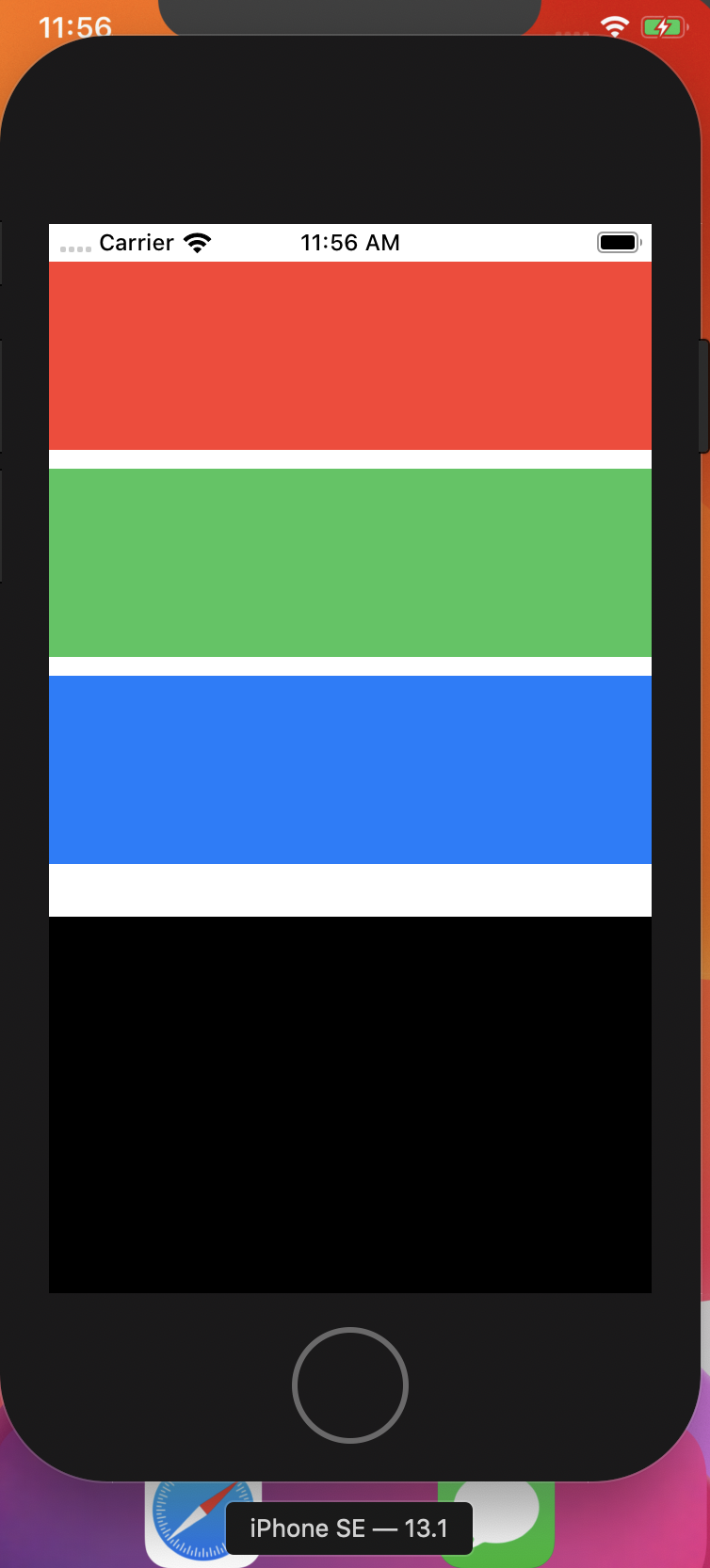
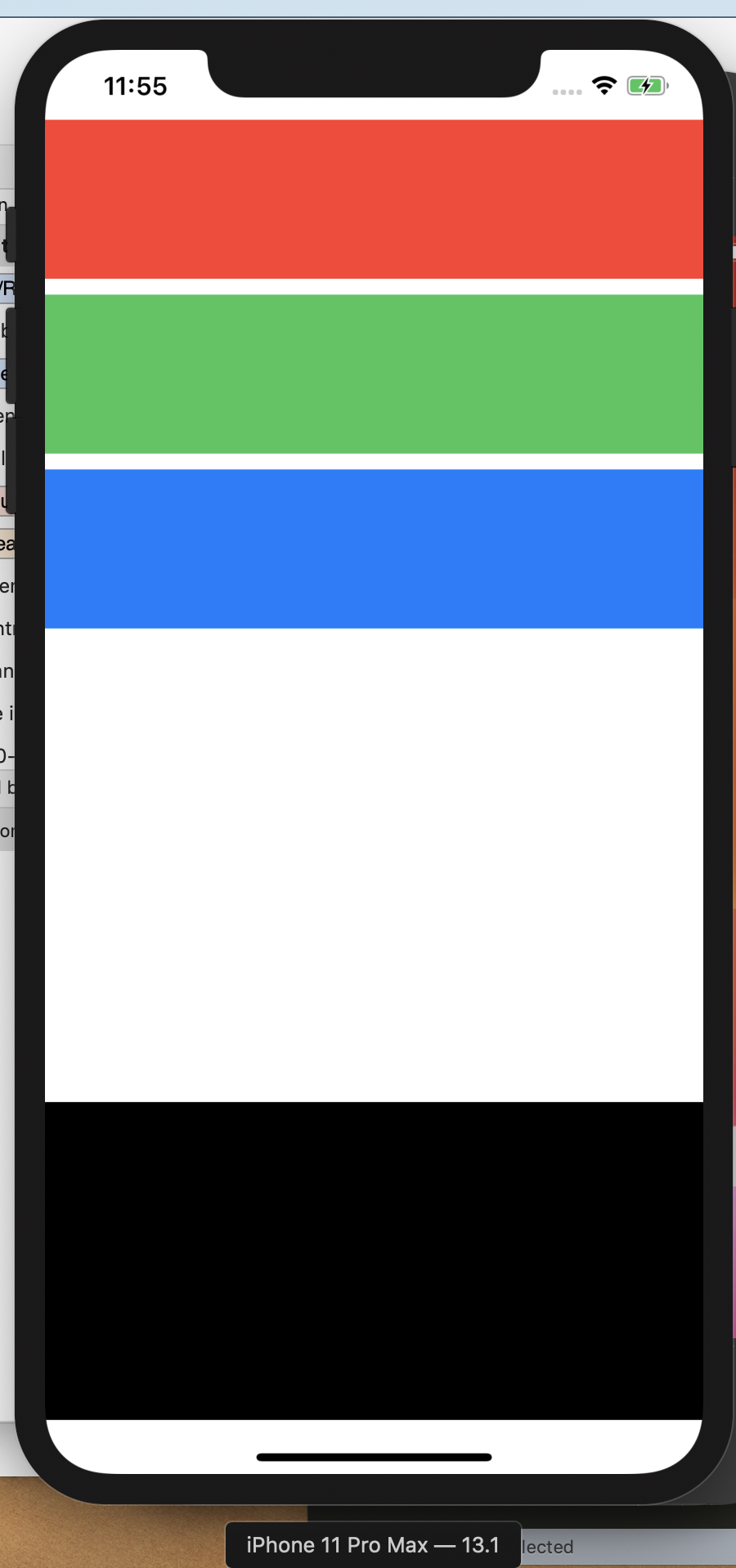
如何在rgb视图(100 Pro )之间设置默认间距,如果它们的容器(VStack)与底部黑色视图不冲突。(如iPhone 11 Pro Max)。如果没有100 p高度的空间,但是会缩小。(就像屏幕截图中的iPhone SE )
我的代码:
struct ContentView: View {
    var body: some View {
        VStack(spacing: 0) {
            VStack(spacing: 0) {
                Rectangle()
                    .foregroundColor(.red)
                    .frame(height: 100)
                Spacer()
                    .frame(minHeight: 10, maxHeight: 100)
                Rectangle()
                    .foregroundColor(.green)
                    .frame(height: 100)
                Spacer()
                    .frame(minHeight: 10, maxHeight: 100)
                Rectangle()
                    .foregroundColor(.blue)
                    .frame(height: 100)
            }
            Spacer()
                .frame(minHeight: 10, maxHeight: 600)
            Rectangle() // keyboard
                .frame(height: 200)
        }
    }
}所以问题是:间隔与maxHeight: 100有高度= 10 (而不是100)在iPhone 11专业麦克斯。(,但黑色视图和VStack之间的空间允许)
如何做出我解释过的行为?
回答 2
Stack Overflow用户
发布于 2019-12-02 09:25:30
您需要将idealHeight与.fixedSize修饰符一起用于Spacers:
Spacer()
    .frame(minHeight: 10, idealHeight: 100, maxHeight: 600)
.fixedSize()Stack Overflow用户
发布于 2020-12-14 02:42:45
使用空间(minLength: 10)作为最后一个间隔。
struct ContentView: View {
    var body: some View {
        VStack(spacing: 0) {
            VStack(spacing: 0) {
                Rectangle()
                    .foregroundColor(.red)
                    .frame(height: 100)
                Spacer()
                    .frame(minHeight: 10, maxHeight: 100)
                Rectangle()
                    .foregroundColor(.green)
                    .frame(height: 100)
                Spacer()
                    .frame(minHeight: 10, maxHeight: 100)
                Rectangle()
                    .foregroundColor(.blue)
                    .frame(height: 100)
            }
            Spacer(minLength: 10)
            Rectangle() // keyboard
                .frame(height: 200)
        }
    }
}代码中的问题是,当您将一个空格包在像Spacer().frame(minHeight: 10, maxHeight: 600)这样的框架中时,它首先被认为是一个框架,然后是该帧中的一个空格。框架具有与其他视图相同的默认布局优先级。因此,父级将提出与内部VStack相同的空间。通过移除框架修饰符,空格有最少的布局优先级,因此内部VStack将占用尽可能多的空间,除了间隔所声称的最小10点和矩形的200点。
https://stackoverflow.com/questions/59135719
复制相似问题
腾讯云开发者

Copyright © 2013 - 2026 Tencent Cloud. All Rights Reserved. 腾讯云 版权所有
深圳市腾讯计算机系统有限公司 ICP备案/许可证号:粤B2-20090059  粤公网安备44030502008569号
腾讯云计算(北京)有限责任公司 京ICP证150476号 | 京ICP备11018762号