
JSDoc没有在.MJS文件中使用汇总
我有以下的..。
/**
 * Represents a base element
 * @extends HTMLElement
 * @constructor
 */
export class Base extends HTMLElement {
...
}
当我跑的时候..。
jsdoc src/jrg-base-element.mjs那我就..。
没有要处理的输入文件。
我试过--debug .
{"env":{"conf":{"plugins":[],"recurseDepth":10,“includePattern”:“includePattern”:“.+.js(doc\x)?$”,“excludePattern”:“(^\)”},“sourceType”:“模块”,“标记”:{“allowUnknownTags”:true,“字典”:“jsdoc”,“闭包”},“模板”:{“monospaceLinks”:false,"cleverLinks":false,“default”:{“outputSourceFiles”:true},“opts”:{“”:“src/jrg-base-element.mjs.mjs”,“调试”:true,“目的地”:“./out/”,“编码”:“utf8”}}
这看起来很接近(The error message "There are no input files to process" from jsdoc),但我不知道该怎么做。
有什么想法吗?
回答 1
Stack Overflow用户
发布于 2019-12-07 23:09:19
我自己试过了:
- 安装JSDoc:
npm安装-g jsdoc => OK
- 创建一个虚拟文件src/x.js:
jsdoc src
- Check /** *表示基元素*@ HTMLElement *@HTMLElement */ function () { console.log ('Hello!‘);}
- 运行结果(默认目录
"out/"):
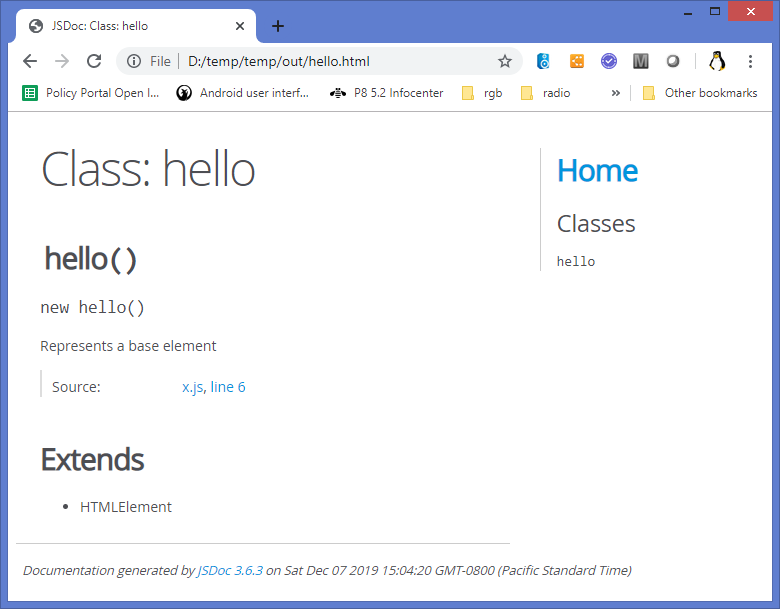
换言之:
( a)您可以指定一个JS文件,但是您通常会指定一个JS包目录。
( b)默认情况下,JSDoc不承认".mjs“
建议:
指定配置文件,并编辑source.includePatter=n
https://jsdoc.app/about-configuring-jsdoc.html#specifying-input-files
指定输入文件
源选项集与命令行中提供给JSDoc的路径组合在一起,确定JSDoc用于生成文档的输入文件集。
{“源”:{“包括”:生成文件的/*路径数组,以便为*/生成文档,“排除”:排除*/的/*路径数组,"includePattern":“.+\.js(Doc_X)?$”,"excludePattern":“(^\)\}
- source.include::一个可选的路径数组,其中包含JSDoc应该为其生成文档的文件。命令行上给JSDoc的路径与这些路径组合在一起。您可以使用subdirectories.
- source.exclude:命令行选项将JSDoc应该忽略的可选路径数组递归到JSDoc中。在source.include.
- source.includePattern:3.3.0及更高版本中,该数组可能包括source.include.
- source.includePattern:中路径的子目录--一个可选字符串,解释为正则表达式。如果存在,所有文件名都必须匹配这个由JSDoc处理的正则表达式。默认情况下,此选项被设置为“.+.js(doc\x)?$”,这意味着只有扩展名为.js、.jsdoc和.jsx的文件才是.+.js--一个可选的字符串,解释为正则表达式。如果存在,任何与此正则表达式匹配的文件都将被忽略。默认情况下,设置此选项将忽略以下划线(或目录下以下划线开头的任何内容)开头的文件。
祝你好运--请把你发现的东西发回去!
https://stackoverflow.com/questions/59230857
复制相似问题
腾讯云开发者

Copyright © 2013 - 2026 Tencent Cloud. All Rights Reserved. 腾讯云 版权所有
深圳市腾讯计算机系统有限公司 ICP备案/许可证号:粤B2-20090059  粤公网安备44030502008569号
腾讯云计算(北京)有限责任公司 京ICP证150476号 | 京ICP备11018762号