
从Opencv4上的形状中获取所有矩形
从Opencv4上的形状中获取所有矩形
提问于 2019-12-07 20:27:08
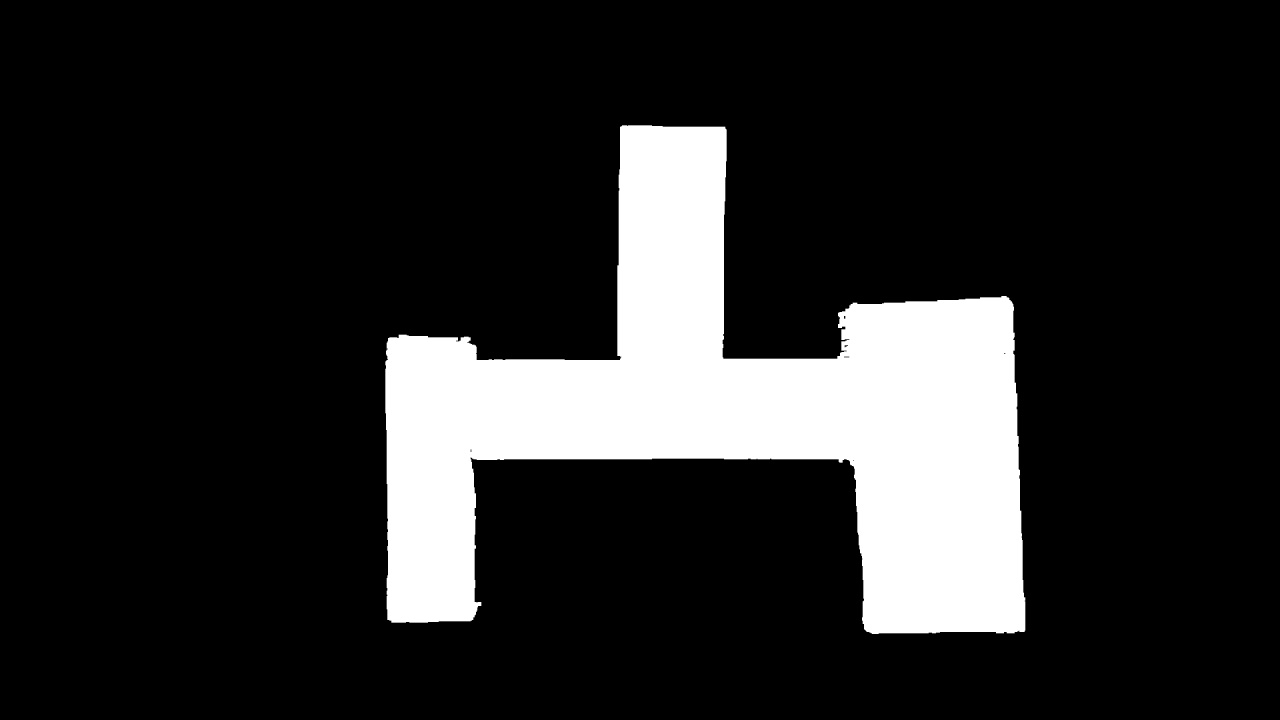
我正在使用opencv 4,我想从形状中获取所有矩形的位置,因为我在寻找形状中的框或矩形,但是当我在它们之间连接时,我无法找到我在图片中有多少个框。
我使用cv2.kerHarris()来搜索角点,并尝试从角点获取矩形,但是我无法用这个函数精确地找到角。
有人知道怎样才能得到我所期望的最佳结果吗??或者,opencv的哪些功能最适合从这种形状样式中找到矩形?
我有这样的形象:
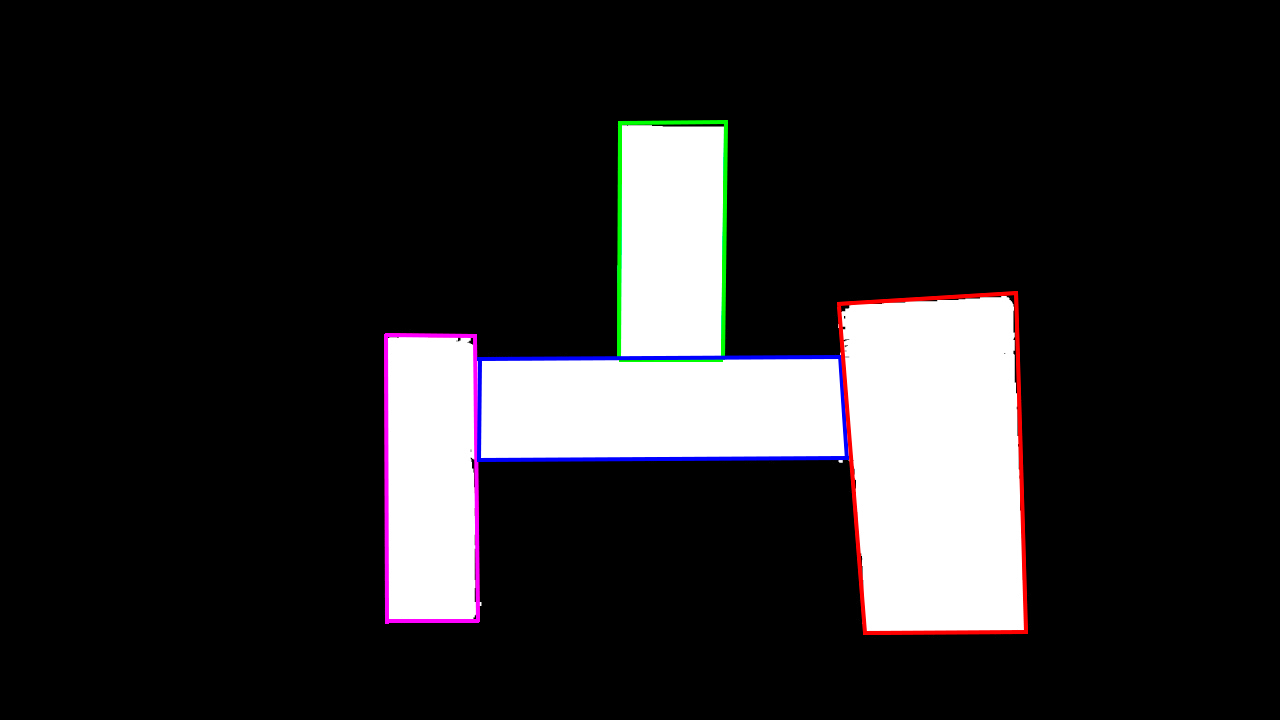
这就是我所期望的结果(4个矩形):
编辑:
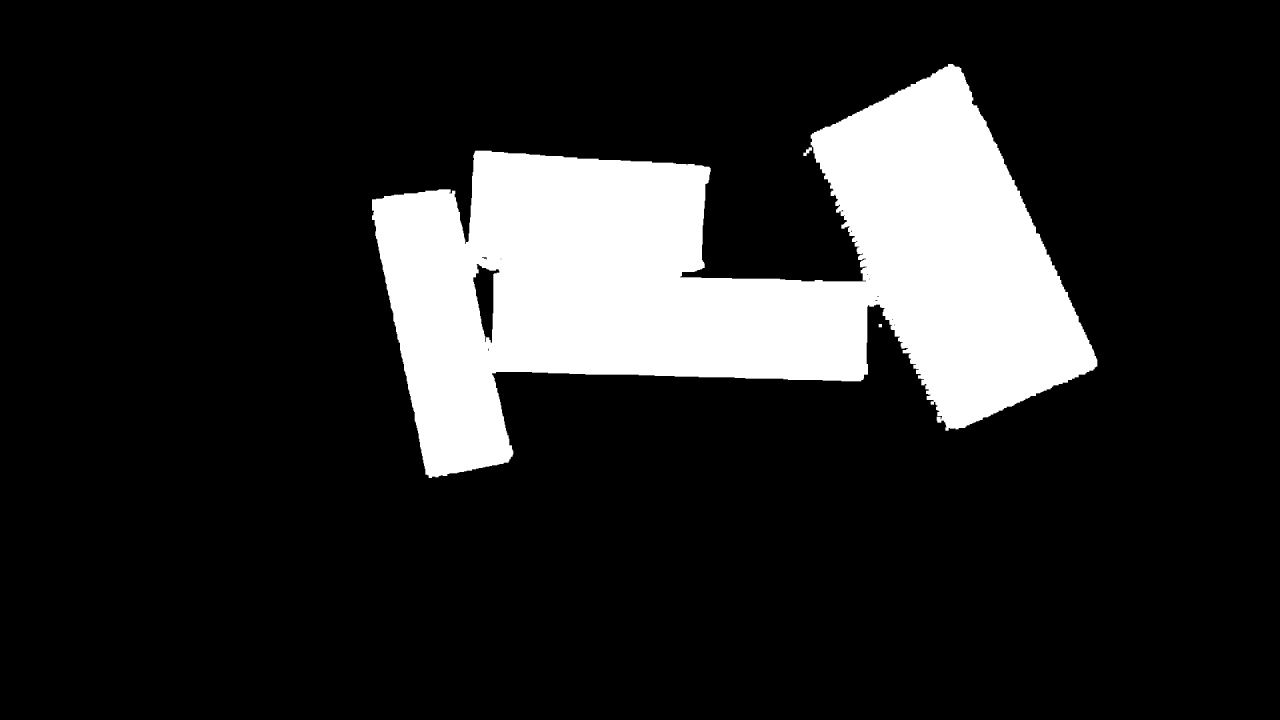
通过Shubham的回答,我得到了预期的结果,但是对于下一个图像,我没有很好的结果,但是通过他的代码,我得到了一个开始点,试图得到图像的矩形。
没有好结果的图像:
提前谢谢。
诚挚的问候。
回答 1
Stack Overflow用户
发布于 2019-12-08 17:42:32
import cv2
import numpy as np
from collections import defaultdict

#read the input image
inp_image = cv2.imread("9EtWF.jpg")
#convert the image to gray scale
gray_image = cv2.cvtColor(inp_image.copy(),cv2.COLOR_BGR2GRAY)

#do a morphological closing and edge detection
kernel = np.ones((5,5),np.uint8)
closing = cv2.morphologyEx(gray_image, cv2.MORPH_CLOSE, kernel)
edge_detection = cv2.Canny(closing,50,255)

#get the outline of the region of interest
indices = np.where(edge_detection != [0])
coordinates = [[i, j] for i,j in zip(indices[1], indices[0])]

def validate_merge(l1,l2,thresh_x,thresh_y):
    return (abs(l2[1] - l1[1])<= thresh_y and abs(l2[0]-l1[0])<= thresh_x)

#loop over all the points and merge them based on their x and y coordinates
final_horizontal_list = []
temp_list = []
temp_list.append(coordinates[0])
for idx in range(1,len(coordinates)-2):
    if validate_merge(coordinates[idx],coordinates[idx+1],10,10):
        temp_list.append(coordinates[idx])
    else:
        temp_list.append(coordinates[idx])
        if len(temp_list) > 10:
            merge_segment_flag = False
            for segment_idx,segment in enumerate(final_horizontal_list):
                if validate_merge(temp_list[-1],segment[0],10,10) or validate_merge(segment[-1],temp_list[0],10,10):
                    final_horizontal_list[segment_idx]+=temp_list
                    final_horizontal_list[segment_idx].sort()
                    merge_segment_flag = True
                    break
            if not merge_segment_flag:
                final_horizontal_list.append(temp_list)
        temp_list = []

block_idxs = [idx for idx in range(len(final_horizontal_list))]

def validate_y_groupings(l0,l1):

    diff1 = l0[0][0] - l1[0][0]
    diff2 = l0[-1][0]-l1[-1][0]
    final_coords_list = []
    diff1_y = l0[0][1] - l1[0][1]
    diff2_y = l0[-1][1]-l1[-1][1]
    if abs(diff1) <= 50 and abs(diff2)<=50:
        if diff1 < 0:
            if diff1_y < 0:
                final_coords_list.append(l0[0])
            else:
                final_coords_list.append([l0[0][0],l1[0][1]])

        else:
            if diff1_y < 0:
                final_coords_list.append([l1[0][0],l0[0][1]])
            else:
                final_coords_list.append(l1[0])

        if diff2 < 0:
            if diff2_y < 0:
                final_coords_list.append(l1[-1])
            else:
                final_coords_list.append([l1[-1][0],l0[-1][1]])
        else:
            if diff2_y < 0:
                final_coords_list.append([l0[-1][0],l1[-1][1]])
            else:
                final_coords_list.append(l0[-1])


        return True,final_coords_list
    else:
        return False,None

#get the boundaries for the right and left rectangles and store the top_left and bottom_right co-ordinates in a variable
pair_group_list = []
pair_grouped_list = []
final_rectangle_list = []
for seg_index in block_idxs:
    search_list = list(set(block_idxs).difference([seg_index]).difference(pair_grouped_list))
    for search_idx in search_list:
        validation_result = validate_y_groupings(final_horizontal_list[seg_index],final_horizontal_list[search_idx])
        if validation_result[0]:
            pair_group_list.append([seg_index,search_idx])
            final_rectangle_list.append(validation_result[1])
            pair_grouped_list+=[seg_index,search_idx]
            break


updated_search_list = list(set(block_idxs).difference(pair_grouped_list))
coords_dict = defaultdict(lambda:[])
for idx in updated_search_list:
    coords_dict[idx]+=final_horizontal_list[idx][0]

sorted_coords_list = sorted(coords_dict.items(),key = lambda kv:(kv[1][1]))
#get the boundaries for the topmost rectangle
triplet_group_1 = sorted_coords_list[0:len(sorted_coords_list)-1]
sorted_triplet_group_1 = sorted(triplet_group_1,key = lambda x:x[1][0])

final_rectangle_list.append([sorted_triplet_group_1[1][1],sorted_triplet_group_1[2][1]])

#get the boundaries for the middle rectangle
triplet_group_2 = []
triplet_group_2+=[sorted_triplet_group_1[0],sorted_coords_list[-1],sorted_triplet_group_1[-1]]
#find the top_left coordinates
diff1 = triplet_group_2[0][1][0] - triplet_group_2[1][1][0]
temp_rect_list = []
#get the correct x and y co-ordinates for the top_left
if diff1 < 0:
    temp_rect_list.append(triplet_group_2[0][1])
else:
    temp_rect_list.append([triplet_group_2[1][1][0],triplet_group_2[0][1][1]])

#get the correct bottom right points
l0 = final_horizontal_list[triplet_group_2[1][0]][-1]
l1 = final_horizontal_list[triplet_group_2[2][0]][-1]
diff2 = l0[0] - l1[0]

if diff2 < 0:
    temp_rect_list.append([l1[0],l0[1]])
else:
    temp_rect_list.append(l0)

final_rectangle_list.append(temp_rect_list)

#draw and save the image

copy_image = inp_image.copy()
for coords in final_rectangle_list:
    cv2.rectangle(copy_image,tuple(coords[0]),tuple(coords[-1]),(0,255,0),3)
#     cv2.line(copy_image, tuple(coords[0]), tuple(coords[-1]), (0, 255, 0), thickness=3, lineType=8)
    print(coords[0],coords[-1])
    cv2.imshow('img', copy_image)
    cv2.waitKey(0)
cv2.destroyAllWindows()
cv2.imwrite("output.jpg",copy_image)
del copy_image
上述代码的输出图像:
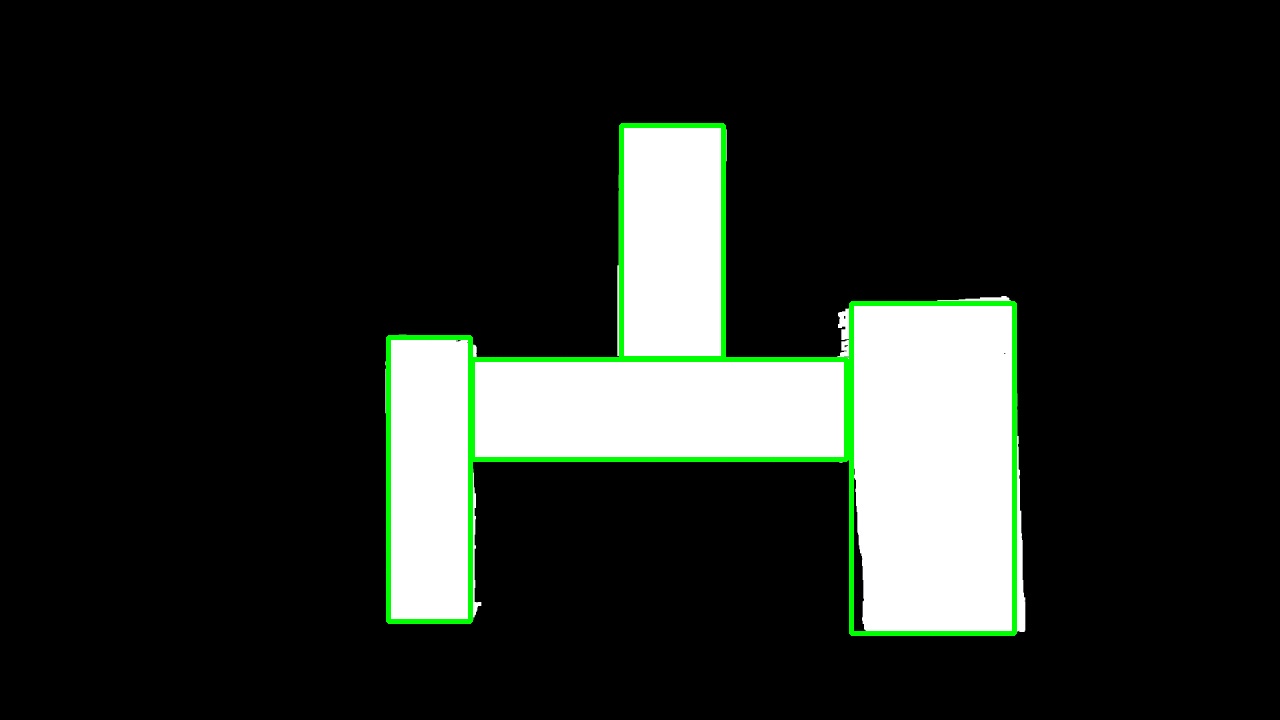
虽然边界并不完美,但只要稍加调整,就能轻易得到它们。注意:对于这个结果,我使用了opencv 3.4.2,但是对于opencv 4也是一样的。
页面原文内容由Stack Overflow提供。腾讯云小微IT领域专用引擎提供翻译支持
原文链接:
https://stackoverflow.com/questions/59229885
复制相关文章
相似问题
腾讯云开发者

Copyright © 2013 - 2026 Tencent Cloud. All Rights Reserved. 腾讯云 版权所有
深圳市腾讯计算机系统有限公司 ICP备案/许可证号:粤B2-20090059  粤公网安备44030502008569号
腾讯云计算(北京)有限责任公司 京ICP证150476号 | 京ICP备11018762号