
网格与SortableJS的结合
网格与SortableJS的结合
提问于 2020-01-06 09:57:38
我将SortableJS用于React,并试图实现水平Grid,以便最终结果如下所示:
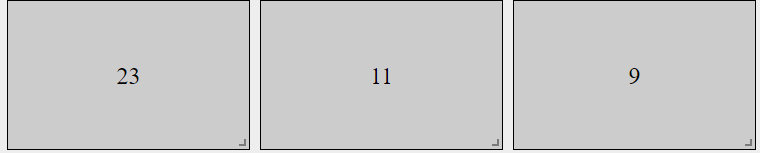
我设法做到了,但是排序函数根本不起作用。我认为这与tag属性有关。当我尝试tag={Grid}时,我得到以下错误:
排序:el必须是HTMLElement,而不是对象对象
有什么想法吗?如何将Grid实现到tag属性?这是我的代码:
     <Grid container>
            <Sortable options={{ fallbackOnBody: true, group: "items", handle: reorderHandle }} tag={Grid} onChange={handleChange}>
                {items.map((item, index) =>
                    <Paper key={index} data-id={index} className={classes.item} elevation={0}>
                        <ButtonHelper {...getHandleClass(editable)} key={index} icon={
                            <Badge badgeContent={index + 1} color="default">
                                {editable && <ReorderIcon />}
                            </Badge>}
                        />
                        <Grid item xs={4} key={index}>
                            <div className={classes.gridItem}>
                                <GalleryInput className={classes.image} style={{ width: '300px' }} label="image" source={`${source}[${index}].image`} />
                                <br></br>
                                <TextInput label="desc" source={`${source}[${index}].desc`} />
                                {editable && <ButtonHelper icon={<RemoveIcon />} onClick={handleRemove(index)} className={classes.left} />}
                            </div>
                        </Grid>
                    </Paper>
                )}
            </Sortable>
        </Grid>
谢谢你的帮助。
回答 1
Stack Overflow用户
发布于 2020-01-06 10:42:43
由于您使用的是自定义组件,标记支柱只接受它为forwarRef组件。
所以你需要用那种方式更新。
示例片段
// This is just like a normal component, but now has a ref.
const CustomComponent = forwardRef<HTMLDivElement, any>((props, ref) => {
  return <div ref={ref}>{props.children}</div>;
});

export const BasicFunction: FC = props => {
  const [state, setState] = useState([
    { id: 1, name: "shrek" },
    { id: 2, name: "fiona" }
  ]);

  return (
    <ReactSortable tag={CustomComponent} list={state} setList={setState}>
      {state.map(item => (
        <div key={item.id}>{item.name}</div>
      ))}
    </ReactSortable>
  );
};页面原文内容由Stack Overflow提供。腾讯云小微IT领域专用引擎提供翻译支持
原文链接:
https://stackoverflow.com/questions/59609973
复制相关文章
相似问题
腾讯云开发者

Copyright © 2013 - 2026 Tencent Cloud. All Rights Reserved. 腾讯云 版权所有
深圳市腾讯计算机系统有限公司 ICP备案/许可证号:粤B2-20090059  粤公网安备44030502008569号
腾讯云计算(北京)有限责任公司 京ICP证150476号 | 京ICP备11018762号