
UICollectionViewCompositionalLayout和groupPagingCentered没有开始居中
UICollectionViewCompositionalLayout和groupPagingCentered没有开始居中
提问于 2020-01-10 16:08:55
我的布局代码非常简单,您将在每一篇教程或文章中看到有关新组合布局的内容。
  func createLayout() -> UICollectionViewLayout {
    let itemSize = NSCollectionLayoutSize(widthDimension: .fractionalWidth(1.0), heightDimension: .fractionalHeight(1.0))
    let item = NSCollectionLayoutItem(layoutSize: itemSize)
    item.contentInsets = .init(top: 0, leading: 5, bottom: 0, trailing: 5)

    let groupSize = NSCollectionLayoutSize(widthDimension: .fractionalWidth(0.93), heightDimension: .fractionalHeight(1.0))
    let group = NSCollectionLayoutGroup.horizontal(layoutSize: groupSize, subitems: [item])

    let section = NSCollectionLayoutSection(group: group)
    section.orthogonalScrollingBehavior = .groupPagingCentered

    let layout = UICollectionViewCompositionalLayout(section: section)
    return layout
  }
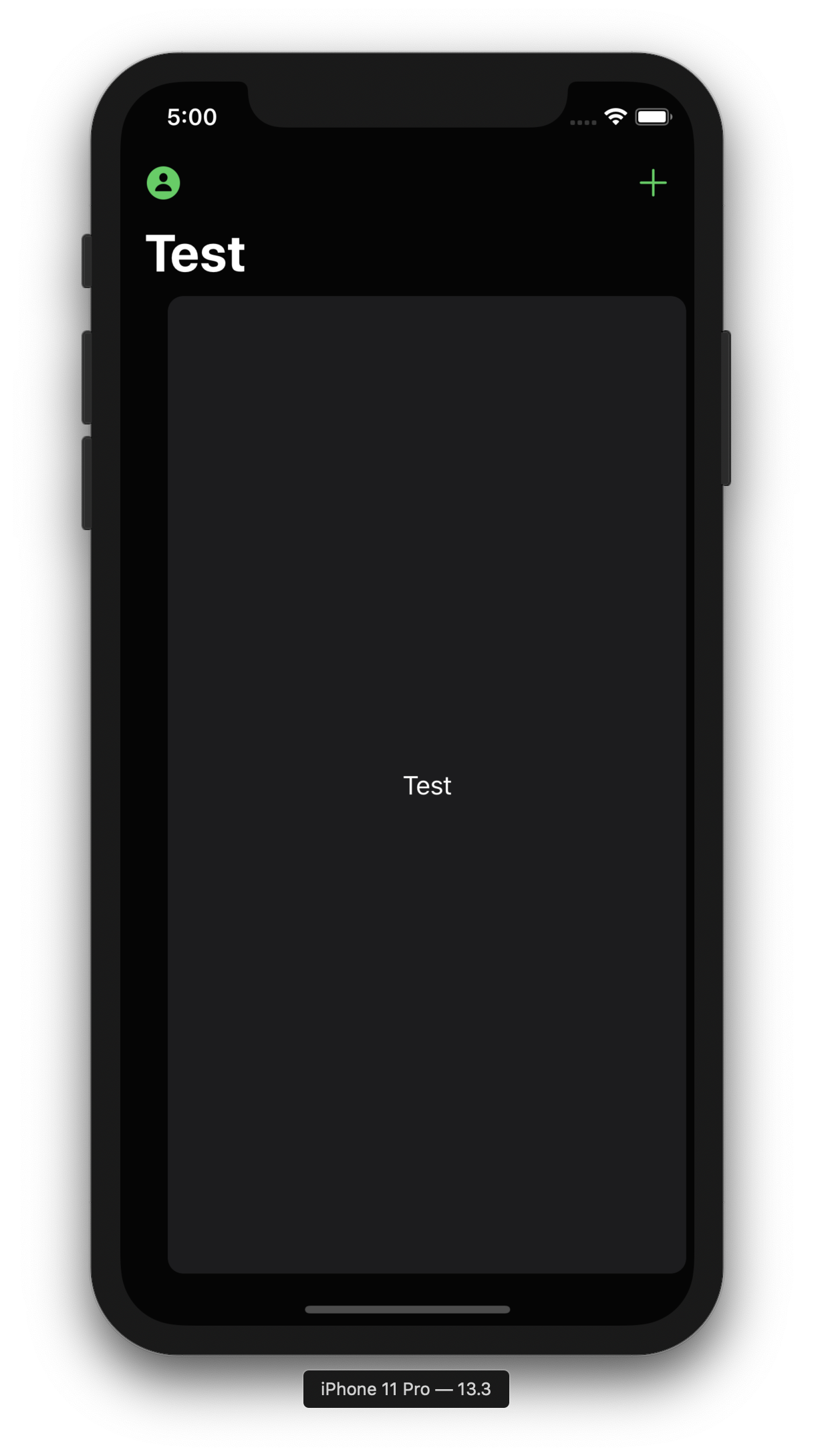
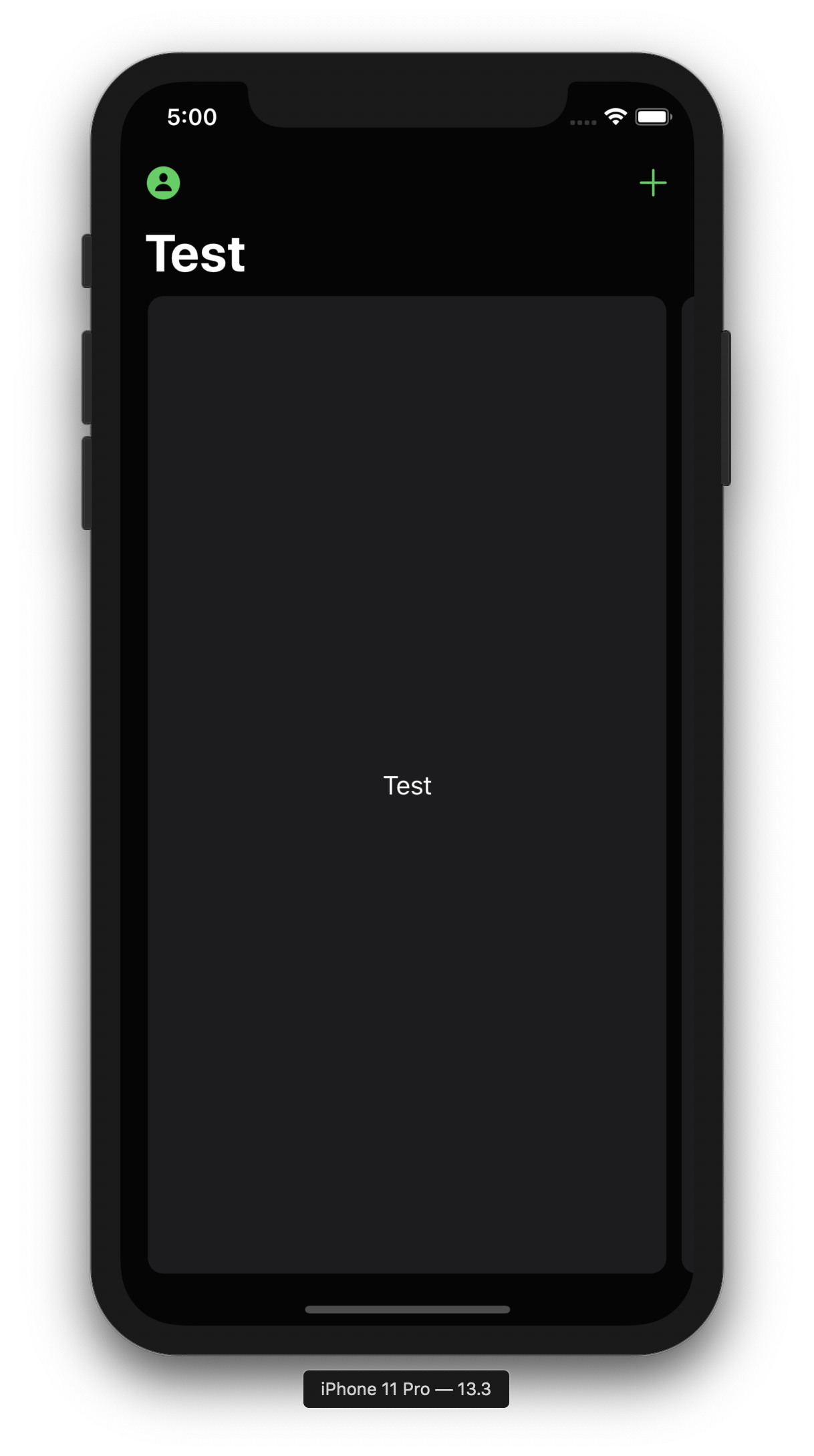
当我启动应用程序时,单元格没有正确地居中。只有当我以最小的量拖动细胞时,它才会弹到正确的位置。
在此之前:
在我把它拖了一会儿之后:
关于同样的问题,我从未见过任何问题。没有人在推特或博客上谈论这件事。不知道我在这里做错了什么?
回答 7
Stack Overflow用户
发布于 2020-01-10 16:14:35
这是预期的行为。“居中”是指一个单元格在滚动后向中心断裂。在做任何滚动之前,整个组都会一直向右滚动。您的组仅为0.93小数宽度,因此差别很小。当小数宽度变小时,效果就不那么明显了。
Stack Overflow用户
发布于 2021-04-23 13:57:52
我发现,如果将标题添加到您的部分(甚至是空的),它就解决了这个问题。
let layoutSectionHeaderSize = NSCollectionLayoutSize(widthDimension: .estimated(1.0), heightDimension: .estimated(1.0))
let layoutSectionHeader = NSCollectionLayoutBoundarySupplementaryItem(layoutSize: layoutSectionHeaderSize, elementKind: UICollectionView.elementKindSectionHeader, alignment: .top)
section.boundarySupplementaryItems = [layoutSectionHeader]
是的,你需要这个
register(SectionHeader.self, forSupplementaryViewOfKind: UICollectionView.elementKindSectionHeader, withReuseIdentifier: "SectionHeader")并在这里提供任何空的UICollectionReusableView:
    func collectionView(_ collectionView: UICollectionView, viewForSupplementaryElementOfKind kind: String, at indexPath: IndexPath) -> UICollectionReusableView {
guard let headerView = collectionView.dequeueReusableSupplementaryView(ofKind: kind, withReuseIdentifier: "SectionHeader", for: indexPath) as? SectionHeader else {
    fatalError("Could not dequeue SectionHeader")
   }
    return // some empty SectionHeader
}工作样本是这里
Stack Overflow用户
发布于 2020-01-19 22:39:30
滚动到第一项:
@available(iOS 13.0, *)
private func centerCollectionView() {

    guard collectionView.collectionViewLayout is UICollectionViewCompositionalLayout else { return }
    collectionView.scrollToItem(at: IndexPath(item: 0, section: 0), at: .centeredHorizontally, animated: false)
}
如果该项目没有填满整个屏幕,您将需要滚动到其他,否则有一个奇怪的闪光灯。因此,例如,如果您的屏幕上填充了两个项,则代码如下:
collectionView.scrollToItem(at: IndexPath(item: 1, section: 0), at: .centeredHorizontally, animated: false)
collectionView.scrollToItem(at: IndexPath(item: 0, section: 0), at: .centeredHorizontally, animated: false)页面原文内容由Stack Overflow提供。腾讯云小微IT领域专用引擎提供翻译支持
原文链接:
https://stackoverflow.com/questions/59685203
复制相关文章
相似问题
腾讯云开发者

Copyright © 2013 - 2026 Tencent Cloud. All Rights Reserved. 腾讯云 版权所有
深圳市腾讯计算机系统有限公司 ICP备案/许可证号:粤B2-20090059  粤公网安备44030502008569号
腾讯云计算(北京)有限责任公司 京ICP证150476号 | 京ICP备11018762号