
Microsoft azure devops python管道失败,Bash退出代码'5‘
我正在学习https://learn.microsoft.com/en-us/azure/devops/pipelines/ecosystems/python?view=azure-devops的教程。
这里是我的蔚蓝-管道.file文件:
# Python package
# Create and test a Python package on multiple Python versions.
# Add steps that analyze code, save the dist with the build record, publish to a PyPI-compatible index, and more:
# https://learn.microsoft.com/azure/devops/pipelines/languages/python

trigger:
- master

pool:
  vmImage: 'ubuntu-latest'
strategy:
  matrix:
    Python27:
      python.version: '2.7'
    Python35:
      python.version: '3.5'
    Python36:
      python.version: '3.6'
    Python37:
      python.version: '3.7'

steps:
- task: UsePythonVersion@0
  inputs:
    versionSpec: '$(python.version)'
  displayName: 'Use Python $(python.version)'

- script: |
    python -m pip install --upgrade pip
    pip install -r requirements.txt
  displayName: 'Install dependencies'

- script: |
    pip install pytest pytest-azurepipelines
    pytest
  displayName: 'pytest'
使用以下错误消息运行管道失败。
Bash以代码'5‘退出。
我启用了系统诊断,以便将调试消息添加到日志中。
错误发生在管道的最热阶段。
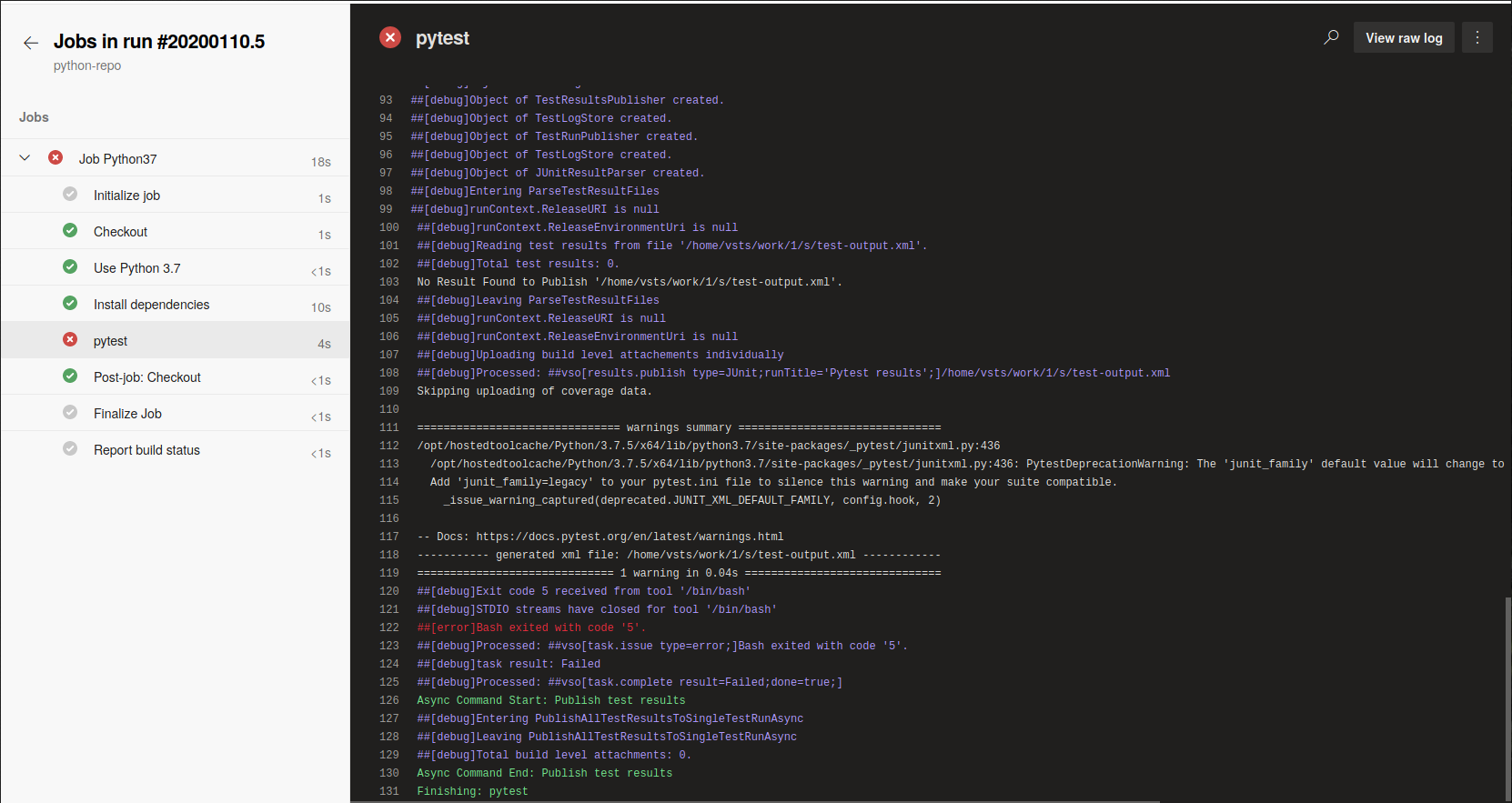
完整的日志可以在https://github.com/michaelhochleitner/debug-azure-devops-python-pipeline/blob/master/log.txt上使用。
我怎样才能使管道顺利运行呢?
回答 1
Stack Overflow用户
发布于 2020-01-17 03:38:37
,如何才能使管道顺利运行?
同意博士的观点,这个问题是因为可以收集测试项目。
检查this detailed answer从cewing
Pytest根据命名约定收集测试。默认情况下,任何包含测试的文件都必须从test_开始命名,而文件中任何应该被视为测试的函数也必须从test_开始。
所以很明显,pytest命令找不到名字以test_开头的任何test_文件。因此,对于pytest,没有可用的测试,这将导致0 items collected=>Bash exited with code '5'。
我查看了上面的教程,并复制了相同的问题:
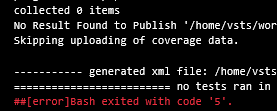
来解决它并使运行成功:
对于我来说,我只是创建了一个新的test_anyname.py文件,其内容(test_xx.py+test_xx method)如下:
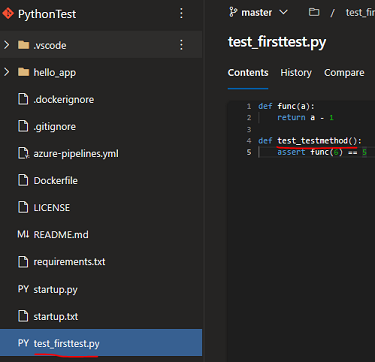
然后我的管道在没有Bash exited with code '5'的情况下成功运行。
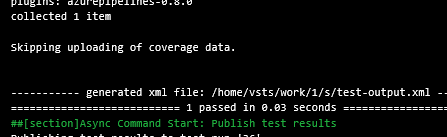
因此,您应该确保至少可以找到一个测试项,这样错误就会消失。希望它有帮助:)
https://stackoverflow.com/questions/59684295
复制相似问题
腾讯云开发者

Copyright © 2013 - 2026 Tencent Cloud. All Rights Reserved. 腾讯云 版权所有
深圳市腾讯计算机系统有限公司 ICP备案/许可证号:粤B2-20090059  粤公网安备44030502008569号
腾讯云计算(北京)有限责任公司 京ICP证150476号 | 京ICP备11018762号