
如何使用OpenCV获取图像中所有文本的位置?
我有一个图像,其中包含文字(数字和字母)。我想知道这张图片中所有文本和数字的位置。另外,我也想提取所有的文本。
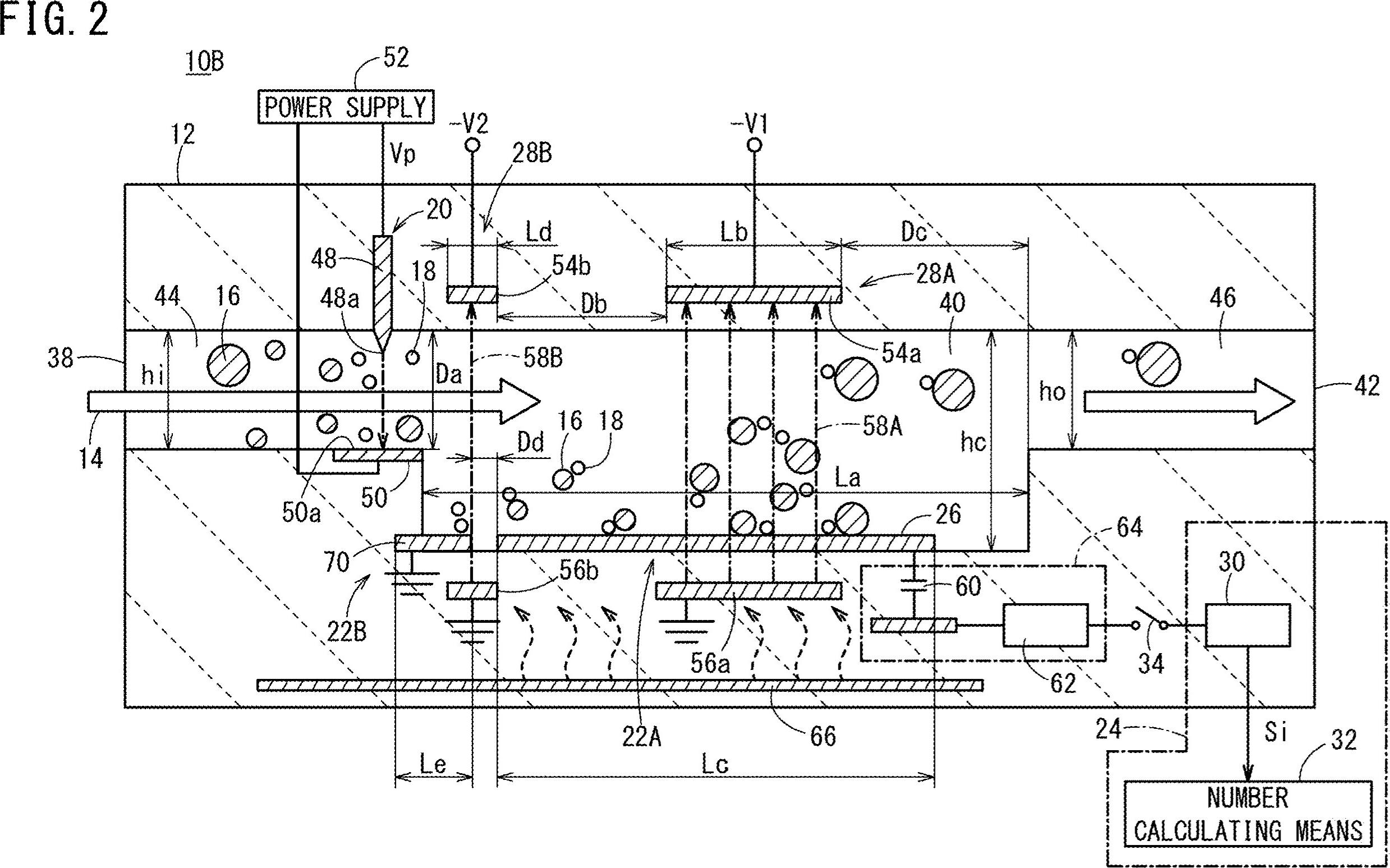
如何获取图像中的坐标以及所有文本(数字和字母)?如10B、44、16、38、22B等
回答 3
Stack Overflow用户
发布于 2020-02-15 03:05:35
下面是一种使用形态运算过滤非文本轮廓的潜在方法。这样做的目的是:
- 获得二值图像, 负载图像,灰鳞,然后是Otsu阈值
- 删除水平线和垂直线。使用
cv2.getStructuringElement()创建水平和垂直核,然后用cv2.drawContours()删除线条 - 删除对角线、圆形物体和曲线轮廓。过滤器使用等高线面积
cv2.contourArea()和轮廓近似cv2.approxPolyDP()来隔离非文本轮廓。 - 提取文本ROIs和OCR。找到ROIs的轮廓和过滤器,然后使用青蒿琥酯进行OCR。
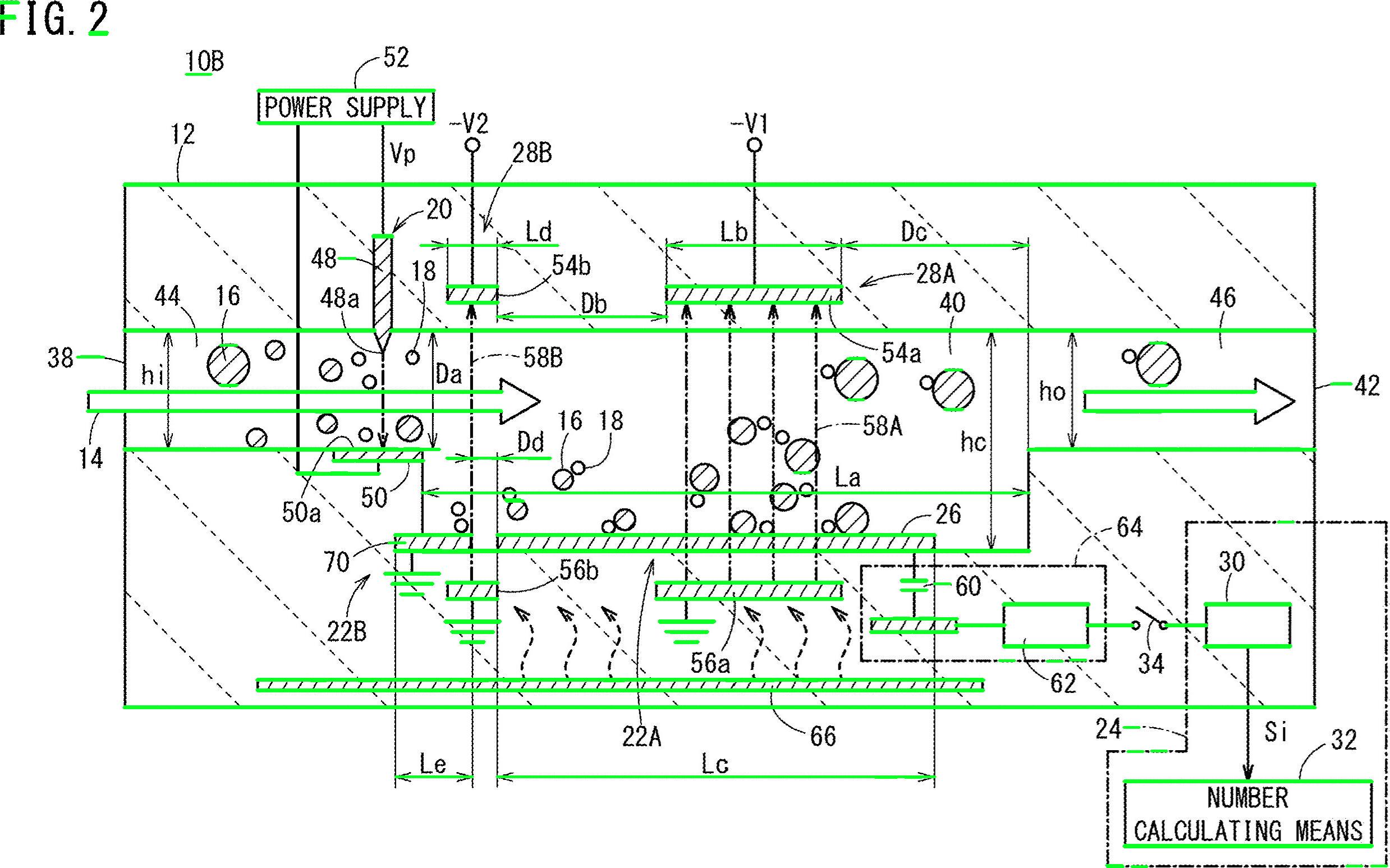
移除以绿色突出显示的水平线
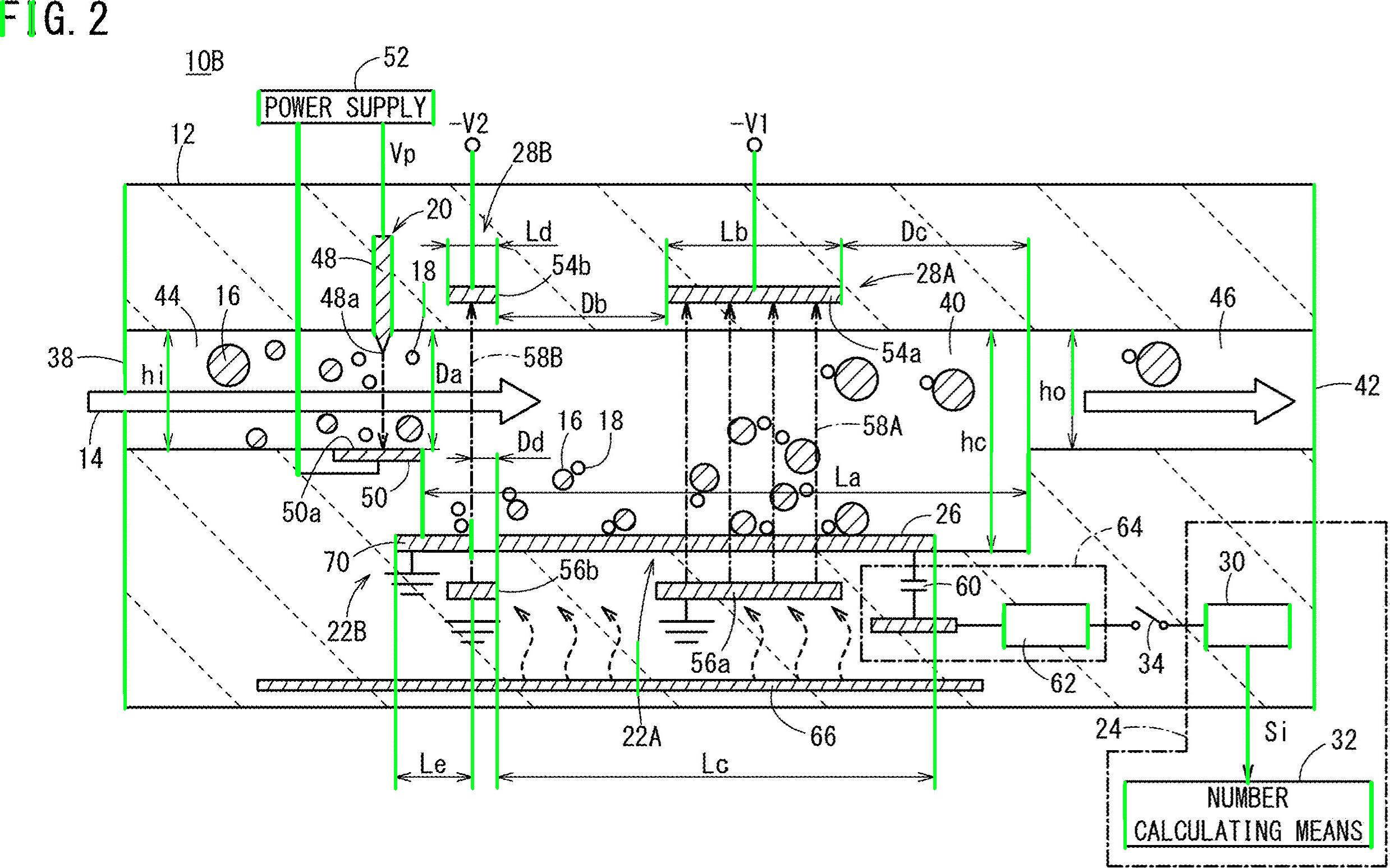
移除垂直线
移除各类非文本轮廓(对角线、圆形物体和曲线)
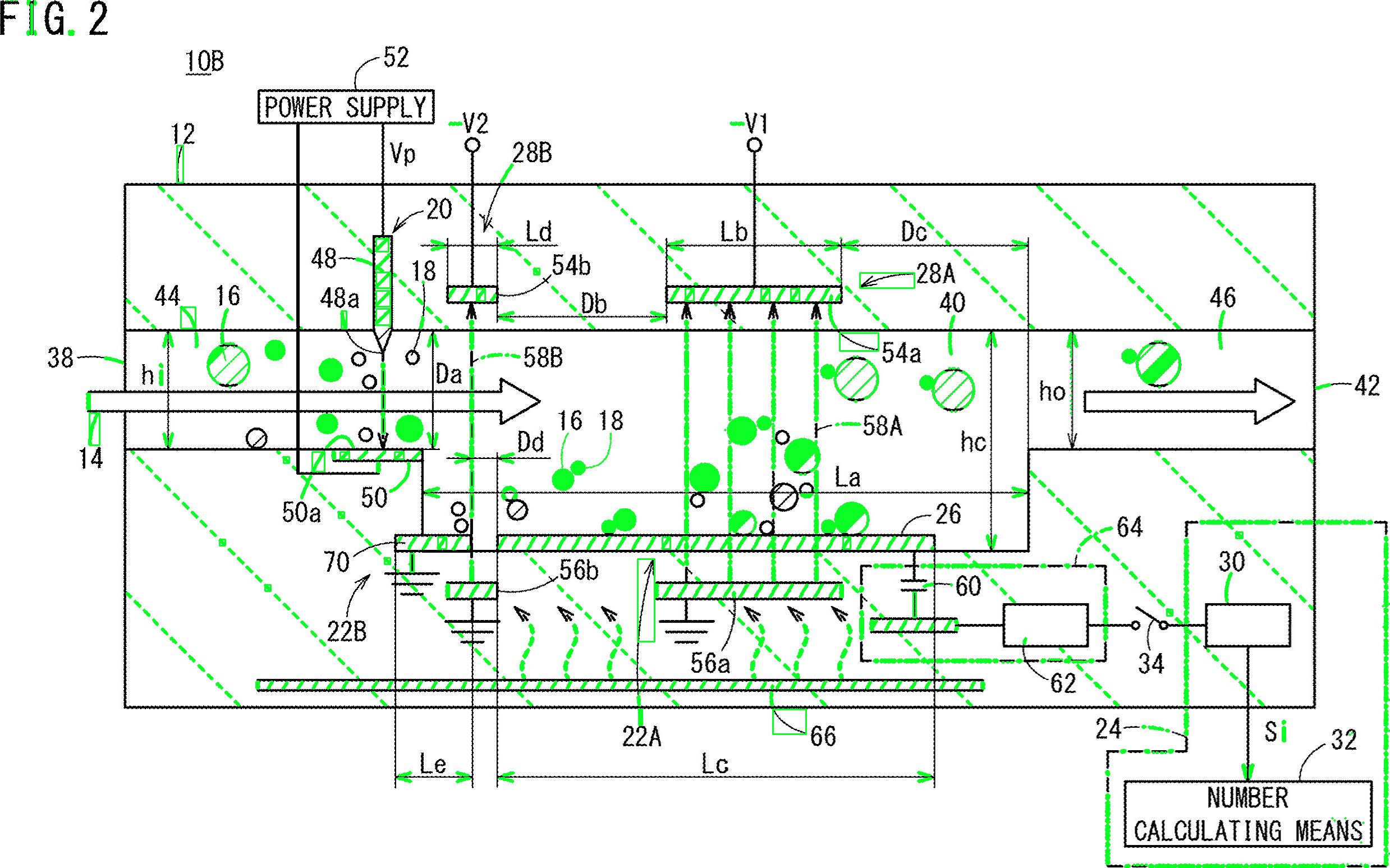
检测到的文本区域
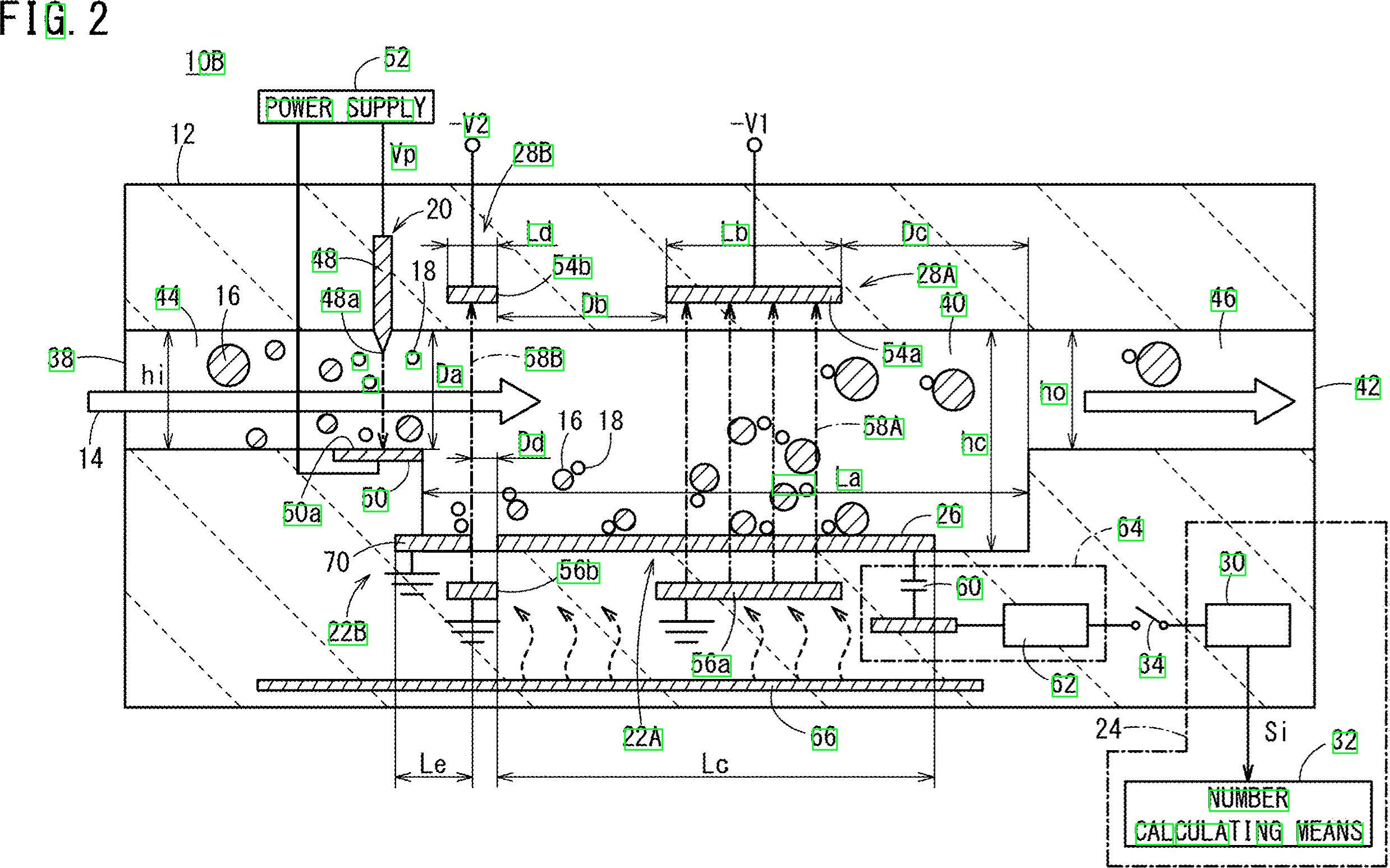
import cv2
import numpy as np
import pytesseract

pytesseract.pytesseract.tesseract_cmd = r"C:\Program Files\Tesseract-OCR\tesseract.exe"

# Load image, grayscale, Otsu's threshold
image = cv2.imread('1.jpg')
gray = cv2.cvtColor(image, cv2.COLOR_BGR2GRAY)
thresh = cv2.threshold(gray, 0, 255, cv2.THRESH_BINARY_INV + cv2.THRESH_OTSU)[1]
clean = thresh.copy()

# Remove horizontal lines
horizontal_kernel = cv2.getStructuringElement(cv2.MORPH_RECT, (15,1))
detect_horizontal = cv2.morphologyEx(thresh, cv2.MORPH_OPEN, horizontal_kernel, iterations=2)
cnts = cv2.findContours(detect_horizontal, cv2.RETR_EXTERNAL, cv2.CHAIN_APPROX_SIMPLE)
cnts = cnts[0] if len(cnts) == 2 else cnts[1]
for c in cnts:
    cv2.drawContours(clean, [c], -1, 0, 3)

# Remove vertical lines
vertical_kernel = cv2.getStructuringElement(cv2.MORPH_RECT, (1,30))
detect_vertical = cv2.morphologyEx(thresh, cv2.MORPH_OPEN, vertical_kernel, iterations=2)
cnts = cv2.findContours(detect_vertical, cv2.RETR_EXTERNAL, cv2.CHAIN_APPROX_SIMPLE)
cnts = cnts[0] if len(cnts) == 2 else cnts[1]
for c in cnts:
    cv2.drawContours(clean, [c], -1, 0, 3)

cnts = cv2.findContours(clean, cv2.RETR_EXTERNAL, cv2.CHAIN_APPROX_SIMPLE)
cnts = cnts[0] if len(cnts) == 2 else cnts[1]
for c in cnts:
    # Remove diagonal lines
    area = cv2.contourArea(c)
    if area < 100:
        cv2.drawContours(clean, [c], -1, 0, 3)
    # Remove circle objects
    elif area > 1000:
        cv2.drawContours(clean, [c], -1, 0, -1)
    # Remove curve stuff
    peri = cv2.arcLength(c, True)
    approx = cv2.approxPolyDP(c, 0.02 * peri, True)
    x,y,w,h = cv2.boundingRect(c)
    if len(approx) == 4:
        cv2.rectangle(clean, (x, y), (x + w, y + h), 0, -1)

open_kernel = cv2.getStructuringElement(cv2.MORPH_RECT, (2,2))
opening = cv2.morphologyEx(clean, cv2.MORPH_OPEN, open_kernel, iterations=2)
close_kernel = cv2.getStructuringElement(cv2.MORPH_RECT, (3,2))
close = cv2.morphologyEx(opening, cv2.MORPH_CLOSE, close_kernel, iterations=4)
cnts = cv2.findContours(close, cv2.RETR_EXTERNAL, cv2.CHAIN_APPROX_SIMPLE)
cnts = cnts[0] if len(cnts) == 2 else cnts[1]
for c in cnts:
    x,y,w,h = cv2.boundingRect(c)
    area = cv2.contourArea(c)
    if area > 500:
        ROI = image[y:y+h, x:x+w]
        ROI = cv2.GaussianBlur(ROI, (3,3), 0)
        data = pytesseract.image_to_string(ROI, lang='eng',config='--psm 6')
        if data.isalnum():
            cv2.rectangle(image, (x, y), (x + w, y + h), (36,255,12), 2)
            print(data)

cv2.imwrite('image.png', image)
cv2.imwrite('clean.png', clean)
cv2.imwrite('close.png', close)
cv2.imwrite('opening.png', opening)
cv2.waitKey()Stack Overflow用户
发布于 2020-02-15 05:02:46
好吧,这是另一个可能的解决方案。我知道你和Python一起工作-我和C++一起工作。我会给你一些想法,希望如果你愿意的话,你将能够实现这个答案。
其主要思想是根本不使用pre-processing (至少在初始阶段不使用),而是专注于每个目标字符,得到一些属性,并根据这些属性来筛选每个blob。
我试图不使用预处理,因为: 1)过滤器和形态学阶段会降低气泡的质量;2)你的目标斑点似乎显示了一些我们可以利用的特点,主要是:长径比和面积。
请看,数字和字母似乎都比更宽的…高。此外,它们似乎在某一区域价值范围内有所变化。例如,您希望丢弃“太宽”或“太大”的对象。
我的想法是,我将过滤所有不属于预先计算值范围的东西。我检查了字符(数字和字母),并以最小、最大面积值和最小高宽比(这里,高度和宽度的比率)。
让我们研究一下算法。从读取图像开始,并将其调整到一半的尺寸。你的形象太大了。转换为灰度并通过otsu获取二进制图像,下面是伪代码:
//Read input:
inputImage = imread( "diagram.png" );

//Resize Image;
resizeScale = 0.5;

inputResized = imresize( inputImage, resizeScale );

//Convert to grayscale;
inputGray = rgb2gray( inputResized );

//Get binary image via otsu:
binaryImage = imbinarize( inputGray, "Otsu" );凉爽的。我们将处理这个图像。您需要检查每个白色blob,并应用“属性筛选器”。我使用带有stats的连接组件来循环每个blob并获得其面积和高宽比,在C++中这样做如下:
//Prepare the output matrices:
cv::Mat outputLabels, stats, centroids;
int connectivity = 8;

//Run the binary image through connected components:
int numberofComponents = cv::connectedComponentsWithStats( binaryImage, outputLabels, stats, centroids, connectivity );

//Prepare a vector of colors – color the filtered blobs in black
std::vector<cv::Vec3b> colors(numberofComponents+1);
colors[0] = cv::Vec3b( 0, 0, 0 ); // Element 0 is the background, which remains black.

//loop through the detected blobs:
for( int i = 1; i <= numberofComponents; i++ ) {

    //get area:
    auto blobArea = stats.at<int>(i, cv::CC_STAT_AREA);

    //get height, width and compute aspect ratio:
    auto blobWidth = stats.at<int>(i, cv::CC_STAT_WIDTH);
    auto blobHeight = stats.at<int>(i, cv::CC_STAT_HEIGHT);
    float blobAspectRatio = (float)blobHeight/(float)blobWidth;

    //Filter your blobs…

};
现在,我们将应用属性筛选器。这只是与预先计算过的阈值的比较。我使用了以下值:
Minimum Area: 40  Maximum Area:400
MinimumAspectRatio: 1在for循环中,将当前blob属性与这些值进行比较。如果检测结果是阳性的,你就把这个斑点涂成黑色。继续在for循环中进行:
    //Filter your blobs…

    //Test the current properties against the thresholds:
    bool areaTest =  (blobArea > maxArea)||(blobArea < minArea);
    bool aspectRatioTest = !(blobAspectRatio > minAspectRatio); //notice we are looking for TALL elements!

    //Paint the blob black:
    if( areaTest || aspectRatioTest ){
        //filtered blobs are colored in black:
        colors[i] = cv::Vec3b( 0, 0, 0 );
    }else{
        //unfiltered blobs are colored in white:
        colors[i] = cv::Vec3b( 255, 255, 255 );
    }
在循环之后,构造经过过滤的图像:
cv::Mat filteredMat = cv::Mat::zeros( binaryImage.size(), CV_8UC3 );
for( int y = 0; y < filteredMat.rows; y++ ){
    for( int x = 0; x < filteredMat.cols; x++ )
    {
        int label = outputLabels.at<int>(y, x);
        filteredMat.at<cv::Vec3b>(y, x) = colors[label];
    }
}
和…差不多就是这样。您筛选了所有与您正在寻找的元素不一样的元素。运行该算法,您将得到以下结果:
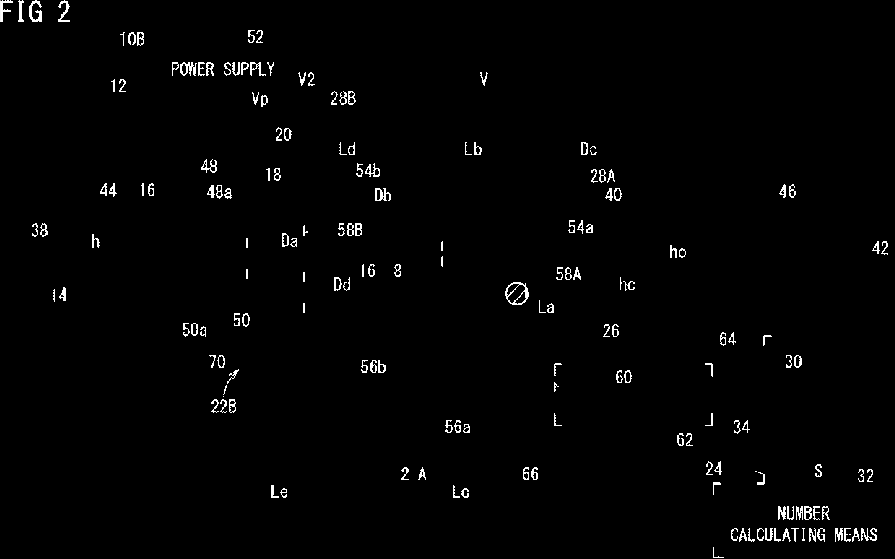
此外,我还找到了blobs的边界框,以便更好地可视化结果:
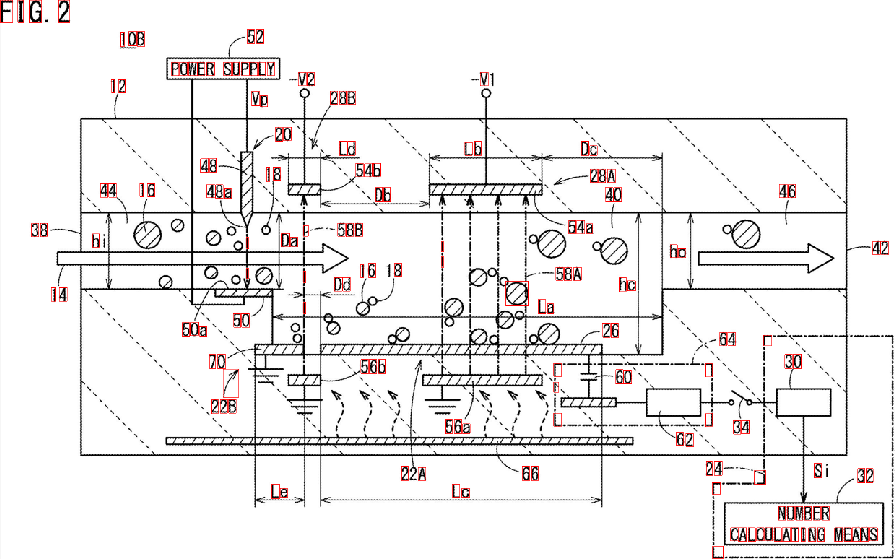
如您所见,有些元素未被检测到.您可以细化“属性筛选器”,以更好地识别您要寻找的字符。一个更深层次的解决方案,涉及一点机器学习,需要构造一个“理想的特征向量”,从小块中提取特征,并通过一个相似性度量对两个向量进行比较。您也可以应用一些post-processing来改进结果.
Stack Overflow用户
发布于 2020-02-13 16:35:32
一种方法是使用滑动窗口(它是昂贵的)。
确定图像中字符的大小(所有字符的大小都与图像中的大小相同),并设置窗口的大小。尝试tesseract进行检测(输入图像需要预处理)。如果窗口连续检测字符,则存储该窗口的坐标。合并坐标并获取字符上的区域。
https://stackoverflow.com/questions/59785890
复制相似问题
腾讯云开发者

Copyright © 2013 - 2026 Tencent Cloud. All Rights Reserved. 腾讯云 版权所有
深圳市腾讯计算机系统有限公司 ICP备案/许可证号:粤B2-20090059  粤公网安备44030502008569号
腾讯云计算(北京)有限责任公司 京ICP证150476号 | 京ICP备11018762号