
React本机项目(无法连接到开发服务器)
第一!
☁  wonder  react-native --version
react-native-cli: 2.0.1
react-native: 0.58.6
☁  wonder  node --version
v13.6.0
☁  wonder  npm --version
6.13.4
当尝试在模拟器上构建和执行我正在获得的本地;
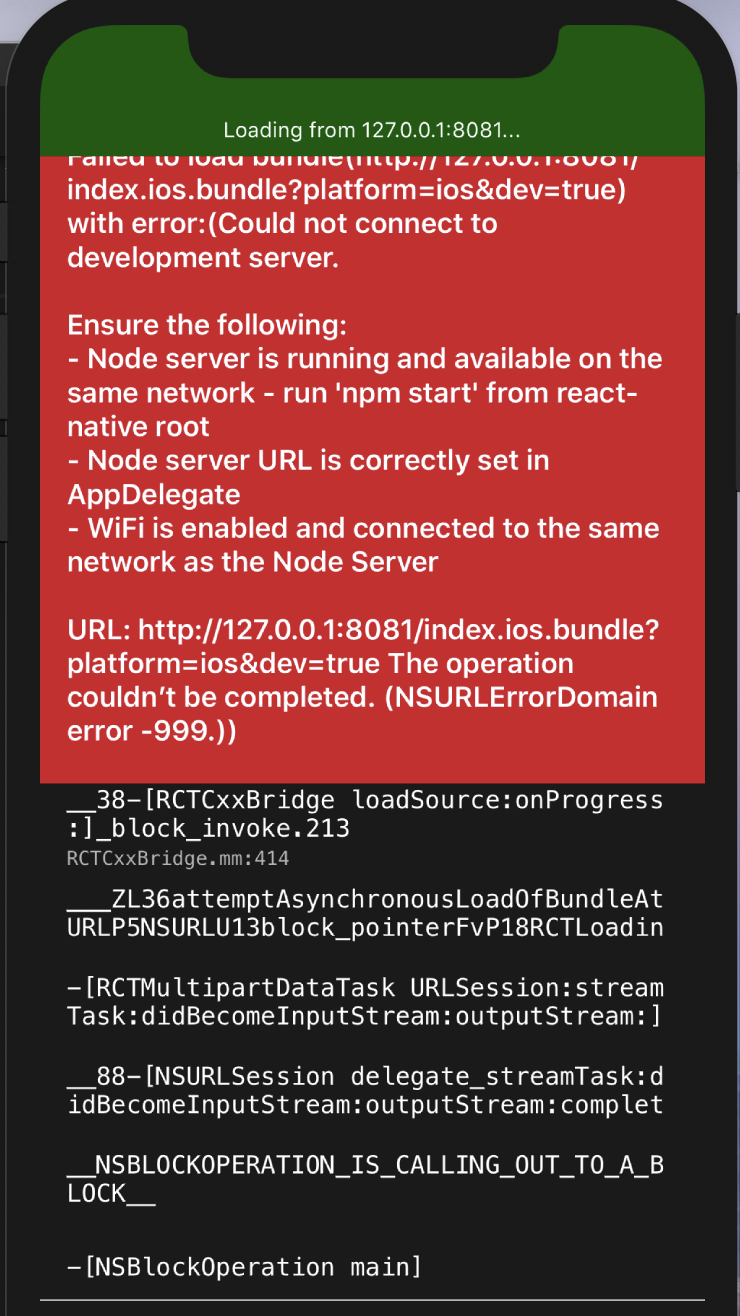
尽管这个端口上没有运行任何东西,这是RN项目的开箱即用端口,但是我将粘贴我的AppDelagate文件和工具versions..Can,任何人都会解释这是如何工作的,这样我就可以排除故障。
> react-native run-ios

Found Xcode project wonder.xcodeproj
Building using "xcodebuild -project wonder.xcodeproj -configuration Debug -scheme wonder -destination id=C9362944-1FDD-4D6E-A6BB-8E758F427 -derivedDataPath build"
User defaults from command line:

    IDEDerivedDataPathOverride = /Users/{NAME}/Documents/Projects/wonderService/wonder/ios/build


note: Using new build system

note: Planning build

note: Using build description from disk

PhaseScriptExecution Start\ Packager /Users/{NAME}/Documents/Projects/wonderService/wonder/ios/build/Build/Intermediates.noindex/React.build/Debug-iphonesimulator/React.build/Script-006B79A01A781F3800
6873D1.sh (in target 'React' from project 'React')
    cd /Users/{NAME}/Documents/Projects/wonderService/wonder/node_modules/react-native/React
    /bin/sh -c /Users/{NAME}/Documents/Projects/wonderService/wonder/ios/build/Build/Intermediates.noindex/React.build/Debug-iphonesimulator/React.build/Script-006B79A01A781F38006873D1.sh

Connection to localhost port 8081 [tcp/sunproxyadmin] succeeded!
AppDelegate.h文件
#import "AppDelegate.h"

#import <React/RCTBundleURLProvider.h>
#import <React/RCTRootView.h>

@implementation AppDelegate

- (BOOL)application:(UIApplication *)application didFinishLaunchingWithOptions:(NSDictionary *)launchOptions
{
  NSURL *jsCodeLocation;

  jsCodeLocation = [NSURL URLWithString:@"http://localhost:8081/index.ios.bundle"];

  jsCodeLocation = [[RCTBundleURLProvider sharedSettings] jsBundleURLForBundleRoot:@"index" fallbackResource:nil];

  RCTRootView *rootView = [[RCTRootView alloc] initWithBundleURL:jsCodeLocation
                                                      moduleName:@"wonder"
                                               initialProperties:nil
                                                   launchOptions:launchOptions];
  rootView.backgroundColor = [UIColor blackColor];

  self.window = [[UIWindow alloc] initWithFrame:[UIScreen mainScreen].bounds];
  UIViewController *rootViewController = [UIViewController new];
  rootViewController.view = rootView;
  self.window.rootViewController = rootViewController;
  [self.window makeKeyAndVisible];
  return YES;
}

@end
上面我确实记得我必须加上
jsCodeLocation = [NSURL URLWithString:@"http://localhost:8081/index.ios.bundle"];这可能是reversed.However,我不相信这是错误
我也理解当为项目定制端口时,可以在这里创建
node_modules/react-native/React/React.xcodeproj/project.pbxproj但是在实例中没有任何其他端口被使用的迹象。
最后,我在使用127.0.0.1 && localhost.相同结果
回答 4
Stack Overflow用户
发布于 2020-02-09 19:43:58
更新!
你试过以下几种方法:
rm -rf node_modules
npm clean cache
watchman watch-del-all
npm i
npm start -- --reset-cache
您可能会遇到一些npm路径问题。
==================================
我可以看到,有三个主要问题可能导致这种情况:
- 实际上,您正在
8081上运行某些东西,而没有意识到这一点。 - 您的节点服务器实际上没有运行
- 您还没有正确设置iOS模拟器以连接到适当的网络
端口问题
你可以试试:react-native start --port=8088。然后在不同的终端窗口中运行react-native run-ios --port=8088,以使iOS应用程序运行。
如果它正常工作,那么您实际上可能在8081上运行了一些东西,您可以通过执行以下操作来重复检查:
sudo lsof -i :8081
如果出现了除节点服务器之外的其他情况,则可以使用kill -9 <PID>来终止任何其他进程。
注意:
8081是防病毒软件的流行服务器,所以您应该在您的package.json中的react-native run-ios命令中指定一个不同的端口来运行您的病毒软件(不推荐)。
运行节点服务器
检查npm服务器是否实际运行。我建议在项目根目录下运行react-native start。然后在一个独立的终端窗口中尝试react-native run-ios。如果它正常工作,那么您的节点服务器就没有运行。
反复检查您的模拟器网络
在项目根目录中运行yarn start,然后打开http://localhost:8081/debugger-ui,查看页面是否加载。如果页面没有加载,那么您的模拟器可能没有连接到正确的网络。您可以在模拟器的设置页面中更改这些设置。
注意:与安卓的“模拟器”相比,iOS被称为“模拟器”是有原因的,XCode运行的"iPhone“并不模仿iOS设备的硬件和软件功能,仅仅是软件,所以您可能会遇到一些奇怪的问题,因为模拟器的功能有限,在iOS上运行related,下面是一个相关的堆栈溢出
如果所有这些都不起作用,那么该应用程序在Android系统中运行良好吗?您可能有一个特定于iOS的问题,这至少会缩小您对调试此问题的搜索范围。
作为将来的参考,对本地GitHub问题作出反应确实有助于在社区中找到遇到类似问题的人。
Stack Overflow用户
发布于 2021-03-11 12:18:10
我的箱子在使用中的8081港口。
我通过在端口上终止进程、再次启动服务器并在iOS或Android上运行RN来修复它:
sudo lsof -t -i tcp:8081 | xargs kill -9
npm start
react-native run-ios
react-native run-androidStack Overflow用户
发布于 2020-02-19 22:21:25
@麦琪
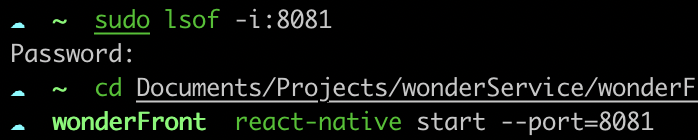
端口问题
什么也不跑;
节点服务器
这对它有一定的吸引力;
- 服务器终端读取以下内容
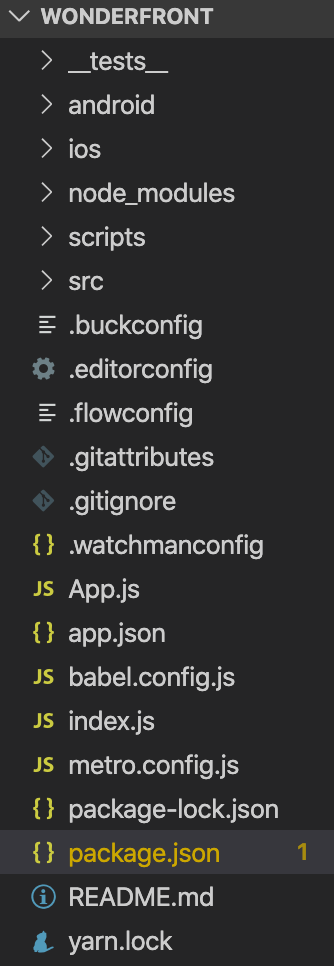
Error: Unable to resolve module "./index.ios" from "/Users/chris/Documents/Projects/wonderService/wonderFront/.": The module "./index.ios" could not be found from "/Users/chris/Documents/Projects/wonderService/wonderFront/.". Indeed, none of these files exist: * "/Users/chris/Documents/Projects/wonderService/wonderFront/index.ios(.native||.ios.js|.native.js|.js|.ios.json|.native.json|.json|.ios.ts|.native.ts|.ts|.ios.tsx|.native.tsx|.tsx)" * "/Users/chris/Documents/Projects/wonderService/wonderFront/index.ios/index(.native||.ios.js|.native.js|.js|.ios.json|.native.json|.json|.ios.ts|.native.ts|.ts|.ios.tsx|.native.tsx|.tsx)" at ModuleResolver.resolveDependency (/Users/chris/Documents/Projects/wonderService/wonderFront/node_modules/metro/src/node-haste/DependencyGraph/ModuleResolution.js:163:15)
https://stackoverflow.com/questions/59951583
复制相似问题
腾讯云开发者

Copyright © 2013 - 2026 Tencent Cloud. All Rights Reserved. 腾讯云 版权所有
深圳市腾讯计算机系统有限公司 ICP备案/许可证号:粤B2-20090059  粤公网安备44030502008569号
腾讯云计算(北京)有限责任公司 京ICP证150476号 | 京ICP备11018762号