
在Xamarin.Android中制作响应响应的可重调整的矩形
在Xamarin.Android中制作响应响应的可重调整的矩形
提问于 2020-01-29 13:44:50
我用相机视图在Xamarin.Android中做了一个矩形。但也有很多问题,比如-
- 没有真正的反应
- 拖角滞后
到目前为止我在CameraLayout.xml的尝试
   <ImageView
        android:id="@+id/Center_Point_photo"
        android:layout_width="80px"
        android:layout_height="80px"
        android:src="@drawable/center_point"
        android:layout_marginTop="670px"
        android:layout_marginLeft="350px" />

    <ImageView
        android:id="@+id/Top_Left_photo"
        android:layout_width="50px"
        android:layout_height="50px"
        android:src="@drawable/top_left"
        android:layout_marginTop="600px"
        android:layout_marginLeft="250px" />
    <ImageView
        android:id="@+id/Top_Right_photo"
        android:layout_width="50px"
        android:layout_height="50px"
        android:src="@drawable/top_right"
        android:layout_marginTop="600px"
        android:layout_marginLeft="500px" />
    <ImageView
        android:id="@+id/Bottom_Left_photo"
        android:layout_width="50px"
        android:layout_height="50px"
        android:src="@drawable/bottom_left"
        android:layout_marginTop="750px"
        android:layout_marginLeft="250px" />
    <ImageView
        android:id="@+id/Bottom_Right_photo"
        android:layout_width="50px"
        android:layout_height="50px"
        android:src="@drawable/bottom_right"
        android:layout_marginTop="750px"
        android:layout_marginLeft="500px" />
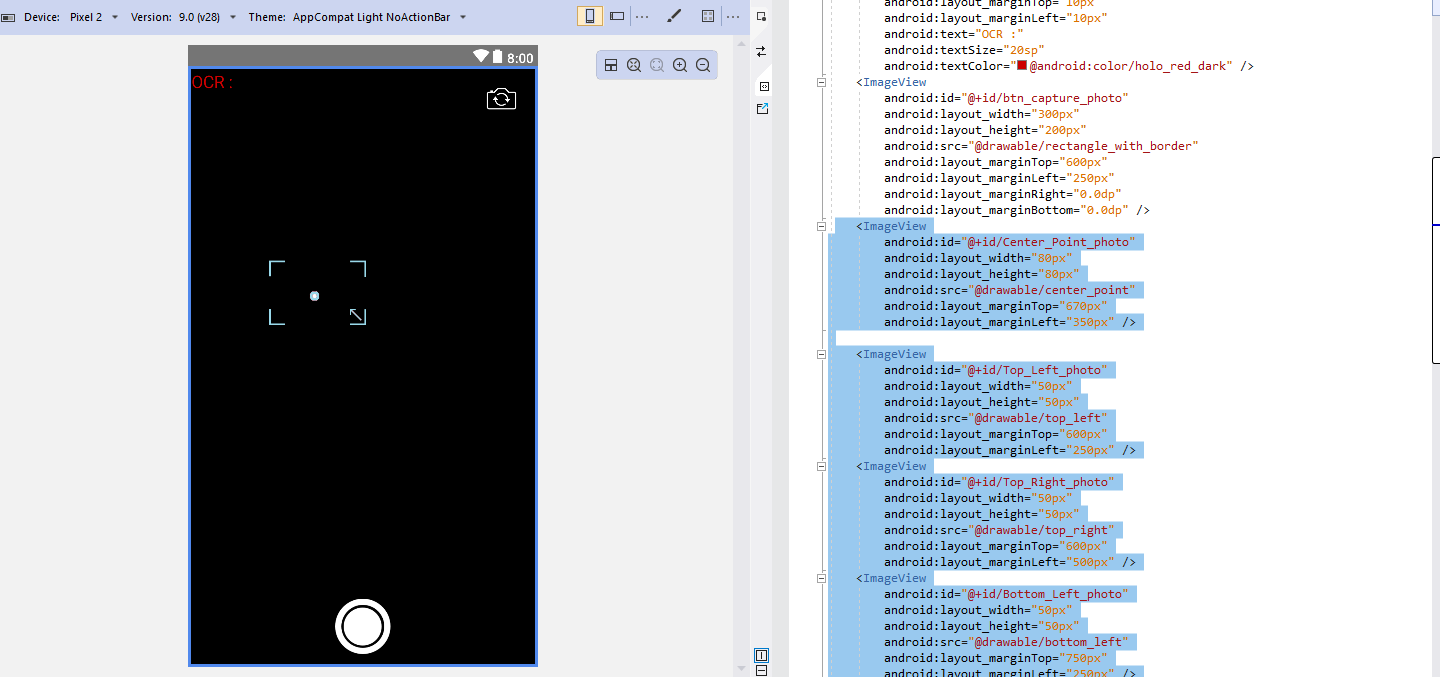
第二个问题是,当拖动corners.It时,我的代码拖曳角时不平滑:
ImageView OCR_Rectangle;
ImageView OCR_Top_Left;
ImageView OCR_Top_Right;
ImageView OCR_Bottom_Left;
ImageView OCR_Bottom_Right;

int deltaX = (int)e.GetX() - lastX;
int deltaY = (int)e.GetY() - lastY;
    centerX = (int)OCR_Rectangle.GetX() + OCR_Rectangle.Width / 2;
    centerY = (int)OCR_Rectangle.GetY() + OCR_Rectangle.Height / 2;
    if (((int)e.GetX() >= centerX) && ((int)e.GetY() >= centerY))
    {
    OCR_Rectangle.SetX(OCR_Rectangle.GetX() - deltaX );
    OCR_Rectangle.SetY(OCR_Rectangle.GetY() - deltaY * 2);
    OCR_Rectangle.LayoutParameters.Width += deltaX * 2;
    OCR_Rectangle.LayoutParameters.Height += deltaY * 4;
    OCR_Top_Left.SetX(OCR_Rectangle.GetX());
    OCR_Top_Left.SetY(OCR_Rectangle.GetY());
    OCR_Top_Right.SetX(OCR_Rectangle.GetX() + OCR_Rectangle.Width - OCR_Top_Right.Width);
    OCR_Top_Right.SetY(OCR_Rectangle.GetY());
    OCR_Bottom_Left.SetX(OCR_Rectangle.GetX());
    OCR_Bottom_Left.SetY(OCR_Rectangle.GetY() + OCR_Rectangle.Height - OCR_Bottom_Left.Height);
    OCR_Bottom_Right.SetX(OCR_Rectangle.GetX() + OCR_Rectangle.Width - OCR_Bottom_Right.Width);
    OCR_Bottom_Right.SetY(OCR_Rectangle.GetY() + OCR_Rectangle.Height - OCR_Bottom_Right.Height);
    }
    OCR_Rectangle.RequestLayout();
    lastX = (int)e.GetX();
lastY = (int)e.GetY();我受到微软数学应用链接在这里的启发,所以我想做这样的事情

任何帮助都将不胜感激。
初试
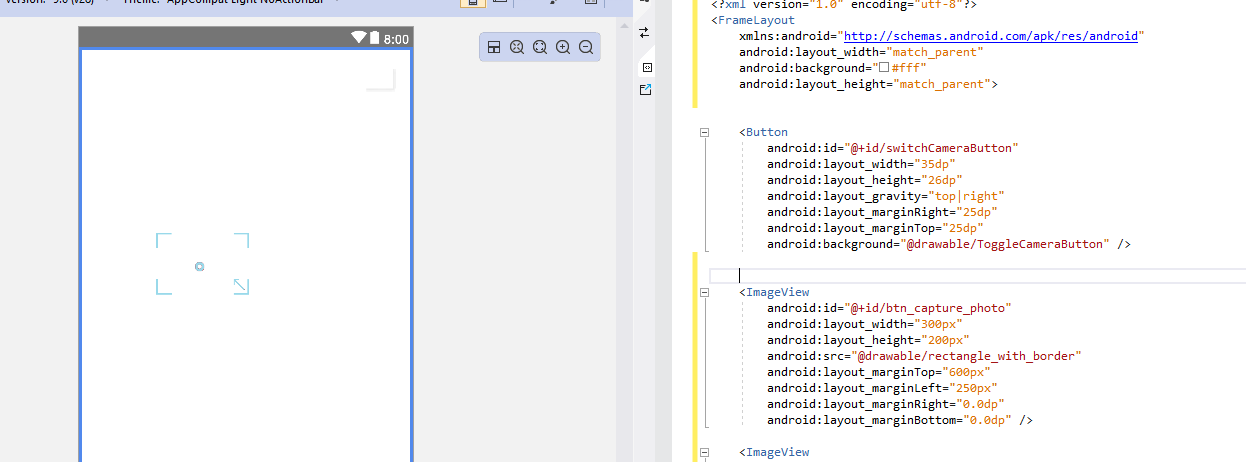
回答 1
Stack Overflow用户
回答已采纳
发布于 2020-01-30 07:07:21
您应该使用FrameLayout对元素进行居中,并在此项目中将它们定位在适当的位置。
<?xml version="1.0" encoding="utf-8"?>
<FrameLayout xmlns:android="http://schemas.android.com/apk/res/android"
    android:layout_width="match_parent"
    android:background="#fff"
    android:layout_height="match_parent">
    <TextView
        android:text="Text"
        android:layout_width="wrap_content"
        android:layout_height="wrap_content"
        android:layout_margin="10dp"
        android:textColor="@android:color/holo_red_light"
        android:minWidth="25px"
        android:minHeight="25px"
        android:id="@+id/textView1"
        android:layout_gravity="left|top" />
    <ImageView
        android:src="@android:drawable/ic_menu_gallery"
        android:layout_margin="10dp"
        android:layout_width="50dp"
        android:layout_height="50dp"
        android:id="@+id/imageView1"
        android:layout_gravity="right|top" />
    <FrameLayout
        android:minWidth="25px"
        android:minHeight="25px"
        android:layout_width="200dp"
        android:layout_height="150dp"
        android:id="@+id/frameLayout1"
        android:layout_gravity="center" >
        <ImageView
            android:background="#000"
            android:layout_width="30dp"
            android:layout_height="30dp"
            android:id="@+id/imageView2"
            android:layout_gravity="top|left" />
        <ImageView
            android:background="#000"
            android:layout_width="30dp"
            android:layout_height="30dp"
            android:id="@+id/imageView3"
            android:layout_gravity="bottom|left" />
        <ImageView
            android:background="#000"
            android:layout_width="30dp"
            android:layout_height="30dp"
            android:id="@+id/imageView4"
            android:layout_gravity="top|right" />
        <ImageView
            android:background="#000"
            android:layout_width="30dp"
            android:layout_height="30dp"
            android:id="@+id/imageView5"
            android:layout_gravity="bottom|right" />
        <ImageView
            android:background="#000"
            android:layout_width="30dp"
            android:layout_height="30dp"
            android:id="@+id/imageView6"
            android:layout_gravity="center" />
    </FrameLayout>

</FrameLayout>
页面原文内容由Stack Overflow提供。腾讯云小微IT领域专用引擎提供翻译支持
原文链接:
https://stackoverflow.com/questions/59968415
复制相关文章
相似问题
腾讯云开发者

Copyright © 2013 - 2026 Tencent Cloud. All Rights Reserved. 腾讯云 版权所有
深圳市腾讯计算机系统有限公司 ICP备案/许可证号:粤B2-20090059  粤公网安备44030502008569号
腾讯云计算(北京)有限责任公司 京ICP证150476号 | 京ICP备11018762号