
Kibana没有显示Node.js温斯顿·洛格发送给Elasticsearch的日志
我使用Node.js和winston-elasticsearch包从一个应用程序直接发送日志到Elasticsearch。Elasticsearch 7.5.1、Logstash &Kibana7.5.1使用Docker部署在远程服务器上。
问题1:在运行向Elasticsearch发送2条日志消息的node.js文件之后,程序不会自动退出返回终端。在MacOSXMojav10.14.6上使用Node.js v12.6.0。
问题2:在将这2条日志消息发送到Elasticsearch之后,可以使用http://<example.com>:9200/logs-2020.02.01/_search的web浏览器查看它们。
{"took":5,"timed_out":false,"_shards":{"total":1,"successful":1,"skipped":0,"failed":0},"hits":{"total":{"value":2,"relation":"eq"},"max_score":1.0,"hits":[{"_index":"logs-2020.02.01","_type":"_doc","_id":"85GgA3ABiaPPk4as1pEc","_score":1.0,"_source":{"@timestamp":"2020-02-02T02:00:35.789Z","message":"a debug message","severity":"debug","fields":{}}},{"_index":"logs-2020.02.01","_type":"_doc","_id":"9JGgA3ABiaPPk4as1pEc","_score":1.0,"_source":{"@timestamp":"2020-02-02T02:00:35.791Z","message":"an info log","severity":"info","fields":{}}}]}}但是,这些日志没有显示在Kibana上,例如https://<example.com>/app/infra#/logs/stream?_g=()中的logs部分。
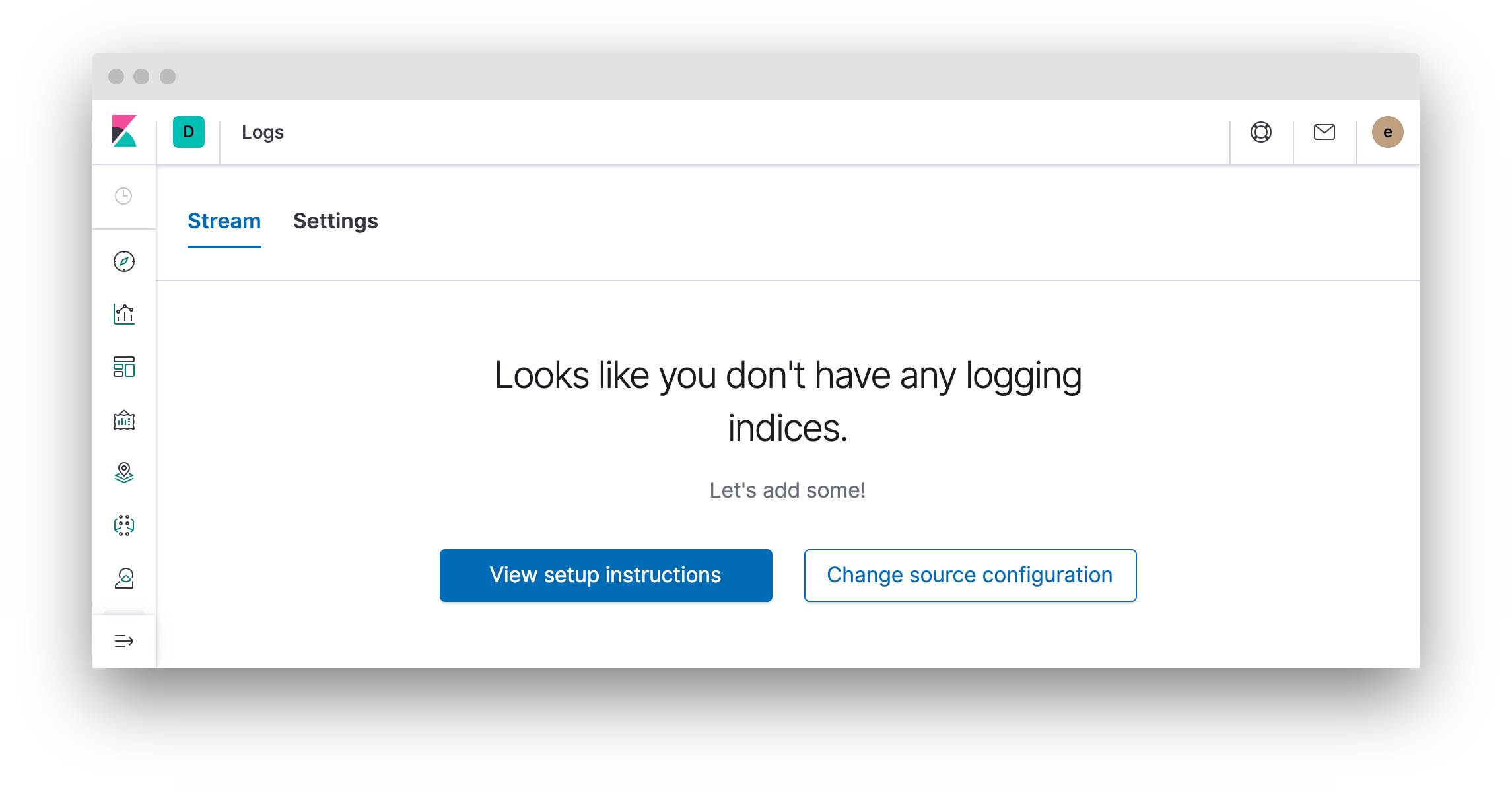
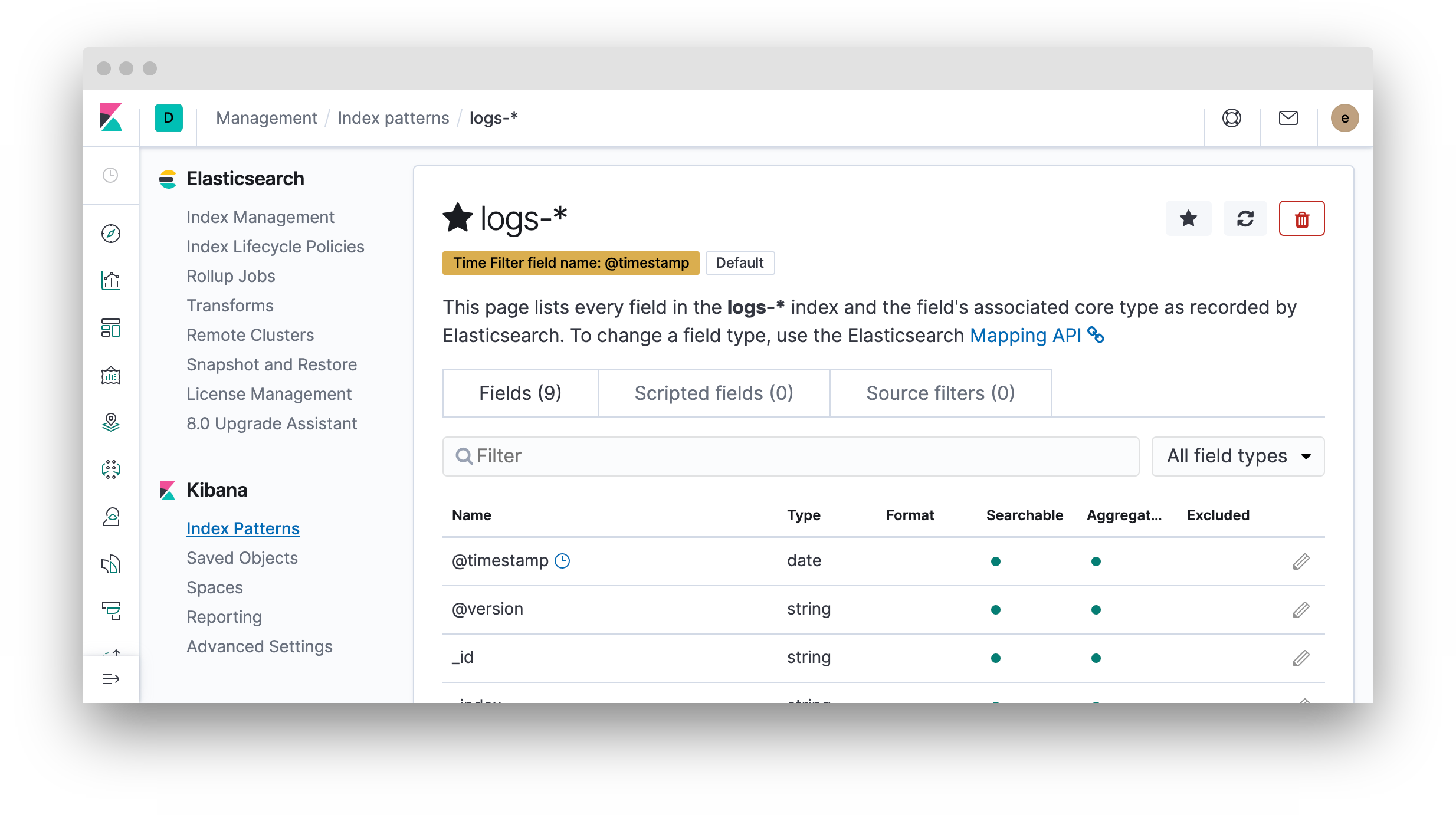
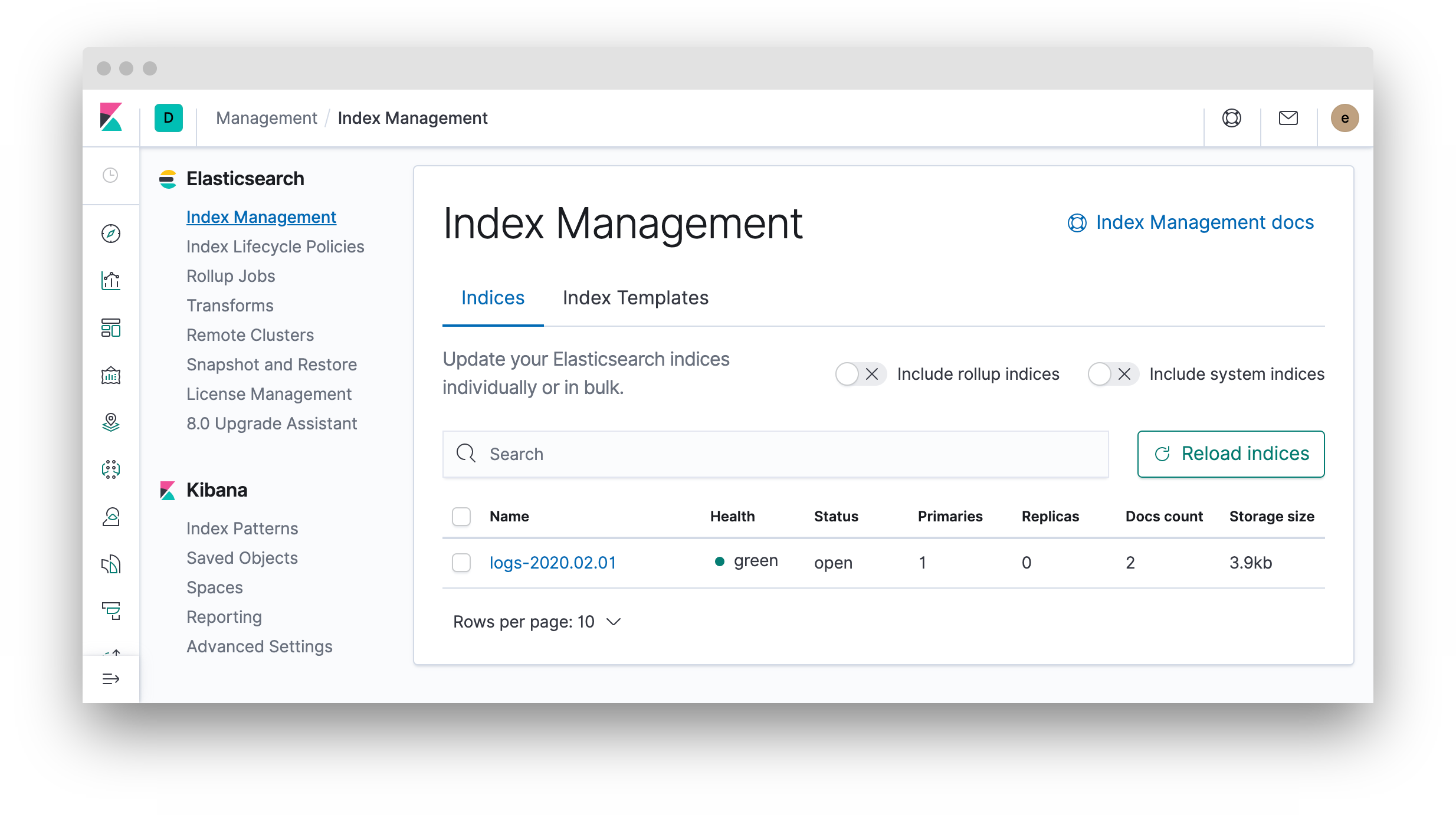
知道怎么才能让原木也出现在基巴纳吗?另外,为什么Node.js应用程序在发送日志消息后不退出?
谢谢!
Node.js应用程序
const winston = require('winston');
const ElasticsearchWinston = require('winston-elasticsearch');
const options = {
    console: {
        level: 'debug',
        handleExceptions: true,
        json: false,
        colorize: true
    },
    elasticsearch: {
        level: 'debug',
        clientOpts: {
            node: 'http://user:pass@example.com:9200',
            log: 'debug',
            maxRetries: 2,
            requestTimeout: 10000,
            sniffOnStart: false,
        }
    }
}

var logger = winston.createLogger({
    exitOnError: false,
    transports: [
        new winston.transports.Console(options.console),
        new ElasticsearchWinston(options.elasticsearch)
    ]
});

logger.debug('a debug message');
logger.info('an info log');回答 1
Stack Overflow用户
发布于 2020-02-02 20:24:22
我不是node.js专家,所以我只关注基巴纳问题。日志应用程序不适合像您这样的“自定义”日志/索引。
如文档(https://www.elastic.co/guide/en/kibana/current/xpack-logs.html)中所述:
在Kibana中的日志应用程序使您能够研究通用服务器、容器和服务的日志。
日志应用程序用于监视您的基础设施和ELK-服务,例如通过特定的Beats-模块(例如Elasticsearch-,Kibana-和Logstash-模块的File节拍)。
也来自docs (https://www.elastic.co/guide/en/kibana/current/xpack-logs-configuring.html):
在Kibana配置文件中的日志应用程序设置中指定了日志的默认源配置。默认配置使用文件-*索引模式查询数据。
这就解释了为什么在日志应用程序中看不到任何数据,因为索引使用的是“log-*”索引模式。
长话短说:
要查看日志-*索引中的文档,需要打开发现(Kibana中左侧边栏的第一个图标)并选择已经设置的索引模式。这是在Kibana搜索应用程序数据的适当方法。
我希望我能帮你。
https://stackoverflow.com/questions/60022723
复制相似问题
腾讯云开发者

Copyright © 2013 - 2026 Tencent Cloud. All Rights Reserved. 腾讯云 版权所有
深圳市腾讯计算机系统有限公司 ICP备案/许可证号:粤B2-20090059  粤公网安备44030502008569号
腾讯云计算(北京)有限责任公司 京ICP证150476号 | 京ICP备11018762号