
用DIPlib测量垫圈
我使用opencv来测量垫圈的尺寸,以达到分类的目的。但是OpenCV不够精确,所以我想将代码从OpenCV迁移到DIPlib。在下面的代码中,我正在度量以下标准:
外径,孔径,偏心度,毛刺
如何在DIPlib中找到这些标准?
这是一个示例图像:
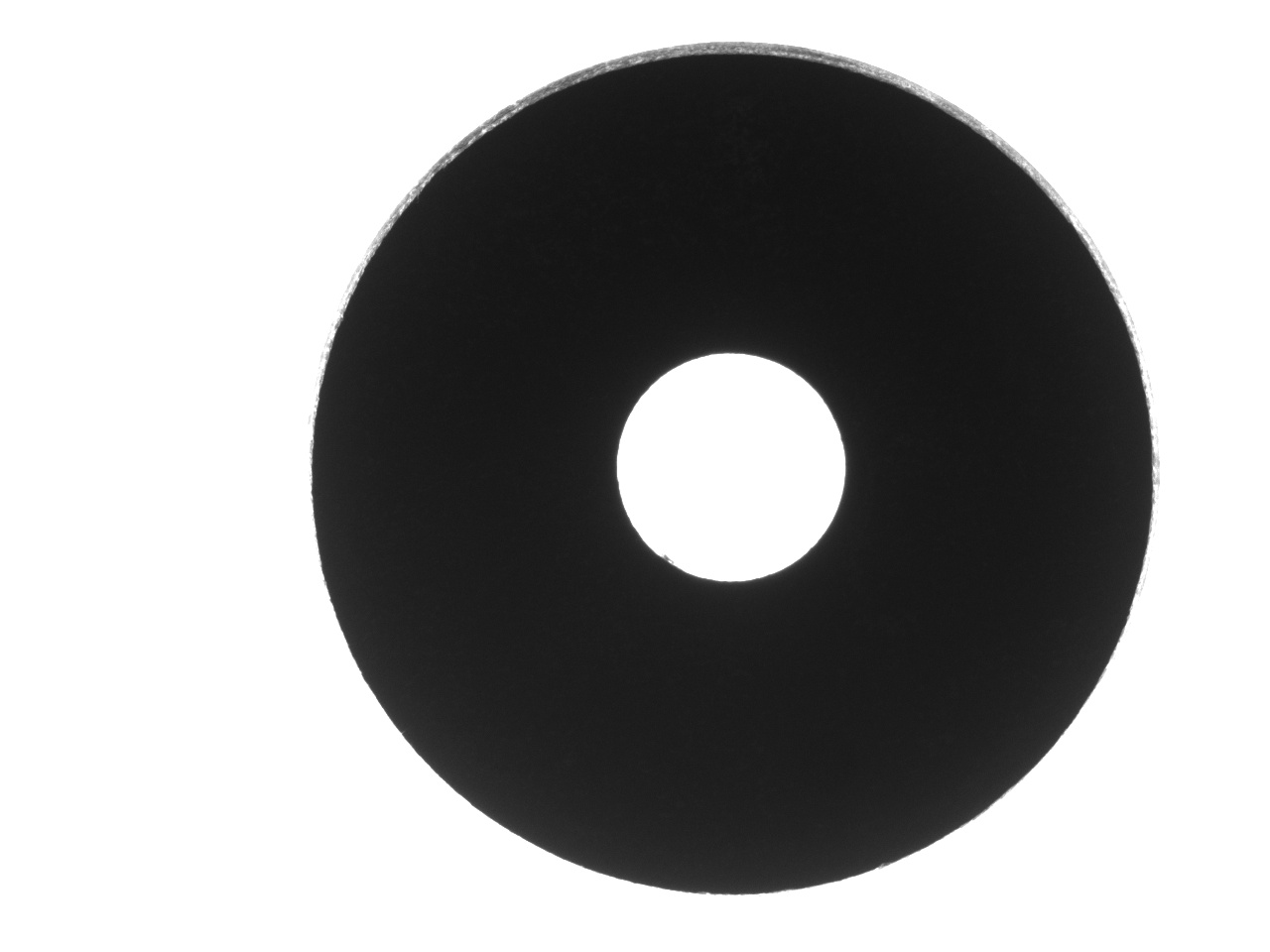
这是度量上述标准的OpenCV代码:
blur(openCvImage, openCvImage, Size(3, 3));
threshold(openCvImage, thresh_output, parameter.thresh1, parameter.thresh1 * 3, THRESH_BINARY_INV);
findContours(thresh_output, contours, hierarchy, RETR_LIST, CHAIN_APPROX_SIMPLE);
cvtColor(openCvImage, openCvImage, COLOR_GRAY2RGB);

if (contours.size() == 2)
{
    vector<Moments> mu(contours.size());//contours
    vector<Point2f> mc(contours.size());//centroid
    vector<RotatedRect> minRect(contours.size());//min rectangle

    // draw contours and draw point centers of inner and outter circles and find inner and outer perimeter
    for (int i = 0; i < contours.size(); i++)
    {
        mu[i] = moments(contours[i], false);// get the moments
        mc[i] = Point2f(mu[i].m10 / mu[i].m00, mu[i].m01 / mu[i].m00);// get the centroid of figures.
        drawContours(openCvImage, contours, i, color, 2, 8, hierarchy, 0, Point());//draw contours
        circle(openCvImage, mc[i], 2, color, -1, 8, 0);//Draw point centroid of the circles
        minRect[i] = minAreaRect(contours[i]);//find min fitted rectangle to circles
        diameter[i] = arcLength(contours[i], 1) / (M_PI);//find diameter of the washer and washer hole(R=perimeter/pi)
        if (minRect[i].size.width < minRect[i].size.height) { swap(minRect[i].size.width, minRect[i].size.height); }//sort the values
        //a=shortest diameter b=longest diameter  sqrt(b2-a2)/b if b=a equation=0 if a goes to 0 equation=1 eliptic is between 0 an 1 (*100)
        eliptic[i] = ((sqrt(pow((minRect[i].size.width / 2), 2) - pow((minRect[i].size.height / 2), 2))) / (minRect[i].size.width / 2)) * 100;
    }
    burrdistance = pointPolygonTest(contours[0], mc[0], 1);//find the distance from centroid to burr
    eccentricity = norm(mc[0] - mc[1]);//find the distance between centroid of the circles
    circle(openCvImage, mc[0], burrdistance, (0, 255, 0), 1, 8, 0);//making circle from centroid to burr
    burrpercentage = ((diameter[0] / 2) - burrdistance) / (diameter[0] / 2) * 100;//(radius-burrdistance)/radius)
}回答 1
Stack Overflow用户
发布于 2020-04-23 17:08:07
这个问题与另一个有关。
在开始处理图像之前,您应该尝试做两件事来改进您的设置:
- 背景太亮了。那些像素已经饱和了。当CCD有一个饱和像素时,附近的像素会产生比它们应有的更高的值。这种效应被称为盛开。它将导致您的对象看起来比它小。要么降低光照强度,要么缩短曝光时间,要么关闭光圈,直到背景像素刚好低于其最大值。
- 看起来,我可以看到物体的一侧(图片顶部的中间灰色区域)。除非该对象实际上有一个锥形边缘,否则这很可能是因为该对象不是在视图中居中。使用较长的协调中心可能会缓解其中的一些问题。结果是,我们不知道要测量哪一条边,对象是否包括灰色区域?
一旦我们进入度量阶段,我们就可以通过将轮廓跟踪为多边形并进行多边形测量来复制在OpenCV中使用DIPlib所做的一些处理。这不一定会产生比OpenCV更好的结果,除了周长测量( OpenCV总是高估它)。在您现有的代码中,您可以根据面积而不是周长计算直径,以获得更精确的结果。
另外,minRect测量不精确,因为它受单个像素的影响,一些噪声会带来偏差。相反,在多边形上放一个椭圆,并在你的elliptic测量中使用椭圆的直径。
同样地,burrdistance测量给出了质心到轮廓中最近的像素的距离,这很容易受到噪声的影响,从而产生偏差。burrpercentage取决于这个值,因此也可能有偏差。我不知道这些测量结果能提供什么,所以我不会提出一个替代方案。但是,考虑到椭圆方差度量来量化轮廓的粗糙度(它量化了距离到最佳拟合椭圆的方差)。
如果多边形测量不够精确,可以在图像中添加灰度信息以获得更精确的测量结果。这是这样做的DIPlib代码:
#include "diplib.h"
#include "diplib/simple_file_io.h"
#include "diplib/mapping.h"
#include "diplib/binary.h"
#include "diplib/morphology.h"
#include "diplib/measurement.h"

int main() {
   double pixelSize = 0.001; // millimeters per pixel. This is just an example. You need to calibrate your image.
   dip::Image input = dip::ImageRead( "/Users/cris/tmp/washer.jpg" );
   input.SetPixelSize( pixelSize * dip::Units::Millimeter() );
   double low = 120;
   double high = 170; // adjust these values according to illumination
   input = dip::ErfClip( input, low, high, "both" ); // This removes noise and edge variability.
   input = ( input - low ) / ( high - low ); // normalize

   // Create masks images that separate hole from object, so we can measure them independently:
   dip::Image hole = input > 0.5;
   hole = dip::BinaryAreaOpening( dip::EdgeObjectsRemove( hole ), 1000 );
   dip::Dilation( hole, hole, { 10 } ); // Add a margin so we include the full edge
   dip::Image washer = ( input <= 0.5 ) | hole;
   dip::Dilation( washer, washer, { 10 } ); // Add a margin so we include the full edge

   // Measure hole
   dip::MeasurementTool measurementTool;
   dip::Image holeLabel = dip::Convert( hole, dip::DT_UINT8 ); // instead of labeling, all regions have object ID = 1
   auto holeMsr = measurementTool.Measure( holeLabel, input, { "Mass", "Gravity", "GreyDimensionsEllipsoid" } );
   double holeArea = holeMsr[ 1 ][ "Mass" ][ 0 ] * pixelSize * pixelSize;
   double holeDiameter = 2 * std::sqrt( holeArea / dip::pi );
   double holeCentroidX = holeMsr[ 1 ][ "Gravity" ][ 0 ];
   double holeCentroidY = holeMsr[ 1 ][ "Gravity" ][ 1 ];
   double holeMajorAxis = holeMsr[ 1 ][ "GreyDimensionsEllipsoid" ][ 0 ];
   double holeMinorAxis = holeMsr[ 1 ][ "GreyDimensionsEllipsoid" ][ 1 ];

   // Measure washer
   input = 1.0 - input;
   input.At( hole ) = 1.0;
   washer.Convert( dip::DT_UINT8 ); // instead of labeling, all regions have object ID = 1
   auto washerMsr = measurementTool.Measure( washer, input, { "Mass", "Gravity", "GreyDimensionsEllipsoid" } );
   double washerArea = washerMsr[ 1 ][ "Mass" ][ 0 ] * pixelSize * pixelSize;
   double washerDiameter = 2 * std::sqrt( washerArea / dip::pi );
   double washerCentroidX = washerMsr[ 1 ][ "Gravity" ][ 0 ];
   double washerCentroidY = washerMsr[ 1 ][ "Gravity" ][ 1 ];
   double washerMajorAxis = washerMsr[ 1 ][ "GreyDimensionsEllipsoid" ][ 0 ];
   double washerMinorAxis = washerMsr[ 1 ][ "GreyDimensionsEllipsoid" ][ 1 ];

   // Output measurements
   std::cout << "washer area = " << washerArea << " mm², diameter = " << washerDiameter
             << " mm, major diameter = " << washerMajorAxis << " mm, minor diameter = " << washerMinorAxis
             << " mm, centroid = (" << washerCentroidX << ", " << washerCentroidY << ") mm\n";
   std::cout << "hole area = " << holeArea << " mm², diameter = " << holeDiameter
             << " mm, major diameter = " << holeMajorAxis << " mm, minor diameter = " << holeMinorAxis
             << " mm, centroid = (" << holeCentroidX << ", " << holeCentroidY << ") mm\n";
}
请注意,上述代码的准确性(偏差)受灰色边缘区域的影响。直径是根据面积来测量的,大小椭圆直径是通过拟合一个椭圆来测量的。
这是输出:
washer area = 0.568496 mm², diameter = 0.850783 mm, major diameter = 0.853937 mm, minor diameter = 0.84772 mm, centroid = (0.737456, 0.474875) mm
hole area = 0.0417281 mm², diameter = 0.230499 mm, major diameter = 0.230843 mm, minor diameter = 0.230167 mm, centroid = (0.73646, 0.470806) mm如果您不想使用灰度值度量,您可以像上面这样做,但是使用等效的二进制度量:“大小”、“中心”和"DimensionsEllipsoid“。“大小”考虑到像素大小,因此不需要做我们需要做的与“质量”的乘法。在这种情况下,您不需要将灰度图像传递给measurementTool.Measure,也不应该将dip::Dilation应用于掩码(因为您将测量掩码本身)。
https://stackoverflow.com/questions/61375393
复制相似问题
腾讯云开发者

Copyright © 2013 - 2026 Tencent Cloud. All Rights Reserved. 腾讯云 版权所有
深圳市腾讯计算机系统有限公司 ICP备案/许可证号:粤B2-20090059  粤公网安备44030502008569号
腾讯云计算(北京)有限责任公司 京ICP证150476号 | 京ICP备11018762号