
python 3使用AES加密和解密图像
我正在使用AES加密和解密图像。我继承了密码,所以如果你们发现有什么问题,请指导我。我正在努力理解和修正代码。
    chunk_size = 64*1024
    output_file = filename+".enc"
    file_size = bytes(os.path.getsize(filename))
    IV = get_random_bytes(16)

    encryptor = AES.new(key, AES.MODE_CBC, IV)
    with open(filename, 'rb') as inputfile:
        with open(output_file, 'wb') as outf:
            outf.write(file_size)
            outf.write(IV)
            while True:
                chunk = bytes(inputfile.read(chunk_size))
                if len(chunk) == 0:
                    break
                elif len(chunk) % 16 != 0:
                   chunk = chunk + bytes(16 - len(chunk)%16)
                outf.write(encryptor.encrypt(chunk))
我的图像是66 kb,大约是- 67584字节。考虑到AES的工作时间是16字节,这段代码应该会出错,但是它会生成加密文件。当我试图解密时
def decrypt(key, filename):
        chunk_size = 64*1024
        output_file = filename[:-4]
        with open(filename, 'rb') as inf:
            filesize = bytes(inf.read(16))
            IV = inf.read(16)
            decryptor = AES.new(key, AES.MODE_CBC, IV)
            with open(output_file, 'wb') as outf:
                while True:
                    chunk = inf.read(chunk_size)
                    print(len(chunk))
                    if len(chunk)==0:
                        break
                    outf.write(decryptor.decrypt(chunk))
                outf.truncate(filesize)```
我发现了一个错误,如下所示
TypeError:需要一个整数(获取类型字节)
当我在字节中输入块时,会得到以下错误
输入字符串必须是长度为16的倍数。
当源控制台上的文件大小显示为65536时,我感到困惑的是如何修复“16长度倍数”错误。
回答 2
Stack Overflow用户
发布于 2020-04-25 09:18:31
文件大小存储不当。要将文件大小按大端顺序存储在前16个字节中(据推测是针对decrypt方法的,尽管16个字节实际上太大),请在加密中替换:
file_size = bytes(os.path.getsize(filename))使用
file_size = os.path.getsize(filename).to_bytes(16, byteorder='big')在解密过程中:
filesize = bytes(inf.read(16))使用
filesize = int.from_bytes(inf.read(16), byteorder='big')通过这些更改,加密和解密将按预期的方式工作。
注意:您使用Zero填充变量填充,并存储文件大小(可能仅限于),以便在解密后删除填充。有一个更有效的方法,PKCS7填充。在这里,要删除多少字节的信息已经包含在填充本身中。因此,不需要存储文件大小(至少不需要删除填充)。此外,PyCryptodome中的pad和unpad方法也支持填充。
Stack Overflow用户
发布于 2020-10-31 11:31:42
我无法验证给定的代码,因为我不知道您的确切需求或用法,也不知道实现的想法,但是如果您想看到类似的代码,我写了一个类似的代码,关于如何使用python加密加密和解密图像,以获得关键的概念(然后您可能能够根据您的需要调整和使您的代码工作,或者如果您只想要它所做的,可以使用我的代码)。
您可以考虑一步一步的博客演练--我写了一段时间--它可能会有所帮助(建议在使用代码之前更好地理解代码) 如何使用Python和pycryptodome对图像进行加密和解密
但是,如果您只需要代码及其依赖项,则可以将其从其官方github CrypImg中分叉出来。
注意:您应该在使用之前安装必要的模块,您可以将它们与上面github中的代码一起放在requirements.txt中。
我知道我无法直接解决你的问题,但仅仅是因为我自己在经历了很多挑战之后才让它发挥作用,我想尝试帮助它,如果它符合你的需要,那么你也可以让它发挥作用。
我的代码:
#Importing Stuff
from Crypto.Cipher import AES
import io
import PIL.Image
from tkinter import *
import os

#Private Stuff
key = b'Key of length 16' #Todo Enter a Key(Like a password only) Here of Length 16 (Both Key and ivb required keep both safely and securely)
iv = b'ivb of length 16' #Todo Enter a ivb (Like a password only) Here of Length 16 (Both Key and ivb required keep both safely and securely)


#Encrypting Image
def encrypt_image():
    global key,iv,entry_for_folder
    file_path=str(entry_for_folder.get())
    if(file_path=="" or file_path[0]==" "):
        file_path=os.getcwd()
    files=[]
    # r=root, d=directories, f = files
    for r, d, f in os.walk(file_path):
        for file in f:
            if((('.JPG' in file) or ('.jpg' in file)) and ('.enc' not in file)):
                files.append(os.path.join(r, file))
    for file_name in files:
        input_file = open(file_name,"rb")
        input_data = input_file.read()
        input_file.close()

        cfb_cipher = AES.new(key, AES.MODE_CFB, iv)
        enc_data = cfb_cipher.encrypt(input_data)

        enc_file = open(file_name+".enc", "wb")
        enc_file.write(enc_data)
        enc_file.close()


#Decrypting Image
def decrypt_image():
    global key,iv,entry_for_folder
    file_path = str(entry_for_folder.get())
    if (file_path == "" or file_path[0] == " "):
        file_path = os.getcwd()
    files = []
    # r=root, d=directories, f = files
    for r, d, f in os.walk(file_path):
        for file in f:
            if '.enc' in file:
                files.append(os.path.join(r, file))
    for file_name in files:
        enc_file2 = open(file_name,"rb")
        enc_data2 = enc_file2.read()
        enc_file2.close()

        cfb_decipher = AES.new(key, AES.MODE_CFB, iv)
        plain_data = (cfb_decipher.decrypt(enc_data2))

        imageStream = io.BytesIO(plain_data)
        imageFile = PIL.Image.open(imageStream)
        if('.jpg' in file_name):
            imageFile.save((file_name[:-8])+".JPG")
        elif('.JPG' in file_name):
            imageFile.save((file_name[:-8])+".jpg")


#Tkinter Stuff

root=Tk()

root.title("Simple AES Encryption and Decryption of JPG Images")

folder_directory_label=Label(text="Enter the Folder Directory")
folder_directory_label.pack()

entry_for_folder=Entry(root)
entry_for_folder.pack()


encrypt=Button(text="Encrypt All",command=encrypt_image)
encrypt.pack()
label=Label(text="Leave Blank for Current Working Directory")
label.pack()
decrypt=Button(text="Decrypt All",command=decrypt_image)
decrypt.pack()


root.mainloop()
上面的应用程序代码是在 麻省理工学院许可协议下授权的。
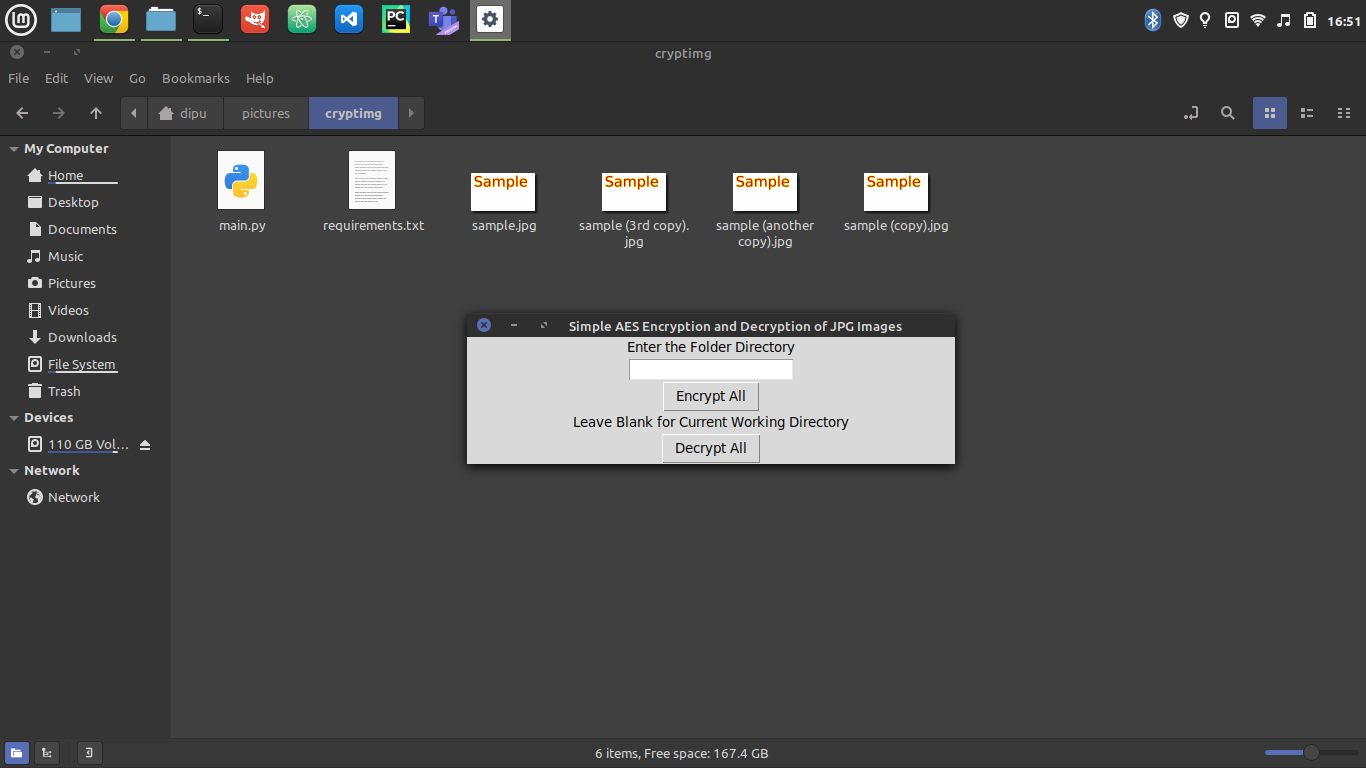
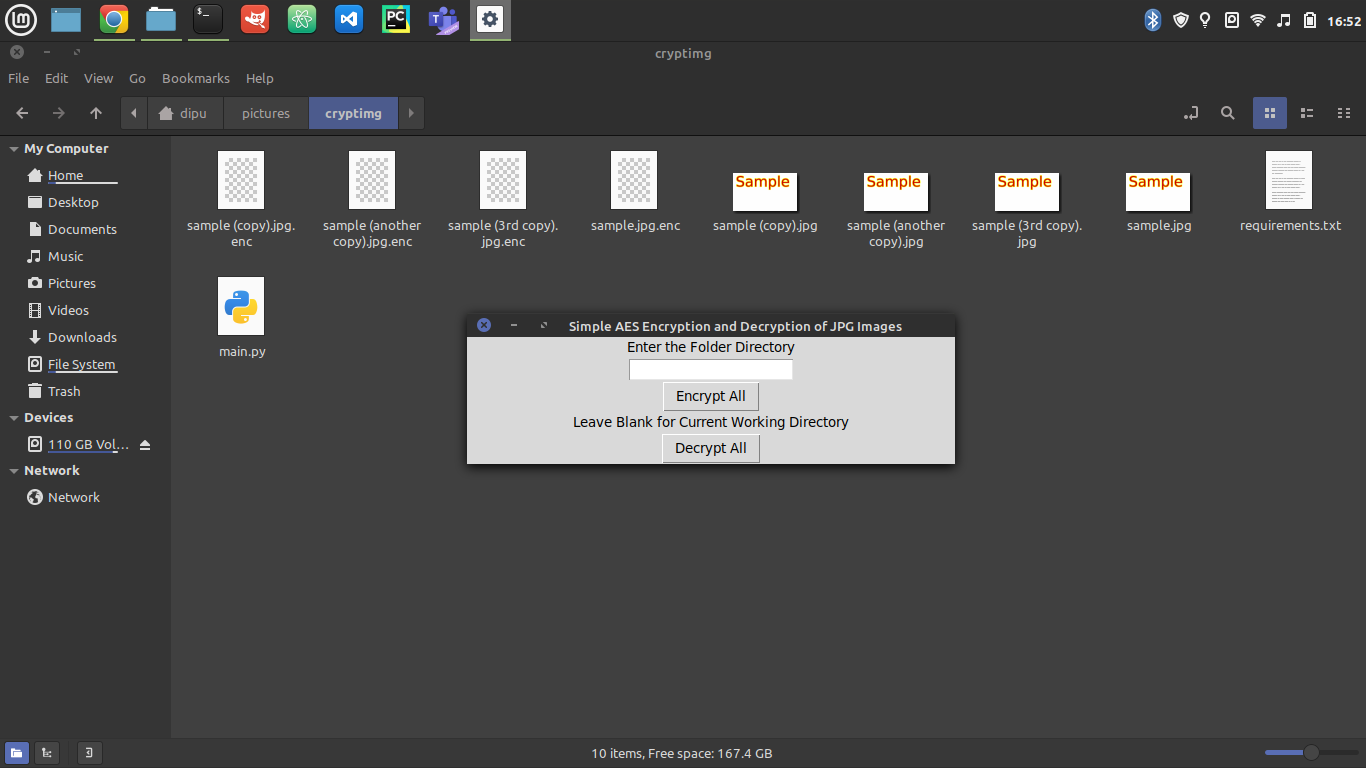
加密后(将目录条目保留为空白,以便对当前工作目录中的所有图像进行递归加密/解密,否则,输入文件夹目录)
希望能帮上点忙。
------------------Update
为方便使用,请查看github 暗号以获得最新版本的代码。
https://stackoverflow.com/questions/61420893
复制相似问题
腾讯云开发者

Copyright © 2013 - 2026 Tencent Cloud. All Rights Reserved. 腾讯云 版权所有
深圳市腾讯计算机系统有限公司 ICP备案/许可证号:粤B2-20090059  粤公网安备44030502008569号
腾讯云计算(北京)有限责任公司 京ICP证150476号 | 京ICP备11018762号