
Webpack生成SCSS源映射但不生成JS
我在不可调试器上转载了我的文章。
从标准的角9 CLI应用程序开始,我需要自定义webpack构建,以便我的SCSS文件可以导入JSON信任。这意味着,在angular.json中,
"serve": {
      "builder": "@angular-devkit/build-angular:dev-server"
至
"serve": {
      "builder": "@angular-builders/custom-webpack:dev-server",
      "options": {
        "customWebpackConfig": {
          "path": "webpack.config.js"
        }
...webpack.config.js包含以下内容:
const jsonImporter = require('node-sass-json-importer');

module.exports = {
  mode: 'development',
  module: {
    rules: [
      {
        test: /\.scss$|\.sass$/,
        use: [
          {
            loader: require.resolve('sass-loader'),
            options: {
              implementation: require('node-sass'),
              sassOptions: {
                // bootstrap-sass requires a minimum precision of 8
                precision: 8,
                importer: jsonImporter(),
                outputStyle: 'expanded'
              }
            }
          }
        ]
      }
    ]
  }
};
我只获取css的源映射,而不是javascript的源映射。没错,我的Chrome已经启用了JS和CSS地图。不知道这是怎么回事?
angular.json
{
  "$schema": "./node_modules/@angular/cli/lib/config/schema.json",
  "version": 1,
  "newProjectRoot": "projects",
  "projects": {
    "my-web-app": {
      "projectType": "application",
      "schematics": {
        "@schematics/angular:component": {
          "style": "scss"
        }
      },
      "root": "",
      "sourceRoot": "src",
      "prefix": "app",
      "architect": {
        "build": {
          "builder": "@angular-builders/custom-webpack:browser",
          "options": {
            "customWebpackConfig": {
              "path": "./webpack.deploy.config.js",
              "replaceDuplicatePlugins": true
            },
            "outputPath": "dist/my-web-app",
            "index": "src/index.html",
            "main": "src/main.ts",
            "polyfills": "src/polyfills.ts",
            "tsConfig": "tsconfig.app.json",
            "aot": true,
            "assets": ["src/favicon.ico", "src/assets"],
            "styles": ["src/styles.scss"],
            "scripts": []
          },
          "configurations": {
            "production": {
              "fileReplacements": [
                {
                  "replace": "src/environments/environment.ts",
                  "with": "src/environments/environment.prod.ts"
                }
              ],
              "optimization": true,
              "outputHashing": "all",
              "sourceMap": false,
              "extractCss": true,
              "namedChunks": false,
              "extractLicenses": true,
              "vendorChunk": false,
              "buildOptimizer": true,
              "budgets": [
                {
                  "type": "initial",
                  "maximumWarning": "2mb",
                  "maximumError": "5mb"
                },
                {
                  "type": "anyComponentStyle",
                  "maximumWarning": "6kb",
                  "maximumError": "10kb"
                }
              ]
            }
          }
        },
        "serve": {
          "builder": "@angular-builders/custom-webpack:dev-server",
          "options": {
            "customWebpackConfig": {
              "path": "webpack.config.js",
              "sourceMap": true
            },
            "browserTarget": "my-web-app:build"
          },
          "configurations": {
            "production": {
              "browserTarget": "my-web-app:build:production"
            }
          }
        },
        "extract-i18n": {
          "builder": "@angular-devkit/build-angular:extract-i18n",
          "options": {
            "browserTarget": "my-web-app:build"
          }
        },
        "test": {
          "builder": "@angular-builders/custom-webpack:karma",
          "options": {
            "customWebpackConfig": {
              "path": "webpack.config.js"
            },
            "main": "src/test.ts",
            "polyfills": "src/polyfills.ts",
            "tsConfig": "tsconfig.spec.json",
            "karmaConfig": "karma.conf.js",
            "assets": ["src/favicon.ico", "src/assets"],
            "styles": ["src/styles.scss"],
            "scripts": []
          }
        },
        "lint": {
          "builder": "@angular-devkit/build-angular:tslint",
          "options": {
            "tsConfig": ["tsconfig.app.json", "tsconfig.spec.json", "e2e/tsconfig.json"],
            "exclude": ["**/node_modules/**"]
          }
        },
        "e2e": {
          "builder": "@angular-builders/custom-webpack:protractor",
          "options": {
            "customWebpackConfig": {
              "path": "webpack.config.js"
            },
            "protractorConfig": "e2e/protractor.conf.js",
            "devServerTarget": "my-web-app:serve"
          },
          "configurations": {
            "production": {
              "devServerTarget": "my-web-app:serve:production"
            }
          }
        }
      }
    }
  },
  "defaultProject": "my-web-app"
}
package.json
{
  "name": "my-web-app",
  "version": "0.0.0",
  "scripts": {
    "ng": "ng",
    "start": "ng serve",
    "build": "ng build",
    "test": "ng test",
    "test-headless": "ng test --watch=false --browsers=ChromeHeadless",
    "lint": "ng lint",
    "e2e": "ng e2e",
    "doc": "node src/scripts/runMarked.js",
    "prestart": "npm run doc",
    "storybook": "start-storybook -p 6006",
    "build-storybook": "build-storybook"
  },
  "dependencies": {
    "@angular/animations": "^9.1.4",
    "@angular/cdk": "^9.0.0",
    "@angular/common": "^9.1.4",
    "@angular/compiler": "^9.1.4",
    "@angular/core": "^9.1.4",
    "@angular/forms": "^9.1.4",
    "@angular/material": "^9.0.0",
    "@angular/platform-browser": "^9.1.4",
    "@angular/platform-browser-dynamic": "^9.1.4",
    "@angular/router": "^9.1.4",
    "@azure/msal-angular": "^1.0.0-beta.3",
    "@types/vega": "^3.2.0",
    "build": "^0.1.4",
    "d3": "^5.15.0",
    "karma-viewport": "^1.0.5",
    "marked": "^0.8.0",
    "msal": "^1.2.2-beta.0",
    "ng": "0.0.0",
    "ngx-spinner": "^9.0.2",
    "rxjs": "~6.5.4",
    "tslib": "^1.10.0",
    "vega": "^5.9.1",
    "vega-embed": "^6.2.2",
    "vega-lite": "^4.4.0",
    "vega-typings": "^0.12.4",
    "zone.js": "~0.10.2"
  },
  "devDependencies": {
    "@angular-builders/custom-webpack": "^9.0.0",
    "@angular-devkit/build-angular": "^0.901.0",
    "@angular/cli": "^9.1.4",
    "@angular/compiler-cli": "^9.1.4",
    "@angular/language-service": "^9.1.4",
    "@babel/core": "^7.9.0",
    "@storybook/addon-actions": "^5.3.18",
    "@storybook/addon-links": "^5.3.18",
    "@storybook/addon-notes": "^5.3.18",
    "@storybook/addons": "^5.3.18",
    "@storybook/angular": "^5.3.18",
    "@types/jasmine": "~3.5.0",
    "@types/jasminewd2": "~2.0.3",
    "@types/node": "^12.11.1",
    "babel-loader": "^8.1.0",
    "codelyzer": "^5.1.2",
    "compression-webpack-plugin": "^3.1.0",
    "jasmine-core": "~3.5.0",
    "jasmine-spec-reporter": "~4.2.1",
    "karma": "~4.3.0",
    "karma-chrome-launcher": "~3.1.0",
    "karma-coverage-istanbul-reporter": "~2.1.0",
    "karma-jasmine": "~2.0.1",
    "karma-jasmine-html-reporter": "^1.4.2",
    "karma-junit-reporter": "^2.0.1",
    "minimist": "^1.2.0",
    "node-sass": "^4.13.1",
    "node-sass-json-importer": "^4.1.2",
    "prettier": "1.19.1",
    "protractor": "~5.4.3",
    "terser-webpack-plugin": "^2.3.5",
    "ts-node": "~8.3.0",
    "tslint": "~5.18.0",
    "tslint-config-prettier": "^1.18.0",
    "typescript": "~3.7.5"
  }
}回答 2
Stack Overflow用户
发布于 2020-05-07 06:53:50
老实说,我不能重现你的源代码地图问题(我的意思是js源代码地图,也许您在浏览器中关闭了它们?)我通常会在角度应用程序中关闭js源映射来调试ngfactories等等),但我几乎可以肯定,您遇到了相互冲突的webpack规则问题。
请将您的自定义webpack配置更改为以下内容以了解问题:
const merge = require('webpack-merge');
const jsonImporter = require('node-sass-json-importer');

module.exports = function (defaultConfig) {

  console.log('>>>>> debug default config rules', defaultConfig.module.rules);

  const config = {
    mode: 'development',
    module: {
      rules: [
        {
          test: /\.scss$|\.sass$/,
          use: [
            {
              loader: require.resolve('sass-loader'),
              options: {
                implementation: require('node-sass'),
                sassOptions: {
                  // bootstrap-sass requires a minimum precision of 8
                  precision: 8,
                  importer: jsonImporter(),
                  outputStyle: 'expanded'
                }
              }
            }
          ]
        }
      ]
    }
  };

  return merge(defaultConfig, config);
}在这个日志中,您将看到默认的anguar配置已经有两个用于/\.scss$|\.sass$/的规则。
第一个用于组件或指令样式(component.scss):
  {
    exclude: [
      '/Users/nikitabalakirev/Desktop/Projects/angular-webpack-custom-sass-rule-example/src/styles.scss'
    ],
    test: /\.scss$|\.sass$/,
    use: [ ... ]
  },
第二种是全球风格:
  {
    include: [
      '/Users/nikitabalakirev/Desktop/Projects/angular-webpack-custom-sass-rule-example/src/styles.scss'
    ],
    test: /\.scss$|\.sass$/,
    use: [
      ...
    ]
  },
这意味着规则和默认规则相互重叠,这可能导致意外行为。
如何处理这些信息:
- 如果需要
scss文件来导入json文件,则需要更改现有的默认规则,而不是添加自己的规则,如下所示:
const myRule =    {
              loader: require.resolve('sass-loader'),
              options: {
                implementation: require('node-sass'),
                sassOptions: {
                  // bootstrap-sass requires a minimum precision of 8
                  precision: 8,
                  importer: jsonImporter(),
                  outputStyle: 'expanded'
                }
              }
            }
const scssComponentRule = defaultConfig.module.rules.find(rule => rule.test.toString().includes('scsss'));
scssComponentRule.use.unshift(myRule);- 如果您不需要所有scss文件才能加载jsons,请为这些文件使用特殊的“域名”名称:
test: /\.special\.scss$|\.sass$/,和文件名(例如styles.special.scss),但是您仍然需要将它们从角规则中排除出来! - 如果您不需要角的规则,您可以从默认配置中删除它们。但根据我的经验,这是一个巨大的页面,以支持角应用程序自定义样式规则。每次更新后,它都会崩溃。
提示:您可以找到并研究角默认配置这里。
此外,请确保您的angular.json如下所示:
        "build": {
          "builder": "@angular-builders/custom-webpack:browser",
          "options": {
            "customWebpackConfig": {
              "path": "./webpack.config.js"
            },
和
        "serve": {
          "builder": "@angular-builders/custom-webpack:dev-server",
          "options": {
            "browserTarget": "angular-webpack-custom-sass-rule-example:build"
          },
UPD
我在你的回购中打开了一个按下,谢谢你的简单复制。
如前所述,这是关于默认配置和自定义配置冲突的。
Angular使用SourceMapDevToolPlugin作为源映射,因此不需要设置devtool属性,只需将其保留为空白即可。
Stack Overflow用户
发布于 2020-05-13 07:30:34
下面是webpack和angular.json配置:
angular.json
{
  ...
  "architect": {
    "build": {
      "builder": "@angular-builders/custom-webpack:browser", // <---
      "options": {
        "customWebpackConfig": {
          "path": "./webpack.config.js", // <---
        },
        ...
      }
    }
  },
  "serve": {
    "builder": "@angular-builders/custom-webpack:dev-server", // <---
    "options": {
      "browserTarget": "test:build" // <---
    },
    ...
  },
  ...
}
webpack.config.js
const jsonImporter = require("node-sass-json-importer");

module.exports = {
  module: {
    rules: [
      {
        test: /\.scss$|\.sass$/,
        use: [
          {
            loader: require.resolve("sass-loader"),
            options: {
              implementation: require("node-sass"),
              sassOptions: {
                // bootstrap-sass requires a minimum precision of 8
                precision: 8,
                importer: jsonImporter(),
                outputStyle: "expanded",
              },
            },
          },
        ],
      },
    ],
  }
};
ng serve/build/build --prod工作。我得到了这个结果(改变了你的json文件中的颜色)
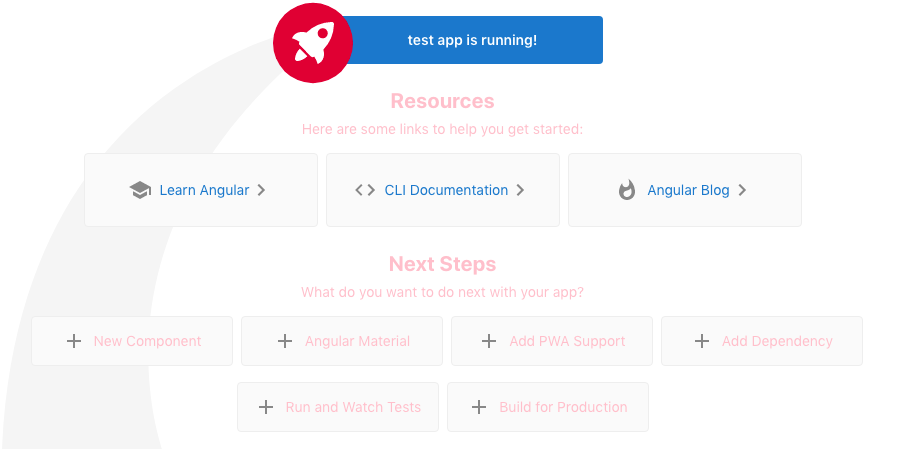
总的来说,过去的答案似乎是正确的。但webpack透露,违约与习俗的合并有问题。如果自定义webpack配置返回一个对象,@angular-builders/custom-webpack就会重新信任自己。如果它返回一个函数,那么这个函数应该将它们本身合并。也许这次合并产生并发行了。
https://stackoverflow.com/questions/61457633
复制相似问题
腾讯云开发者

Copyright © 2013 - 2026 Tencent Cloud. All Rights Reserved. 腾讯云 版权所有
深圳市腾讯计算机系统有限公司 ICP备案/许可证号:粤B2-20090059  粤公网安备44030502008569号
腾讯云计算(北京)有限责任公司 京ICP证150476号 | 京ICP备11018762号