
目标机器上的PowerShell在TFS 2018发布管道中失败
我是TFS2018的新手,我正在尝试配置CI/CD管道。我的构建成功了,在发布管道中,我需要在我的部署服务器上运行powershell脚本,所以我使用了在目标机器上运行PowerShell任务。我想,正确地提供了所有所需的信息,并运行了发行版,但在此任务中得到了如下错误
Connecting to remote server xxx.xxx.xx.xx failed with the following error message : The WinRM client cannot process the request. Default authentication may be used with an IP address under the following conditions: the transport is HTTPS or the destination is in the TrustedHosts list, and explicit credentials are provided. Use winrm.cmd to configure TrustedHosts. Note that computers in the TrustedHosts list might not be authenticated. For more information on how to set TrustedHosts run the following command: winrm help config. For more information, see the about_Remote_Troubleshooting Help topic.
请在下面找到我的任务配置
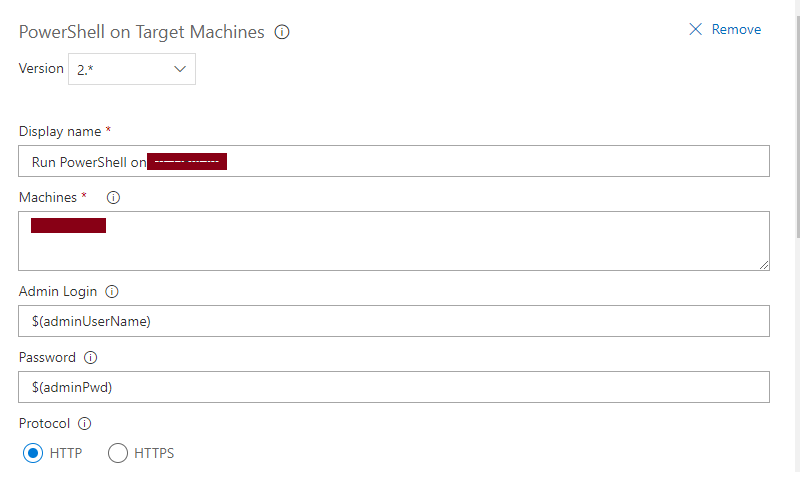
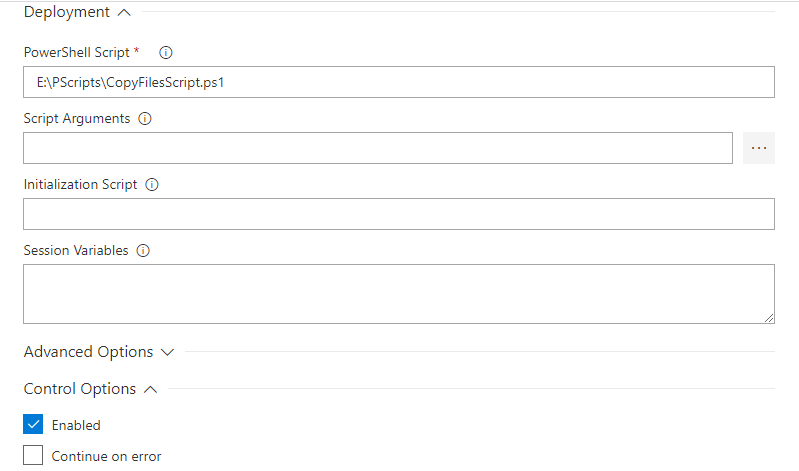
我尝试在目标服务器上将我的TFS2018服务器添加为trustedHost,但仍然存在问题。请提供建议和帮助。
回答 2
Stack Overflow用户
发布于 2020-05-05 09:53:52
- 通过powershell将TFS服务器机器添加到目标计算机中的TrustedHost中。
在此任务中提供的Set-Item WSMan:localhost\client\trustedhosts -value ServerDC
- Ensure凭据具有管理角色,同时在本例中它们可以访问w.r.to TFS。如果提供的凭据没有TFS管理支持,则任务不能调用代理来触发
VisualStudioRemoteDeployer.
。
Stack Overflow用户
发布于 2020-05-04 12:59:38
这就是PowerShell中所谓的双跳问题,通常这意味着您试图以不同的凭据登录到远程计算机,然后使用您的用户运行的凭据。那么,在您的例子中,$(adminUserName)是否与代理相同?如果没有,则可以尝试将该用户更改为与代理相同的用户。如果没有,则需要做更多的工作,然后将机器添加到trustedHost中。在SPN上观看这段视频可能对https://www.youtube.com/watch?v=yFgdPcLOs-g有帮助,下面是关于双跳问题https://learn.microsoft.com/en-us/powershell/scripting/learn/remoting/ps-remoting-second-hop?view=powershell-7的详细说明。
https://stackoverflow.com/questions/61588090
复制相似问题
腾讯云开发者

Copyright © 2013 - 2026 Tencent Cloud. All Rights Reserved. 腾讯云 版权所有
深圳市腾讯计算机系统有限公司 ICP备案/许可证号:粤B2-20090059  粤公网安备44030502008569号
腾讯云计算(北京)有限责任公司 京ICP证150476号 | 京ICP备11018762号