
我如何在网页中嵌入一个真正有效的谷歌表格电子表格?
我想要的
一个网站,它显示真正的活页(当工作表从其他地方更改时立即更新,比如在编辑器中),但以屏幕为中心,没有菜单等等(如2b中的)。
特别是一个网站
- 显示Google工作表的工作表,格式正确。
- 在没有用户输入的情况下,每秒钟更新一次工作表。
- 不包含Google工作表编辑头。
- 将内容在页面中居中,并有一个黑色边框来填充电子表格外部的屏幕。
我所知道的
在谷歌搜索了很多次之后,我发现我的目标有两个结果:
1.不带菜单的Google Sheet编辑器
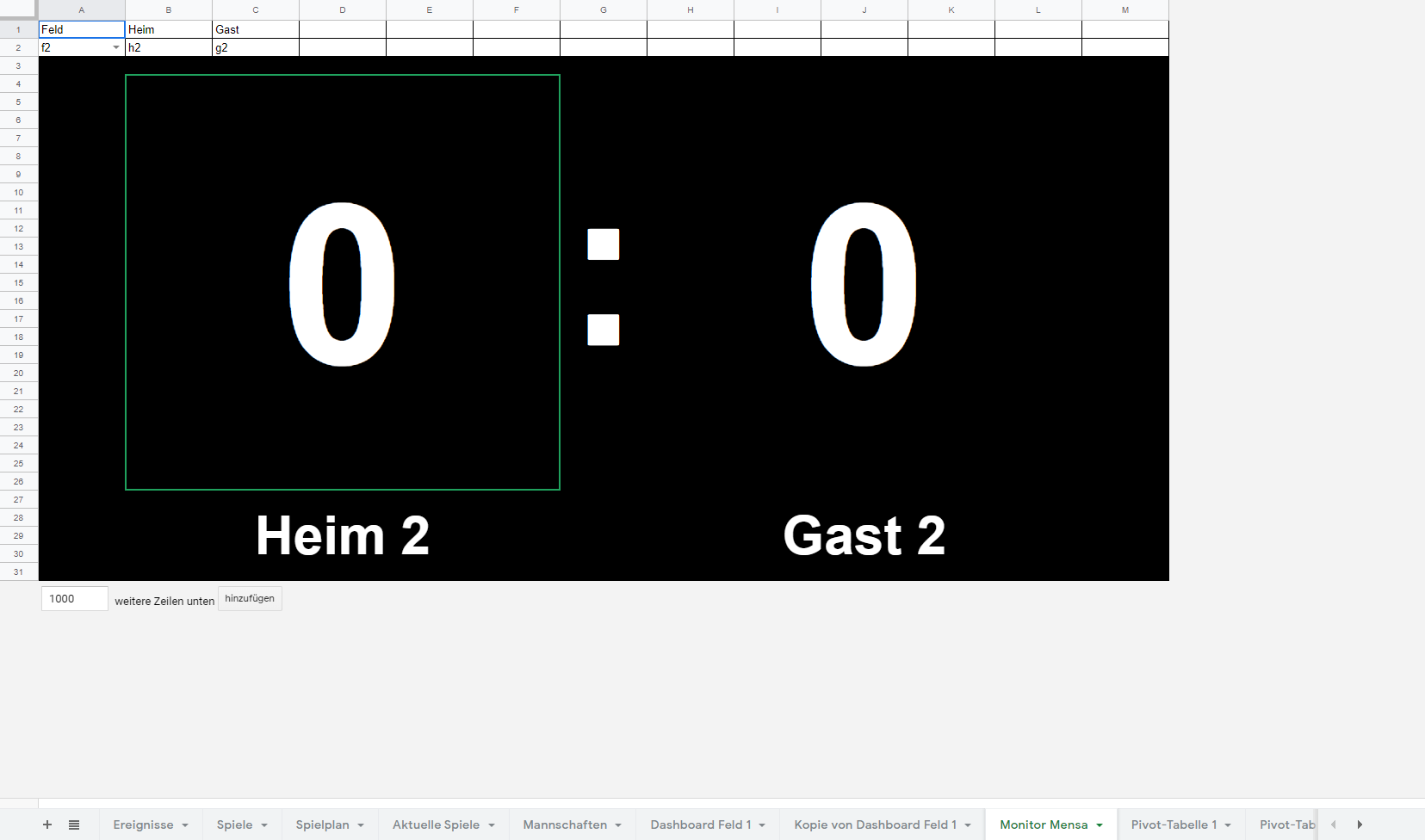
您可以通过简单地将?rm=minimal添加到url中来直接显示编辑器中的工作表,如
https://docs.google.com/spreadsheets/d/SPREADSHEET_ID/view?rm=minimal#gid=SHEET_ID
这
- 每当工作表被更改时,将真正实时更新数据。
但
- 显示行和列标题(A、B、C、.、1、2、3、.)
- 显示工作表选择和“插入下面的x行”。
- 不是居中的,也没有黑色背景。
2.另一个URL问题
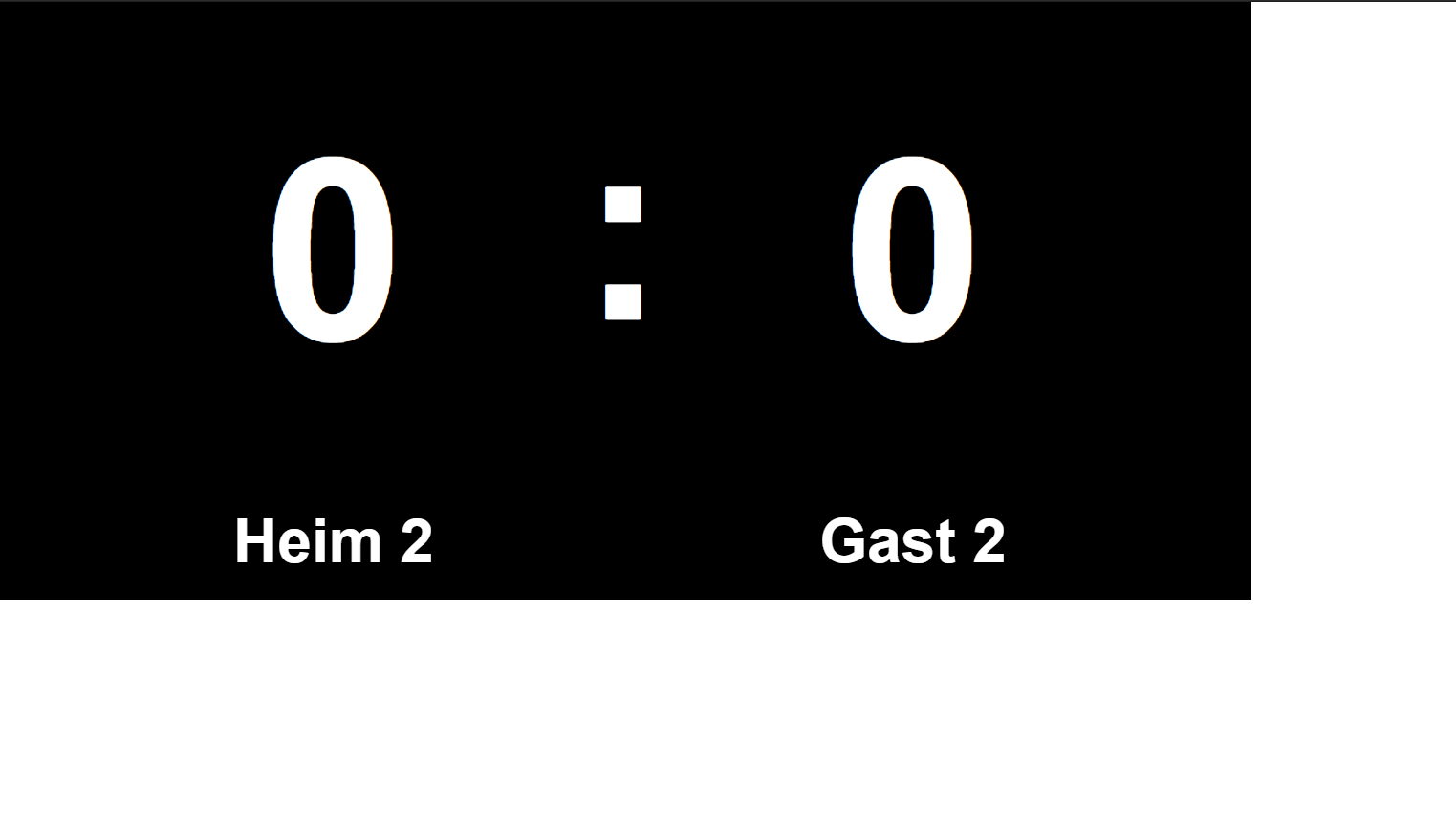
当您编辑URL并将/edit...替换为/htmlembed/sheet?gid=SHEET_ID时,如
https://docs.google.com/spreadsheets/u/0/d/SPREADSHEET_ID/htmlembed/sheet?gid=SHEET_ID
这
- 不包含任何标头或类似的
- 甚至允许我使用
range=A1NOTATION参数指定要显示的固定范围。
它可以使用GScript WebApp进行扩展:
2b。GScript WebApp

(请注意,我用绿色而不是黑色来可视化)
在GScript doGet(e)函数中使用作为WebApp发布的URL允许我进一步定制它。我只是简单地添加了一个样式标签到原始源,并使用背景颜色和灵活的显示设置背景和中心内容。这是我的函数,它非常容易受到HTML注入的影响:
function doGet(e) {
  // Getting spreadsheet app
  var ss = SpreadsheetApp.getActiveSpreadsheet();
  // Getting sheet
  var sheet = ss.getSheetByName("Monitor " + e.parameter.monitor);
  //Return error if specified sheet does not exist
  if (sheet == null)
    return HtmlService.createHtmlOutput("<b>Invalid monitor id \"" + e.parameter.monitor + "\"</b> pass as ?monitor=MONITOR");

  // Generating the URL
  var publishedURL = "https://docs.google.com/spreadsheets/u/0/d/" + ss.getId() + "/htmlembed/sheet?range=a3:z&gid=" + sheet.getSheetId();

  // Fetching the site
  var response = UrlFetchApp.fetch(publishedURL, {'muteHttpExceptions': true}).getContentText();

  // Getting the background color from paramter (default is black)
  var bg = e.parameter.bg;
  if (bg == null)
    var bg = "black";

  // Defining the styling (I know this way is lazy)
  var styling = "<style>\
body, div {\
background-color: " + bg + " !important;\
display: flex;\
justify-content: center;\
align-items: center;\
}\
</style>";

  // Returning the webpage from original data combined with styling
  return HtmlService.createHtmlOutput(response+styling);
}
这将进一步在页面中居中,并有一个黑色边框来填充电子表格之外的屏幕。
但是URL-方法有一个很大的缺点:它不是每秒钟更新一次,而是在刷新页面的情况下才更新。
然后我尝试了
每秒钟通过html或js刷新网页。
这是可行的,但是由于页面加载“太慢”,如果我每秒钟刷新一次,我会看到一半时间的空白页。
从客户端获取URL
利用js fetch函数,我可以在后台获取客户机上的源代码,然后更新得更快,但我遇到了一个跨源资源共享(CORS)问题,因为当请求来自客户端时,谷歌不允许我获取源代码。(当我在GScript中获取它时,它确实工作。)
通过WebApp从客户端获取源
我的最后一个解决方案是从WebApp中获取源代码,实习生从电子表格中获取它,但显然我不能允许WebApp的CORS。
我不知道的是
如何获得中间位置( a)立即更新,b)格式化良好?
我还能用URL做些什么吗?比如/htmlembed或者
https://docs.google.com/spreadsheets/d/1BxiMVs0XRA5nFMdKvBdBZjgmUUqptlbs74OgvE2upms/gviz/tq?tqx=out:html&tq&gid=0
如所述,在这个中等职位
回答 1
Stack Overflow用户
发布于 2020-05-21 11:02:34
可以通过缓存fetch函数的响应来做到这一点,并且只有在页面更改时才刷新页面,就像@TheMaster建议的那样。我还从这个职位中添加了一个简单的散列函数,并使用一个正则表达式来保护代码的安全性。
下面的代码将在最后一次更新完成后立即刷新该页(大约为。每一秒)。这仍然比编辑器慢,所以您可能需要在原始问题中使用解决方案1。
monitor.gs
/**
 * Only needs acced to the spredsheet the code is installed in
 * @OnlyCurrentDoc
 */

function doGet(e) {
  return HtmlService.createHtmlOutputFromFile("frame");
}


// Fetching the live content from URL
function fetchContent(publishedURL, e) {
  // Fetching the site
  var response = UrlFetchApp.fetch(publishedURL, {'muteHttpExceptions': true}).getContentText();

  // Getting the background color from paramter (default is black)
  var bg = e.parameter.bg;
  if (bg == null)
    var bg = "black";

  // Creating and returning the response
  var template = HtmlService.createTemplateFromFile("style");
  template.bg = /\w+/.exec(bg)[0]; // Setting the background-color
  return template.evaluate().append(response);
}

// Returns the live content if it has cahnged, null otherways
function getContent(e, currentHash) {
  // Getting spreadsheet app
  var ss = SpreadsheetApp.getActiveSpreadsheet();
  // Getting sheet
  var sheet = ss.getSheetByName("Monitor " + e.parameter.monitor);
  //Return error if specified sheet does not exist
  if (sheet == null)
    return {content: "<b>Invalid monitor id \"" + /\w+/.exec(e.parameter.monitor)[0] + "\"</b> pass as ?monitor=MONITOR"};

  // Generating the URL
  var publishedURL = "https://docs.google.com/spreadsheets/u/0/d/" + ss.getId() + "/htmlembed/sheet?range=a3:z&gid=" + sheet.getSheetId();

  // Returning the content if it is different, null otherways
  var content = fetchContent(publishedURL, e).getContent();
  var hash = strhash(content);
  if (hash == currentHash)
    return null;
  Logger.log(hash);
  return {content: content, hash: hash};
}(同时附上这段代码)
frame.html
<!DOCTYPE html>
<html>
  <head>
  <style>
  html {
  display: flex;
  justify-content: center;
  align-items: center;
  }
  </style>
  <script>
  let currentContent = undefined;
  function updateContent(content) {
  let doc = new DOMParser().parseFromString(content, "text/html")
  let sheets_viewport = doc.getElementById("sheets-viewport");

  console.log("Current hash: " + currentContent);
  if (content !== null) {
  document.open();
  document.write(content.content);
  document.close();

  console.log("refreshed.");
  currentContent = content.hash;
  console.log("New hash: " + currentContent);
  } else
  console.log("Nothing to refresh.");

  refresh();
  }
  function go(location) {
  google.script.run.withSuccessHandler(updateContent).getContent(location, currentContent);
  }
  refresh();
  function refresh() {console.log("refreshing..."); google.script.url.getLocation(go);}
  </script>
  </head>
  <body>
<div>
<p>Loading...</p>
</div>
  </body>
</html>
style.html
<style>
body, div {
background-color: <?= bg ?> !important;
display: flex;
justify-content: center;
align-items: center;
}
</style>https://stackoverflow.com/questions/61857826
复制相似问题
腾讯云开发者

Copyright © 2013 - 2026 Tencent Cloud. All Rights Reserved. 腾讯云 版权所有
深圳市腾讯计算机系统有限公司 ICP备案/许可证号:粤B2-20090059  粤公网安备44030502008569号
腾讯云计算(北京)有限责任公司 京ICP证150476号 | 京ICP备11018762号