
用WSLUbuntu20.04在PyCharm中设置解释器
用WSLUbuntu20.04在PyCharm中设置解释器
提问于 2020-05-23 22:04:18
我将这个描述符添加到wsl.distributions.xml目录中的[pycharm]/config/options目录中:
 <descriptor>
        <id>Ubuntu-20.04</id>
        <microsoft-id>Ubuntu-20.04</microsoft-id>
        <executable-path>C:\Windows\System32\lxss\wslhost.exe</executable-path>
        <presentable-name>Ubuntu-20.04</presentable-name>
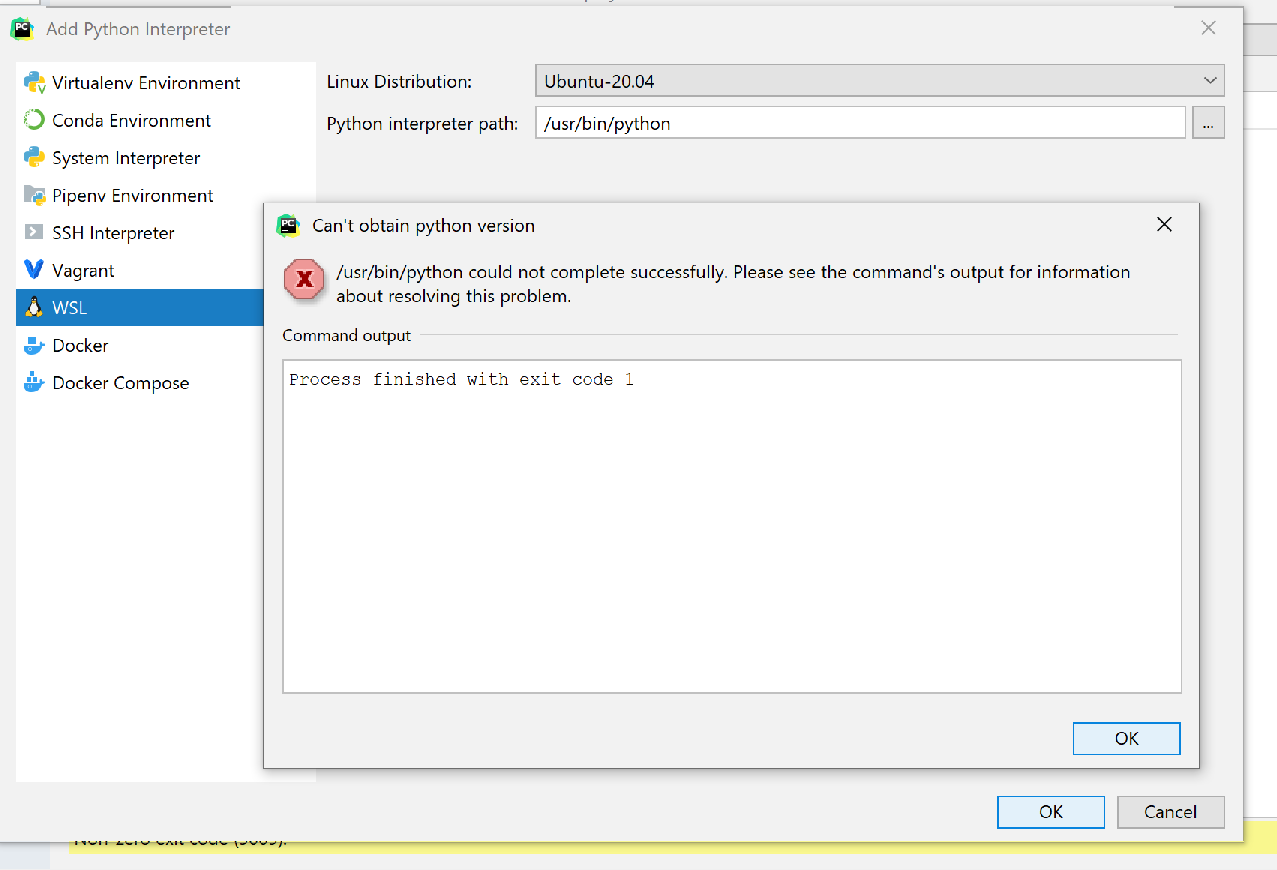
</descriptor>当我在PyCharm中设置解释器时,选择WSL并找到正确的版本,/usr/bin/python指向正确的WSL包(lsxx下的Windows注册表中的相同包)。
但是,当我单击“确定”时,会得到以下错误:
进程已完成,退出代码为%1
为什么?或者我如何用日志来调试它?
回答 1
Stack Overflow用户
发布于 2020-08-19 17:48:10
您应该检查Ubuntu20.04:ls /usr/bin/python上解释器路径的存在。我想应该用/usr/bin/python3代替它。路径可能取决于已安装的Python版本。
我在我自己的系统上检查过了,结果成功了。而且,我的描述符看起来如下所示:
<descriptor>
  <id>UBUNTU2004</id>
  <microsoft-id>Ubuntu-20.04</microsoft-id>
  <executable-path>ubuntu2004.exe</executable-path>
  <presentable-name>Ubuntu 20.04</presentable-name>
</descriptor>页面原文内容由Stack Overflow提供。腾讯云小微IT领域专用引擎提供翻译支持
原文链接:
https://stackoverflow.com/questions/61979161
复制相关文章
相似问题
腾讯云开发者

Copyright © 2013 - 2026 Tencent Cloud. All Rights Reserved. 腾讯云 版权所有
深圳市腾讯计算机系统有限公司 ICP备案/许可证号:粤B2-20090059  粤公网安备44030502008569号
腾讯云计算(北京)有限责任公司 京ICP证150476号 | 京ICP备11018762号