
使用automator和AppleScript根据文件的名称和内容将文件移动到不同的文件夹和子文件夹
我完全是自动化和脚本方面的新手..。我读过很多类似于我的问题的答案,但是我并没有成功地适应Automator + AppleScript。
以下是我想做的事:
当我下载一个文件到一个目录
- (是的,在HDD的名称中有一个空格),例如,验证该文件是否有扩展名pdf +它包含一个IBAN +名称包含“语句”.
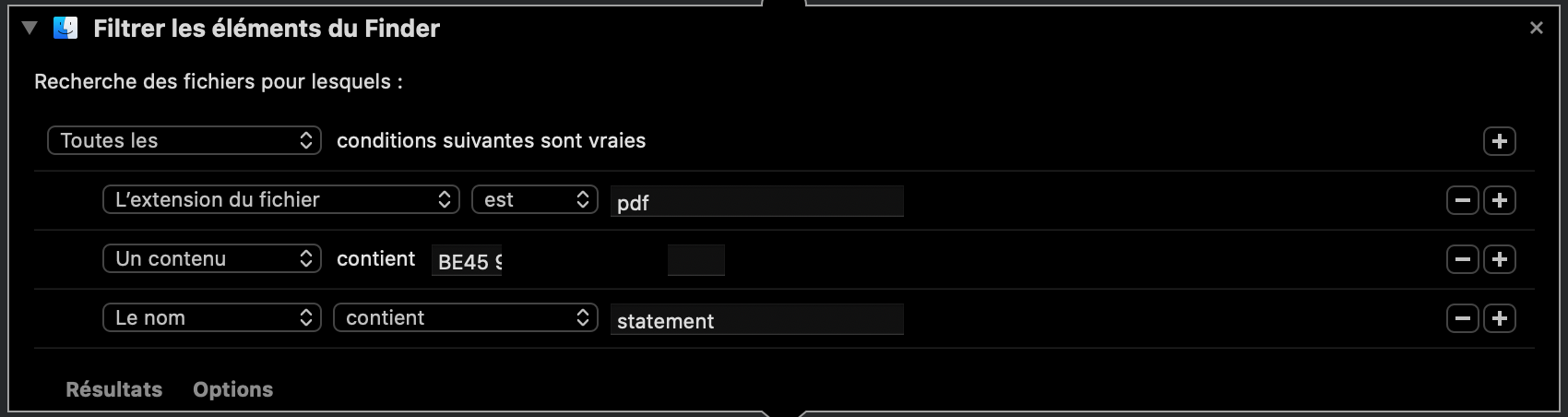
如果文件与
- 相对应,我希望验证名称中的年份和月份,并相应地将其移动到good Google文件夹:
/ /Travail /Macboot/Travail en cours/Google /Travail Transferwise 1/
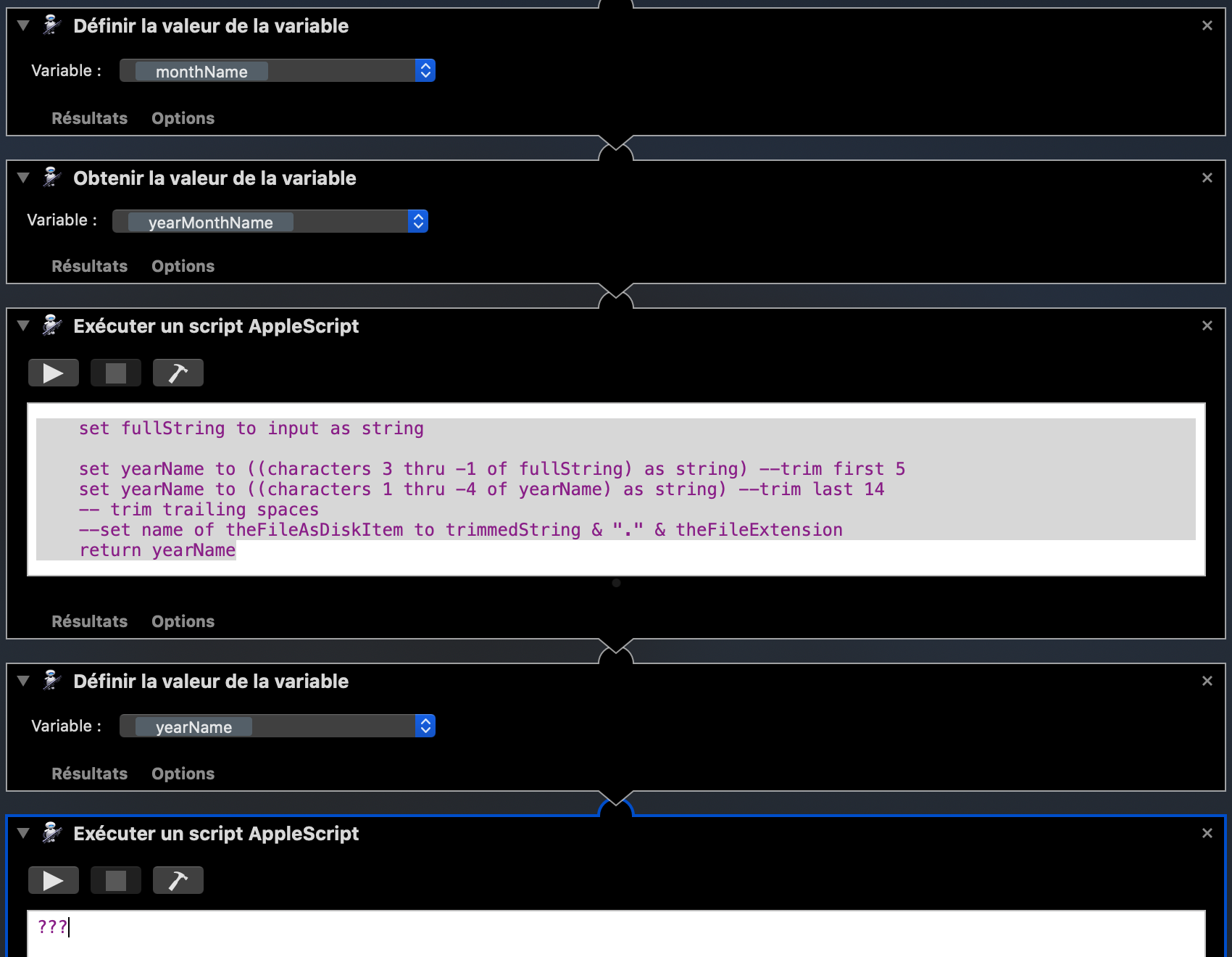
现在,我成功地获得了两个变量中的年份和月份,但是在Automator的下一个步骤中,我找不到使用变量移动文件的好方法。
回答 2
Stack Overflow用户
发布于 2020-06-04 05:18:30
下面的方法应该有效,或者至少能让你走上正确的道路。为变量设置以下内容:
above
- filePath:
- monthName:保存月份值的
text变量,如上面的
- yearName:保存年份值的
text变量,保存对您正在工作的文件的引用的storage变量--保存输出文件夹
F 213的storage变量
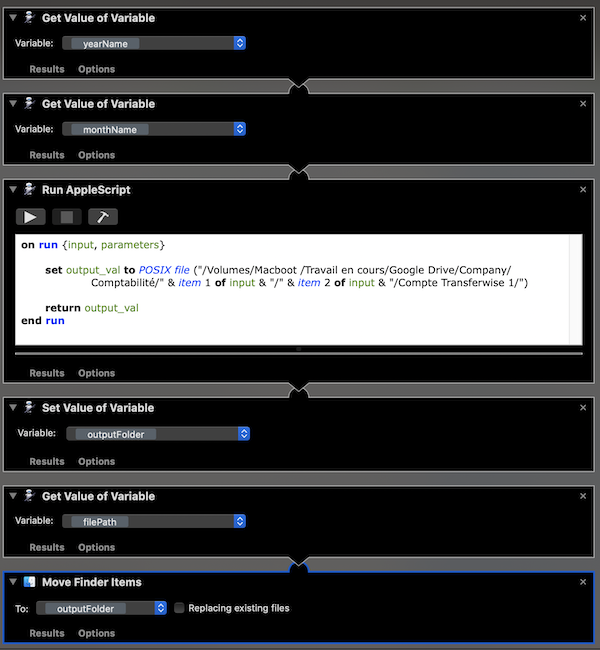
前两个操作从存储中收集月份和年份,并将其作为输入变量中的列表传递给AppleScript操作。该AppleScript操作从列表中提取值,将它们连接为路径字符串,并使用POSIX File命令将其转换为文件引用。第四个操作将文件引用存储在outputFolder变量中。
注意,第五个动作忽略了第四个动作的输入。相反,它将恢复原始文件说明符(您将在工作流的前面某个地方存储该文件说明符),然后将文件说明符发送到移动查找项操作,该操作使用存储在outputFolder变量中的值作为其目标。
Stack Overflow用户
发布于 2020-06-04 14:00:30
我简化了这个过程,并找到了一种使用AppleScript的方法:
on run {input, parameters}
    set theFile to input as text
    set yearName to ((characters 34 thru -1 of theFile) as string) --trim first 35
    set yearName to ((characters 1 thru -22 of yearName) as string) --trim last 23
    set monthName to ((characters 39 thru -1 of theFile) as string)
    set monthName to ((characters 1 thru -19 of monthName) as string)
    set destinationFolder to ("Macboot :Travail en cours:Google Drive:Company:Comptabilité:" & yearName & ":" & monthName & ":Compte Transferwise 1:Relevé PDF + fichier CSV:" as text)
    tell application "Finder"
        activate
        move theFile to destinationFolder -- use "copy source_file to folder (target_folder as alias)" to copy the files
    end tell
    set result to {yearName, monthName, theFile, destinationFolder}
    return result
end runhttps://stackoverflow.com/questions/62167837
复制相似问题
腾讯云开发者

Copyright © 2013 - 2026 Tencent Cloud. All Rights Reserved. 腾讯云 版权所有
深圳市腾讯计算机系统有限公司 ICP备案/许可证号:粤B2-20090059  粤公网安备44030502008569号
腾讯云计算(北京)有限责任公司 京ICP证150476号 | 京ICP备11018762号