
MATLAB R2019a不会显示原语线的图例
MATLAB R2019a不会显示原语线的图例
提问于 2020-06-24 14:44:42
最近,我已更改为Matlab (R2019)的新版本,当我试图在图形上添加一个图例时,会得到以下错误:
“输入必须是相同的大小,否则任何一个都可以是标量。”
我正在使用的代码(在以前的Matlab版本中很有用,很好)是这样的:
 x=rand(1,10);
y=rand(1,10);
zfTail=10;

figure(15); clf; hold on; box on

ph_f = plot(2.*x, 2*y, 'ro-.','LineWidth',2,'Color',[0 0.75 0]);
ph_fb = plot(x, y, 'ro-.','LineWidth',.3,'Color',[0.5 0.75 0]);
ph_ft = plot(3.*x, 3.*y, 'ro-.','LineWidth',1,'Color',[0 0.75 0.5]);

legend([ ph_f, ph_fb, ph_ft], 'Location', 'SouthWest',...
           {'Escape time distribution',...
            ['Power-law fit, z = ' num2str(-zfTail,2)],...
           'Initial distribution'

           },'FontSize',14)
这就是我在R2019版本中得到的:
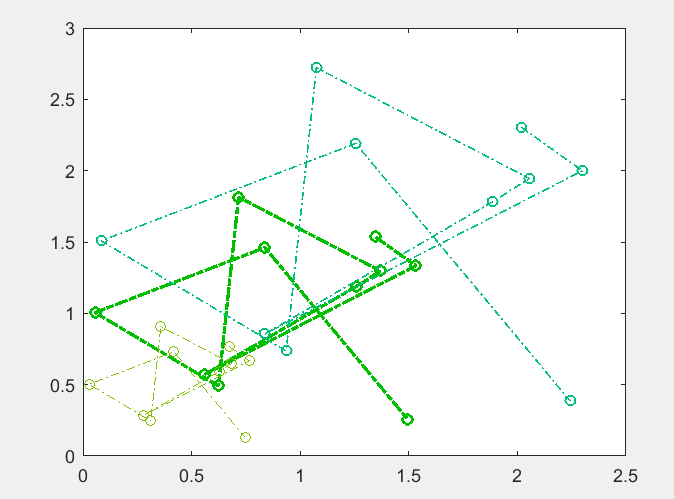
这就是我在一个老版本的R2017b上学到的
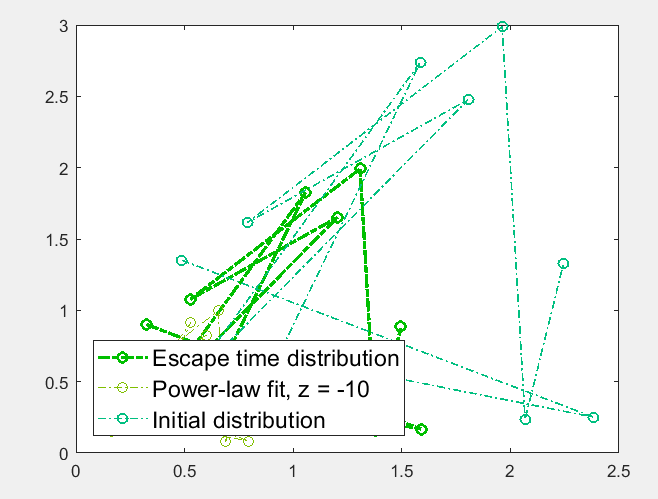
在哪里ph_f,ph_fb,ph_ft是原始的1X1行,有人能帮我吗?我没能找到解决办法。
回答 1
Stack Overflow用户
回答已采纳
发布于 2020-06-24 18:27:14
参数{'Escape time distribution', ['Power-law fit, z = ' num2str(-zfTail,2)], 'Initial distribution'}应该直接插入到行对象后面。下列措施应能发挥作用:
hleg = legend([ph_f, ph_fb, ph_ft], {'Escape time distribution', ['Power-law fit, z = ' num2str(-zfTail,2)], 'Initial distribution'});
hleg.FontSize = 14;
hleg.Location = 'southwest';我不知道为什么不可能将FontSize和Location属性legend包含在R2019a的同一行中。
页面原文内容由Stack Overflow提供。腾讯云小微IT领域专用引擎提供翻译支持
原文链接:
https://stackoverflow.com/questions/62557741
复制相关文章
相似问题
腾讯云开发者

Copyright © 2013 - 2026 Tencent Cloud. All Rights Reserved. 腾讯云 版权所有
深圳市腾讯计算机系统有限公司 ICP备案/许可证号:粤B2-20090059  粤公网安备44030502008569号
腾讯云计算(北京)有限责任公司 京ICP证150476号 | 京ICP备11018762号