
无法访问“发票忍者”页面
无法访问“发票忍者”页面
提问于 2020-07-09 06:00:01
我使用了一个dockerfile来部署忍者发票,但是我无法访问Invoice页面。
我试图访问url:http://ninja.example.de:8080/,但内容是卡迪页。

docker-compose.yml
version: '3.7'

services:
  server:
    image: caddy:alpine
    restart: always
    environment:
      - APP_URL=http://ninja.example.de
    volumes:
      # Vhost configuration
      #- ./config/caddy/Caddyfile:/etc/caddy/Caddyfile
      - ./public:/var/invoiceninja/public
      - ./storage:/var/invoiceninja/storage
    depends_on:
      - app
    # Run webserver nginx on port 80
    # Feel free to modify depending what port is already occupied
    ports:
      - "8080:80"
    #  - "443:443"
    networks:
      - invoiceninja

  app:
    image: invoiceninja/invoiceninja
    restart: always
    environment:
      - APP_URL=ninja.example.de
      - APP_KEY=base64:Iczfntb0PgJImdMW6PxMDeHi/v/h82yKv5xeYX3QvpU=
      - MULTI_DB_ENABLED=false
      - DB_HOST1=db
    volumes:
      - ./public:/var/invoiceninja/public
      - ./storage:/var/invoiceninja/storage
    depends_on:
      - db
    networks:
      - invoiceninja

  db:
    image: mysql:5
    restart: always
    environment:
      - MYSQL_ROOT_PASSWORD=mypassword
      - MYSQL_USER=ninja
      - MYSQL_PASSWORD=ninja
      - MYSQL_DATABASE=db-ninja-01
    volumes:
      - ./mysql/data:/var/lib/mysql
    networks:
      - invoiceninja

 # cron:
 # cron is commented out by me

volumes:
  mysql-data:
  public:
  storage:

networks:
  invoiceninja:
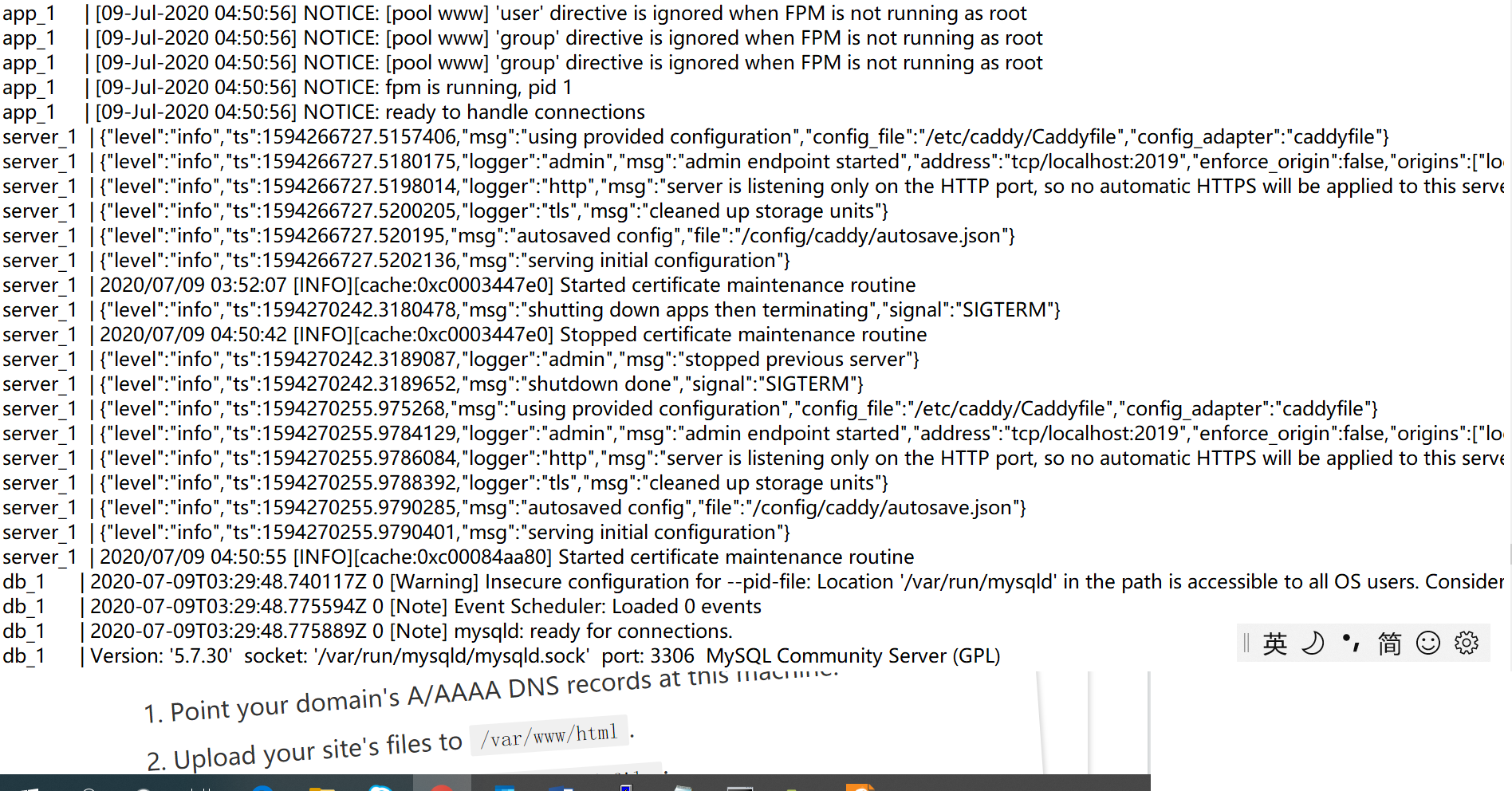
停靠-组合日志结果:我看不到错误
回答 1
Stack Overflow用户
发布于 2020-07-14 13:30:48
刚刚出了这个问题。您必须更新Caddyfile中的一行以:
# Set this path to your site's directory.
root * /var/www/app/public
为此,我取消了这一行的注释,并编辑了该文件:
./config/caddy/Caddyfile:/etc/caddy/Caddyfile现在,我正在使用,它一直在崩溃,说我正试图找到一个文件的文件夹,反之亦然。所以我自己制作了文件,并从容器中复制了内容。
FYI,我的原始/默认文件如下所示:
# The Caddyfile is an easy way to configure your Caddy web server.
#
# Unless the file starts with a global options block, the first
# uncommented line is always the address of your site.
#
# To use your own domain name (with automatic HTTPS), first make
# sure your domain's A/AAAA DNS records are properly pointed to
# this machine's public IP, then replace the line below with your
# domain name.
:80

# Set this path to your site's directory.
root * /usr/share/caddy

# Enable the static file server.
file_server

# Another common task is to set up a reverse proxy:
# reverse_proxy localhost:8080

# Or serve a PHP site through php-fpm:
# php_fastcgi localhost:9000

# Refer to the Caddy docs for more information:
# https://caddyserver.com/docs/caddyfile页面原文内容由Stack Overflow提供。腾讯云小微IT领域专用引擎提供翻译支持
原文链接:
https://stackoverflow.com/questions/62808385
复制相关文章
相似问题
腾讯云开发者

Copyright © 2013 - 2026 Tencent Cloud. All Rights Reserved. 腾讯云 版权所有
深圳市腾讯计算机系统有限公司 ICP备案/许可证号:粤B2-20090059  粤公网安备44030502008569号
腾讯云计算(北京)有限责任公司 京ICP证150476号 | 京ICP备11018762号