
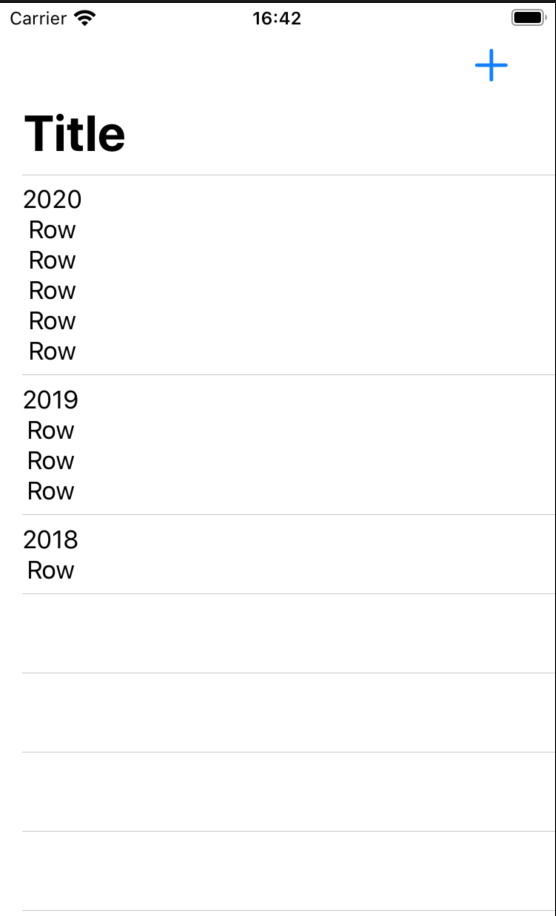
如果存在.navigationBarItems,列表部分将无法正常工作。
如果存在.navigationBarItems,列表部分将无法正常工作。
提问于 2020-07-31 13:51:03
如何在导航栏中同时有一个按钮和一个包含部分的列表?
下面是一个带有.navigationBarItems的代码
struct AllMatchesView: View {
    @Environment(\.managedObjectContext) var moc

    @State var events = EventData()

    var body: some View {
        NavigationView {
            List{
                ForEach(events.sections) { section in
                    Section(header: Text(section.title)) {
                        ForEach(section.matches) { match in
                            Text("Row")
                        }
                    }
                        .navigationBarTitle("Title")
                        .navigationBarItems(trailing:
                            NavigationLink(destination: AddMatchView().environment(\.managedObjectContext, self.moc)) {
                                Image(systemName: "plus")
                                    .resizable()
                                    .frame(width: 22, height: 22)
                                    .padding(.horizontal)
                            }
                            .padding(.leading)
                    )
                }
            }.onAppear(){
                self.events = EventData()
            }
        }
    }
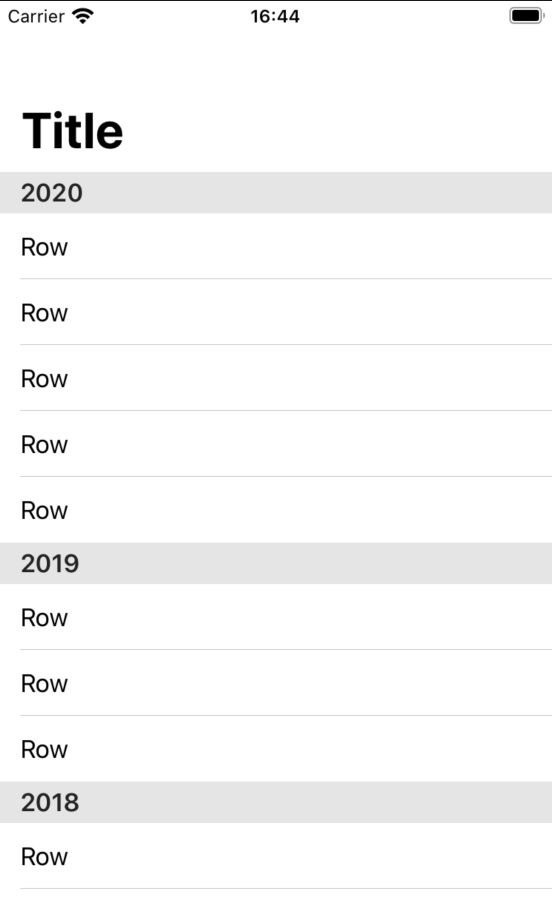
}无.navigationBarItems
struct AllMatchesView: View {
    @Environment(\.managedObjectContext) var moc

    @State var events = EventData()

    var body: some View {
        NavigationView {
            List{
                ForEach(events.sections) { section in
                    Section(header: Text(section.title)) {
                        ForEach(section.matches) { match in
                            Text("Row")
                        }
                    }
                        .navigationBarTitle("Title")
                }
            }.onAppear(){
                self.events = EventData()
            }
        }
    }
}用.navigationBarItems计算结果
没有.navigationBarItems的结果
回答 1
Stack Overflow用户
回答已采纳
发布于 2020-07-31 14:02:20
只需将这些修饰符从动态内容中移出,否则您将尝试为每个部分包括复制的条形项,这似乎使SwiftUI引擎变得疯狂。
    var body: some View {
        NavigationView {
            List{
                ForEach(events.sections) { section in
                    Section(header: Text(section.title)) {
                        ForEach(section.matches) { match in
                            Text("Row")
                        }
                    }
                }
            }
            .navigationBarTitle("Title")
            .navigationBarItems(trailing:
                NavigationLink(destination: AddMatchView().environment(\.managedObjectContext, self.moc)) {
                    Image(systemName: "plus")
                        .resizable()
                        .frame(width: 22, height: 22)
                        .padding(.horizontal)
                }
                .padding(.leading)
            )
            .onAppear(){
                self.events = EventData()
            }
        }
}页面原文内容由Stack Overflow提供。腾讯云小微IT领域专用引擎提供翻译支持
原文链接:
https://stackoverflow.com/questions/63193141
复制相关文章
相似问题
腾讯云开发者

Copyright © 2013 - 2026 Tencent Cloud. All Rights Reserved. 腾讯云 版权所有
深圳市腾讯计算机系统有限公司 ICP备案/许可证号:粤B2-20090059  粤公网安备44030502008569号
腾讯云计算(北京)有限责任公司 京ICP证150476号 | 京ICP备11018762号