
元素在Chrome中表现得很奇怪,但在Firefox中却不是?
元素在Chrome中表现得很奇怪,但在Firefox中却不是?
提问于 2020-08-18 03:33:24
所以我用HTML和CSS以及一些JS建立了一个网站。我的主要浏览器一直是火狐,网站看起来也很完美。然而,在Chrome打开它之后,我注意到它发生了很大变化。
- 字体看起来不一样:我尝试了CSS重置和其他已知的技术,但是我不知道为什么字体看起来会改变。你们在解决这个问题时有什么建议?
- --一个完整的元素甚至没有出现在Chrome上,我完全不知道为什么会出现,也不知道怎么会出现。--
代码:
 <div class="masked-copy texture-orange big-type">
               <p><span class="firstline">Coffee </span><span class="secondline">'N'</span> <span class="thirdline">Code!</span></p>
               <!--

               -->
               <div class="explanation">
                  <h1>
                     <div class="goo" contenteditable="true">Elected as a <i>Senior Project Lead</i> <br>at the Biggest Club<br> involved in Technology and Coding: <span id = 'newline'>Coffee</span> 'N' Code.</div>
                  </h1>
                  <!-- Filter: https://css-tricks.com/gooey-effect/ -->
                  <svg style="visibility: hidden; position: absolute;" width="0" height="0" xmlns="http://www.w3.org/2000/svg" version="1.1">
                     <defs>
                        <filter id="goo">
                           <feGaussianBlur in="SourceGraphic" stdDeviation="10" result="blur" />
                           <feColorMatrix in="blur" mode="matrix" values="1 0 0 0 0  0 1 0 0 0  0 0 1 0 0  0 0 0 19 -9" result="goo" />
                           <feComposite in="SourceGraphic" in2="goo" operator="atop"/>
                        </filter>
                     </defs>
                  </svg>
               </div>
            </div>
CSS
  .texture-orange {
    color: #e5895f;
    background-image: url('https://www.apple.com/v/iphone-xr/a/images/overview/copy_texture_4_large.jpg');
  }

.big-type {
  /* Copied almost wholesale from the Apple site CSS; changed the font-stack */
  font-size: 60px;
  height: 60vh;
  line-height: 1.0625; /* The height Apple used to tighten up the spacing a bit. */
  font-weight: 600; /* Nice, chunky, bold! */
  font-family: "Helvetica Neue","Helvetica","Arial",sans-serif;
}

.masked-copy {
  /* This is it! Magic: */
  -webkit-background-clip: text;
  color: transparent !important;

}

.project3 .goo{
  position: relative;
  top: -160px;
  left: -30px;
}
.project3 .explanation .goo #newline::before{
  content: '\a';
  white-space: pre;
}
如火狐所见
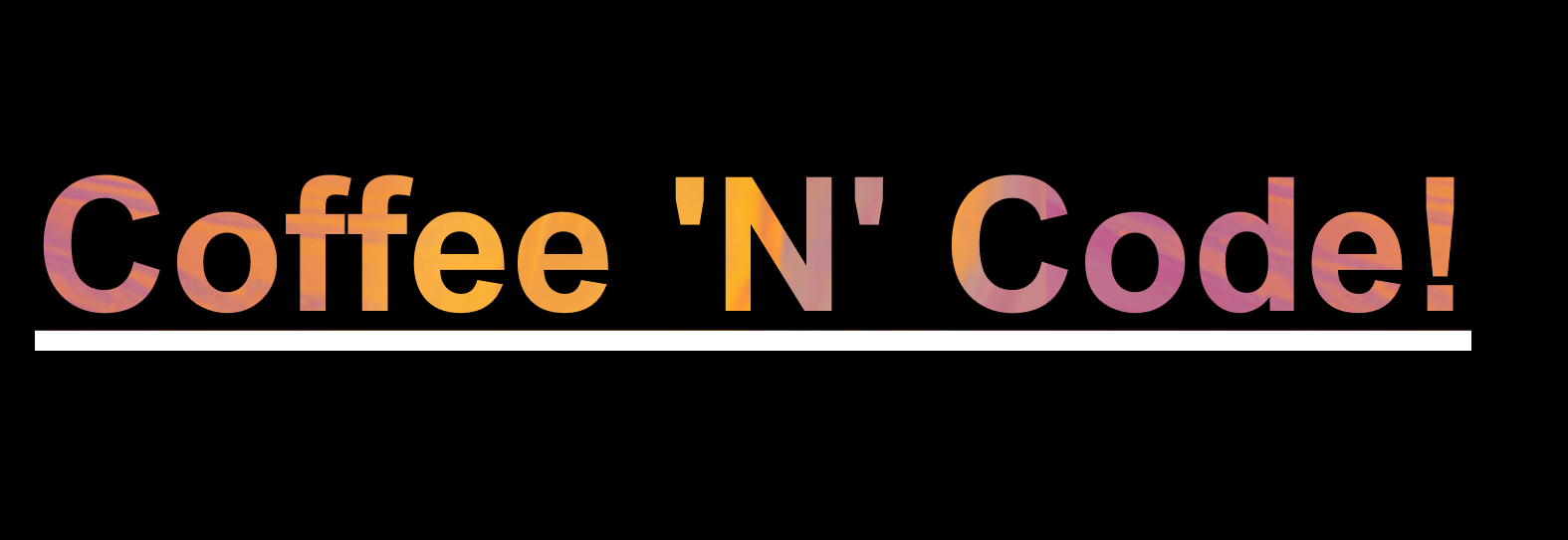
从Chrome上可以看到

回答 1
Stack Overflow用户
发布于 2020-08-18 04:27:32
您必须将<h1>标记嵌套到<div>标记中:
 <div class="masked-copy texture-orange big-type">
               <p><span class="firstline">Coffee </span><span class="secondline">'N'</span> <span class="thirdline">Code!</span></p>
               <!--

               -->
               <div class="explanation">
                  <div>
                     <h1 class="goo" contenteditable="true">Elected as a <i>Senior Project Lead</i> <br>at the Biggest Club<br> involved in Technology and Coding: <span id = 'newline'>Coffee</span> 'N' Code.</h1>
                  </div>
                  <!-- Filter: https://css-tricks.com/gooey-effect/ -->
                  <svg style="visibility: hidden; position: absolute;" width="0" height="0" xmlns="http://www.w3.org/2000/svg" version="1.1">
                     <defs>
                        <filter id="goo">
                           <feGaussianBlur in="SourceGraphic" stdDeviation="10" result="blur" />
                           <feColorMatrix in="blur" mode="matrix" values="1 0 0 0 0  0 1 0 0 0  0 0 1 0 0  0 0 0 19 -9" result="goo" />
                           <feComposite in="SourceGraphic" in2="goo" operator="atop"/>
                        </filter>
                     </defs>
                  </svg>
               </div>
            </div>
而且,您的代码与图片不匹配
页面原文内容由Stack Overflow提供。腾讯云小微IT领域专用引擎提供翻译支持
原文链接:
https://stackoverflow.com/questions/63461484
复制相关文章
相似问题
腾讯云开发者

Copyright © 2013 - 2026 Tencent Cloud. All Rights Reserved. 腾讯云 版权所有
深圳市腾讯计算机系统有限公司 ICP备案/许可证号:粤B2-20090059  粤公网安备44030502008569号
腾讯云计算(北京)有限责任公司 京ICP证150476号 | 京ICP备11018762号