
自定义窗口模拟SceneView
我正在构建一个自定义窗口,并且我正在尝试重用Unity的场景视图,以便能够直接从这个特定的窗口中提取。
我通过扩展UnityEditor.SceneView成功地复制了正确的窗口,下面是我所拥有的:
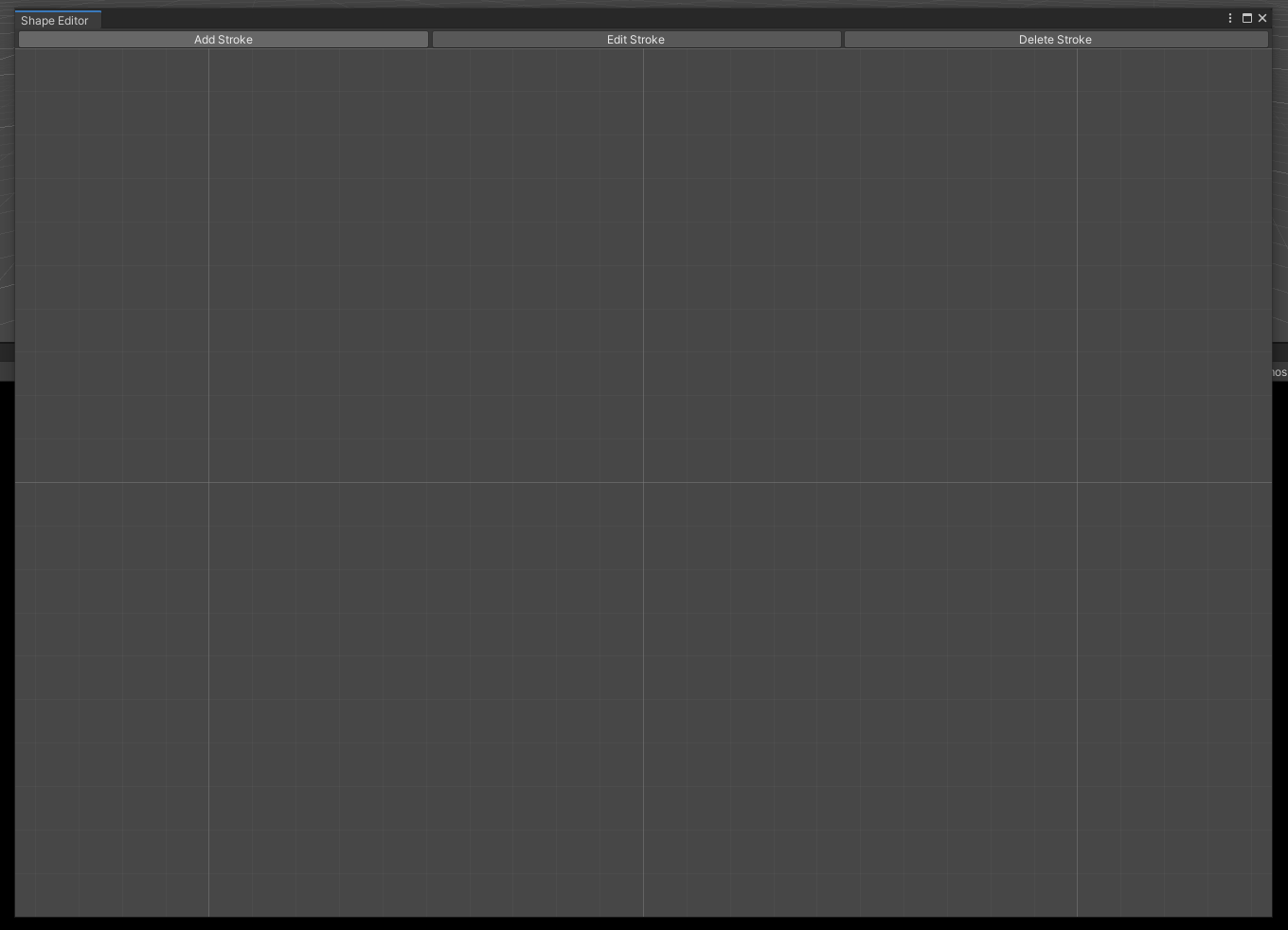
这是密码:
[EditorWindowTitle(title = "Shape Editor", useTypeNameAsIconName = false)]
public class StrokeEditor : SceneView
{
    [MenuItem("Recognizer/Shape Editor")]
    public static void Init()
    {
        var w = GetWindow<StrokeEditor>();
        w.in2DMode = true;

        EditorSceneManager.NewScene(NewSceneSetup.EmptyScene, NewSceneMode.Single);
    }

    protected override void OnGUI()
    {
        using (new GUILayout.HorizontalScope())
        {
            GUILayout.Button("Add Stroke");
            GUILayout.Button("Edit Stroke");
            GUILayout.Button("Delete Stroke");
        }

        base.OnGUI();
    }
}
有了这个,我可能就快完成了。
这是正确的程序吗?我觉得有些地方不对劲,因为每当我使用EditorSceneManager.NewScene(NewSceneSetup.EmptyScene, NewSceneMode.Single);时,它也会为主场景视图创建一个新的场景。(我希望主场景视图保持不变)我还应该能够从场景视图中看到以下工具:

有什么更好的方法来实现我想要的吗?
编辑1:
所有这些的最终用途是通过点击和拖动鼠标,就像移动电话中的手势一样,能够在窗口中绘制2D形状。这样,我就能得到一些位置来补充我的算法.
回答 2
Stack Overflow用户
发布于 2020-09-01 14:21:32
您可以使用新的GraphView。这给了你一些你想要的“免费”的东西,主要是放大和平移视图。由于ShaderGraph使用这种方法,如果您想要这样做的话,那么构建节点、选择节点并移动它们应该会更容易。
下面是一个定制编辑器窗口的玩具示例,它允许您编辑可脚本对象中的点数列表:
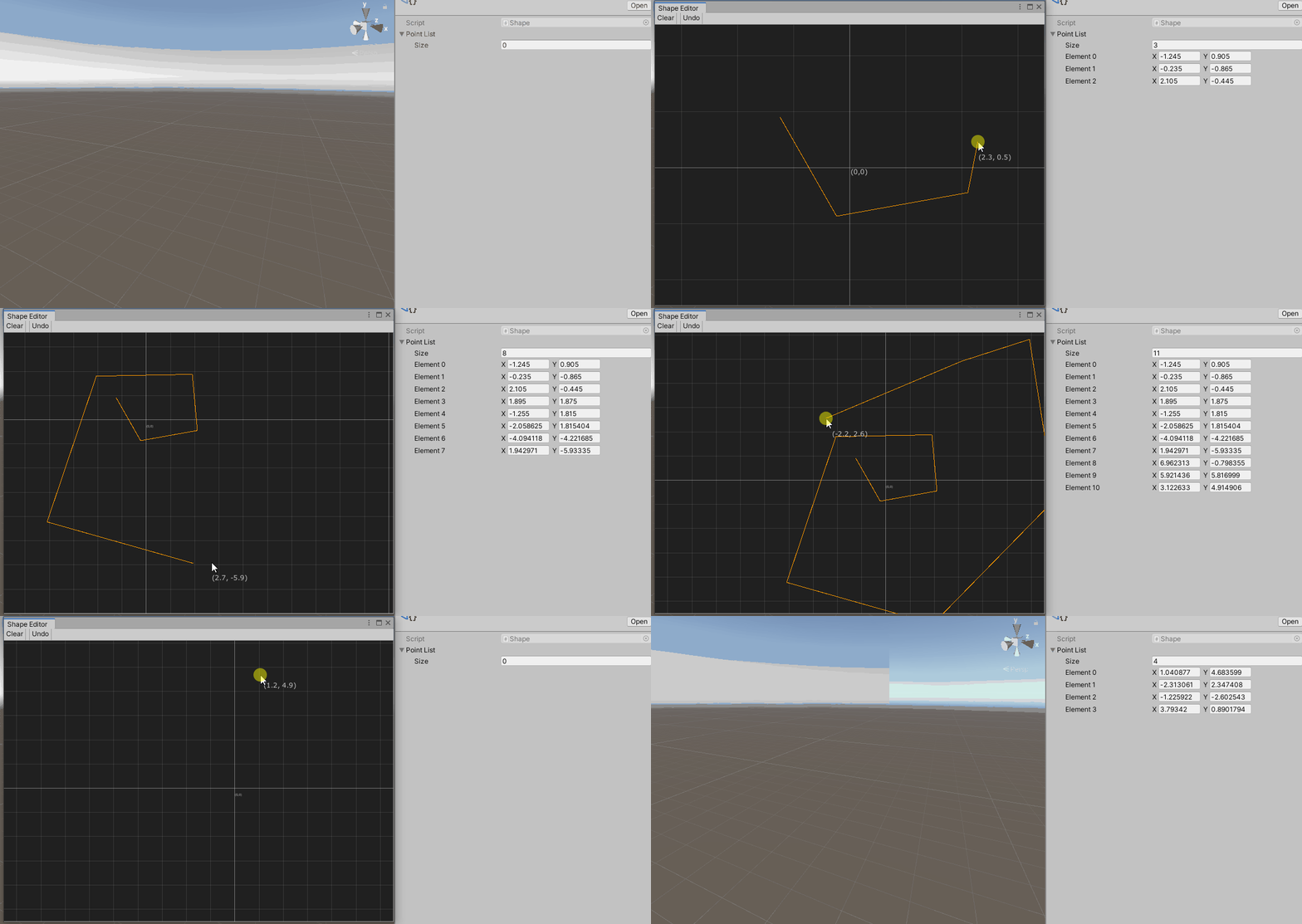
Shape.cs
- 带有点列表的简单可脚本对象。
[CreateAssetMenu(menuName = "Test/ShapeObject")]
public class Shape : ScriptableObject
{
    public List<Vector2> PointList = new List<Vector2>();
}
ShapeEditorWindow.cs
- 具有工具栏和图形视图的编辑器窗口,该窗口打开形状类型的可编写脚本的对象。
using UnityEngine;
using UnityEditor;
using UnityEditor.UIElements;

public class ShapeEditorWindow : EditorWindow
{
    private ShapeEditorGraphView _shapeEditorGraphView;
    private Shape _shape;

    [UnityEditor.Callbacks.OnOpenAsset(1)]
    private static bool Callback(int instanceID, int line)
    {
        var shape = EditorUtility.InstanceIDToObject(instanceID) as Shape;
        if (shape != null)
        {
            OpenWindow(shape);
            return true;
        }
        return false; // we did not handle the open
    }

    private static void OpenWindow(Shape shape)
    {
        var window = GetWindow<ShapeEditorWindow>();
        window.titleContent = new GUIContent("Shape Editor");
        window._shape = shape;
        window.rootVisualElement.Clear();
        window.CreateGraphView();
        window.CreateToolbar();
    }

    private void CreateToolbar()
    {
        var toolbar = new Toolbar();
        var clearBtn = new ToolbarButton(()=>_shape.PointList.Clear()); ;
        clearBtn.text = "Clear";
        var undoBtn = new ToolbarButton(() =>_shape.PointList.RemoveAt(_shape.PointList.Count-1));
        undoBtn.text = "Undo";
        toolbar.Add(clearBtn);
        toolbar.Add(new ToolbarSpacer());
        toolbar.Add(undoBtn);
        rootVisualElement.Add(toolbar);
    }

    private void CreateGraphView()
    {
        _shapeEditorGraphView = new ShapeEditorGraphView(_shape);
        _shapeEditorGraphView.name = "Shape Editor Graph";
        rootVisualElement.Add(_shapeEditorGraphView);
    }
}
ShapeEditorGraphView.cs
- 图形视图与缩放,网格,潘(与ContentDragger)和形状编辑器。
using UnityEditor.Experimental.GraphView;
using UnityEngine;
using UnityEngine.UIElements;

public class ShapeEditorGraphView : GraphView
{
    const float _pixelsPerUnit = 100f;
    const bool _invertYPosition = true;
    public ShapeEditorGraphView(Shape shape){
        styleSheets.Add(Resources.Load<StyleSheet>("ShapeEditorGraph"));
        this.StretchToParentSize();

        SetupZoom(ContentZoomer.DefaultMinScale, ContentZoomer.DefaultMaxScale);
        Add(new GridBackground());

        //pan with Alt-LeftMouseButton drag/ MidleMouseButton drag
        this.AddManipulator(new ContentDragger());

        //other things that might interest you
        //this.AddManipulator(new SelectionDragger());
        //this.AddManipulator(new RectangleSelector());
        //this.AddManipulator(new ClickSelector());

        this.AddManipulator(new ShapeManipulator(shape));

        contentViewContainer.BringToFront();
        contentViewContainer.Add(new Label { name = "origin", text = "(0,0)" });

        //set the origin to the center of the window
        this.schedule.Execute(() =>
        {
            contentViewContainer.transform.position = parent.worldBound.size / 2f;
        });
    }

    public Vector2 WorldtoScreenSpace(Vector2 pos)
    {
        var position = pos * _pixelsPerUnit - contentViewContainer.layout.position;
        if (_invertYPosition) position.y = -position.y;
        return contentViewContainer.transform.matrix.MultiplyPoint3x4(position);
    }

    public Vector2 ScreenToWorldSpace(Vector2 pos)
    {
        Vector2 position = contentViewContainer.transform.matrix.inverse.MultiplyPoint3x4(pos);
        if (_invertYPosition) position.y = -position.y;
        return (position + contentViewContainer.layout.position) / _pixelsPerUnit;
    }
}不幸的是,网格背景和网格线是相同的颜色,因此为了查看网格线,我们必须编写样式表并设置GridBackground属性。该文件必须在编辑器/参考资料中,并加载styleSheets.Add(Resources.Load<StyleSheet>("ShapeEditorGraph"));
编辑/参考资料/ShapeEditorGraph.uss
GridBackground {
    --grid-background-color: rgba(32,32,32,1);
    --line-color: rgba(255,255,255,.1);
    --thick-line-color: rgba(255,255,255,.3);
    --spacing: 100;
}
ShapeManipulator.cs
- 绘制和编辑形状。这与RectangleSelector类似。
using System.Collections.Generic;
using System.Linq;
using UnityEngine;
using UnityEngine.UIElements;

public class ShapeManipulator : MouseManipulator
{
    private Shape _shape;
    private ShapeDraw _shapeDraw;

    public ShapeManipulator(Shape shape)
    {
        activators.Add(new ManipulatorActivationFilter { button = MouseButton.LeftMouse });
        _shape = shape;
        _shapeDraw = new ShapeDraw { points = shape.PointList };
    }
    protected override void RegisterCallbacksOnTarget()
    {
        target.Add(_shapeDraw);
        target.Add(new Label { name = "mousePosition", text = "(0,0)" });
        target.RegisterCallback<MouseDownEvent>(MouseDown);
        target.RegisterCallback<MouseMoveEvent>(MouseMove);
        target.RegisterCallback<MouseCaptureOutEvent>(MouseOut);
        target.RegisterCallback<MouseUpEvent>(MouseUp);
    }

    protected override void UnregisterCallbacksFromTarget()
    {
        target.UnregisterCallback<MouseDownEvent>(MouseDown);
        target.UnregisterCallback<MouseUpEvent>(MouseUp);
        target.UnregisterCallback<MouseMoveEvent>(MouseMove);
        target.UnregisterCallback<MouseCaptureOutEvent>(MouseOut);
    }

    private void MouseOut(MouseCaptureOutEvent evt) => _shapeDraw.drawSegment = false;

    private void MouseMove(MouseMoveEvent evt)
    {
        var t = target as ShapeEditorGraphView;
        var mouseLabel = target.Q("mousePosition") as Label;
        mouseLabel.transform.position = evt.localMousePosition + Vector2.up * 20;
        mouseLabel.text = t.ScreenToWorldSpace(evt.localMousePosition).ToString();

        //if left mouse is pressed
        if ((evt.pressedButtons & 1) != 1) return;
        _shapeDraw.end = t.ScreenToWorldSpace(evt.localMousePosition);
        _shapeDraw.MarkDirtyRepaint();
    }

    private void MouseUp(MouseUpEvent evt)
    {
        if (!CanStopManipulation(evt)) return;
        target.ReleaseMouse();
        if (!_shapeDraw.drawSegment) return;

        if (_shape.PointList.Count == 0) _shape.PointList.Add(_shapeDraw.start);

        var t = target as ShapeEditorGraphView;
        _shape.PointList.Add(t.ScreenToWorldSpace(evt.localMousePosition));
        _shapeDraw.drawSegment = false;

        _shapeDraw.MarkDirtyRepaint();
    }

    private void MouseDown(MouseDownEvent evt)
    {
        if (!CanStartManipulation(evt)) return;
        target.CaptureMouse();

        _shapeDraw.drawSegment = true;
        var t = target as ShapeEditorGraphView;

        if (_shape.PointList.Count != 0) _shapeDraw.start = _shape.PointList.Last();
        else _shapeDraw.start = t.ScreenToWorldSpace(evt.localMousePosition);

        _shapeDraw.end = t.ScreenToWorldSpace(evt.localMousePosition);
        _shapeDraw.MarkDirtyRepaint();
    }
    private class ShapeDraw : ImmediateModeElement
    {
        public List<Vector2> points { get; set; } = new List<Vector2>();
        public Vector2 start { get; set; }
        public Vector2 end { get; set; }
        public bool drawSegment { get; set; }
        protected override void ImmediateRepaint()
        {
            var lineColor = new Color(1.0f, 0.6f, 0.0f, 1.0f);
            var t = parent as ShapeEditorGraphView;
            //Draw shape
            for (int i = 0; i < points.Count - 1; i++)
            {
                var p1 = t.WorldtoScreenSpace(points[i]);
                var p2 = t.WorldtoScreenSpace(points[i + 1]);
                GL.Begin(GL.LINES);
                GL.Color(lineColor);
                GL.Vertex(p1);
                GL.Vertex(p2);
                GL.End();
            }

            if (!drawSegment) return;

            //Draw current segment
            GL.Begin(GL.LINES);
            GL.Color(lineColor);
            GL.Vertex(t.WorldtoScreenSpace(start));
            GL.Vertex(t.WorldtoScreenSpace(end));
            GL.End();
        }
    }
}
只是示例代码。我们的目标是让一些东西在屏幕上工作和绘图。
Stack Overflow用户
发布于 2020-08-30 10:36:28
我过去曾处理过类似的问题。当我想要扩展SceneView时,我使用了小发明和回调将自己的控件添加到场景视图中,但我怀疑您可能需要更多的自由。
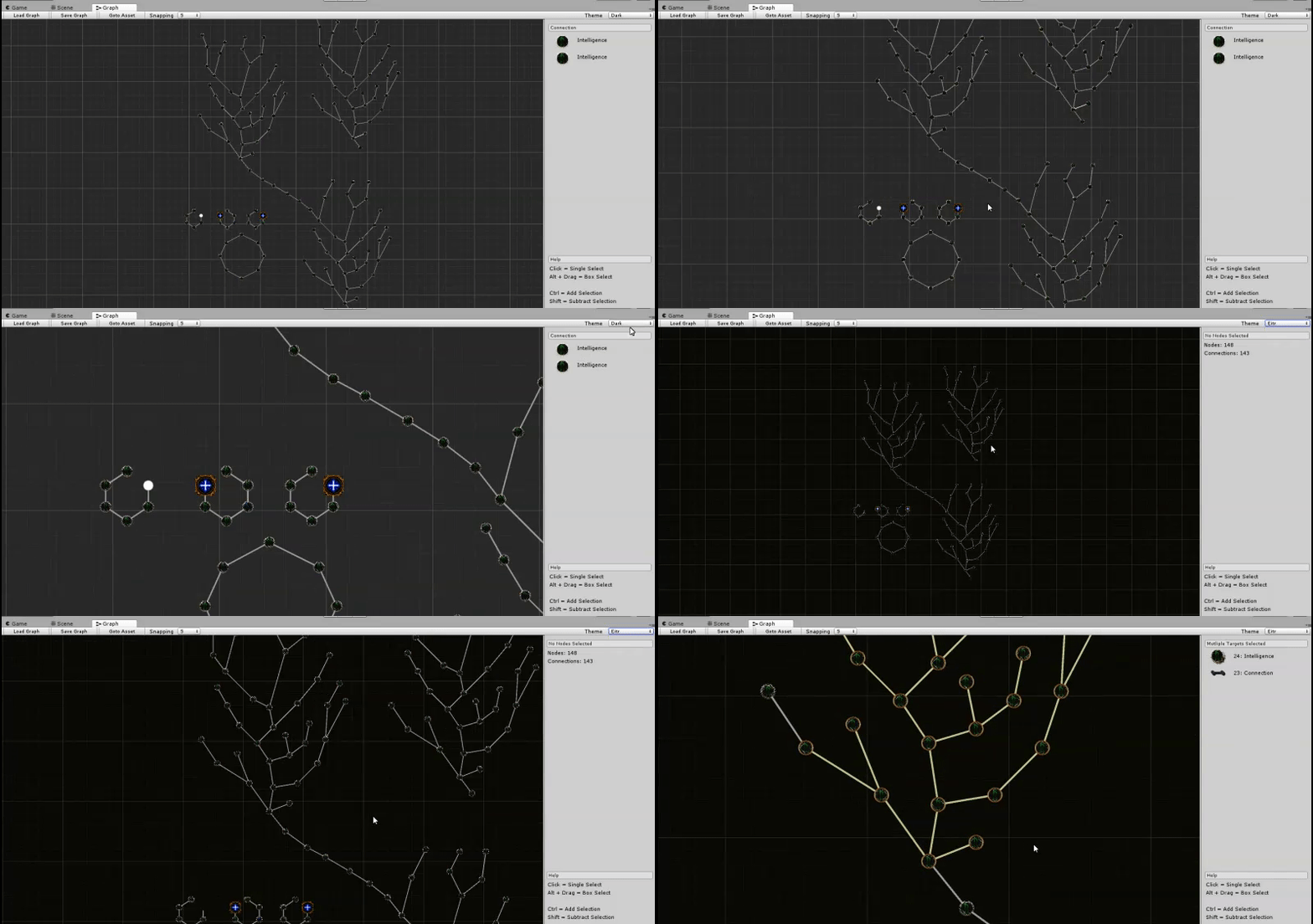
我做的另一件事是创建一个“编辑器预览场景”,在其中添加一个摄像机,并将相机渲染到我的自定义EditorWindow中。这是很多工作,但一旦我做到这一点,我完全可以自由定制编辑经验。
继承联合的SceneView可能是相当危险的,因为我预计它会经常发生变化,以至于您可能很难让您的东西在多个版本上工作。当联合的代码不期望任何人从SceneView继承时,您可能也会发现自己正在破坏一些东西。
https://stackoverflow.com/questions/63557744
复制相似问题
腾讯云开发者

Copyright © 2013 - 2026 Tencent Cloud. All Rights Reserved. 腾讯云 版权所有
深圳市腾讯计算机系统有限公司 ICP备案/许可证号:粤B2-20090059  粤公网安备44030502008569号
腾讯云计算(北京)有限责任公司 京ICP证150476号 | 京ICP备11018762号