
如何创建SwiftUI RoundedStar形状?
,这是一个自我回答的问题,完全可以接受(甚至鼓励)堆栈溢出。关键是要与他人分享一些有用的东西。
SwiftUI有一个RoundedRectangle Shape。这将是很好的有一个五角星与圆形的尖端,可以用来填充,剪辑,和动画。
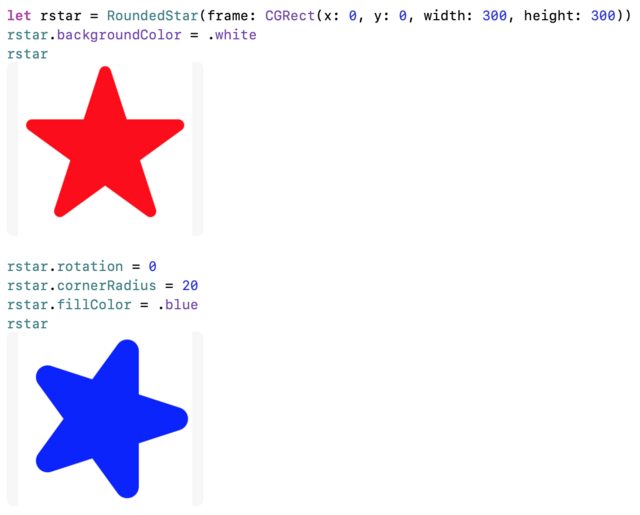
此Stack Overflow answer演示如何使用RoundedStar作为自定义UIView使用UIBezierPath。
如何将这些代码改编为可以动画化的SwiftUI作为一个Shape?
回答 1
Stack Overflow用户
发布于 2020-08-29 18:04:17
下面是改编为可动画的RoundedStar代码SwiftUI Shape
// Five-point star with rounded tips
struct RoundedStar: Shape {
    var cornerRadius: CGFloat

    var animatableData: CGFloat {
        get { return cornerRadius }
        set { cornerRadius = newValue }
    }

    func path(in rect: CGRect) -> Path {
        var path = Path()
        let center = CGPoint(x: rect.width / 2, y: rect.height / 2)
        let r = rect.width / 2
        let rc = cornerRadius
        let rn = r * 0.95 - rc

        // start angle at -18 degrees so that it points up
        var cangle = -18.0

        for i in 1 ... 5 {
            // compute center point of tip arc
            let cc = CGPoint(x: center.x + rn * CGFloat(cos(Angle(degrees: cangle).radians)), y: center.y + rn * CGFloat(sin(Angle(degrees: cangle).radians)))

            // compute tangent point along tip arc
            let p = CGPoint(x: cc.x + rc * CGFloat(cos(Angle(degrees: cangle - 72).radians)), y: cc.y + rc * CGFloat(sin(Angle(degrees: (cangle - 72)).radians)))

            if i == 1 {
                path.move(to: p)
            } else {
                path.addLine(to: p)
            }

            // add 144 degree arc to draw the corner
            path.addArc(center: cc, radius: rc, startAngle: Angle(degrees: cangle - 72), endAngle: Angle(degrees: cangle + 72), clockwise: false)

            // Move 144 degrees to the next point in the star
            cangle += 144
        }

        return path
    }
}代码非常类似于UIBezierPath版本,只不过它使用了新的Angle类型,它提供了对degrees和radians的轻松访问。绘制恒星旋转的代码被删除,因为使用SwiftUI视图修饰符很容易将旋转添加到.rotationEffect(angle:)形状。
示范:
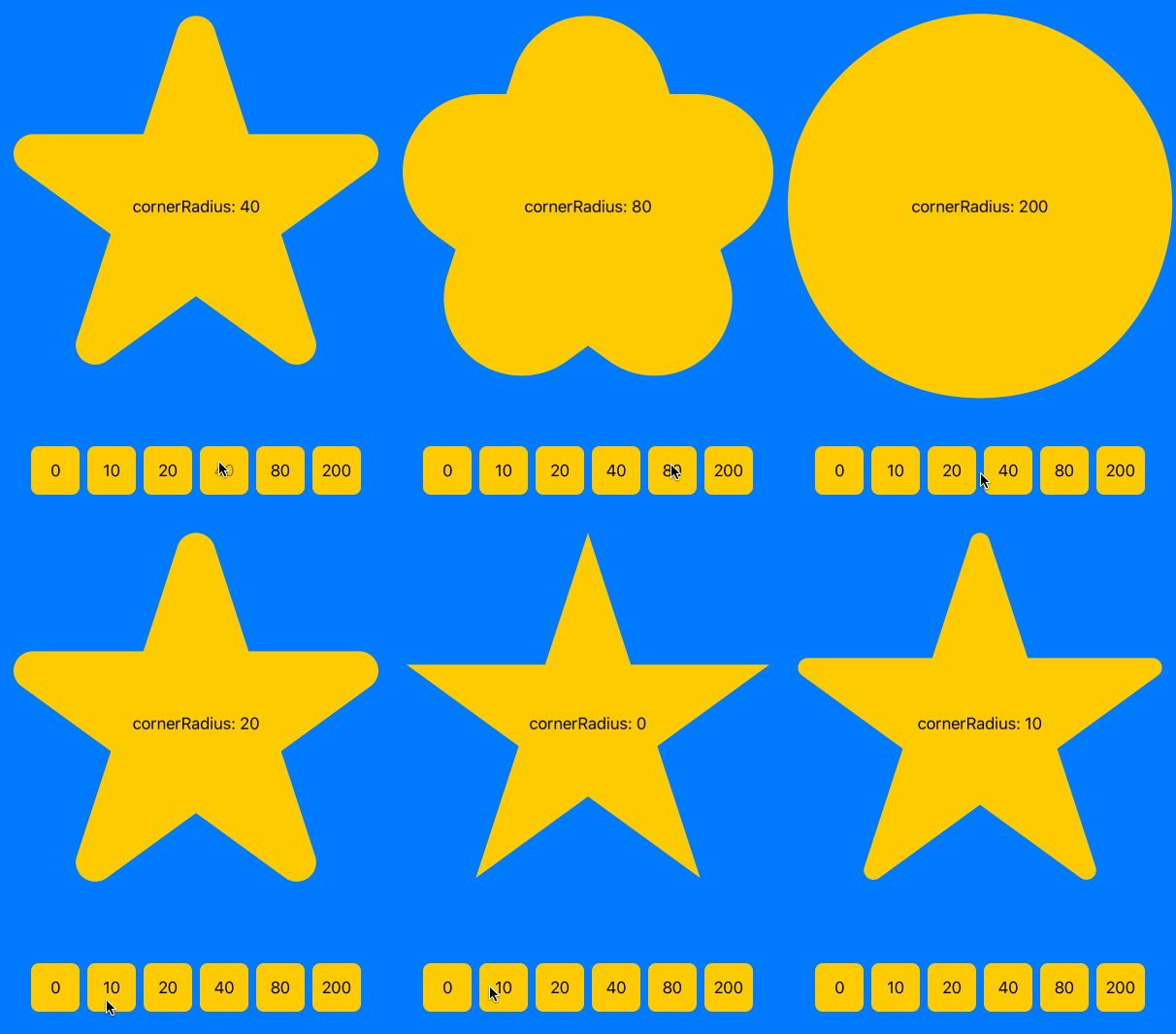
这里有一个演示,展示了cornerRadius设置的可动画特性,以及在全屏明星上显示各种cornerRadius设置的样子。
struct ContentView: View {
    @State private var radius: CGFloat = 0.0

    var body: some View {
        ZStack {
            Color.blue.edgesIgnoringSafeArea(.all)
            VStack(spacing: 40) {
                Spacer()
                RoundedStar(cornerRadius: radius)
                    .aspectRatio(1, contentMode: .fit)
                    .foregroundColor(.yellow)
                    .overlay(Text("     cornerRadius: \(Int(self.radius))     ").font(.body))
                HStack {
                    ForEach([0, 10, 20, 40, 80, 200], id: \.self) { value in
                        Button(String(value)) {
                            withAnimation(.easeInOut(duration: 0.3)) {
                                self.radius = CGFloat(value)
                            }
                        }
                        .frame(width: 50, height: 50)
                        .foregroundColor(.black)
                        .background(Color.yellow.cornerRadius(8))
                    }
                }
                Spacer()
            }
        }
    }
}
在iPad上的Swift游乐场中运行
这在斯威夫特游乐场应用程序的iPad上运行得很好。只需添加:
import PlaygroundSupport在最上面
PlaygroundPage.current.setLiveView(ContentView())在最后。
使用RoundedStar形状创建欧盟国旗

struct ContentView: View {
    static let flagSize: CGFloat = 234 // Change this to resize flag

    let flagHeight: CGFloat = flagSize
    let flagWidth: CGFloat = flagSize * 1.5
    let radius: CGFloat = flagSize / 3
    let starWidth: CGFloat = flagSize / 9
    let pantoneReflexBlue = UIColor(red: 0, green: 0x33/0xff, blue: 0x99/0xff, alpha: 1)
    let pantoneYellow = UIColor(red: 1, green: 0xcc/0xff, blue: 0, alpha: 1)

    var body: some View {
        ZStack {
            Color(pantoneReflexBlue).frame(width: flagWidth, height: flagHeight, alignment: .center)
            ForEach(0..<12) { n in
                RoundedStar(cornerRadius: 0)
                    .frame(width: starWidth, height: starWidth)
                    .offset(x: radius * cos(CGFloat(n) / CGFloat(12) * 2 * .pi), y: radius * sin(CGFloat(n) / CGFloat(12) * 2 * .pi))
                    .foregroundColor(Color(pantoneYellow))
            }
        }
    }
}https://stackoverflow.com/questions/63650216
复制相似问题
腾讯云开发者

Copyright © 2013 - 2026 Tencent Cloud. All Rights Reserved. 腾讯云 版权所有
深圳市腾讯计算机系统有限公司 ICP备案/许可证号:粤B2-20090059  粤公网安备44030502008569号
腾讯云计算(北京)有限责任公司 京ICP证150476号 | 京ICP备11018762号