
如何连接因腐蚀和膨胀而无法连接的断线?
如何连接因腐蚀和膨胀而无法连接的断线?
提问于 2020-09-03 16:03:43
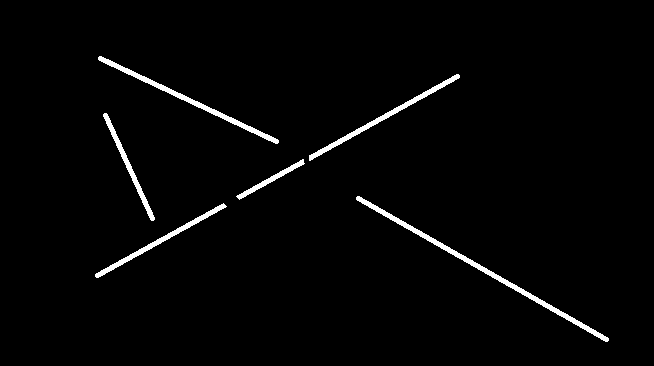
我有一个像这样的图像,有多个塞子和一些线被打破。为了连接这条折线,我使用了这样的形态学操作:
import cv2
import numpy as np

img = cv2.imread('sample.png', cv2.IMREAD_GRAYSCALE)
morph = cv2.morphologyEx(im, cv2.MORPH_CLOSE, np.ones((10,10),np.uint8))
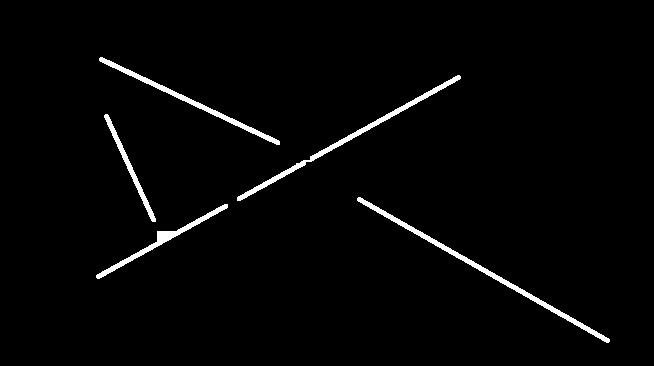
但这并没有把我的断线连接起来。如何在不影响其他线路的情况下连接这些线路?
img
断线是指图像中心的两条小线之间的断线。只有不连续的部分没有圆头。
应用形态学操作
回答 1
Stack Overflow用户
回答已采纳
发布于 2020-09-03 20:22:50
- You可以使用
createFastLineDetector来检测每个line.
- You可以使用
- Calculate当前及其邻近lines.
的斜率
- If电流线和相邻线的斜率是相同的画line.
初始化线检测器
我们将使用ximgproc库来检测线路。
import cv2

img = cv2.imread("lines.png")
gray = cv2.cvtColor(img, cv2.COLOR_BGR2GRAY)
d = cv2.ximgproc.createFastLineDetector()
lines = d.detect(gray)-
lines变量返回类似于[[14.82, 78.90, 90.89, 120.78]]的值,其中x1=14.82、y1=78.90、x2=90.89、y2=120.78
计算坡度
计算直线斜率的公式为:m=( x1) -- y1) / (x2 -
- )
- 对于给定的行对象,获取坐标并返回斜率。
- def calculate_slope( line_object ):x_point1 =line_object y_point1 = line_object1 x_point2 = line_object2 y_point2 = line_object3 m= abs((y_point2 - y_point1) / (x_point2 - x_point1)) m= float("{:.2f}".format(m))
比较斜率
- Check的等号线。如果点数相等,就意味着它们是相同的line.
。
- for current\_line in lines: current\_slope = calculate\_slope(current\_line[0]) for neighbor\_line in lines: current\_x1 = int(current\_line[0][0]) current\_y1 = int(current\_line[0][1]) current\_x2 = int(current\_line[0][2]) current\_y2 = int(current\_line[0][3]) compare\_lines = current\_line == neighbor\_line[0] equal\_arrays = compare\_lines.all()- If的线是不相等的,计算邻居的线斜率。如果没有,equal_arrays: neighbor_slope =neighbor_slope
- If斜率相等,画直线。从
neighbor到current,current到neighbor。如果abs(current_slope - neighbor_slope) < 1e-3: neighbor_x1 = int(neighbor_line) neighbor_y1 = int(neighbor_line) neighbor_x2 = int(neighbor_line) neighbor_y2 = int(neighbor_line) cv2.line(img,pt1=(neighbor_x1,neighbor_y1),pt2=(current_x2,current_y2),color=(255,255,255),thickness=3)
- If斜率相等,画直线。从
( thickness=3) cv2.line(img,pt1=(current_x1,current_y1),pt2=(neighbor_x2,neighbor_y2),color=(255,255,255) )
结果
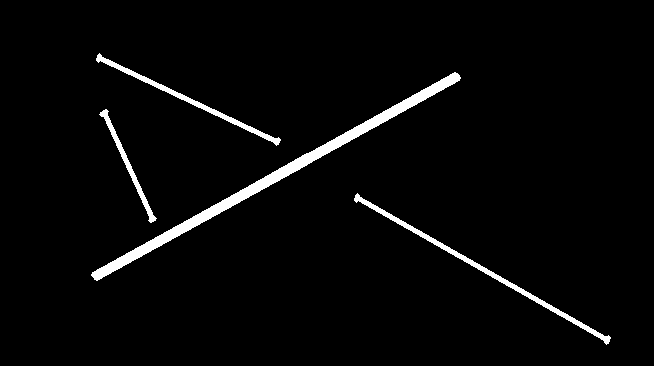
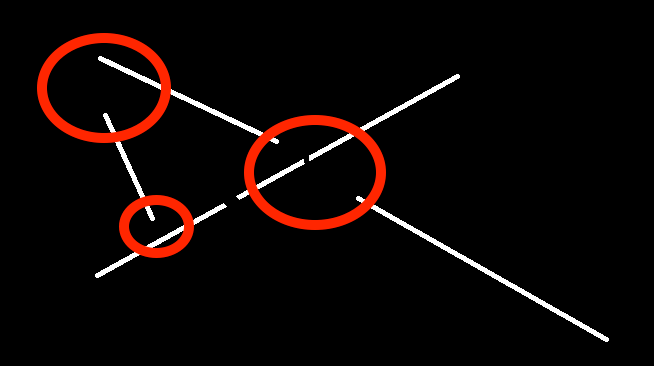
可能会问,但为什么不能将以下部分连接起来呢?
答案
红色虚线斜率是不相等的。所以我联系不上他们。
可能的问题为什么不使用dilate和erode方法?如here所示
答案
我试过了,但结果并不令人满意。
页面原文内容由Stack Overflow提供。腾讯云小微IT领域专用引擎提供翻译支持
原文链接:
https://stackoverflow.com/questions/63727525
复制相关文章
相似问题
腾讯云开发者

Copyright © 2013 - 2026 Tencent Cloud. All Rights Reserved. 腾讯云 版权所有
深圳市腾讯计算机系统有限公司 ICP备案/许可证号:粤B2-20090059  粤公网安备44030502008569号
腾讯云计算(北京)有限责任公司 京ICP证150476号 | 京ICP备11018762号