
使用Selenium通过单击"javascript:__doPostBack('LeaderBoard1$cmdCSV',‘’)下载文件“
我想通过自动化下载一堆棒球统计数据的CSV文件,这些文件可以在:https://www.fangraphs.com/leaders.aspx?pos=all&stats=bat&lg=all&qual=0&type=0&season=2020&month=0&season1=2020&ind=0&team=0&rost=0&age=0&filter=&players=0&startdate=2020-01-01&enddate=2020-12-31上找到。将表作为CSV下载的按钮被标记为“Export”。
HTML:
<div class="br_dby">
    <span style="float: left">
        <a href="javascript:ShowHide();">Show Filters</a>
            |
        <a href="#custom">Custom Reports</a>
    </span>
    <a href="javascript:__doPostBack('LeaderBoard1$cmdCSV','')" id="LeaderBoard1_cmdCSV">Export Data</a>
</div>如您所知,按钮不是重定向到下载页面(在这种情况下,可以使用requests下载文件),而是一个进程。
代码:
from selenium import webdriver
from selenium.webdriver.firefox.options import Options
binary = r'C:\Program Files\Mozilla Firefox\firefox.exe'
options = Options()
options.headless = True
options.binary = binary
options.set_preference("browser.download.folderList",2)
options.set_preference("browser.download.manager.showWhenStarting", True)
options.set_preference("browser.download.dir", r"C:\Users\jlpyt\Downloads")
driver = webdriver.Firefox(options=options, executable_path=r"C:\Users\jlpyt\geckodriver-v0.27.0-win32\geckodriver.exe")
driver.get('https://www.fangraphs.com/leaders.aspx?pos=all&stats=bat&lg=all&qual=0&type=0&season=2020&month=0&season1=2020&ind=0&team=0&rost=0&age=0&filter=&players=0&startdate=2020-01-01&enddate=2020-12-31')
elem = driver.find_element_by_id('LeaderBoard1_cmdCSV')
elem.click()
使用此代码,Selenium可以单击按钮,但没有启动下载。有什么方法可以使用Selenium来点击按钮并下载文件吗?或者,有没有其他我没有想到的方法?
回答 1
Stack Overflow用户
发布于 2020-09-12 21:01:49
元素是启用__doPostBack的元素,因此要单击您需要为element_to_be_clickable()诱导WebDriverWait的元素,您可以使用以下任何一个Locator Strategies
使用
- 的
ID:
WebDriverWait(司机,20).until(EC.element_to_be_clickable(By.ID,By.ID))
使用
- 的
LINK_TEXT:
20).until(EC.element_to_be_clickable((By.LINK_TEXT,“输出Data"))).click()驱动程序”
使用
- 的
CSS_SELECTOR:
20).until(EC.element_to_be_clickable((By.CSS_SELECTOR,"a#LeaderBoard1_cmdCSV"))).click()驱动程序WebDriverWait
使用
- 的
XPATH:
20).until(EC.element_to_be_clickable((By.XPATH,"//a@id='LeaderBoard1_cmdCSV'"))).click()驱动程序WebDriverWait
- Note:您必须添加以下导入:
从selenium.webdriver.support.ui导入WebDriverWait从selenium.webdriver.common.by导入从selenium.webdriver.support导入expected_conditions作为EC
- 浏览器快照:
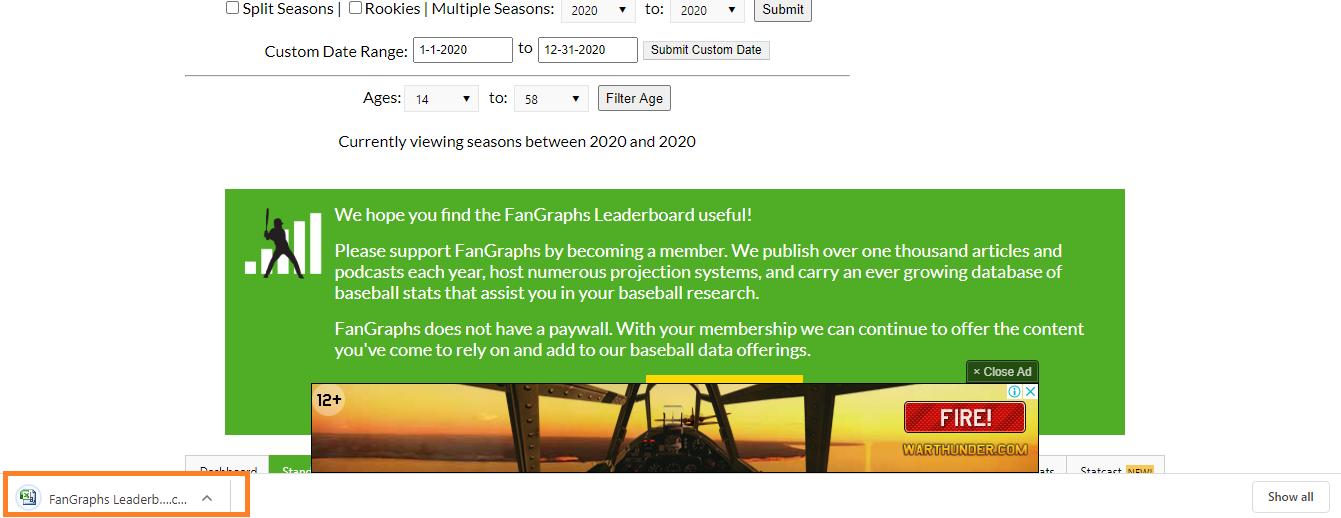
参考文献
您可以在以下几个方面找到相关的讨论:
https://stackoverflow.com/questions/63864801
复制相似问题
腾讯云开发者

Copyright © 2013 - 2026 Tencent Cloud. All Rights Reserved. 腾讯云 版权所有
深圳市腾讯计算机系统有限公司 ICP备案/许可证号:粤B2-20090059  粤公网安备44030502008569号
腾讯云计算(北京)有限责任公司 京ICP证150476号 | 京ICP备11018762号