
在网络浏览器上使用GStreamer与Janus或WebRTC的实时视频流
首先,让我说-我对Janus / GStreamer / WebRTC是新手。
我必须使用GStreamer和WebRTC在浏览器上通过机器人硬件连接一个远程摄像头。
但作为概念的证明,我首先想通过视频测试来实现同样的目标。因此,我一直在努力做到以下几点:
- 构建一个GStreamer管道
- 用UDPSink发送给Janus
- 运行Janus网关并在浏览器(Chrome和Firefox)上显示测试视频流。
以下是我迄今所做的工作:
1.创建了以下GST管道:
gst-launch-1.0 videotestsrc ! video/x-raw,width=1024,height=768,framerate=30/1 ! timeoverlay ! x264enc ! rtph264pay config-interval=1 pt=96 ! udpsink host=192.168.1.6 port=8004我使用的是修改后的streamingtest2.js代码:、streamingtest.html和streamingtest.html
var server = null;
if (window.location.protocol === 'http:') {
    server = "http://" + window.location.hostname + ":8088/janus";
} else {
    server = "https://" + window.location.hostname + ":8089/janus";
}

var janus = null;
var streaming = null;
var started = false;
var spinner = null;
var selectedStream = null;


$(document).ready(function () {
    // Initialize the library (console debug enabled)
    Janus.init({
        debug: true, callback: function () {
            startJanus();
        }
    });
});


function startJanus() {
    console.log("starting Janus");
    $('#start').click(function () {
        if (started) {
            return;
        }
        started = true;
        // Make sure the browser supports WebRTC
        if (!Janus.isWebrtcSupported()) {
            console.error("No webrtc support");
            return;
        };
        // Create session
        janus = new Janus({
            server: server,
            success: function () {
                console.log("Success");
                attachToStreamingPlugin(janus);
            },
            error: function (error) {
                console.log(error);
                console.log("janus error");
            },
            destroyed: function () {
                console.log("destroyed");
            }
        });
    });
}


function attachToStreamingPlugin(janus) {
    // Attach to streaming plugin
    console.log("Attach to streaming plugin");
    janus.attach({
        plugin: "janus.plugin.streaming",
        success: function (pluginHandle) {
            streaming = pluginHandle;
            console.log("Plugin attached! (" + streaming.getPlugin() + ", id=" + streaming.getId() + ")");
            // Setup streaming session
            updateStreamsList();
        },
        error: function (error) {
            console.log("  -- Error attaching plugin... " + error);
            console.error("Error attaching plugin... " + error);
        },
        onmessage: function (msg, jsep) {
            console.log(" ::: Got a message :::");
            console.log(JSON.stringify(msg));
            processMessage(msg);
            handleSDP(jsep);
        },
        onremotestream: function (stream) {
            console.log(" ::: Got a remote stream :::");
            console.log(JSON.stringify(stream));
            handleStream(stream);
        },
        oncleanup: function () {
            console.log(" ::: Got a cleanup notification :::");
        }
    });//end of janus.attach
}

function processMessage(msg) {
    var result = msg["result"];
    if (result && result["status"]) {
        var status = result["status"];
        switch (status) {
            case 'starting':
                console.log("starting - please wait...");
                break;
            case 'preparing':
                console.log("preparing");
                break;
            case 'started':
                console.log("started");
                break;
            case 'stopped':
                console.log("stopped");
                stopStream();
                break;
        }
    } else {
        console.log("no status available");
    }
}


// we never appear to get this jsep thing
function handleSDP(jsep) {
    console.log(" :: jsep :: ");
    console.log(jsep);
    if (jsep !== undefined && jsep !== null) {
        console.log("Handling SDP as well...");
        console.log(jsep);
        // Answer
        streaming.createAnswer({
            jsep: jsep,
            media: { audioSend: false, videoSend: false },      // We want recvonly audio/video
            success: function (jsep) {
                console.log("Got SDP!");
                console.log(jsep);
                var body = { "request": "start" };
                streaming.send({ "message": body, "jsep": jsep });
            },
            error: function (error) {
                console.log("WebRTC error:");
                console.log(error);
                console.error("WebRTC error... " + JSON.stringify(error));
            }
        });
    } else {
        console.log("no sdp");
    }
}


function handleStream(stream) {
    console.log(" ::: Got a remote stream :::");
    console.log(JSON.stringify(stream));
    // Show the stream and hide the spinner when we get a playing event
    console.log("attaching remote media stream");
    Janus.attachMediaStream($('#remotevideo').get(0), stream);
    $("#remotevideo").bind("playing", function () {
        console.log("got playing event");
    });
}


function updateStreamsList() {
    var body = { "request": "list" };
    console.log("Sending message (" + JSON.stringify(body) + ")");
    streaming.send({
        "message": body, success: function (result) {

            if (result === null || result === undefined) {
                console.error("no streams available");
                return;
            }
            if (result["list"] !== undefined && result["list"] !== null) {
                var list = result["list"];
                console.log("Got a list of available streams:");
                console.log(list);
                console.log("taking the first available stream");
                var theFirstStream = list[0];
                startStream(theFirstStream);
            } else {
                console.error("no streams available - list is null");
                return;
            }

        }
    });
}

function startStream(selectedStream) {
    var selectedStreamId = selectedStream["id"];
    console.log("Selected video id #" + selectedStreamId);
    if (selectedStreamId === undefined || selectedStreamId === null) {
        console.log("No selected stream");
        return;
    }
    var body = { "request": "watch", id: parseInt(selectedStreamId) };
    streaming.send({ "message": body });

}

function stopStream() {
    console.log("stopping stream");
    var body = { "request": "stop" };
    streaming.send({ "message": body });
    streaming.hangup();
}<!--
// janus-gateway streamingtest refactor so I can understand it better
// GPL v3 as original
// https://github.com/meetecho/janus-gateway
// https://github.com/meetecho/janus-gateway/blob/master/html/streamingtest.js
-->
<!DOCTYPE html>
<html>
<head>
<script src="https://webrtc.github.io/adapter/adapter-latest.js"></script>
<script type="text/javascript" src="https://cdnjs.cloudflare.com/ajax/libs/jquery/1.9.1/jquery.min.js"></script>
<script type="text/javascript"
src="https://cdnjs.cloudflare.com/ajax/libs/twitter-bootstrap/3.4.1/js/bootstrap.min.js"></script>
<script type="text/javascript"
src="https://cdnjs.cloudflare.com/ajax/libs/bootbox.js/5.4.0/bootbox.min.js"></script>
<script type="text/javascript" src="https://cdnjs.cloudflare.com/ajax/libs/spin.js/2.3.2/spin.min.js"></script>
<script type="text/javascript" src="https://cdnjs.cloudflare.com/ajax/libs/toastr.js/2.1.4/toastr.min.js"></script>
<script type="text/javascript" src="janus.js"></script>
</head>
<body>
<div>
<button class="btn btn-default" autocomplete="off" id="start">Start</button><br />
<div id="stream">
<video controls autoplay id="remotevideo" width="320" height="240" style="border: 1px solid;">
</video>
</div>
</div>
<script type="text/javascript" src="streamingtest2.js"></script>
</body>
</html>
3.我使用:启动Janus服务器
sudo /usr/local/janus/bin/janus我的janus.plugin.streaming.jcfg文件(janus.plugin.streaming.jcfg)看起来如下(完整文件在这里:janus.plugin.streaming.jcfg on PasteBin
rtp-sample: {
    type = "rtp"
    id = 1
    description = "Test Stream - 1"
    metadata = "You can use this metadata section to put any info you want!"
    audio = true
    video = true
    audioport = 8005
    audiopt = 10
    audiortpmap = "opus/48000/2"
    videoport = 8004
    videopt = 96
    videortpmap = "H264/90000"
}
4.在端口8080上启动本地http服务器并打开Streingtest2.html(我当前的本地IP地址是192.168.1.6):
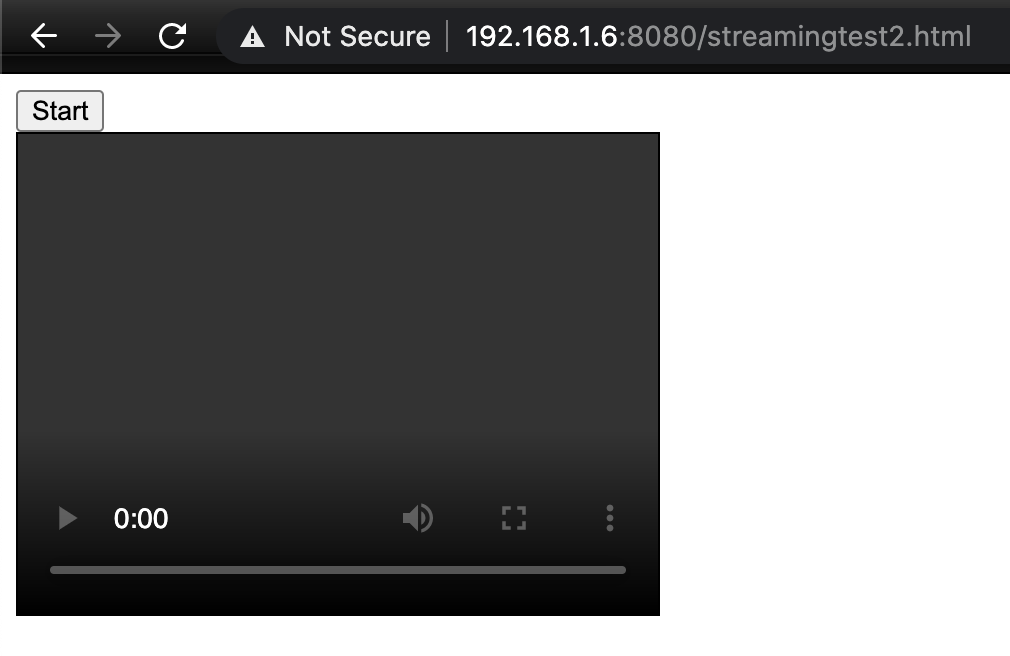
192.168.1.6:8080/streamingtest2.html5.这个开始测试页面包含一个标签和一个开始按钮。当我单击Start按钮时,它将连接到端口8088上的Janus,并等待视频流。
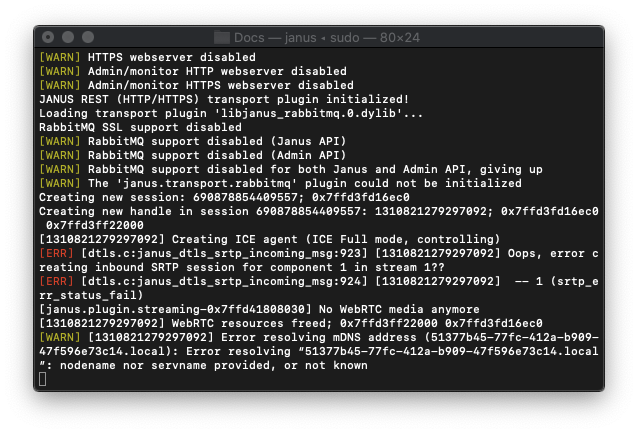
同时,如果我看到服务器终端窗口,它会显示:。
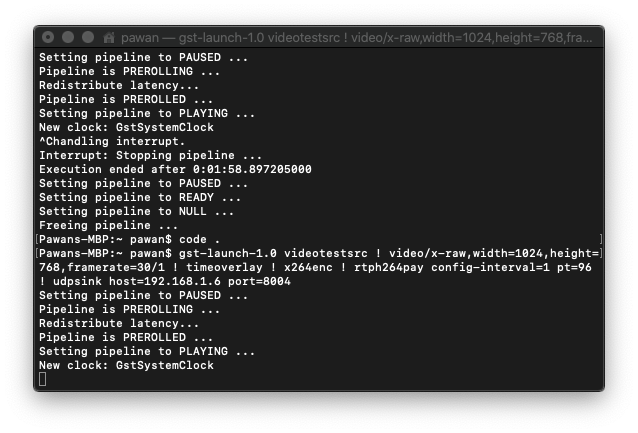
7. 和Gst管道终端显示如下:
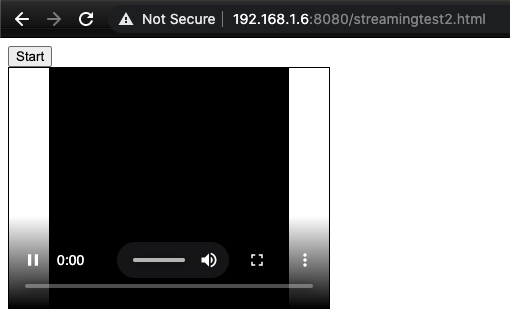
8.在浏览器上,视频标记被填充5秒的“黑色”流,然后停止.。
请告知我做错了什么(很可能是在管道中,或者在Janus配置中的一些证书问题)。
或者请告知是否可以使用GStreamer的WebRTCBin以更简单的方式实现这一点?
当所有这些步骤发生时,请查看我的Google控制台日志的Pastebin https://pastebin.com/KeHAWjXx。请提供一些输入,以便我可以使用GStreamer和Janus流视频。我也不知道WebRTCBin是如何在这一切中得到使用的。
回答 1
Stack Overflow用户
发布于 2021-09-07 17:53:27
Update-2021年9月:几乎没有人问过我是如何解决问题的,下面是对我有用的内容:
最后,我发现Janus太复杂,无法实现,所以我使用NodeJS实现了NodeJS。请看我的答案,这里和该帖子的问题,以了解更多细节。基本上,我们创建一个GStreamer管道并使用NodeJS将其流到客户端浏览器。
它运行良好,我们已经测试了100多个小时的现场直播与400毫秒以下的延迟。
https://stackoverflow.com/questions/63890842
复制相似问题
腾讯云开发者

Copyright © 2013 - 2026 Tencent Cloud. All Rights Reserved. 腾讯云 版权所有
深圳市腾讯计算机系统有限公司 ICP备案/许可证号:粤B2-20090059  粤公网安备44030502008569号
腾讯云计算(北京)有限责任公司 京ICP证150476号 | 京ICP备11018762号