
如何在php_imagick上安装wamp64
我一直试图在php_imagick上安装wamp64,没有任何结果。
期望的目标是WordPress停止显示错误消息:
可选模块Imagick未安装或已被禁用。
您还可以跳过阅读并查看下面附加的图像。
我的设置:
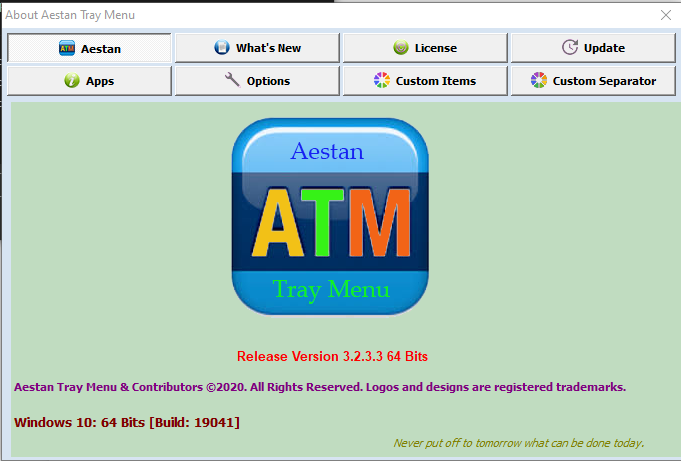
Wamp64 Windows 10 Release Version 3.2.3.3 64 Bits [Windows Build: 19041]
PHP Version: 7.4.9
Build Date: Aug 4 2020 11:45:36
Windows: NT *username* 10.0 build 19041 (Windows 10) AMD64
Compiler Visual: C++ 2017
Architecture: x64
Loaded Configuration File: C:\wamp64\bin\apache\apache2.4.46\bin\php.ini
Thread Safety: enabled
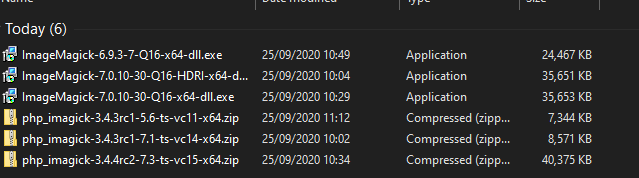
我尝试安装以下ImageMagick文件:
1) ImageMagick-7.0.10-30-Q16-HDRI-x64-dll.exe
----A) php_imagick-3.4.3rc1-5.6-ts-vc11-x64.zip
----B) php_imagick-3.4.3rc1-7.1-ts-vc14-x64.zip
2) ImageMagick-7.0.10-30-Q16-x64-dll.exe
----A) php_imagick-3.4.3rc1-7.1-ts-vc14-x64.zip
----B) php_imagick-3.4.4rc2-7.3-ts-vc15-x64.zip
3) ImageMagick-6.9.3-7-Q16-x64-dll.exe (Current)
----A) php_imagick-3.4.4rc2-7.3-ts-vc15-x64.zip (Current)
----B) php_imagick-3.4.3rc1-7.1-ts-vc14-x64.zip
----C) php_imagick-3.4.3rc1-5.6-ts-vc11-x64.zip
我所做的:
我首先安装了EXE文件,然后从zip文件中提取php_imagick.dll文件到这个文件夹中:
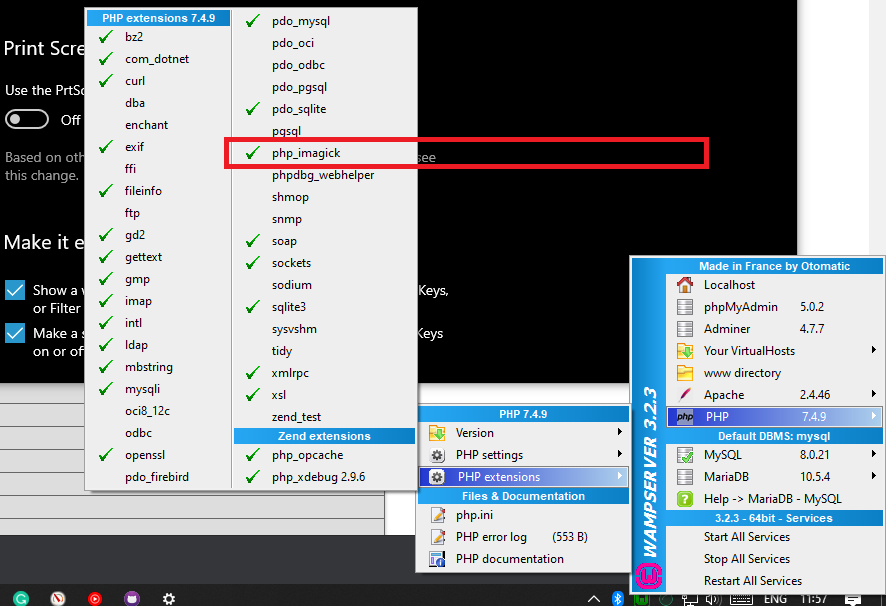
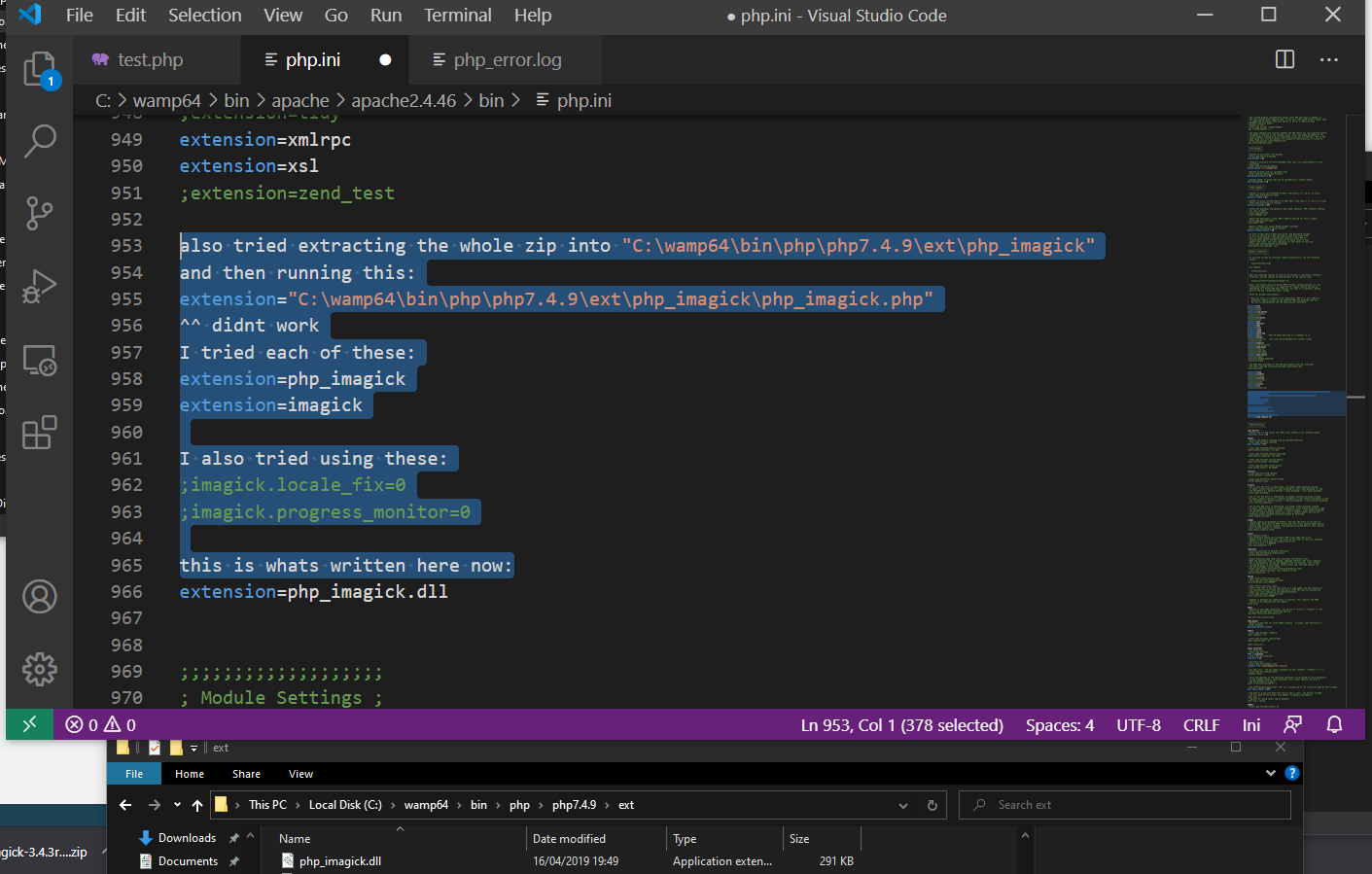
C:\wamp64\bin\php\php7.4.9\ext它与我目前使用的PHP版本相匹配(更多的informationphp.ini请参阅稍后的图片)。
我尝试重新启动Wamp,通过切换PHP/Apache版本重建符号链接。
还值得一提的是,我曾经尝试将完整的zip解压到名为“php_imagick”的文件夹下的“ext”文件夹中,如下所示,并设法得到了这个错误:
C:\wamp64\bin\php\php7.4.9\ext\php_imagick\php_imagick.dll (The specified procedure could not be found.)但大多数情况下,我都会收到这些错误:
[25-Sep-2020 08:58:50 UTC] PHP Warning: PHP Startup: Unable to load dynamic library 'php_imagick.dll' (tried: c:/wamp64/bin/php/php7.4.9/ext/php_imagick.dll (The specified module could not be found.), c:/wamp64/bin/php/php7.4.9/ext/php_php_imagick.dll.dll (The specified module could not be found.)) in Unknown on line 0当我使用EXE安装Magick时,我确保检查install to the path,将文件夹更改为C:\ImageMagick,并在可能的情况下按照Stack OverFlow上的建议安装legacy drivers。(我还确保卸载我每次尝试的最后一个版本)
我安装了Visual和一堆可重新发行的文件,还安装了这些版本的x86和x64版本:
https://support.microsoft.com/en-us/help/2977003/the-latest-supported-visual-c-downloads
http://www.microsoft.com/en-us/download/details.aspx?id=30679
没有任何运气,我继续读了几篇Stack OverFlow的文章,却找不到解决方案。
How to install ImageMagick with Wampserver 3.0.0 64?
step-by-step instructions for installing IMAGEMAGICK on WAMP?
Installing php_imagick.dll PHP extension on wampserver 2.2
Unable to install php_imagick.dll on wamp
Imagick delegates installation on WAMP
How to install ImageMagick with Wampserver 3.0.0 64?
step-by-step instructions for installing IMAGEMAGICK on WAMP?
Installing php_imagick.dll PHP extension on wampserver 2.2
Unable to install php_imagick.dll on wamp
Imagick delegates installation on WAMP
WAMP PHP Startup Error: Unable to load dynamic library
Installing ImageMagick extension with php/windows
Linker error when trying to use ImageMagick as static libraries with Visual Studio compiler
Installing Magick++ in Visual C++ 2010
Installing Magick++ in visual studio 2019
ImageMagick with Visual Studio
WampServer and Imagemagick, imagick php module not recogized
接下来我能试试什么?
输入第955行:.php=.dll
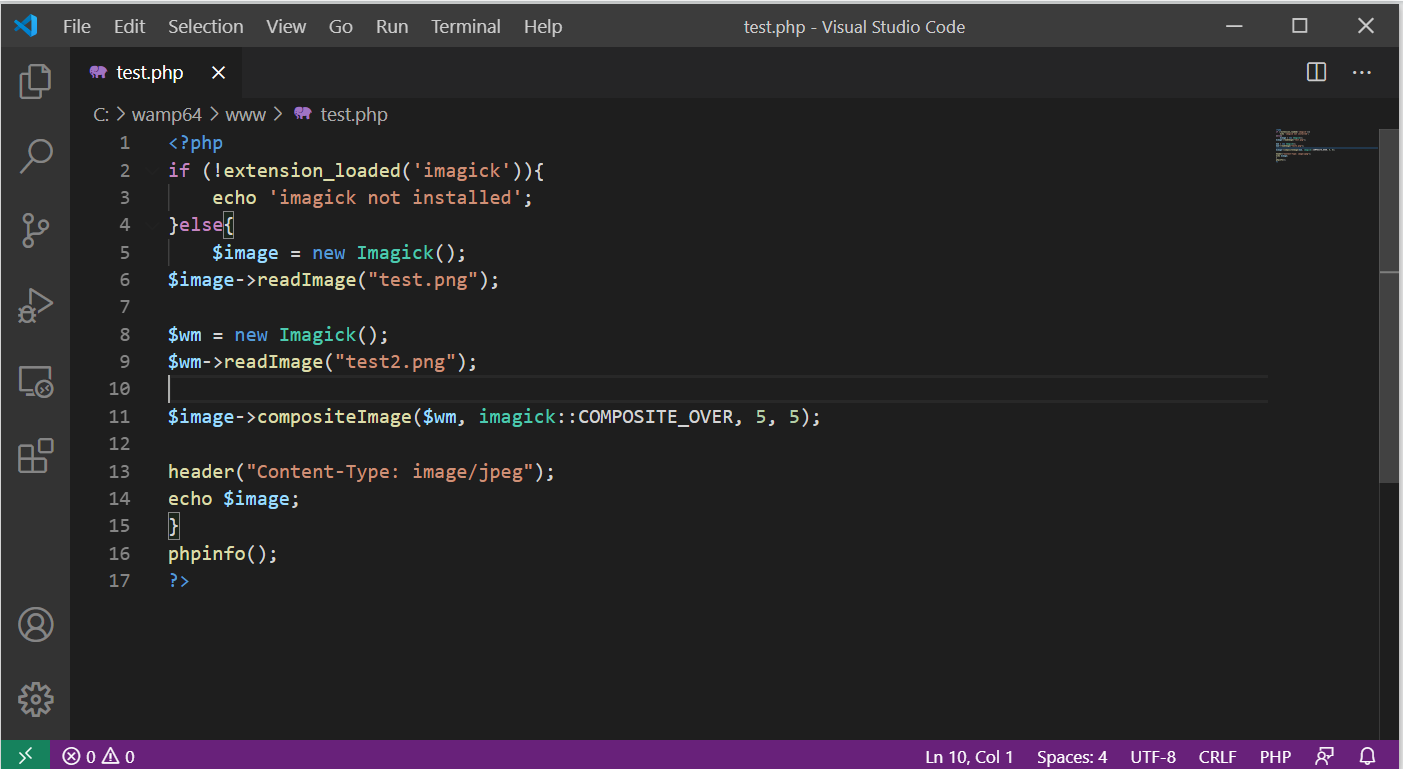
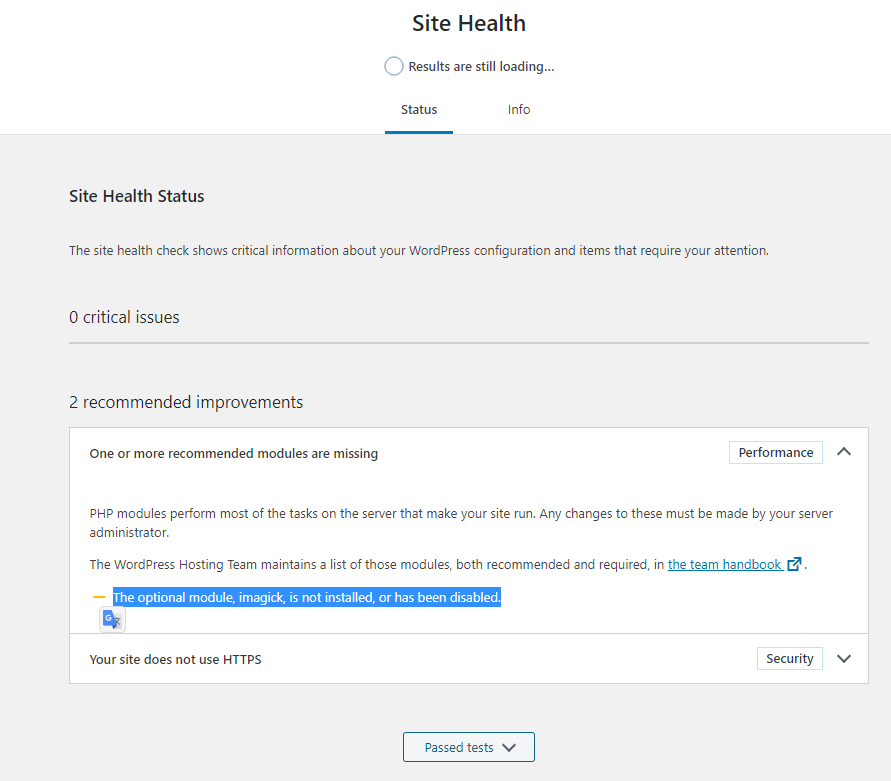
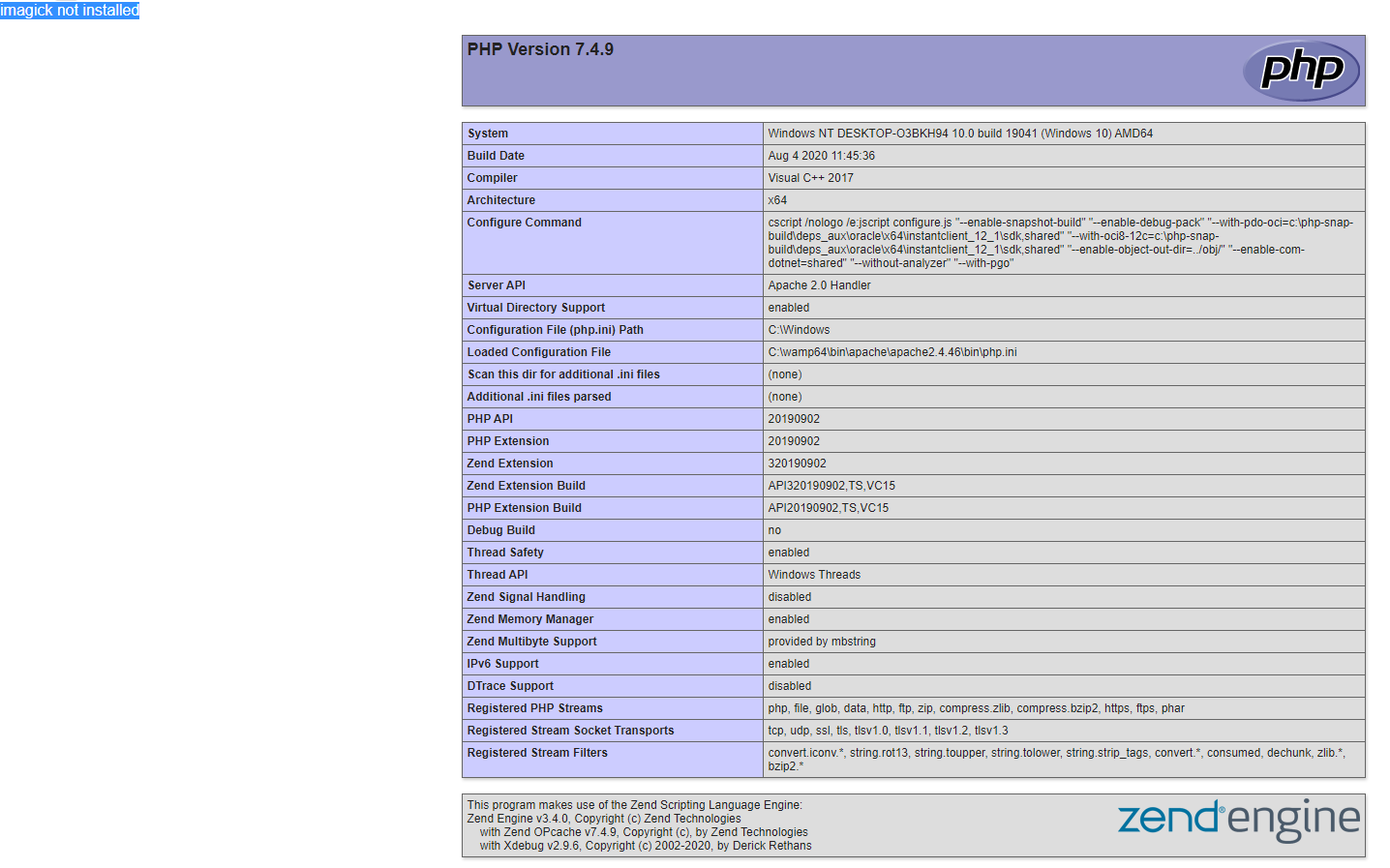
回答 2
Stack Overflow用户
发布于 2020-09-25 15:53:52
我雇了个自由职业者帮我们解决这个问题。
- Uninstall任何版本的WampServer和ImageMagick,您已经安装了
- ,请不要忘记在卸载
- 之前备份数据库和www文件夹,我们将安装一个可信任的软件,名为巧克力,它将帮助我们用Wamp64和它的扩展修复一系列错误,并帮助我们用一个command.
更新这些应用程序
对于那些在使用巧克力之前已经修复了这个错误信息,现在再次看到这个错误消息的人,只需使用他们网站上提供的
命令更新Wamp和ImageMagick,然后阅读my note on
4)以获得更多信息。
- Run PowerShell as Admin
- Follow this guide to **Download** chocolatey [https://chocolatey.org/install](https://chocolatey.org/install)https://chocolatey.org/packages/wamp-server
- 使用相同的方法来下载 Wamp64 Wamp64
- Run Wamp from the newly created shortcut on your desktop
- Change the PHP version to 7.4.9 or the latest and only then move
到其他步骤
-不要担心文件夹名为Wamp而不是Wamp64。它仍然是64位版本。您可以在Wamp的about部分查看这个
- Note: If that doesn't work, they probably updated again. Just try the same methods using newer versions then these. I will first try more recent versions of php\_imagick instead of replacing the ImageMagick core DLL files. One thing I will not do is give up.- Extract和将 all
CORE_RL和IM_MOD_RLDLL文件复制到php.exe所在的C:\wamp\bin\php\php7.4.9中。
(不要从这里运行任何EXE文件,因为我们已经安装了ImageMagick)
- Download https://windows.php.net/downloads/pecl/releases/imagick/3.4.4/php_imagick-3.4.4-7.4-ts-vc15-x64.zip
- Extract和只将
php_imagick.dll文件复制到C:\wamp\bin\php\php7.4.9\ext
左击Wamp->PHP->php.ini,然后确保删除所有剩馀文件并在任意
- Open行下面添加:
extention=imagick
(Apparently, New PHP versions require writing it without the "php_"...".dll" parts)- Restart通过关闭它并从它的shortcut
中重新打开它来覆盖
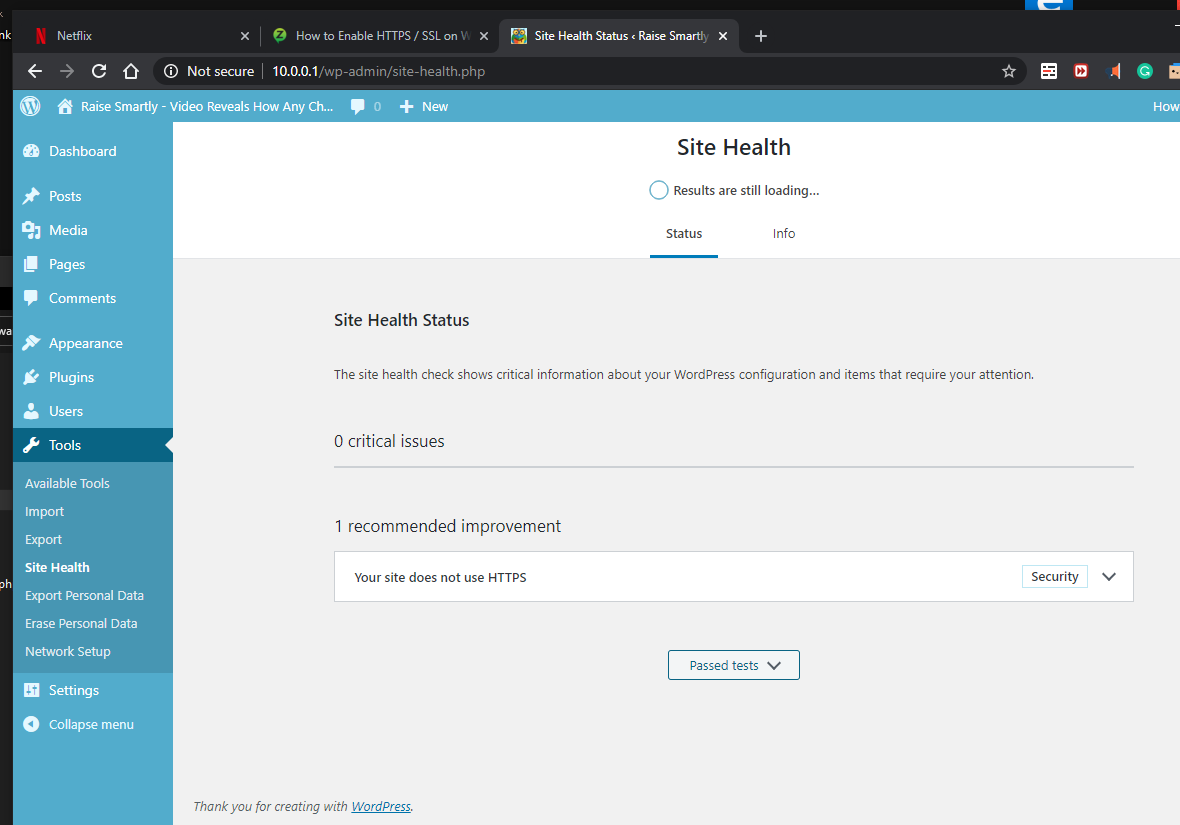
- ,到目前为止,这是我能够运行的唯一解决方案。
- choco:Google = https://www.google.com/search?q=chocolatey
2019年= http://web.archive.org/web/20190101113929/https://chocolatey.org/
2018年= http://web.archive.org/web/20180414000310/https://chocolatey.org/
尽情享受
Stack Overflow用户
发布于 2021-10-04 19:51:02
我使用wampserver 3.2.3 64位与PHP 7.3一起使用。
- 将CORE_RL和IM_MOD_RL DLL复制到PHP目录中,因为orr burgel建议in item #5对我不起作用。
https://stackoverflow.com/questions/64062626
复制相似问题
腾讯云开发者

Copyright © 2013 - 2026 Tencent Cloud. All Rights Reserved. 腾讯云 版权所有
深圳市腾讯计算机系统有限公司 ICP备案/许可证号:粤B2-20090059  粤公网安备44030502008569号
腾讯云计算(北京)有限责任公司 京ICP证150476号 | 京ICP备11018762号