
VSCodium (VSCode)没有开始调试PHP (PHP + Xdebug,Linux)
目标
使用PHP调试、Xdebug和VSCodium进行调试。
问题
VSCode不会开始调试。当我单击Start Debugging时,调试控件按钮下的蓝线出现并移动几秒钟,然后控件按钮消失。当我按下绿色的“运行”按钮时,情况也一样。

在左侧,“变量”、“观察”和“堆栈”也没有显示。
描述
我没有使用VSCodium调试选项的经验。我使用了几个教程(1、2、3.、视频,当然也尝试了来自VSCode PHP扩展站点(我使用的)的建议。我在Linux 20机器上使用无MS的VSCode。PHP7.4和Xdebug通过安装。当然,在Firefox中启用了Xdebug助手,设置了断点,我在不同的项目中尝试了它。我在php.ini里尝试了一些东西。现在的情况是这样的:
[XDebug]
xdebug.remote_enable = 1
; xdebug.remote_autostart = 1
; xdebug.remote_connect_back = 1Xdebug本身是通过/etc/php/7.4/cli/conf.d/20-xdebug.ini加载的,而在PhpStorm中,它的工作方式与预期一样,但在VSCodium中则不然。
这是标准的launch.json,它保存在项目根目录中的.vscode文件夹中:
{
  "version": "0.2.0",
  "configurations": [
    {
      "name": "Listen for XDebug",
      "type": "php",
      "request": "launch",
      "port": 9000,
      "log": true
    },
    {
      "name": "Launch currently open script",
      "type": "php",
      "request": "launch",
      "program": "${file}",
      "cwd": "${fileDirname}",
      "port": 9000
    }
  ]
}下面是我的phpinfo()输出的一部分:
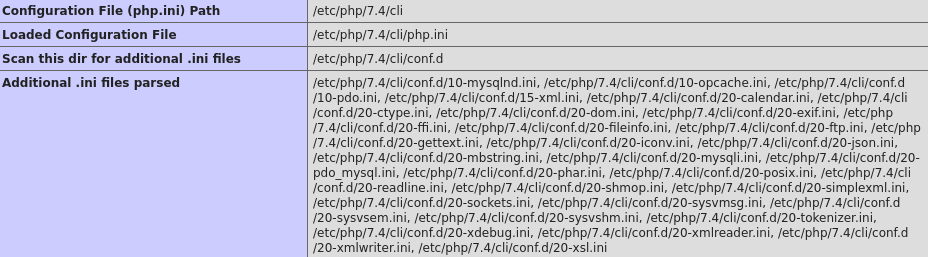
以及xdebug部分:
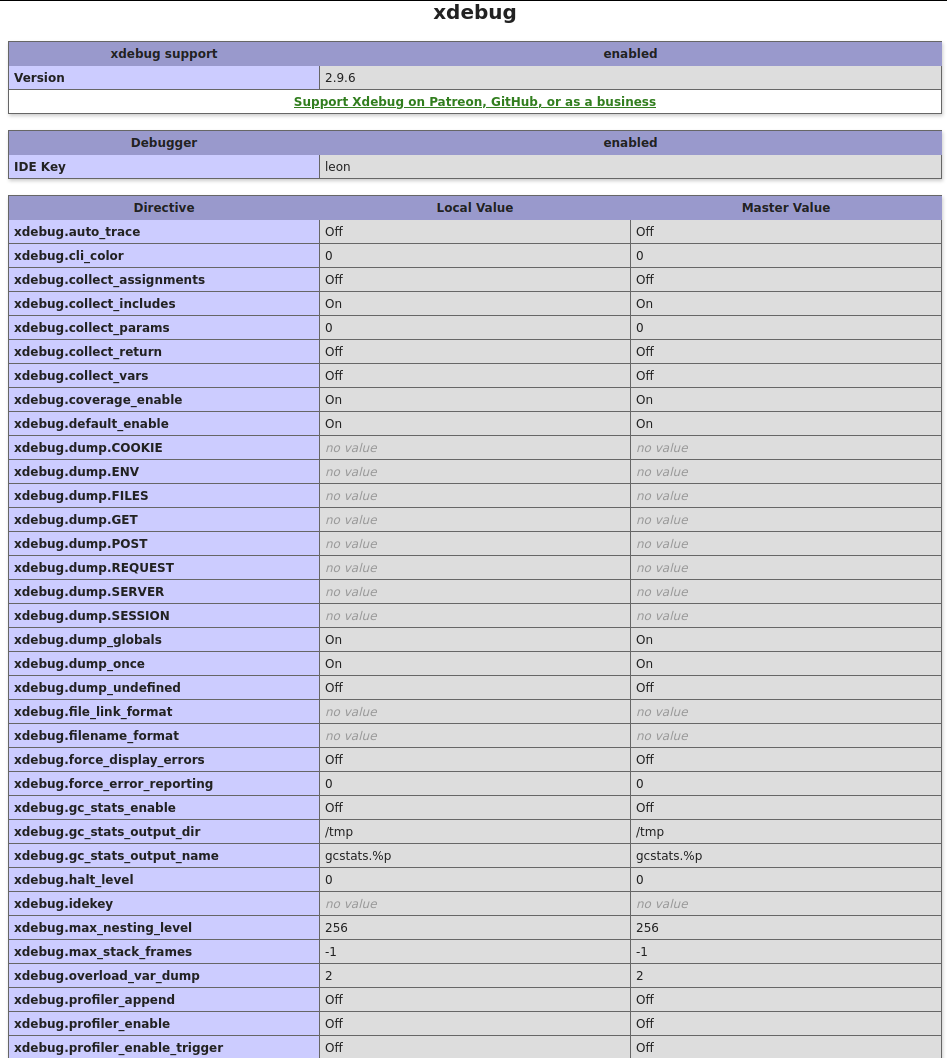
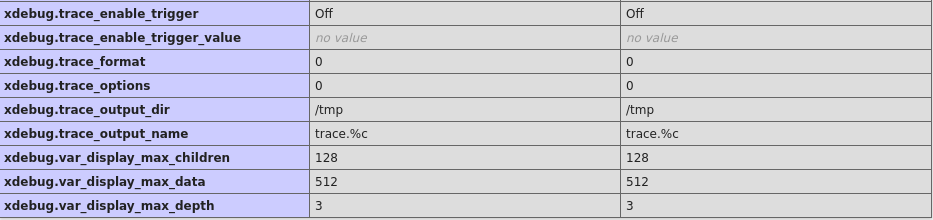
在这里,当我尝试使用VSCodium时,x调试日志:
[5625] Log opened at 2020-10-04 10:05:20
[5625] I: Connecting to configured address/port: localhost:9000.
[5625] W: Creating socket for 'localhost:9000', poll success, but error: Operation now in progress (29).
[5625] E: Could not connect to client. :-(
[5625] Log closed at 2020-10-04 10:05:20
我的猜测是,有一个基本的VSCodium调试的事情,我没有启用大约。但我不知道那会是什么。也许有人有主意?
回答 1
Stack Overflow用户
发布于 2020-10-06 19:51:00
终于找到了解决办法。这是一个简写特有的错误。在VSCode,它可以工作。在这里找到了解决方案:https://github.com/VSCodium/vscodium/issues/466
- 确保没有安装PHP扩展;
- 转到https://marketplace.visualstudio.com/items?itemName=felixfbecker.php-debug,使用“参考资料”→“下载扩展”下载v6文件;
- 在VSCodium中,转到“扩展”侧边栏,然后单击“扩展”标题附近的三个点图标;
- 选择“从VSIX…安装”并选择下载的文件。
@LazyOne再次感谢您的帮助:)
编辑
如果您被更新为Xdebug 3.*,则必须修改php.ini中的xdebug部分。
添加以下内容:
xdebug.mode=debug
xdebug.client_host=127.0.0.1
xdebug.client_port=9000如果您将launch.json中的端口改为9003,则可以删除最后一行。
也请参阅此GitHub问题
https://stackoverflow.com/questions/64168540
复制相似问题
腾讯云开发者

Copyright © 2013 - 2026 Tencent Cloud. All Rights Reserved. 腾讯云 版权所有
深圳市腾讯计算机系统有限公司 ICP备案/许可证号:粤B2-20090059  粤公网安备44030502008569号
腾讯云计算(北京)有限责任公司 京ICP证150476号 | 京ICP备11018762号