
DiffableDataSource -没有动画,但在删除操作期间闪烁
以前,我有一个非常简单的代码,它为UICollectionView执行删除操作。
// Remove from single source of truth.
viewController?.deleteTabInfo(indexPath)

//
// Perform UI updating.
//
self.collectionView.deleteItems(at: [indexPath])
它运行得很好
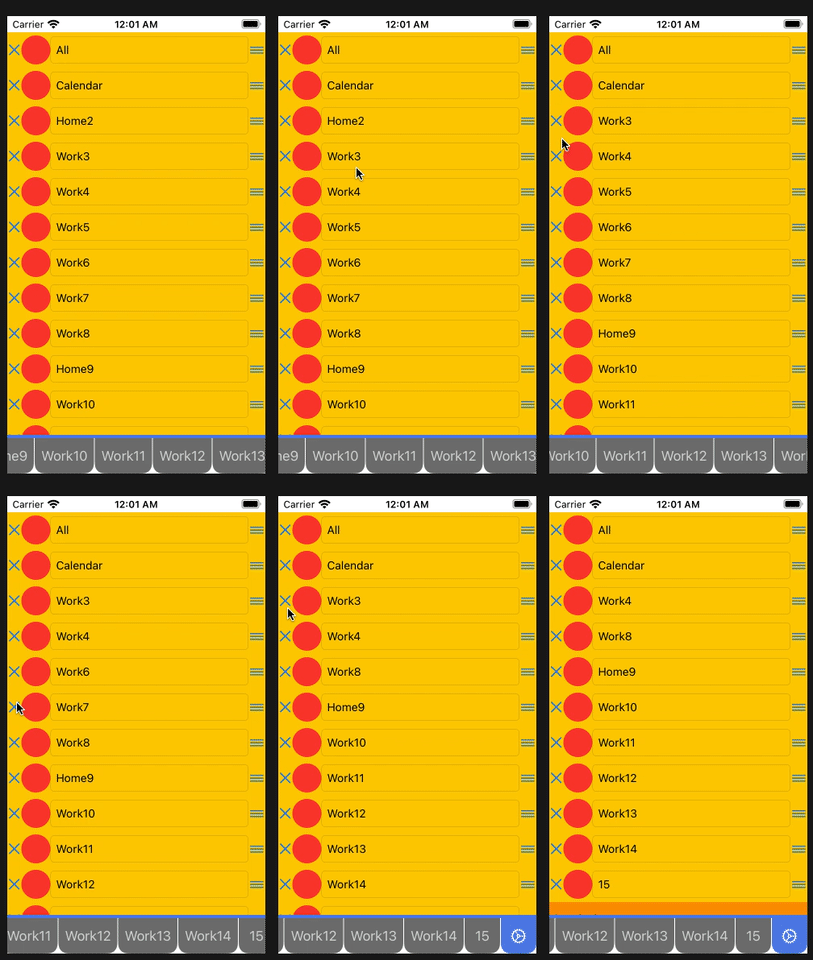
完整的源代码(带有可操作的删除动画的TabDemo)
https://github.com/yccheok/ios-tutorial/tree/7a6dafbcc8c61dd525bd82ae10c6a3bd67538b7f
最近,我们计划迁移到DiffableDataSource
我们的模型很简单
模型
struct TabInfo {
    let id: Int64
    let type: TabInfoType
    var name: String?
    var colorIndex: Int
}

extension TabInfo: Hashable {
}

struct TabInfoSection {
    var tabInfos: [TabInfo]
    var footer: String
}

extension TabInfoSection: Hashable {
}
数据源
func makeDataSource() -> DataSource {
    let dataSource = DataSource(
        collectionView: collectionView,
        cellProvider: { (collectionView, indexPath, tabInfo) -> UICollectionViewCell? in
            guard let tabInfoSettingsItemCell = collectionView.dequeueReusableCell(
                withReuseIdentifier: TabInfoSettingsController.tabInfoSettingsItemCellClassName,
                for: indexPath) as? TabInfoSettingsItemCell else {
                return nil
            }

            // This is used to handle delete button click event.
            tabInfoSettingsItemCell.delegate = self
            tabInfoSettingsItemCell.reorderDelegate = self

            tabInfoSettingsItemCell.textField.text = tabInfo.getPageTitle()

            return tabInfoSettingsItemCell
        }
    )

    dataSource.supplementaryViewProvider = { collectionView, kind, indexPath in
        guard kind == UICollectionView.elementKindSectionFooter else {
            return nil
        }

        let section = dataSource.snapshot().sectionIdentifiers[indexPath.section]

        guard let tabInfoSettingsFooterCell = collectionView.dequeueReusableSupplementaryView(
            ofKind: kind,
            withReuseIdentifier: TabInfoSettingsController.tabInfoSettingsFooterCellClassName,
            for: indexPath) as? TabInfoSettingsFooterCell else {

            return nil
        }

        tabInfoSettingsFooterCell.label.text = section.footer

        return tabInfoSettingsFooterCell
    }

    return dataSource
}
快照
var filteredSection: TabInfoSection {
    guard let viewController = self.viewController else {
        return TabInfoSection(tabInfos: [], footer: "")
    }

    return TabInfoSection(
        tabInfos: viewController.tabInfos.filter({ $0.type != TabInfoType.Settings }),
        footer: "This is footer"
    )
}

func applySnapshot(_ animatingDifferences: Bool) {
    var snapshot = Snapshot()

    let section = filteredSection;

    snapshot.appendSections([section])

    snapshot.appendItems(section.tabInfos, toSection: section)

    dataSource?.apply(snapshot, animatingDifferences: animatingDifferences)
}
删除操作
// Remove from single source of truth.
viewController?.deleteTabInfo(indexPath)

//
// Perform UI updating.
//
applySnapshot(true)
然而,结果并不乐观。它不是删除动画,而是显示闪烁的效果。
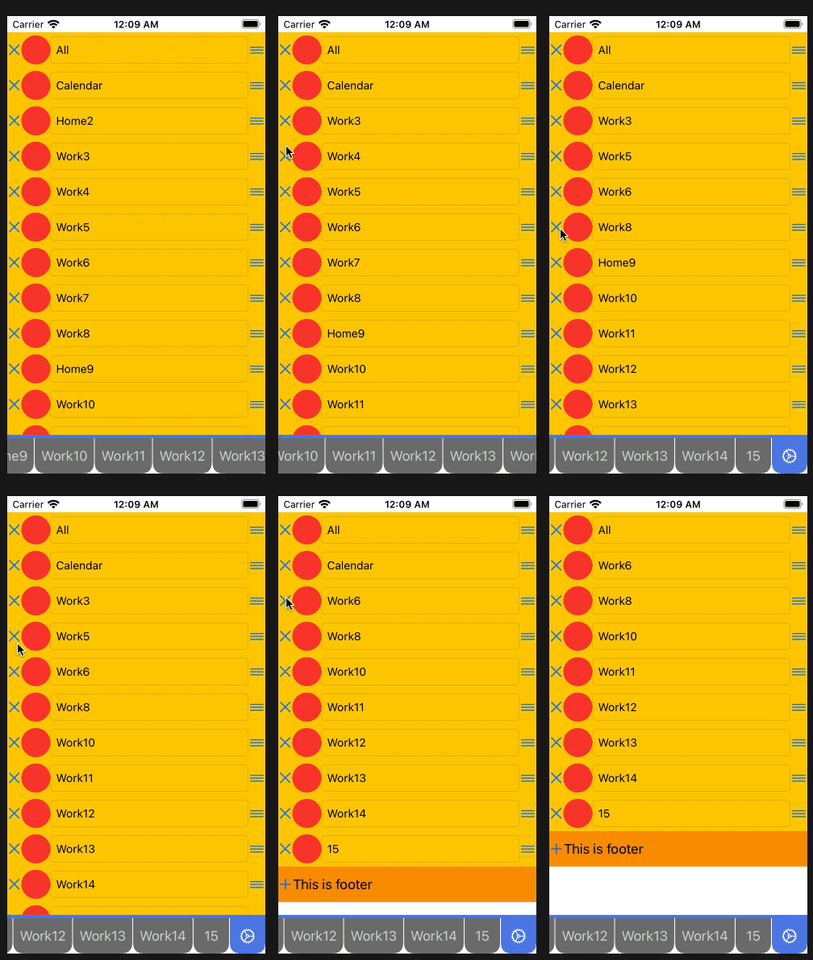
完整的源代码(删除时具有闪烁效果的TabDemo)
https://github.com/yccheok/ios-tutorial/tree/c26ce159472fe2d25d181f9835ef11f1081b0bbc
你知道我们遗漏了哪些步骤吗?这导致删除动画不能正常工作吗?
回答 1
Stack Overflow用户
发布于 2020-10-13 00:35:44
目前,我们没有使用枚举,而是使用struct来表示节。
原因是,我们有一个动态的内容页脚。使用struct可以为页脚携带动态内容信息。
我们的初始节类如下所示
import Foundation

struct TabInfoSection {
    var tabInfos: [TabInfo]
    var footer: String
}

extension TabInfoSection: Hashable {
}然而,这是一个错误。作为节的成员,我们包括内容项TabInfo。
当对内容项执行任何可变操作时,这将导致Diff框架丢弃整个当前区段,并将其替换为新区段。(因为Diff框架检测到节中有更改)。
这会引起闪烁效应。
正确的实现应该是
import Foundation

struct TabInfoSection {
    var footer: String
}

extension TabInfoSection: Hashable {
}
但是,当我们想要显式地更新页脚时,这会导致额外的问题。我在另一个问题- How to update footer in Section via DiffableDataSource without causing flickering effect?中描述了它
https://stackoverflow.com/questions/64306393
复制相似问题
腾讯云开发者

Copyright © 2013 - 2026 Tencent Cloud. All Rights Reserved. 腾讯云 版权所有
深圳市腾讯计算机系统有限公司 ICP备案/许可证号:粤B2-20090059  粤公网安备44030502008569号
腾讯云计算(北京)有限责任公司 京ICP证150476号 | 京ICP备11018762号