
使用LaTeX的Matplotlib字体通用字体
我似乎不能为普通文本和数学数字设置相同的字体
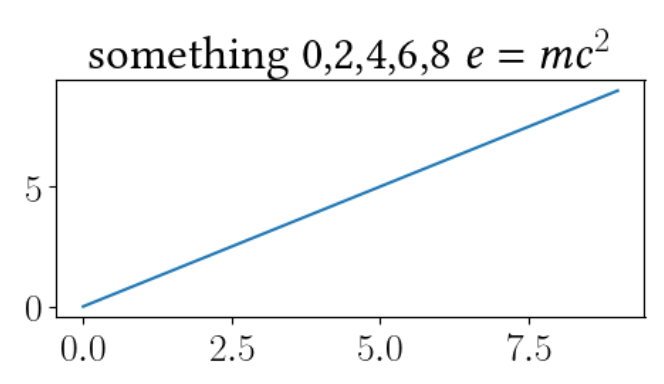
我试图使用Matplotlib为一篇文章草案设置一个字体,我需要使用的字体是Libertine。理想情况下,我应该让LaTeX来完成所有的格式化,但是它似乎已经设定了用计算机现代的方式格式化数学字体:
import matplotlib as mpl

rc_fonts = {
    "font.family": "serif",
    "font.size": 20,
    'figure.figsize': (5, 3),
    "text.usetex": True,
    'text.latex.preview': True,
    'text.latex.preamble': [
        r"""
        \usepackage[libertine]{newtxmath}
        \usepackage{libertine}
        """],
}
mpl.rcParams.update(rc_fonts)
import matplotlib.pylab as plt
用琐碎的情节
plt.ion()
plt.clf()
plt.plot(range(10))
plt.title("something 0,2,4,6,8 $e=mc^2$")
生产(比较“2”)
如果我用
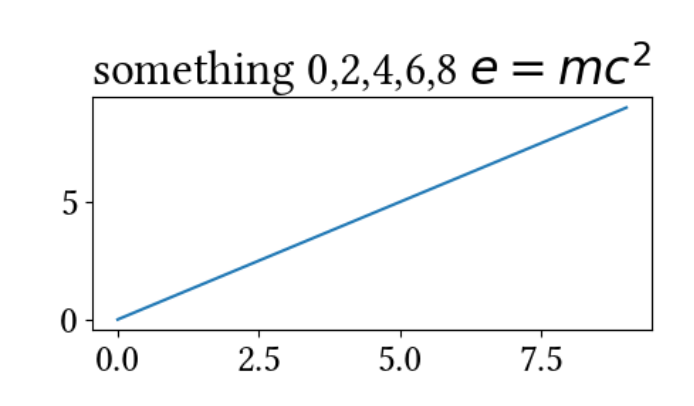
rc_fonts = {
    "font.family": "serif",
    'font.serif': 'Linux Libertine O',
    "font.size": 20,
    'figure.figsize': (5, 3),
}
那么这些数字现在已经匹配了,但是数学上并没有使用LaTeX (不足为奇):
为了获得免费字体,我从https://ctan.org/tex-archive/install/fonts下载了它们,并使用来自https://dallascard.github.io/changing-the-font-in-matplotlib.html的描述(http://andresabino.com/2015/08/18/fonts-and-matplotlib/似乎相关)来安装它们。下面的问题似乎涉及到这个问题,但我还无法从这些问题中找到解决办法:
回答 1
Stack Overflow用户
发布于 2020-10-18 09:58:53
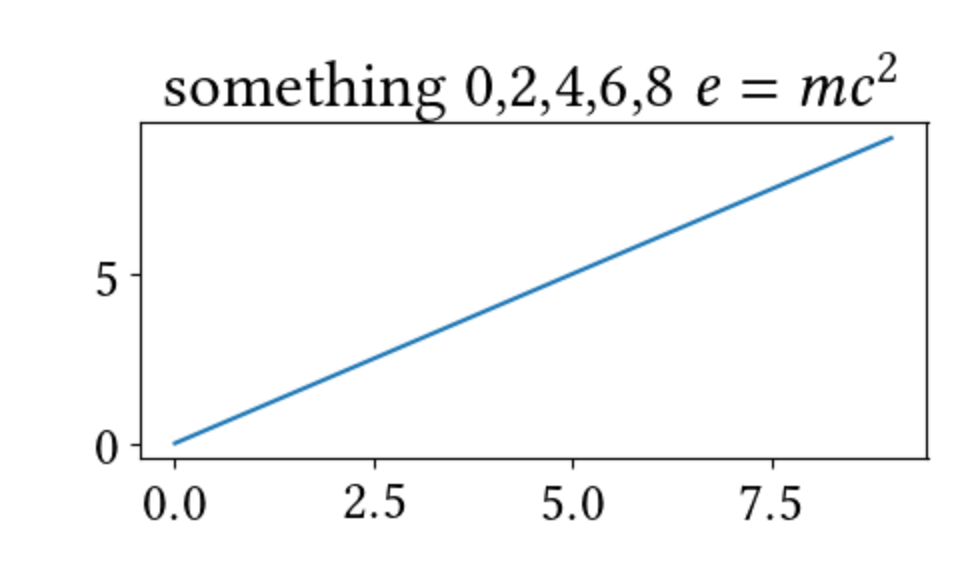
基于the comment pointed out by @gboffi,这似乎根本不是Matplotlib的问题,但是LaTeX可以使用序言进行复制。切换包的顺序,这是在回答这个问题时看到的顺序:https://tex.stackexchange.com/questions/544474/libertine-and-math-numbers,然后问题就解决了:
rc_fonts = {
    "font.family": "serif",
    "font.size": 20,
    'figure.figsize': (5, 3),
    "text.usetex": True,
    'text.latex.preview': True,
    'text.latex.preamble': [
        r"""
        \usepackage{libertine}
        \usepackage[libertine]{newtxmath}
        """],
}
给出
https://stackoverflow.com/questions/64405910
复制相似问题
腾讯云开发者

Copyright © 2013 - 2026 Tencent Cloud. All Rights Reserved. 腾讯云 版权所有
深圳市腾讯计算机系统有限公司 ICP备案/许可证号:粤B2-20090059  粤公网安备44030502008569号
腾讯云计算(北京)有限责任公司 京ICP证150476号 | 京ICP备11018762号