
动画Delaunay三角剖分- Python
动画Delaunay三角剖分- Python
提问于 2020-11-02 04:08:23
是否可以使用Matplotlib动画Delaunay三角剖分?以下由Item和Time组成的点图。我希望将此动画化,而不是绘制每一个迭代。
我也可能有时间点,不包含足够的点,以充分地绘制三角剖分。对于这些时间点,我只是希望通过这段时间,并转移到随后的时间点。
import pandas as pd
import numpy as np
import matplotlib.pyplot as plt
from scipy.spatial import Delaunay
import matplotlib.animation as animation
import matplotlib.gridspec as gridspec

# data frame containing time points without adequate points (3)
#df = pd.DataFrame({
#    'Time' : [1,1,1,1,1,1,1,2,2,2,2,2,2,2,3,3],
#    'Item' : ['A','B','A','B','A','B','A','A','B','A','B','A','B','B','A','B'],
#    'X' : [5, 5, 6, 6, 4, 3, 3, 4, 4, 3, 2, 5, 4, 5, 1, 2],
#    'Y' : [5, 6, 6, 5, 5, 6, 5, 6, 3, 1, 4, 6, 7, 4, 5, 6],
#        })

fig = plt.figure(figsize = (8,10))

grid = gridspec.GridSpec(1, 2)
gridsize = (1, 2)

ax = plt.subplot2grid(gridsize, (0, 0))
ax2 = plt.subplot2grid(gridsize, (0, 1))

A_coord = df.loc[df['Item'] == 'A']
B_coord = df.loc[df['Item'] == 'B']

def make_points(x):
    return np.array(list(zip(x['X'], x['Y'])))

A_points = A_coord.groupby(['Time']).apply(make_points)
B_points = B_coord.groupby(['Time']).apply(make_points)

for p in A_points:
    tri = Delaunay(p)
    a_del = ax.triplot(*p.T, tri.simplices, color = 'orange')

for p in B_points:
    tri = Delaunay(p)
    b_del = ax.triplot(*p.T, tri.simplices, color = 'purple')

#def animate(i) :

    #a_del.set_data#()
    #b_del.set_data#()

#ani = animation.FuncAnimation(fig, animate, blit = False)
编辑2:
我希望保持图形,轴稳定,因为我画了其他物体在上面。因此,我只想给三角剖分的变化注入活力。
df = pd.DataFrame({
    'Time' : [1,1,1,1,1,1,1,2,2,2,2,2,2,2],
    'Item' : ['A','B','A','B','A','B','A','A','B','A','B','A','B','B'],
    'X' : [5, 5, 6, 6, 4, 3, 3, 4, 4, 3, 2, 5, 4, 5],
    'Y' : [5, 6, 6, 5, 5, 6, 5, 6, 3, 1, 4, 6, 7, 4],
        })


A_coord = df.loc[df['Item'] == 'A']
B_coord = df.loc[df['Item'] == 'B']

def make_points(x):
    return np.array(list(zip(x['X'], x['Y'])))

A_points = A_coord.groupby(['Time']).apply(make_points)
B_points = B_coord.groupby(['Time']).apply(make_points)

A_points = A_points.values
B_points = B_points.values

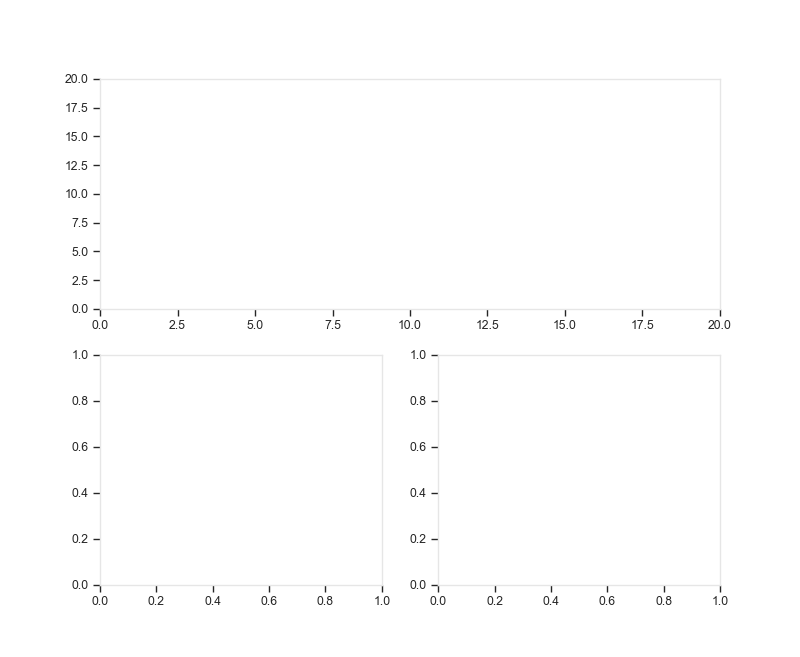
fig = plt.figure(figsize = (8,10))

grid = gridspec.GridSpec(2, 2)
gridsize = (2, 2)

ax = plt.subplot2grid(gridsize, (0, 0), colspan = 2)
ax.set_xlim(0, 20)
ax.set_ylim(0, 20)

ax2 = plt.subplot2grid(gridsize, (1, 0))
ax3 = plt.subplot2grid(gridsize, (1, 1))

fig, ax = plt.subplots(nrows=1, ncols=2, figsize=(12,8))

def one_frame(i):

    ax[0].clear();ax[1].clear()

    try:
        a_points = np.unique(A_points[i],axis=0)
        tri_a = Delaunay(a_points)
        ax[0].triplot(*a_points.T, tri_a.simplices, color = 'orange')
    except Exception:
        pass

    try:
        b_points = np.unique(B_points[i],axis=0)
        tri_b = Delaunay(b_points)
        ax[1].triplot(*b_points.T, tri_b.simplices, color = 'purple')
    except Exception:
        pass


ani = animation.FuncAnimation(fig,one_frame, blit = False)
回答 1
Stack Overflow用户
回答已采纳
发布于 2020-11-04 08:29:10
这是可能的伙伴,试试下面的代码
import pandas as pd
import numpy as np
import matplotlib.pyplot as plt
from scipy.spatial import Delaunay
import matplotlib.animation as animation

# data frame containing time points without adequate points (3)
df = pd.DataFrame({
   'Time' : [1,1,1,1,1,1,1,2,2,2,2,2,2,2,3,3],
   'Item' : ['A','B','A','B','A','B','A','A','B','A','B','A','B','B','A','B'],
   'X' : [5, 5, 6, 6, 4, 3, 3, 4, 4, 3, 2, 5, 4, 5, 1, 2],
   'Y' : [5, 6, 6, 5, 5, 6, 5, 6, 3, 1, 4, 6, 7, 4, 5, 6],
       })
A_coord = df.loc[df['Item'] == 'A']
B_coord = df.loc[df['Item'] == 'B']

def make_points(x):
    return np.array(list(zip(x['X'], x['Y'])))

A_points = A_coord.groupby(['Time']).apply(make_points)
B_points = B_coord.groupby(['Time']).apply(make_points)

A_points = A_points.values
B_points = B_points.values

fig, ax = plt.subplots(nrows=1,ncols=2,figsize=(12,8))

def one_frame(i):

    ax[0].clear();ax[1].clear()

    try:
        a_points = np.unique(A_points[i],axis=0)
        tri_a = Delaunay(a_points)
        ax[0].triplot(*a_points.T, tri_a.simplices, color = 'orange')
    except Exception as e:
        print("frame %i, point a can't print because of \n%s" % (i,e))

    try:
        b_points = np.unique(B_points[i],axis=0)
        tri_b = Delaunay(b_points)
        ax[1].triplot(*b_points.T, tri_b.simplices, color = 'purple')
    except Exception as e:
        print("frame %i, point b can't print because of \n%s" % (i,e))

ani = animation.FuncAnimation(fig,one_frame,range(3), blit = False)
ani.save('test.gif', writer='pillow', fps=1)
输出是
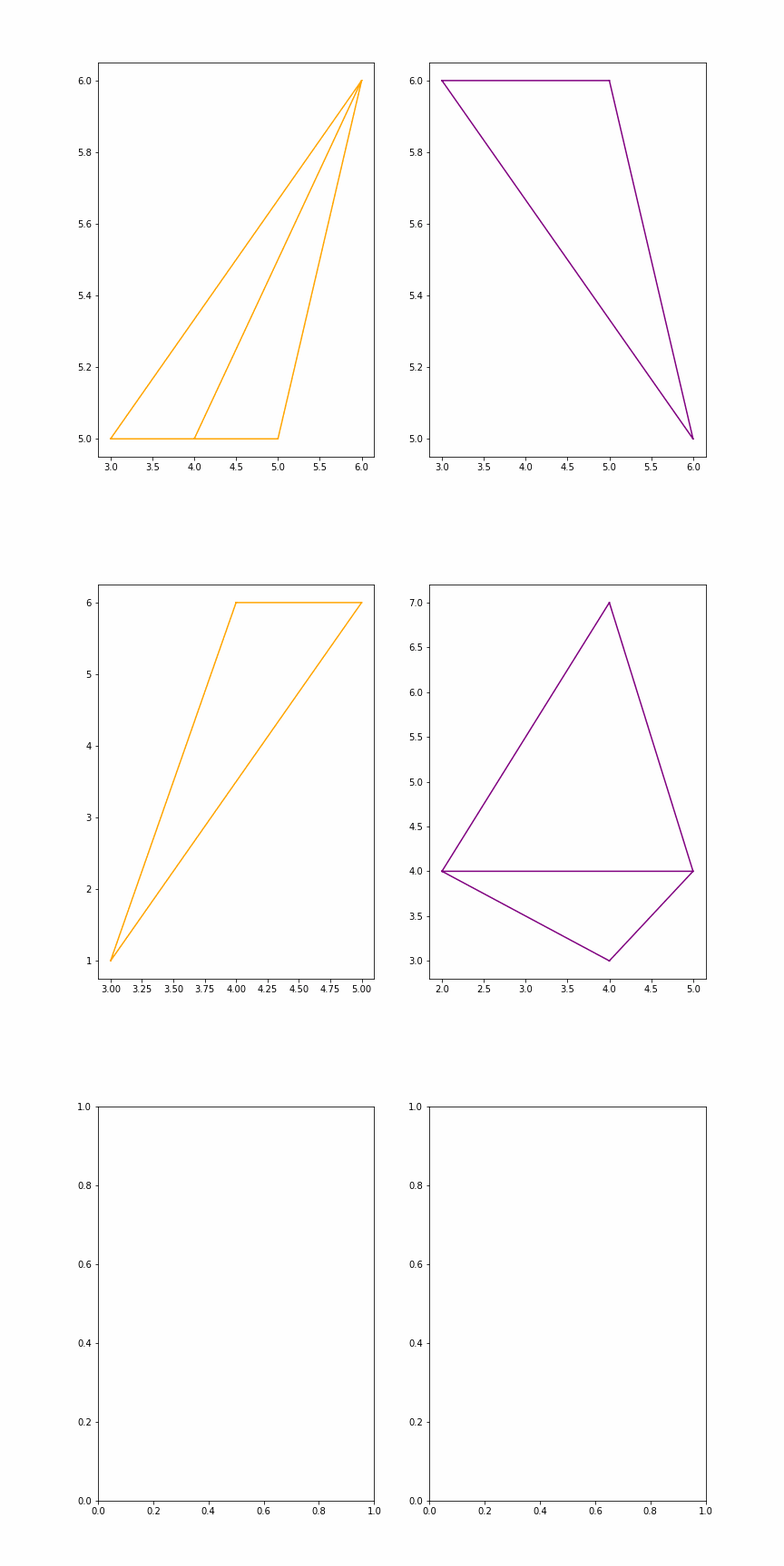
更新
保留fig和ax是可能的,其思想是在每个帧的开头删除最后一个帧的三角形(Line2D对象)。
for item in triangles_a:
    try:
        item.remove()
    except Exception as e:
        continue
for item in triangles_b:
    try:
        item.remove()
    except Exception as e:
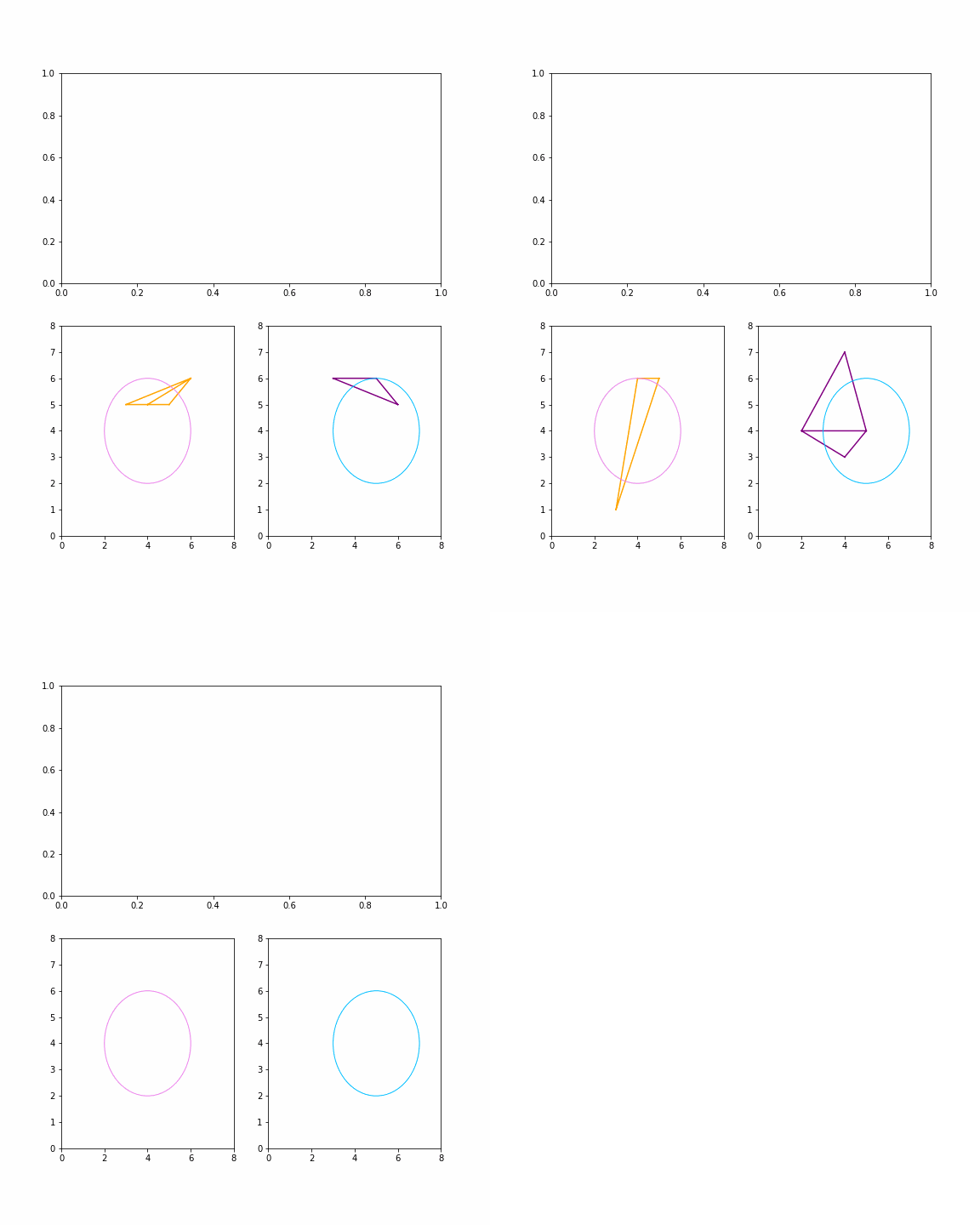
continue删除三角形不会影响fig和ax的其他部分。例如,在下面的示例中,在动画过程中,这两个圆圈不会受到影响。
import pandas as pd
import numpy as np
import matplotlib.pyplot as plt
from scipy.spatial import Delaunay
import matplotlib.animation as animation

# data frame containing time points without adequate points (3)
df = pd.DataFrame({
   'Time' : [1,1,1,1,1,1,1,2,2,2,2,2,2,2,3,3],
   'Item' : ['A','B','A','B','A','B','A','A','B','A','B','A','B','B','A','B'],
   'X' : [5, 5, 6, 6, 4, 3, 3, 4, 4, 3, 2, 5, 4, 5, 1, 2],
   'Y' : [5, 6, 6, 5, 5, 6, 5, 6, 3, 1, 4, 6, 7, 4, 5, 6],
       })
A_coord = df.loc[df['Item'] == 'A']
B_coord = df.loc[df['Item'] == 'B']

def make_points(x):
    return np.array(list(zip(x['X'], x['Y'])))

A_points = A_coord.groupby(['Time']).apply(make_points)
B_points = B_coord.groupby(['Time']).apply(make_points)

A_points = A_points.values
B_points = B_points.values

fig = plt.figure(figsize = (8,10))
grid = gridspec.GridSpec(2, 2)
gridsize = (2, 2)

ax0 = plt.subplot2grid(gridsize, (0, 0), colspan = 2)
ax1 = plt.subplot2grid(gridsize, (1, 0), colspan = 1)
ax2 = plt.subplot2grid(gridsize, (1, 1), colspan = 1)

ax1.set_xlim(0,8);ax1.set_ylim(0,8)
ax2.set_xlim(0,8);ax2.set_ylim(0,8)

# things that won't be affected
circle_0 = plt.Circle((4,4), 2, color='violet',fill=False)
ax1.add_artist(circle_0)

circle_1 = plt.Circle((5,4), 2, color='deepskyblue',fill=False)
ax2.add_artist(circle_1)

triangles_a,triangles_b = [],[]
def one_frame(i):

    global triangles_a,triangles_b
    for item in triangles_a:
        try:
            item.remove()
        except Exception as e:
            continue
    for item in triangles_b:
        try:
            item.remove()
        except Exception as e:
            continue

    try:
        a_points = np.unique(A_points[i],axis=0)
        tri_a = Delaunay(a_points)
        obj_a = ax1.triplot(*a_points.T, tri_a.simplices, color = 'orange')
        triangles_a.extend(obj_a)
    except Exception as e:
        print("frame %i, point a can't print because of \n%s" % (i,e))

    try:
        b_points = np.unique(B_points[i],axis=0)
        tri_b = Delaunay(b_points)
        obj_b = ax2.triplot(*b_points.T, tri_b.simplices, color = 'purple')
        triangles_b.extend(obj_b)
    except Exception as e:
        print("frame %i, point b can't print because of \n%s" % (i,e))

ani = animation.FuncAnimation(fig,one_frame,range(3), blit = False)
ani.save('test.gif', writer='pillow', fps=1)
输出量
页面原文内容由Stack Overflow提供。腾讯云小微IT领域专用引擎提供翻译支持
原文链接:
https://stackoverflow.com/questions/64639676
复制相关文章
相似问题
腾讯云开发者

Copyright © 2013 - 2026 Tencent Cloud. All Rights Reserved. 腾讯云 版权所有
深圳市腾讯计算机系统有限公司 ICP备案/许可证号:粤B2-20090059  粤公网安备44030502008569号
腾讯云计算(北京)有限责任公司 京ICP证150476号 | 京ICP备11018762号