
DDEV不处理Nginx中的SVGZ-文件
我在Typo3 v9环境中使用了DDEVv1.15.3。我根据快速指南创建了Typo3环境,包括ddev配置--project=typo3-php-Version7.3-docroot=public-- created =true。到目前为止,一切正常,但没有显示SVGZ文件。
上传到文件管理后端的svgz文件不会显示在类似浏览器的finden.svgz中。我收到以下错误消息:
此页面包含以下错误:第1列第1行上的错误:下面的编码错误是页面的呈现,直到第一个错误。
为了在nginx容器中启用gzip压缩,我在文件.ddev/nginx_full/nginx-site.conf中添加了以下行
# Compression
gzip on;
gzip_proxied        any;
gzip_comp_level     6; # Level of compression
gzip_http_version   1.1;
gzip_min_length     1100;
gzip_buffers        16 8k;

gzip_types
 text/plain
 text/css
 text/xml
 application/x-javascript
 application/atom+xml
 text/mathml
 text/vnd.sun.j2me.app-descriptor
 text/vnd.wap.wml
 text/x-component
 text/javascript
 application/javascript
 application/json
 application/xml
 application/rss+xml
 font/truetype
 font/opentype
 application/vnd.ms-fontobject
 image/svg+xml svg svgz;

gzip_static on;
gunzip on;
gzip_proxied        expired no-cache no-store private auth;
gzip_disable        "MSIE [1-6] \."; # Disable for IE < 6

# Add a vary header for downstream proxies to avoid sending
# cached gzipped files to IE6
gzip_vary on;

# ### Compression ###

# For CSS with compression
location ~* "\.css(\.|\.\d{10}\.)gzip$" {
        rewrite ^(.+css)\.(\d+\.)gzip$ /$1.gzip;
        add_header  Content-Encoding gzip;
        add_header  Vary Accept-Encoding;
        add_header Access-Control-Allow-Origin *;
        gzip off;
        types { text/css gzip; }
        expires max;
        log_not_found off;
}

# For JavaScript with compression
location ~* "\.js(\.|\.\d{10}\.)gzip$" {
        rewrite ^(.+js)\.(\d+\.)gzip$ /$1.gzip;
        add_header  Content-Encoding gzip;
        add_header  Vary Accept-Encoding;
        gzip off;
        default_type application/javascript;
        expires max;
        log_not_found off;
}

# Compression for SVGZ
location ~* \.svgz$ {
       add_header Content-Encoding gzip;
}当我使用ddev ssh连接到docker容器时,nginx配置也包含上面的行。
谢谢你的帮助。
最美好的问候
-杰拉尔德
回答 1
Stack Overflow用户
发布于 2020-11-06 18:57:27
您需要在. .ddev/nginx_full/nginx-site.conf中添加
location ~ \.svgz$ { add_header Content-Encoding gzip; }我把我的nginx-site.conf文件放在https://gist.github.com/rfay/5071ff19237ee7b83442cd8ad0311459上
我使用了来自https://www.online-convert.com/file-format/svgz的文件https://www.online-convert.com/file-format/svgz
这个nginx问题解释了该做什么。
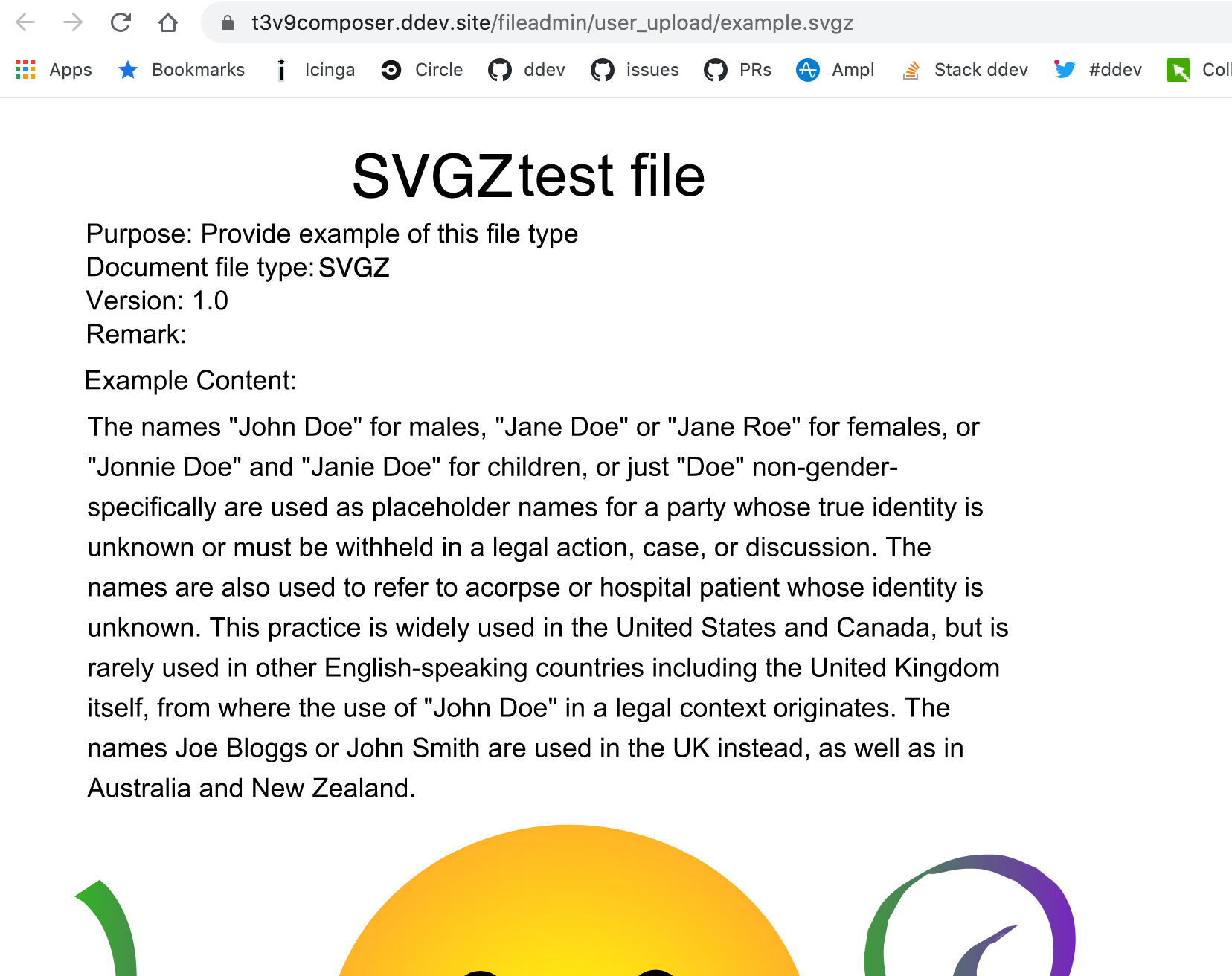
下面是我在用文件管理器上传example.svgz之后看到的情况,然后单击"show“图标。
如果您认为这对于添加到默认的nginx配置很重要,请在https://github.com/drud/ddev/issues上打开一个问题或PR。
https://stackoverflow.com/questions/64713186
复制相似问题
腾讯云开发者

Copyright © 2013 - 2026 Tencent Cloud. All Rights Reserved. 腾讯云 版权所有
深圳市腾讯计算机系统有限公司 ICP备案/许可证号:粤B2-20090059  粤公网安备44030502008569号
腾讯云计算(北京)有限责任公司 京ICP证150476号 | 京ICP备11018762号