
在WooCommerce单一产品页面描述中添加"read“按钮
在WooCommerce单一产品页面描述中添加"read“按钮
提问于 2020-11-12 05:46:55
我有一个商店,有很长的产品说明,我想截断描述,以显示100个字,然后一个按钮,说“读多”和“读少”。
实际上,我使用的是Reduce product long description in Woocommerce答案代码,它可以通过特定的字数计数来限制简短的描述长度,而且它可以工作。
回答 1
Stack Overflow用户
回答已采纳
发布于 2020-11-12 09:51:30
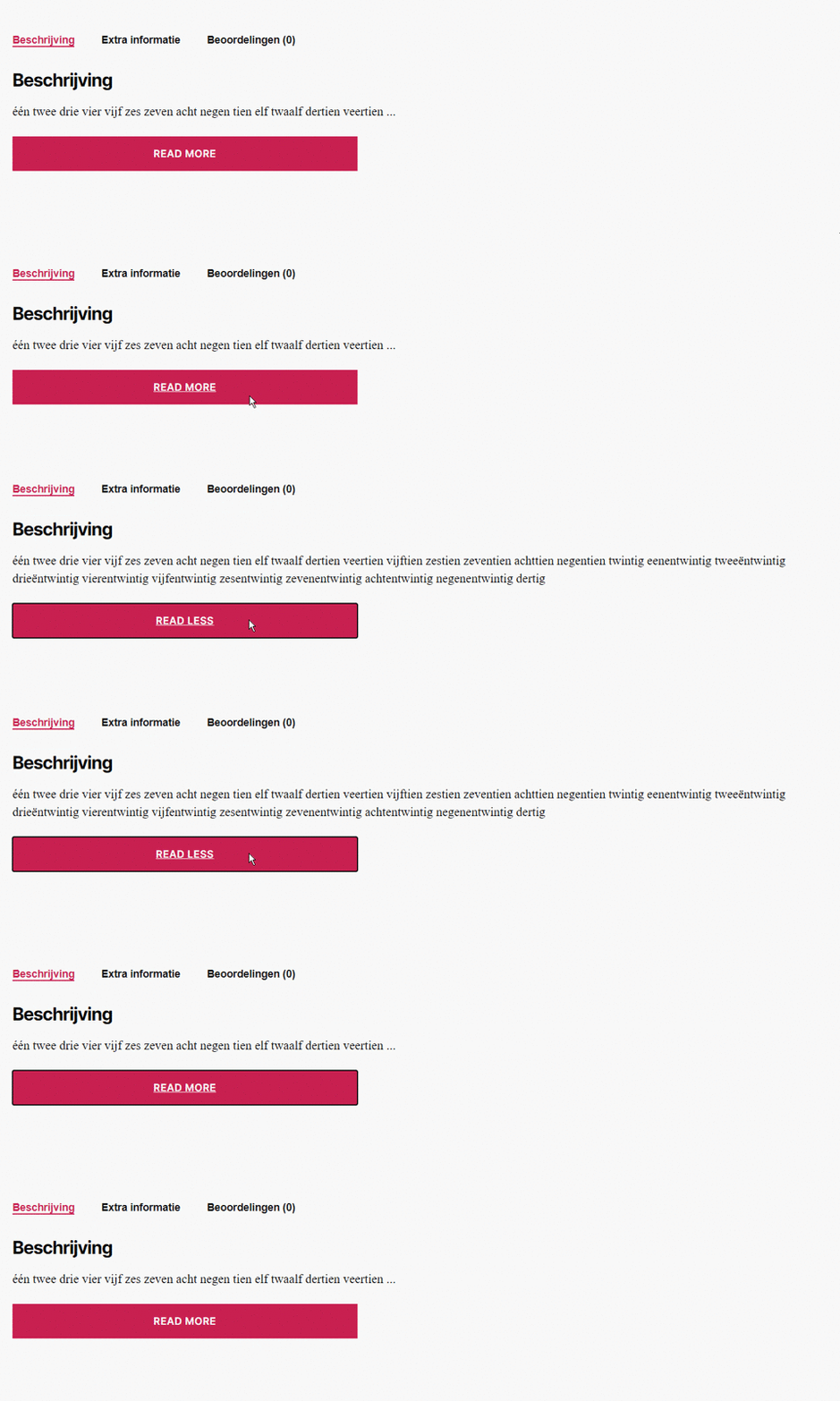
这需要对现有代码稍加修改,而不是忽略一些$content,保留所有的$content,但在单击read按钮之前只显示其中的一部分。
然后,它使用jQuery,它控制read /less按钮,在该按钮中显示所有$content或仅显示其中的一部分。
注意: CSS (样式)和进一步的jQuery调整取决于主题。这个答案包含“读多/少读”按钮的基础。每个主题都有不同和具体的要求,因此必须自己进一步调整显示/功能。
通过代码中提供的注释标记进行解释
// Shorten product long descrition with read more button
function filter_the_content( $content ) {
    // Only for single product pages
    if( ! is_product() ) return $content;

    // Set the limit of words
    $limit = 14;

    // Strip p tags if needed
    $content = str_replace( array( '<p>', '</p>' ), '', $content );

    // If the content is longer than the predetermined limit
    if ( str_word_count( $content, 0 ) > $limit ) {
        // Returns an associative array, where the key is the numeric position of the word inside the string and the value is the actual word itself
        $arr = str_word_count( $content, 2 );

        // Return all the keys or a subset of the keys of an array
        $pos = array_keys( $arr );

        // First part
        $text = '<p>' . substr( $content, 0, $pos[$limit] ) . '<span id="dots">...</span>';

        // More part
        $text .= '<span id="more">' . substr( $content, $pos[$limit] ) . '</span></p>';

        // Read button
        $text .= '<button id="read-button"></button>';

        $content = force_balance_tags( $text ); // needded
    }
    ?>
    <script type="text/javascript">
        jQuery(document).ready( function ($) {
            // Settings
            var read_more_btn_txt = 'Read more';
            var read_less_btn_txt = 'Read less';

            // Selectors
            var more = '#more';
            var read_button = '#read-button';
            var dots = '#dots';

            // On load
            $( more ).hide();
            $( read_button ).html( read_more_btn_txt );

            // On click
            $( read_button ).on( 'click', function() {
                if ( $( more ).is( ':hidden' ) ) {
                    $( more ).show();
                    $( dots ).hide();
                    $( read_button ).html( read_less_btn_txt );
                } else {
                    $( more ).hide();
                    $( dots ).show();
                    $( read_button ).html( read_more_btn_txt );
                }
            });

        });
    </script>
    <?php
    return $content;
}
add_filter( 'the_content', 'filter_the_content', 10, 1 );
页面原文内容由Stack Overflow提供。腾讯云小微IT领域专用引擎提供翻译支持
原文链接:
https://stackoverflow.com/questions/64798541
复制相关文章
相似问题
腾讯云开发者

Copyright © 2013 - 2026 Tencent Cloud. All Rights Reserved. 腾讯云 版权所有
深圳市腾讯计算机系统有限公司 ICP备案/许可证号:粤B2-20090059  粤公网安备44030502008569号
腾讯云计算(北京)有限责任公司 京ICP证150476号 | 京ICP备11018762号