
Angular不会更新值(或者将其设置回原处?)通过单击OpenLayers - Map
我的第一个项目确实包括OpenMaps /Open层。我所说的组件如下所示:
import {AfterViewInit, ChangeDetectionStrategy, Component} from '@angular/core';
import {Map, MapBrowserEvent, View} from 'ol';
import {OSM} from "ol/source";
import {fromLonLat, toLonLat} from "ol/proj";
import {defaults, MousePosition} from "ol/control";

import {createStringXY, toStringHDMS} from "ol/coordinate";
import {Tile} from "ol/layer";

@Component({
  selector: 'app-map',
  templateUrl: './map.component.html',
  styleUrls: ['./map.component.css'],
  changeDetection: ChangeDetectionStrategy.Default
})
export class MapComponent implements AfterViewInit {

  latitude: number = 52.520008;
  longitude: number = 13.404954;
  private map?: Map;
  view?: View;

  _lastClicked: string;

  constructor() {
    this._lastClicked = 'abc'; // his won't chang in frontend
  }


  ngAfterViewInit() {
    let osmTile = new Tile({
      source: new OSM()
    });

    this.view = new View({
      center: fromLonLat([this.longitude, this.latitude]),
      zoom: 8
    });

    let mousePositionControl = new MousePosition({
      coordinateFormat: createStringXY(4),
      projection: 'EPSG:4326',
      undefinedHTML: ' ',
      className: 'custom-mouse-position',
      target: document.getElementById('mouse-position') || undefined
    });
    let controls = defaults({
      attributionOptions: {
        collapsible: false
      }
    }).extend([mousePositionControl]);

    this.map = new Map({
      target: 'map',
      controls: controls,
      layers: [
        osmTile
      ],
      view: this.view
    });
    this.map.on('click', this.onClick);
  }

  onClick(evt: MapBrowserEvent) {
    var coordinate = evt.coordinate;
    this.lastClicked = toStringHDMS(toLonLat(coordinate));
    console.log(this.lastClicked + ' was clicked'); // this prints the correct values
  }


  get lastClicked(): string {
    return this._lastClicked;
  }

  set lastClicked(value: string) {
    this._lastClicked = value;
  }

  checkCoordinate() {
    console.log(this.lastClicked + ' is current position'); // this prints the wrong value
  }
}
而该组件的html则如下所示
<h1>There is a map</h1>
  {{lastClicked}}
  <p>
    <button (click)="checkCoordinate()"> checkCoordinate</button>
  </p>
  <div id="mouse-position"></div>
  <div id="map" class="map"></div>
</div>
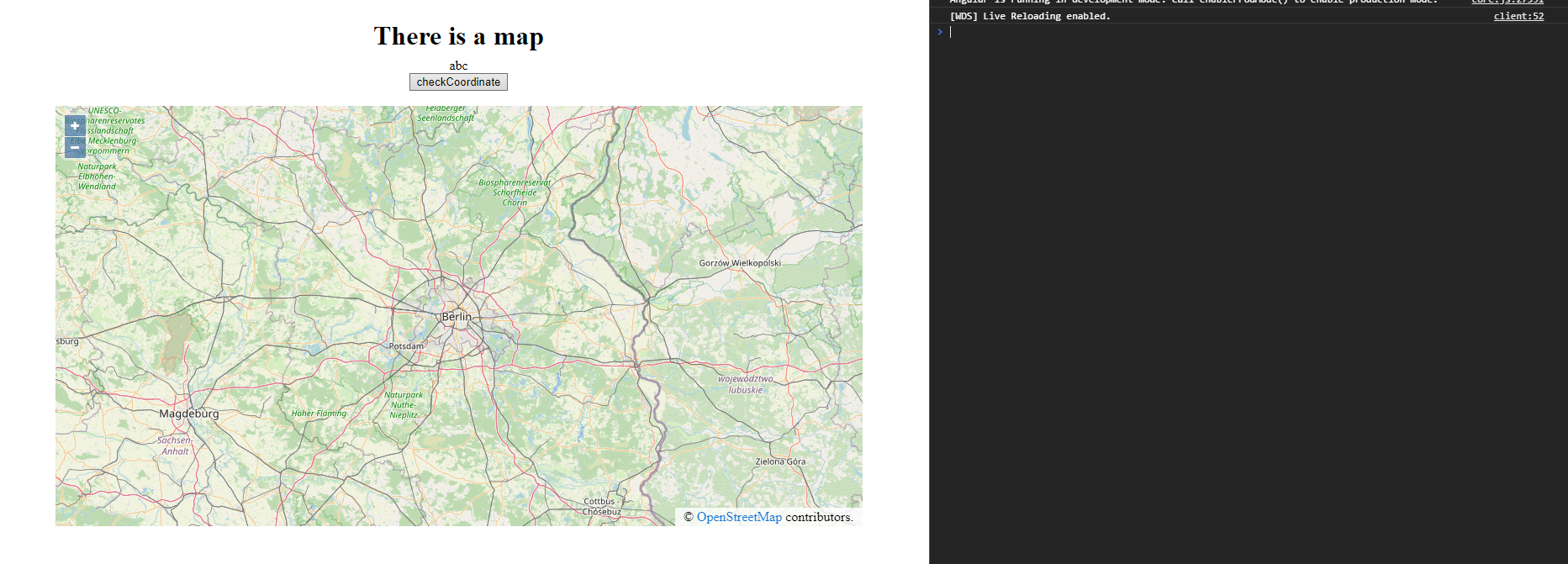
结果(右边有控制台)如下所示:
首先单击地图后,控制台将显示正确的输出,而顶部的值仍然是'abc':
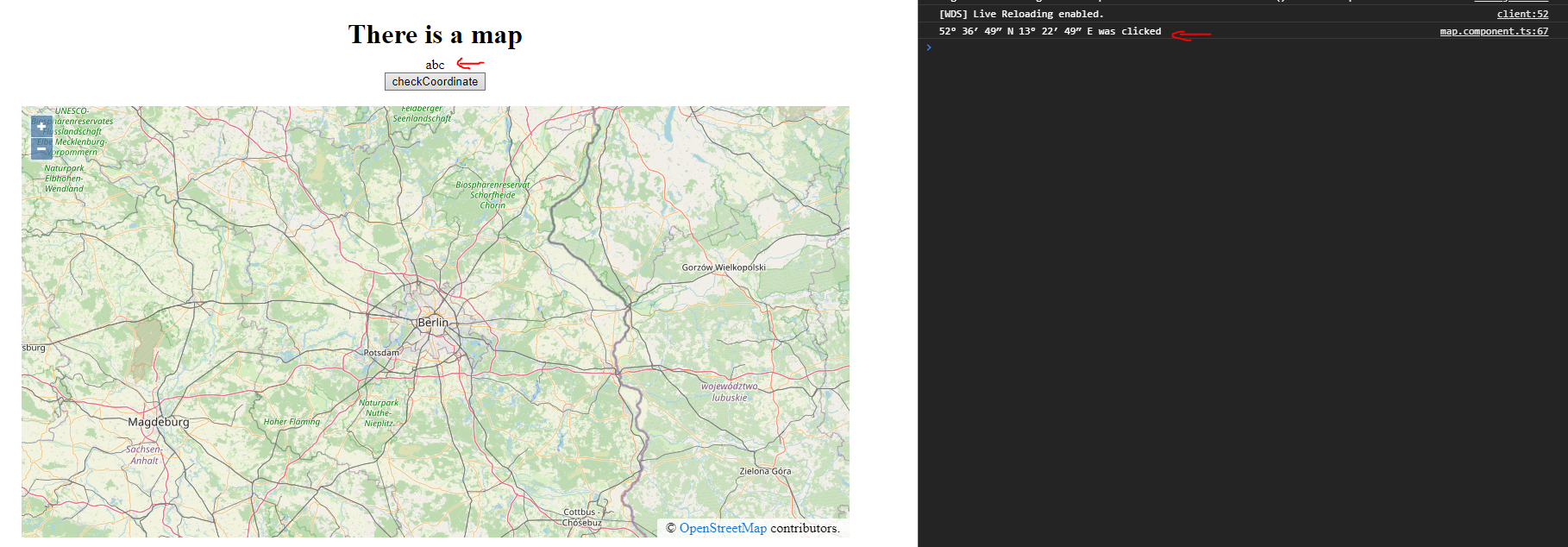
(当然,调试还表明,在属性lastChecked中,坐标确实是安全的。)
现在,我单击按钮(checkCoordinate),但不管怎样,原始值(即'abc')都是打印出来的。
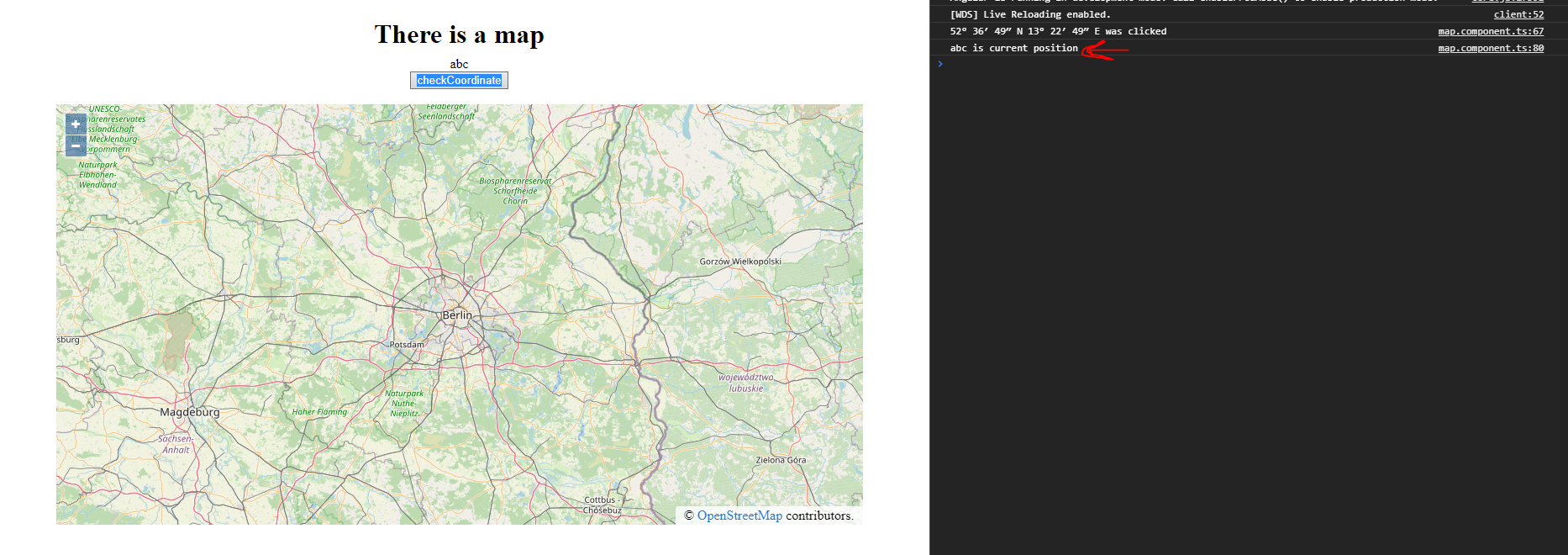
(当然,调试还表明,在属性lastChecked中确实设置了旧值。)
我真的觉得我错过了一些在我学角的时候学到的教程和材料中没有提到的东西。请帮我理解一下。
编辑:
我调试并发现了以下原因/问题:
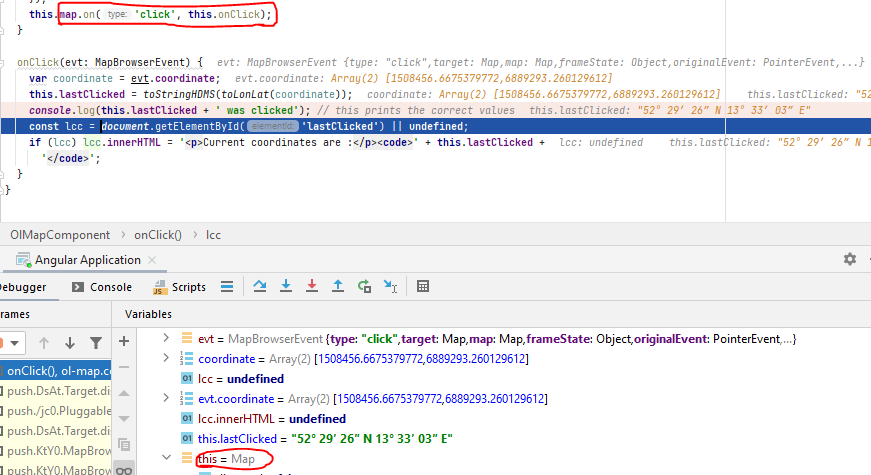
这不是根本原因。无论如何,“此”不是我的原始组件(我称之为MapComponent),而是ol/Map。
这不是解决办法,但我更近了一步。
回答 1
Stack Overflow用户
发布于 2021-01-12 10:11:58
我不知道是否有人需要,但我找到了解决办法。
请注意,代码的部分是完全不必要的或恼人的(这意味着代码在这一点上并不完全干净),但它符合平均值。
问题是(正如在原始文章的编辑中提到的),this.map.on('click', this.onClick);为ol/Map设置了函数。这使得onClick-method中的每个ol/Map都变成了ol/Map,因此它不再像角分量了。更简单地说,这意味着该方法中的this.lastClicked = ...不会将值应用到类似MapComponent.lastClicked的任何东西,而是应用于类似于MapComponent.map.lastClicked的东西。因此,为了显示值,我必须直接从ol/Map中读取它。
我还对模块做了一些调整,因为周围发生了很多事情。
但让我们来讨论一下实现:
首先,这是新的MapComponent及其html。
import {ChangeDetectionStrategy, Component} from '@angular/core';
import {Map} from 'ol';

@Component({
  selector: 'app-map',
  templateUrl: './map.component.html',
  styleUrls: ['./map.component.css'],
  changeDetection: ChangeDetectionStrategy.Default
})
export class MapComponent   {

  constructor() {
  }

  onMapReady($event: Map) {
    console.log("Map Ready")
  }

  meld(evt: MouseEvent) {
    console.log("Meld!")
  }
}<div class="content">
<h1>There is a map</h1>
<app-ol-map class="map"
[center]="[13.404954, 52.520008]"
[zoom]="8.5"
(click)="meld($event)"
></app-ol-map>
</div>
(背景中也有一些css,但在这一点上并不是很重要。)
您可以看到这里有一个(click) -方法,它不起什么作用,但它将导致组件注意到单击事件,从而导致相关更改的更新。
此外,我还从这里中窃取了另一个组件,命名为OlMapComponent,并对其进行了修改:
import {AfterViewInit, Component, EventEmitter, Input, NgZone, Output} from '@angular/core';
import {Map, MapBrowserEvent, View} from 'ol';
import {Coordinate, createStringXY, toStringHDMS} from 'ol/coordinate';
import {defaults, MousePosition} from 'ol/control';
import Projection from 'ol/proj/Projection';
import {fromLonLat, get as GetProjection, toLonLat} from 'ol/proj'
import {Extent} from 'ol/extent';
import OSM from 'ol/source/OSM';
import {Tile} from "ol/layer";
import VectorLayer from "ol/layer/Vector";
import {Vector} from "ol/source";
import {KML} from "ol/format";
@Component({
selector: 'app-ol-map',
templateUrl: './ol-map.component.html',
styleUrls: ['./ol-map.component.scss']
})
export class OlMapComponent implements AfterViewInit {
@Input() center?: Coordinate;
@Input() zoom?: number;
view: View | undefined;
projection: Projection | undefined;
extent: Extent = [-20026376.39, -20048966.10, 20026376.39, 20048966.10];
map: Map | undefined;
plzLayer?: VectorLayer;
@Output() mapReady = new EventEmitter<Map>();
get lastClicked(): string {
// @ts-ignore
return this.map?.lastClicked || 'undefined';
}
constructor(private zone: NgZone) {
}
ngAfterViewInit(): void {
if (!this.map) {
this.zone.runOutsideAngular(() => this.initMap())
}
setTimeout(() => this.mapReady.emit(this.map));
}
private initMap(): void {
this.projection = GetProjection('EPSG:3857');
this.projection.setExtent(this.extent);
let osmTile = new Tile({
source: new OSM()
});
this.plzLayer = new VectorLayer({
source: new Vector({
url: 'assets/kml/Postleitzahlengebiete.kml',
format: new KML(),
})
});
this.view = new View({
center: fromLonLat(this.center || [13.404954, 52.520008]),
zoom: this.zoom || 8,
projection: this.projection
});
let mousePositionControl = new MousePosition({
coordinateFormat: createStringXY(4),
projection: 'EPSG:4326',
undefinedHTML: ' ',
className: 'custom-mouse-position',
target: document.getElementById('mouse-position') || undefined
});
let controls = defaults({
attributionOptions: {
collapsible: false
}
}).extend([mousePositionControl]);
this.map = new Map({
target: 'map',
controls: controls,
layers: [
osmTile,
this.plzLayer
],
view: this.view
});
this.map.on('click', this.onClick);
}
onClick(evt: MapBrowserEvent) {
var coordinate = evt.coordinate;
// @ts-ignore
// calling from the ol/Map (by defining it as its "on('click',...) - Method, 'this' is the ol/Map itself, not the
// component anymore!!! (IntelliJ may be lying to you, but you will see it in the debug)
this.lastClicked = toStringHDMS(toLonLat(coordinate));
const lcc = document.getElementById('lastClicked') || undefined;
if (lcc) lcc.innerHTML = 'Located click is: <code>' + this.lastClicked +
'</code>';
}
}<div id="lastClicked"></div>
<div>Current value is: <code>{{lastClicked}}</code></div>
<div class="map-container" id="map"></div>
我现在“正确”地将onClick方法中的onClick视为实例ol/Map。不幸的是,这意味着我保存的值lastClicked不是在组件中,而是在ol/Map本身中。为了在前端显示它,我编写了一个getter,它只代表了值。
当然,我的IDE不批准这一点。因此,我必须使用@ts-忽略。
但我能说什么呢?它起作用了。一开始我知道这个:
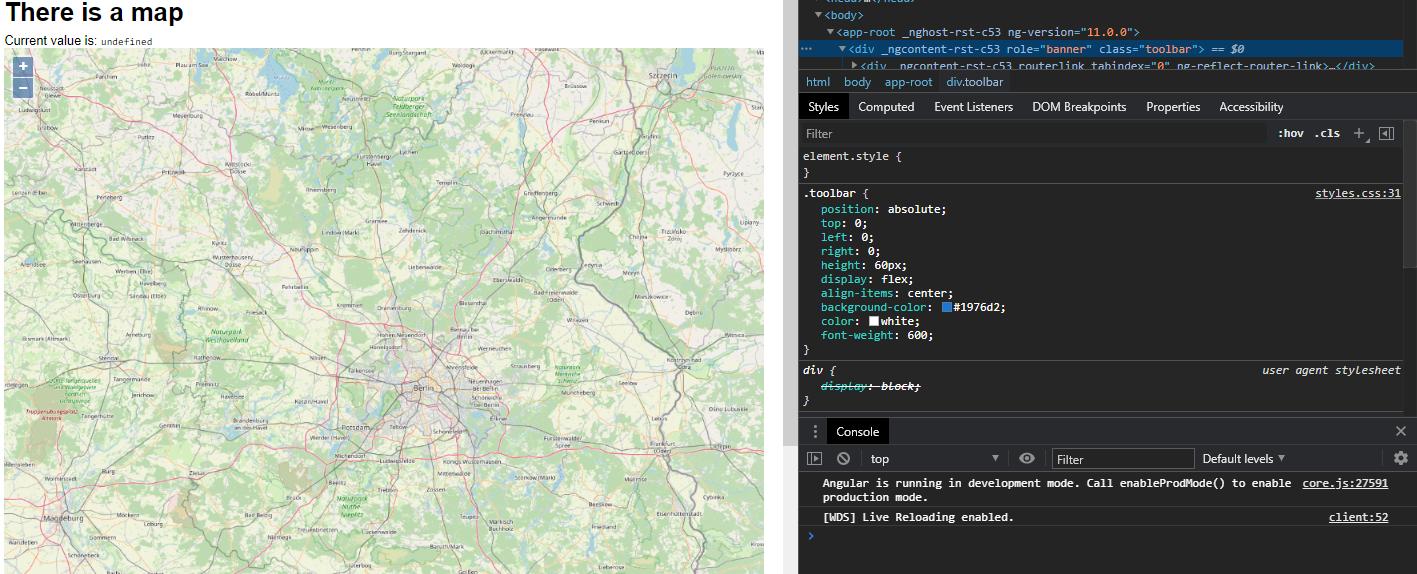
没有什么出乎意料的,但和我的第一种方法没有什么不同。
当我点击:
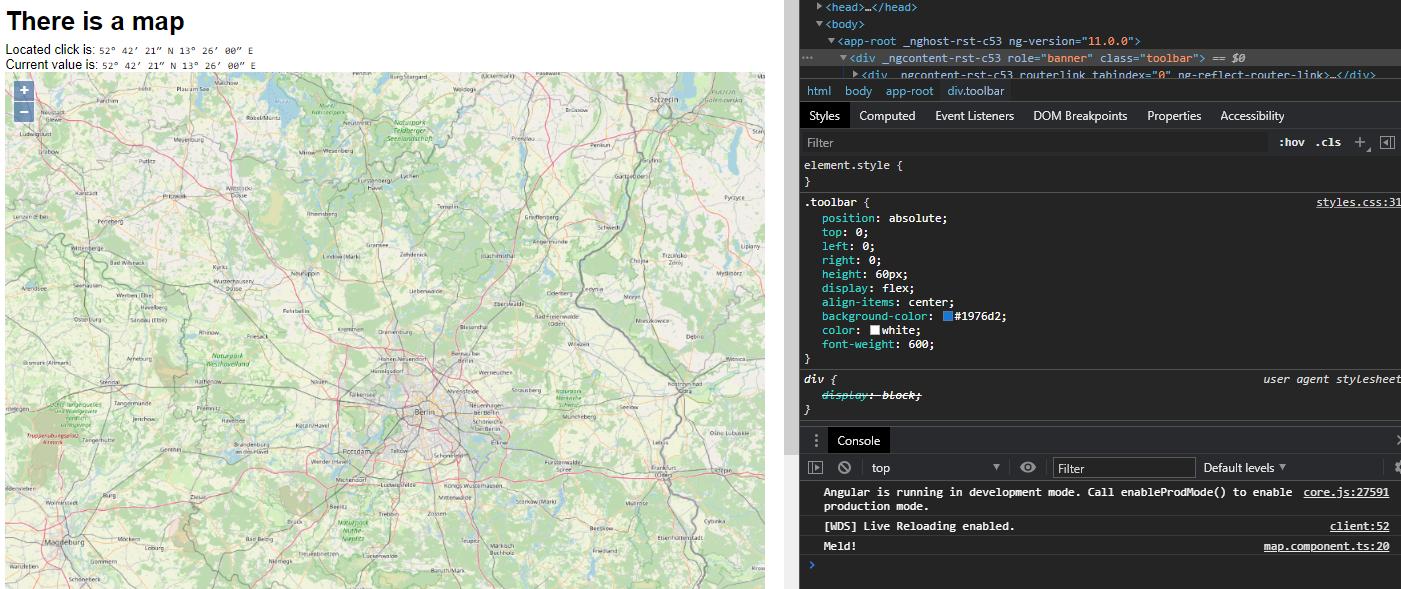
如您所见,该值被正确地播放了两次:
- 通过
get lastClicked(): string { // @ts-ignore return this.map?.lastClicked || 'undefined'; }进行分层 - 通过
const lcc = document.getElementById('lastClicked') || undefined; if (lcc) lcc.innerHTML = 'Located click is: <code>' + this.lastClicked + '</code>';操作dom
此外,还调用MapComponent的on MapComponent方法。这可能对未来有所帮助,但它主要导致底层OlMapComponent更新显示的值。
https://stackoverflow.com/questions/64877637
复制相似问题
腾讯云开发者

Copyright © 2013 - 2026 Tencent Cloud. All Rights Reserved. 腾讯云 版权所有
深圳市腾讯计算机系统有限公司 ICP备案/许可证号:粤B2-20090059  粤公网安备44030502008569号
腾讯云计算(北京)有限责任公司 京ICP证150476号 | 京ICP备11018762号