
如何避免在分页瓶中随机显示元素?
我遇到了一个奇怪的问题。问题是,为什么使用下面的代码,我可以看到相同的CVE在2,甚至3个不同的页面?它看起来像每一页,有随机显示的CVE代码,但是下降,就像我在代码中指定的那样。而且每次我点击“所有条目”时,cve代码都会发生变化,就像下面的截图一样。有什么想法吗?是什么导致了这个问题?
第1页
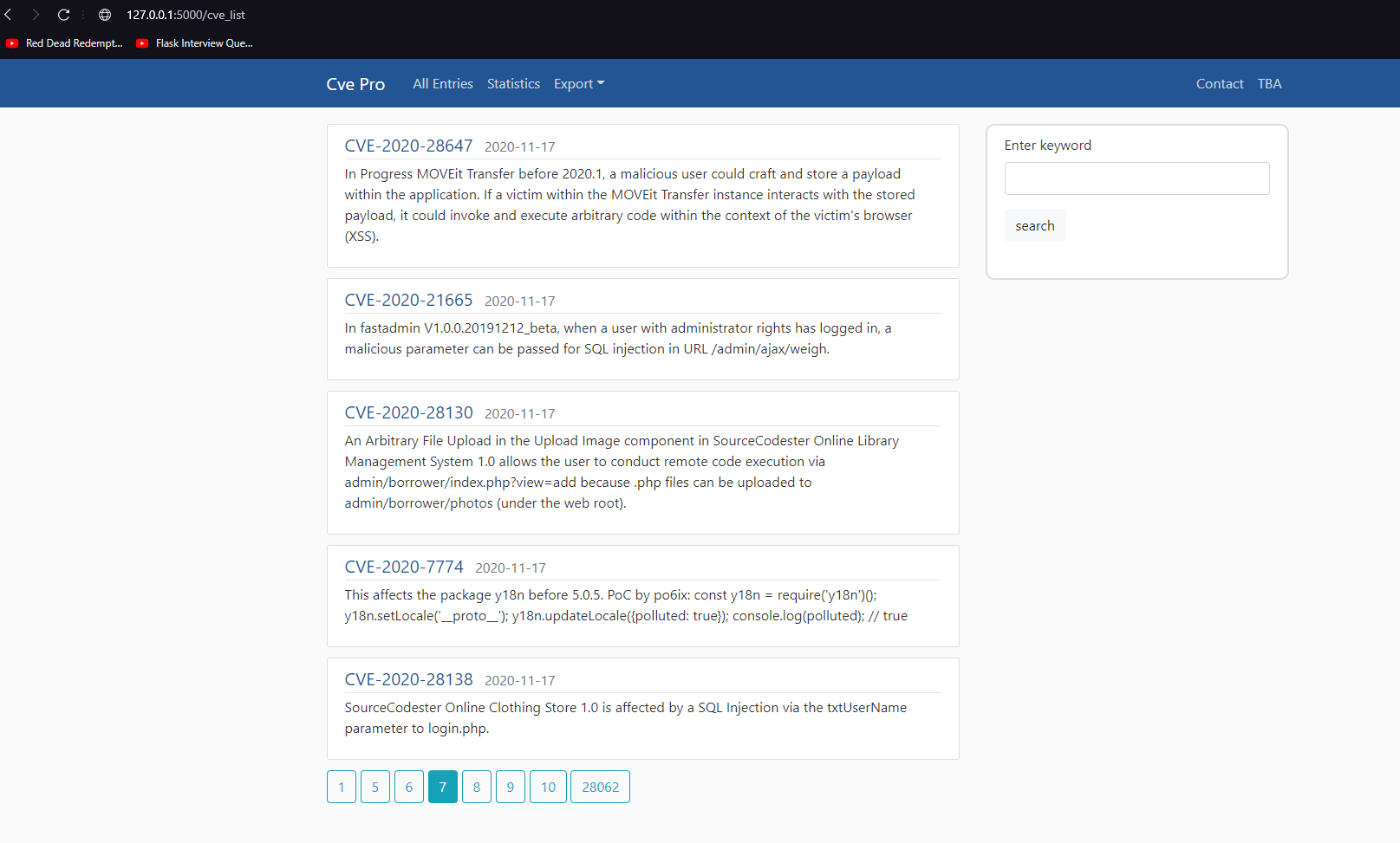
再次单击“所有条目”后,相同的第一页
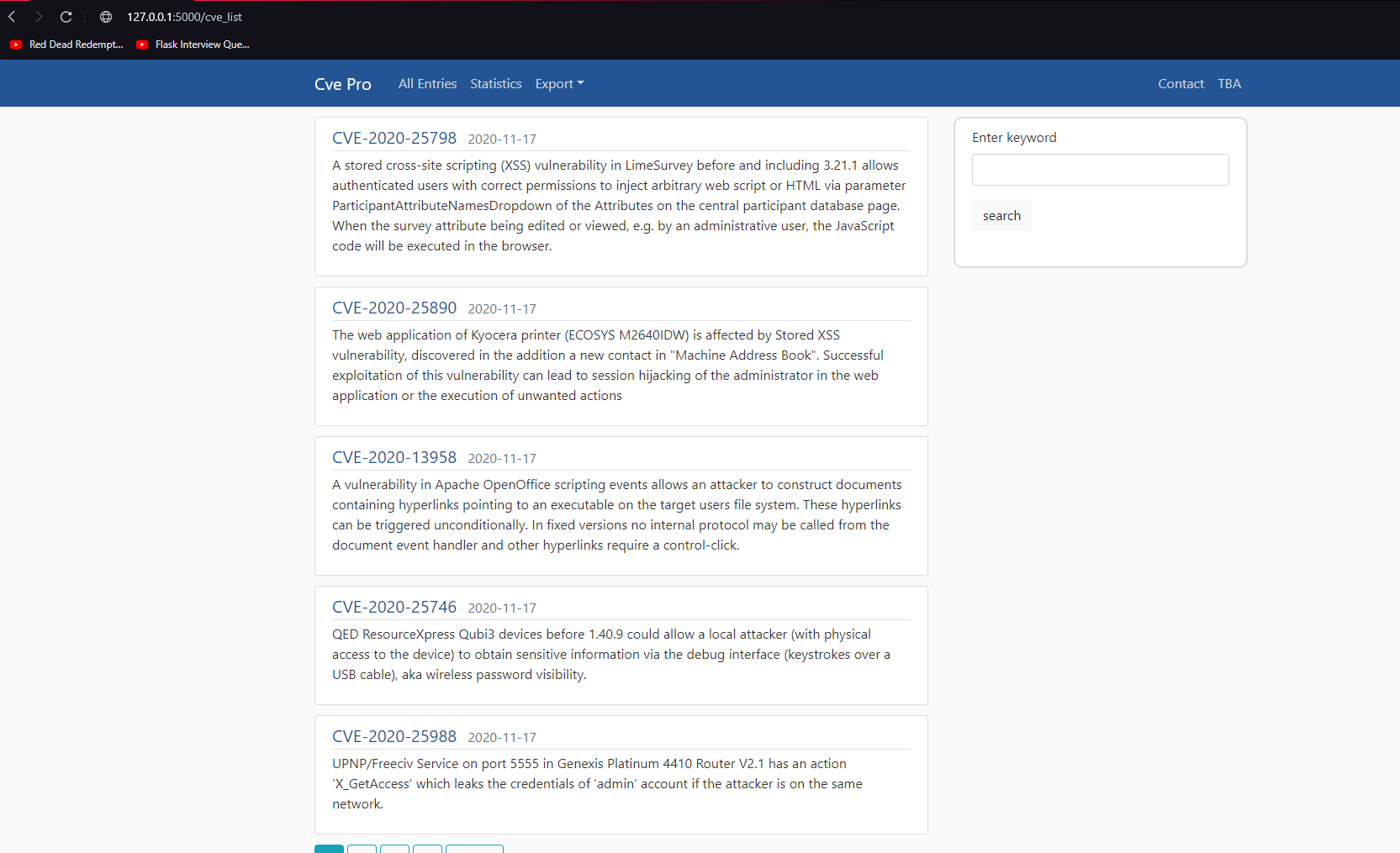
每次我输入这个页面时,它都会不断地变化,甚至把一个页面切换回或更远的地方。
也值得一提,在运行不同的查询之后,在指定关键字时不会发生类似的情况。
views.py
@main.route('/cve_list', methods=['GET', 'POST'])
def cve_list():
    search_form = SearchForm()
    page = request.args.get('page', 1, type=int)
    cve = Cve.query.order_by(Cve.date.desc()).paginate(page=page, per_page=5)
    value = request.args.get('search')
    if value:
        query = Cve.query.filter(Cve.content.contains(f'{value}')).order_by(Cve.date.desc())
        page_search = request.args.get('page', 1, type=int)
        paginated_query = query.paginate(page=page_search, per_page=5)
        cve_amount = Cve.query.filter(Cve.content.contains(f'{value}')).count()
        return render_template('cve_list.html',
                               title='Cve List',
                               form=search_form,
                               cve=paginated_query,
                               value=value)
    return render_template('cve_list.html',
                           title='Cve List',
                           form=search_form,
                           cve=cve)
html
  {% for page_num in cve.iter_pages(left_edge=1, right_edge=1, left_current=2, right_current=4) %}
        {% if page_num %}
            {% if cve.page == page_num %}
                <a class="btn btn-info mb-4" href="{{ url_for('main.cve_list', search=value, page=page_num) }}">{{ page_num }}</a>
            {% else %}
                <a class="btn btn-outline-info mb-4" href="{{ url_for('main.cve_list', search=value, page=page_num) }}">{{ page_num }}</a>
            {% endif %}
        {% else %}
        {% endif %}
  {% endfor %}
models.py
class Cve(db.Model):
    id = db.Column(db.Integer, primary_key=True)
    title = db.Column(db.String(50), unique=True, nullable=False)
    content = db.Column(db.Text, unique=True, nullable=False)
    date = db.Column(db.String(40), unique=False, nullable=False)

    def __repr__(self):
return f"CVE('{self.title}'), ('{self.content}'), ('{self.date}')"回答 1
Stack Overflow用户
发布于 2020-11-18 21:04:29
您的结果在每个日期内并不是唯一的;数据库不需要每次以相同的顺序在同一日期内返回结果。您需要在ORDER BY中添加另一列,以产生稳定的顺序。
在这里,可以是id列,因为它是唯一的(每个结果都有不同的ID),并且值有一个稳定的顺序(它是一个整数,整数有一个特定的设置顺序):
cve = Cve.query.order_by(Cve.date.desc(), Cve.id.asc()).paginate(page=page, per_page=5)请注意,您的代码可以简单得多。不需要重新读取page请求变量,也不需要为搜索文本创建两个单独的路径,也不需要创建搜索文本变体。您也没有充分利用SearchForm()对象。
SQLAlchemy查询对象可以动态细化;Cve.query为您提供一个Query instance,但也可以对 进行细化。您可以对原始的Cve.query对象做任何事情,也可以对Query.filter()的结果进行处理。所以要这样做:
@main.route('/cve_list', methods=['GET'])
def cve_list():
    # base query, all the CVEs
    query = Cve.query

    search_form = SearchForm(request.args)
    if search_form.validate():
        value = search_form.value.data
        if value:
            # limit the query to items that contain the search string
            query = query.filter(Cve.content.contains(value))

    # apply ordering and pagination
    page = request.args.get('page', 1, type=int)
    # query can be *all* CVEs, or only those that match the search value!
    ordered = query.order_by(Cve.date.desc(), Cve.id.asc())
    paginated_query = ordered.paginate(page=page_search, per_page=5)

    return render_template(
        'cve_list.html',
        title='Cve List',
        form=search_form,
        cve=paginated_query,
)也不需要添加单独的.total attribute on the Pagination object.查询,只需使用
- 您的代码只查找
- 参数,因此不需要处理POST请求。我将视图限制为只接受
GET.
- 您定义了一个搜索表单,但没有在视图中使用它。让表单验证是否输入了数据。在一个可能不那么重要的可选搜索表单中,但是您无论如何都想使用
validate(),因为这样,如果您决定扩展表单,那么您已经有了验证步骤。
至少,通过从request.args创建form *,您现在有了一个表单对象,其中的value字符串已经连接到正确的form元素。呈现表单将在文本框中给出正确的值。
https://stackoverflow.com/questions/64901148
复制相似问题
腾讯云开发者

Copyright © 2013 - 2026 Tencent Cloud. All Rights Reserved. 腾讯云 版权所有
深圳市腾讯计算机系统有限公司 ICP备案/许可证号:粤B2-20090059  粤公网安备44030502008569号
腾讯云计算(北京)有限责任公司 京ICP证150476号 | 京ICP备11018762号