
“自旋”硬币图像在蟒蛇游戏中点击游戏
“自旋”硬币图像在蟒蛇游戏中点击游戏
提问于 2020-12-06 21:27:16
所以我现在正在做一个点击游戏,而且我已经有一些好看的东西了。但由于我想打磨游戏,我想添加一个旋转硬币动画到硬币,是在屏幕的中心。
我有一个coin.py文件,如下所示:
import pygame

class Coin():
    def __init__(self, screen):
        self.screen = screen

        self.image = pygame.image.load('pyfiles/images/click_button.png')
        self.image_x = 230
        self.image_y = 130

        self.scale_change_x = 10
        self.scale_change_y = 10

    def blitme(self):
        self.screen.blit(self.image, (self.image_x, self.image_y))
现在的游戏看起来是:
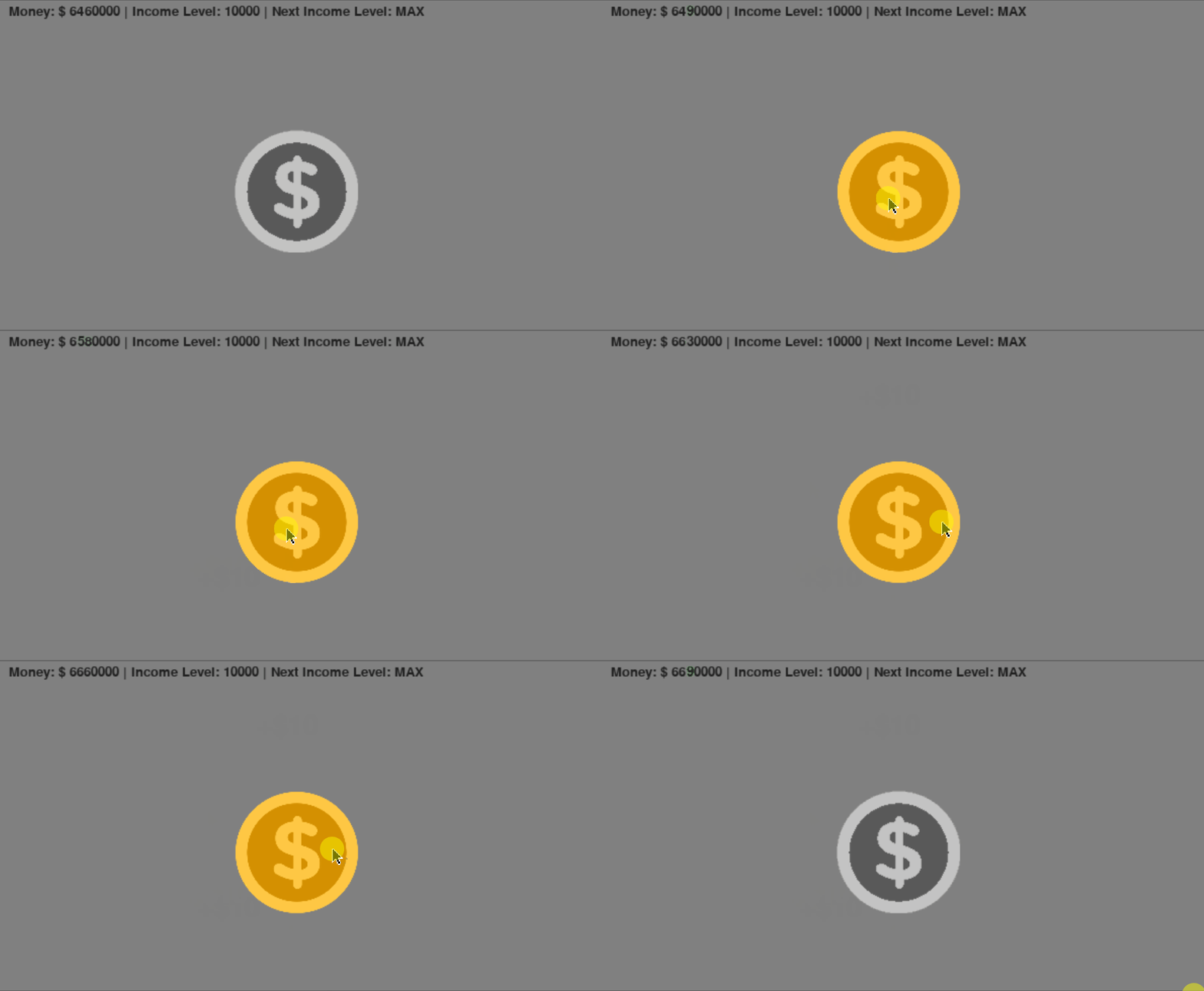
正如你所看到的,当我的光标移到硬币图像上时,它会变黄。但现在,我希望它不仅变成黄色,而且像这张图片一样旋转(我在谷歌上找到的):

当我的光标继续(与硬币发生碰撞)时,我应该向我的coin.py文件添加什么代码来使它做到这一点?
回答 1
Stack Overflow用户
回答已采纳
发布于 2020-12-06 21:53:21
如果您有一个动画GIF,请参见Animated sprite from few images。

如果你没有动画的GIF或者硬币的精灵片,你可以通过沿着y轴挤压和翻转硬币来达到类似的效果。
使用pygame.transform.scale()缩放图像,使用pygame.transform.flip()翻转图像。下面的代码片段创建了依赖于特定coin的angel曲面的自旋效果
new_width = round(math.sin(math.radians(angle)) * coin_rect.width)
rot_coin = coin if new_width >= 0 else pygame.transform.flip(coin, True, False)
rot_coin = pygame.transform.scale(rot_coin, (abs(new_width), coin_rect.height))
window.blit(rot_coin, rot_coin.get_rect(center = coin_rect.center))
最起码的例子:

import pygame
import math

pygame.init()
window = pygame.display.set_mode((400, 400))
font = pygame.font.SysFont(None, 40)
clock = pygame.time.Clock()

coin = pygame.Surface((160, 160), pygame.SRCALPHA)
pygame.draw.circle(coin, (255, 255, 0), (80, 80), 80, 10)
pygame.draw.circle(coin, (128, 128, 0), (80, 80), 75)
cointext = pygame.font.SysFont(None, 80).render("10", True, (255, 255, 0))
coin.blit(cointext, cointext.get_rect(center = coin.get_rect().center))
coin_rect = coin.get_rect(center = window.get_rect().center)
angle = 0

run = True
while run:
    clock.tick(60)
    current_time = pygame.time.get_ticks()
    for event in pygame.event.get():
        if event.type == pygame.QUIT:
            run = False

    window.fill(0)
    new_width = round(math.sin(math.radians(angle)) * coin_rect.width)
    angle += 2
    rot_coin = coin if new_width >= 0 else pygame.transform.flip(coin, True, False)
    rot_coin = pygame.transform.scale(rot_coin, (abs(new_width), coin_rect.height))
    window.blit(rot_coin, rot_coin.get_rect(center = coin_rect.center))
    pygame.display.flip()

pygame.quit()
exit()页面原文内容由Stack Overflow提供。腾讯云小微IT领域专用引擎提供翻译支持
原文链接:
https://stackoverflow.com/questions/65173270
复制相关文章
相似问题
腾讯云开发者

Copyright © 2013 - 2026 Tencent Cloud. All Rights Reserved. 腾讯云 版权所有
深圳市腾讯计算机系统有限公司 ICP备案/许可证号:粤B2-20090059  粤公网安备44030502008569号
腾讯云计算(北京)有限责任公司 京ICP证150476号 | 京ICP备11018762号