
我如何添加一个自定义页面到阿弗雷科共享复制外观/感觉的阿尔弗雷科共享?
指向项目的链接:https://github.com/raystorm/Alfresco-Smalgyax
我试图:
将文档上载到Alfresco/Share
- Set自定义文档类型
- 设置元数据
- 使用与Alfresco/Share
的外观/感觉相匹配的表单
我在Create.菜单中添加了一个菜单项。链接指向create-content页面。我无法上传带有该页面的文件。我设置了一个自定义文件输入字段,但无法上传该文件。无法使自定义表单模板工作。
我现在换了战术。
我有一个自定义共享服务,可以:
Metadata.
- Bare-bones
- 上传文件
- Set Document Type
- Set
HTML页面。备注:与Alfresco/共享外观/感觉不匹配。
如何将共享服务页面模板设置为实际类似于create-content页面?
更新
我重置get页面以匹配hello-world模板。
文件的第一行:
<#include "/org/alfresco/include/alfresco-template.ftl" />抛出以下错误:
smalgyax-share_1     | Caused by: freemarker.template.TemplateNotFoundException: Template not found for name "org/alfresco/include/alfresco-template.ftl".
smalgyax-share_1     | The name was interpreted by this TemplateLoader: MultiTemplateLoader(loader1 = org.springframework.extensions.webscripts.ClassPathStore$ClassPathTemplateLoader@3471b524, loader2 = org.springframework.extensions.webscripts.ClassPathStore$ClassPathTemplateLoader@e944270, loader3 = org.springframework.extensions.webscripts.ClassPathStore$ClassPathTemplateLoader@4a121f1c, loader4 = org.springframework.extensions.webscripts.ClassPathStore$ClassPathTemplateLoader@6aa5340e, loader5 = org.springframework.extensions.webscripts.ClassPathStore$ClassPathTemplateLoader@53c474eb, loader6 = org.springframework.extensions.webscripts.ClassPathStore$ClassPathTemplateLoader@7fef2b21, loader7 = org.springframework.extensions.webscripts.ClassPathStore$ClassPathTemplateLoader@255f313f, loader8 = org.springframework.extensions.webscripts.ClassPathStore$ClassPathTemplateLoader@661974de, loader9 = org.springframework.extensions.webscripts.ClassPathStore$ClassPathTemplateLoader@168a37da, loader10 = org.springframework.extensions.webscripts.ClassPathStore$ClassPathTemplateLoader@103ab009, loader11 = org.springframework.extensions.webscripts.ClassPathStore$ClassPathTemplateLoader@4c30bdf8, loader12 = org.springframework.extensions.webscripts.ClassPathStore$ClassPathTemplateLoader@61228f24).
这两个错误都发生在
服务: http//:localhost:8180/share/service/hayts
和
页面: http://localhost:8180/share/page/upload-smalgyax-document
回答 2
Stack Overflow用户
发布于 2020-12-09 19:46:11
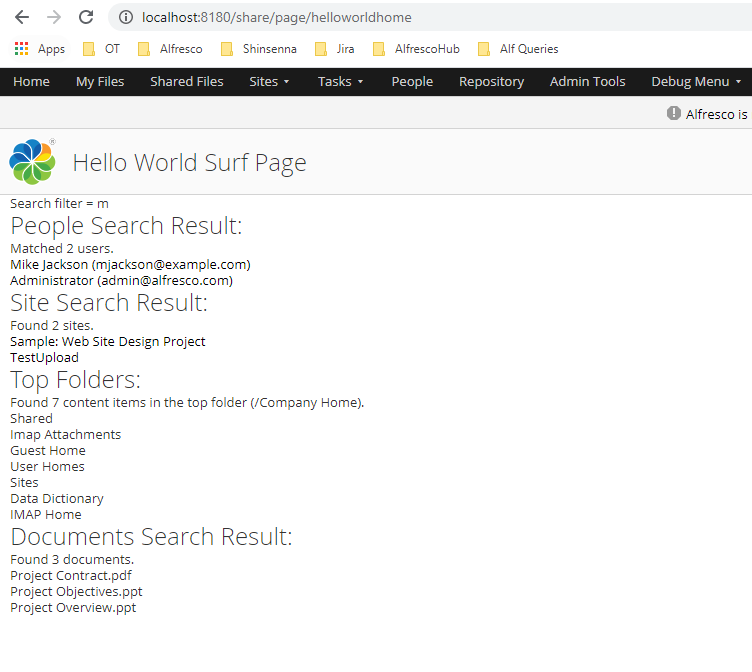
我已经下载了您的源代码和自定义共享项目,并添加了一个自定义共享页面,它完全适合我,没有任何问题。
您的项目没有所需的css文件,这也是它不像其他壁画页面的原因。
请按照下面的项目在github,它将发挥作用,让我知道,如果你面临任何问题。https://github.com/Alfresco/alfresco-sdk-samples/tree/alfresco-51/all-in-one/add-surf-dashlet-and-page-share
更新:
更新:
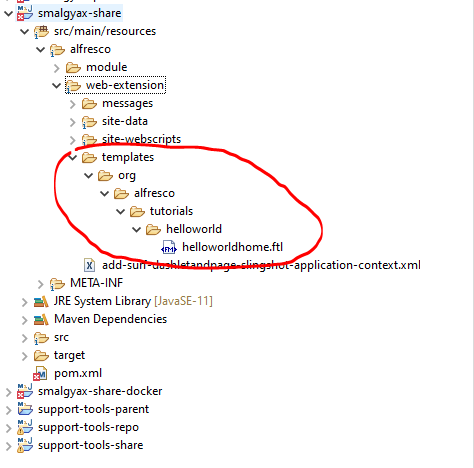
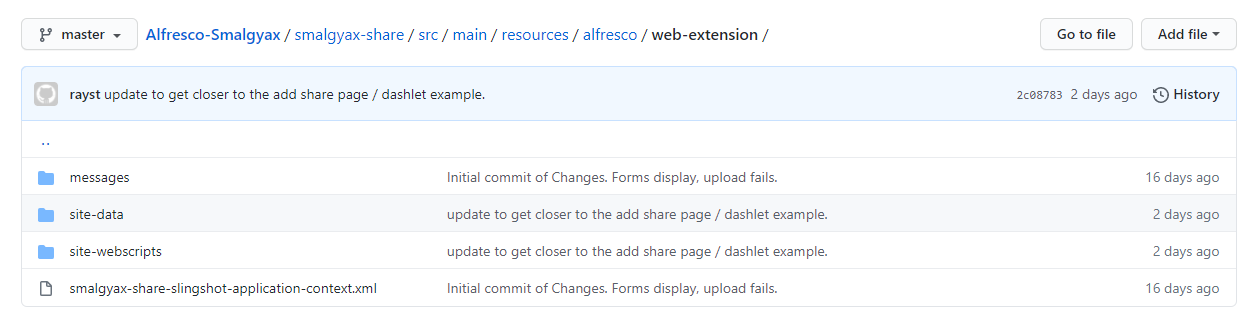
请在share-config-custom.xml中添加一个条目,并将名称从hayts.xml更改为/site-data/ helloworldhome.xml。
 <config evaluator="string-compare" condition="SitePages">
        <pages>
            <page id="helloworldhome">helloworldhome</page>
        </pages>
</config>Stack Overflow用户
发布于 2020-12-09 02:59:48
您可以将共享配置-custom.xml放在行下,也可以创建共享扩展模块。
按照自定义类型而不是cm:content更改项目id。
您的自定义类型窗体控件应该在share-config-custom.xml中正确配置。
<config evaluator="string-compare" condition="DocumentLibrary">
<create-content>
<content id="acme-plain-text" label="Custom Menu" icon="text" type="pagelink">
<param name="page">create-content?destination={nodeRef}&itemId=cm:content&mimeType=text/plain</param>
</content>
</create-content>
</config>https://stackoverflow.com/questions/65209563
复制相似问题
腾讯云开发者

Copyright © 2013 - 2026 Tencent Cloud. All Rights Reserved. 腾讯云 版权所有
深圳市腾讯计算机系统有限公司 ICP备案/许可证号:粤B2-20090059  粤公网安备44030502008569号
腾讯云计算(北京)有限责任公司 京ICP证150476号 | 京ICP备11018762号