
如果div存在并具有值,如何显示或隐藏div
如果div存在并具有值,如何显示或隐藏div
提问于 2020-12-31 14:06:28
<fieldset class="crm-public-form-item crm-group payment_options-group" style="display: block !important; visibility: visible;">
<div class="crm-public-form-item crm-section payment_processor-section" style="display: block;">
<div class="content">
<input class="payment_processor_1 crm-form-radio" value="5" type="radio" id="CIVICRM_QFID_5_payment_processor_id" name="payment_processor_id">
<input class="payment_processor_2 crm-form-radio" value="3" type="radio" id="CIVICRM_QFID_3_payment_processor_id" name="payment_processor_id">
</div>
</div>
</fieldset>
<div id="crm-submit-buttons" class="crm-submit-buttons" style="visibility: visible; display: block;">
<button class="crm-form-submit default validate crm-button crm-button-type-upload crm-button_qf_Main_upload" value="1" type="submit" name="_qf_Main_upload" id="_qf_Main_upload-bottom">…</button>
</div>
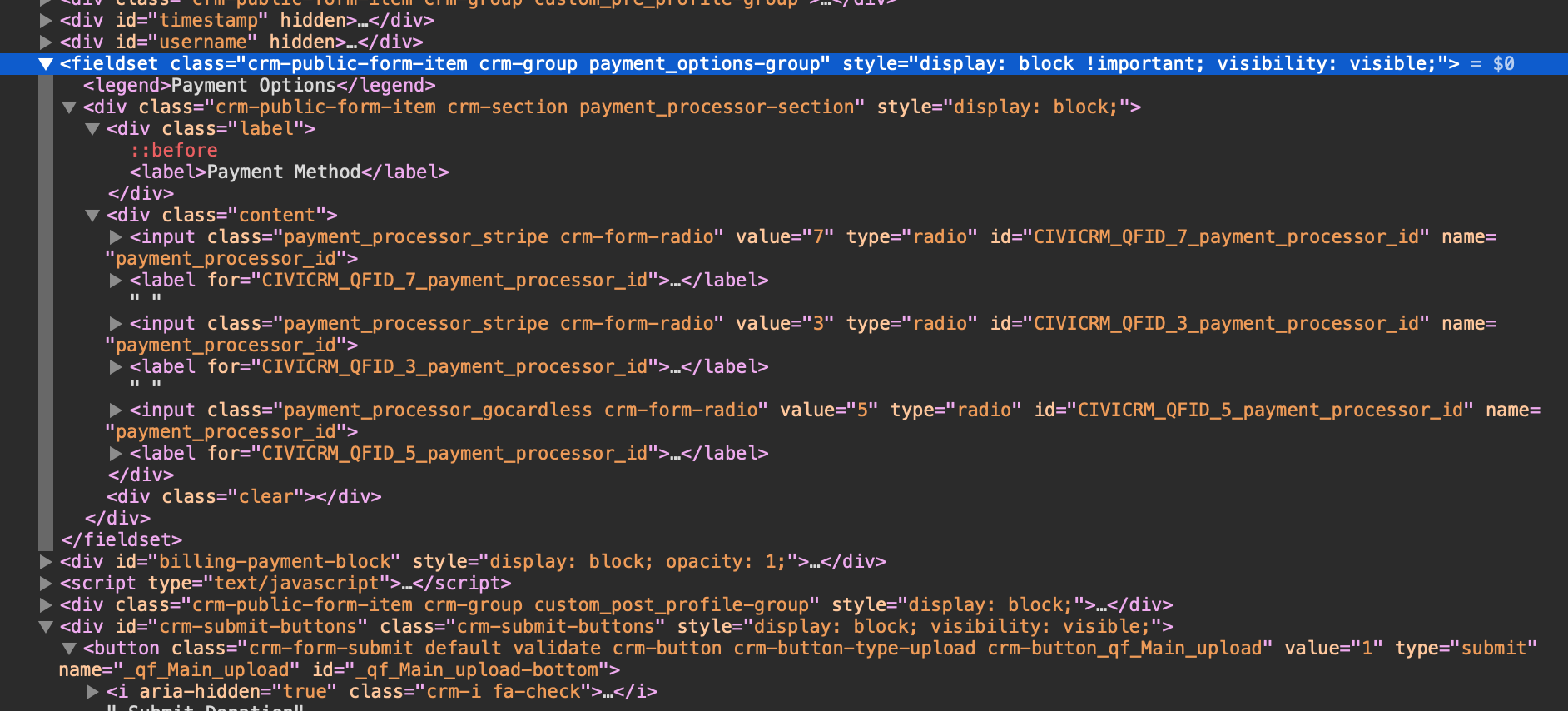
我有这个html块,我有点被验证卡住了。条件是
- payment_options-group字段集必须在此页面上显示
、
- 和,至少一个单选按钮被选中
- ,然后显示客户关系管理-提交按钮-按钮 div
- Otherwise隐藏crm-提交按钮divH 218
f 219
我已经尝试过以下操作,但无法使其工作,也不确定如何定义payment_options-group字段集必须出现在此页面上的条件。这一点很重要,因为“crm-submit-按钮”是由其他字段集控制的,该字段集在此页面中不存在。
     if( $("#payment_options-group").val().length === 1 ) {
     $("div#crm-submit-buttons").show();
     }
else {
$("div#crm-submit-buttons").hide();
}
任何帮助都将不胜感激。提前谢谢。
回答 2
Stack Overflow用户
回答已采纳
发布于 2020-12-31 14:15:50
您可以检查长度是否为> 0,然后选中复选框,并根据此显示或隐藏div显示字段集。
演示代码:
console.log($(".payment_options-group").length + "--length of fielset")
console.log($("input[name=payment_processor_id]:checked").length + "--length of chekd")
//check if fieldset is prsent and checked length if > 0
if (($(".payment_options-group").length > 0) && ($("input[name=payment_processor_id]:checked").length > 0)) {
  $("div#crm-submit-buttons").show();
} else {
  $("div#crm-submit-buttons").hide();
}<script src="https://cdnjs.cloudflare.com/ajax/libs/jquery/3.3.1/jquery.min.js"></script>
<fieldset class="crm-public-form-item crm-group payment_options-group" style="display:block !important; visibility: visible;">
<div class="crm-public-form-item crm-section payment_processor-section" style="display:block;">
<div class="content">
<input class="payment_processor_1 crm-form-radio" value="5" type="radio" id="CIVICRM_QFID_5_payment_processor_id" name="payment_processor_id">
<input class="payment_processor_2 crm-form-radio" value="3" type="radio" id="CIVICRM_QFID_3_payment_processor_id" name="payment_processor_id" checked>
</div>
</div>
</fieldset>
<div id="crm-submit-buttons" class="crm-submit-buttons" style="visibility:visible; display:block;">
<button class="crm-form-submit default validate crm-button crm-button-type-upload crm-button_qf_Main_upload" value="1" type="submit" name="_qf_Main_upload" id="_qf_Main_upload-bottom">…</button>
</div>
Stack Overflow用户
发布于 2020-12-31 14:31:52
下面是一个带有复选框的演示,它可能更容易理解,因为您可以取消选中以再次看到按钮消失:
$(".crm-submit-buttons").hide(); // hides button on load

$('.crm-form-radio').on('click', function() {
  if ($('.payment_options-group').length > 0 && $('.crm-form-radio:checked').length) {
    $(".crm-submit-buttons").show();
  } else {
    $(".crm-submit-buttons").hide();
  }
})fieldset{
width: 200px;
}
button {
margin-top: 10px;
border-radius: 4px;
background: lightblue;
display: inline-block;
padding: 5px 10px;
}<script src="https://cdnjs.cloudflare.com/ajax/libs/jquery/3.3.1/jquery.min.js"></script>
<fieldset class="payment_options-group">
<input class="crm-form-radio" value="5" type="checkbox" name="payment_processor_id">
<input class="crm-form-radio" value="3" type="checkbox" name="payment_processor_id">
</fieldset>
<div class="crm-submit-buttons"><button>Button</button></div>
页面原文内容由Stack Overflow提供。腾讯云小微IT领域专用引擎提供翻译支持
原文链接:
https://stackoverflow.com/questions/65521890
复制相关文章
相似问题
腾讯云开发者

Copyright © 2013 - 2026 Tencent Cloud. All Rights Reserved. 腾讯云 版权所有
深圳市腾讯计算机系统有限公司 ICP备案/许可证号:粤B2-20090059  粤公网安备44030502008569号
腾讯云计算(北京)有限责任公司 京ICP证150476号 | 京ICP备11018762号