
使用云函数登录本机用户
我有一个react原生应用程序,我正在使用反应本机火基云功能来管理后端。我使用函数().httpsCallable(‘registerUser’)发出Post请求,它向我的auth模拟器发送一个请求,该模拟器调用functions.https.onCall()来注册用户,并将所需的数据发回给应用程序。
我的问题是:
我正在使用云函数仿真器(模拟器是开发工具,它模拟对firebase的调用而不运行防火墙计费)来实现我的大部分auth逻辑,这与使用client是一种不同的方法。我正在尝试使用auth().signInWithEmailAndPassword(email, password)与我创建的用户登录到这个应用程序,但是我一直收到以下错误
未找到的用户记录没有对应于此标识符的用户记录。用户可能已被删除。
这个错误是有意义的,因为我的所有数据(auth、数据库、防火墙、函数等)都是在模拟器上存储/运行的,而不是实际的防火墙。
我的问题
- --如果我最初使用云函数创建用户,如何登录用户?
我尝试了什么:
根据firebase auth api,我在登录云功能中请求发布
https://identitytoolkit.googleapis.com/v1/accounts:signInWithPassword?key=APIKEY
通过电子邮件和密码返回
   {
        "kind": "identitytoolkit#VerifyPasswordResponse",
        "localId": "hjgvcdsifdsifiudsfdsyyuggyu",
        "email": "test@test.com",
        "displayName": "",
        "idToken": "<idToken>",
        "registered": true,
        "refreshToken": "<refreshToken>",
        "expiresIn": "3600"
}- 如何使用返回的信息让客户端知道用户已经/可以登录?
- 当我尝试在用户中签名时,如何确保客户端firebase sdk从模拟器中返回idToken、refreshToken、电子邮件、名字等,而不是使用返回真正的防火墙?
- 当我使用云函数创建一个具有
admin.auth().createUser({...userData})的用户时,我如何在用户创建后立即将它们登录,并让客户端将它们识别为登录?
我尝试了什么:
在用.onAuthStateChanged在云函数中创建用户之后,我尝试使用auth() => {},但它返回null
任何帮助或指向正确方向将是有帮助的,谢谢提前
app根
import functions from '@react-native-firebase/functions';

if (__DEV__) {

  functions().useFunctionsEmulator('http://localhost:5001');
}
仿真器
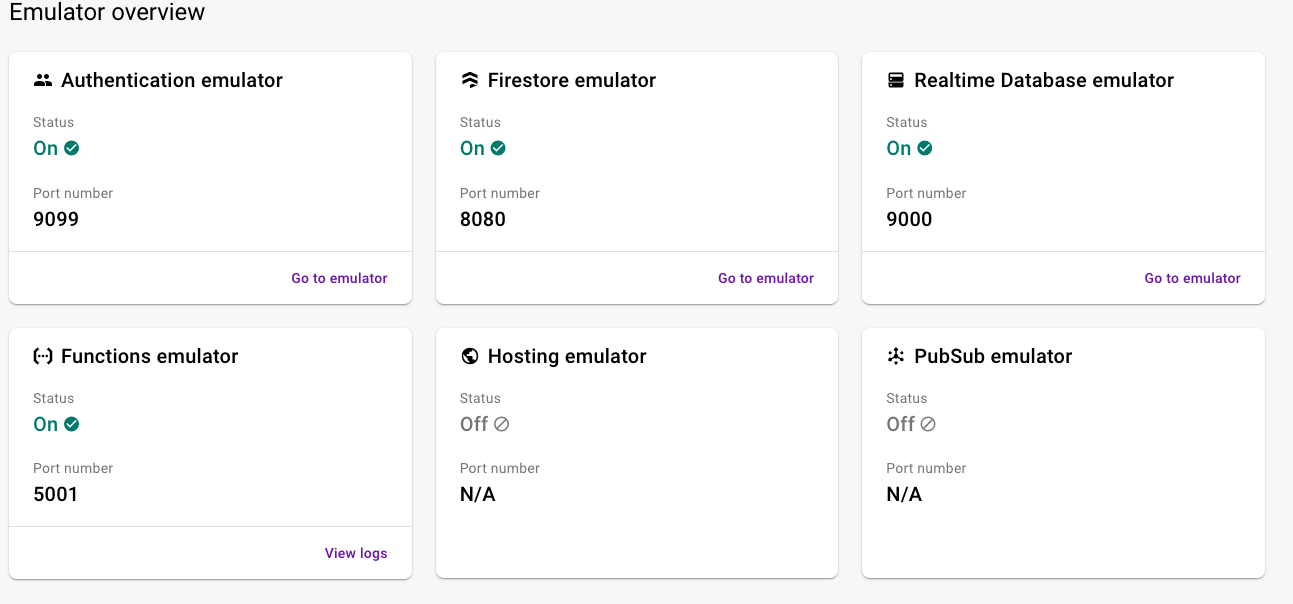
用户注册后的数据
{
       uid: 'ejBeGtxn57nscHjWDBv0DxuzXIjm',
       email: 'test@test.com',
       emailVerified: false,
        displayName: 'test user',
        photoURL: undefined,
       phoneNumber: undefined,
        disabled: false,
        metadata: UserMetadata {
          creationTime: 'Sat, 02 Jan 2021 21:34:24 GMT',
          lastSignInTime: 'Sat, 02 Jan 2021 21:34:24 GMT',
          lastRefreshTime: null
        },
        providerData: [
          UserInfo {
           uid: 'test@test.com',
            displayName: 'tes user',
            email: 'test@test.com',
            photoURL: undefined,
           providerId: 'password',
           phoneNumber: undefined
          }
        ],
        passwordHash: 'fakeHash:salt=fakeSaltu6ylonzBuvO4SwwQKxOA:password=password',
        passwordSalt: 'fakeSaltu6ylonzBuvO4SwwQKxOA',
        tokensValidAfterTime: 'Sat, 02 Jan 2021 21:34:24 GMT',
        tenantId: undefined
}回答 1
Stack Overflow用户
发布于 2021-01-04 15:14:36
这很简单,我只需要使用auth模拟器。
import React, {useState, useEffect} from 'react';
import {View, Text} from 'react-native';
import auth from '@react-native-firebase/auth';
import functions from '@react-native-firebase/functions';


// Use a local emulator in development
if (__DEV__) {

  functions().useFunctionsEmulator('http://localhost:5001');
  auth().useEmulator('http://localhost:9099'); //<--- here was my solution
}https://stackoverflow.com/questions/65545393
复制相似问题
腾讯云开发者

Copyright © 2013 - 2026 Tencent Cloud. All Rights Reserved. 腾讯云 版权所有
深圳市腾讯计算机系统有限公司 ICP备案/许可证号:粤B2-20090059  粤公网安备44030502008569号
腾讯云计算(北京)有限责任公司 京ICP证150476号 | 京ICP备11018762号