
如何在mochawesome中查看cy.log()输出
如何在mochawesome中查看cy.log()输出
提问于 2021-01-13 12:50:12
我想在mochawesome中查看cy.log()命令的输出。下面是代码
    /// <reference types="cypress" />

describe("Cypress File Upload", function() {
    it("File Upload test", () => {
        cy.visit('https://the-internet.herokuapp.com/')
        cy.get('a[href="/upload"]').click()
        const file = 'example.json'
        cy.get('#file-upload').click().attachFile(file)
        cy.get('#file-submit').click()
        cy.log(file)
        cy.get('#uploaded-files').contains('example.json', {matchCase: true})
    })
})
生成的HTML显示cy.log(文件),尽管example.json是预期的
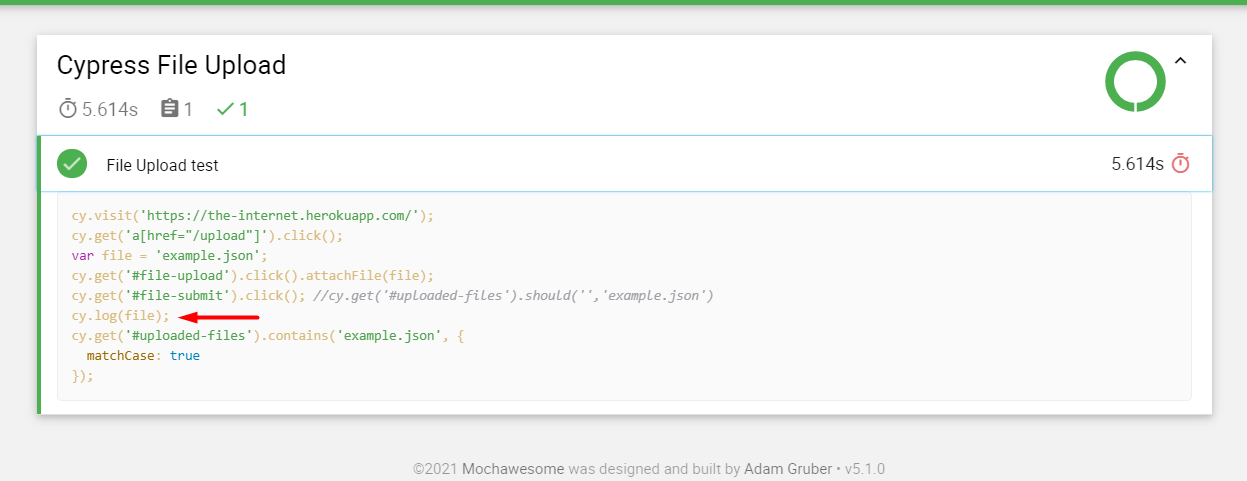
如何查看上述命令的输出?
回答 1
Stack Overflow用户
回答已采纳
发布于 2021-01-13 23:52:42
您可以使用addContext。在cypress/support/commands.js中,您必须将以下代码放入:
import addContext from 'mochawesome/addContext';
Cypress.Commands.add('addContext', (context) => {
  cy.once('test:after:run', (test) => addContext({ test }, context));
});
之后,您可以在测试中使用命令cy.adContext:
cy.get('p').invoke('text').then(($text) => {
  cy.addContext($text);
});页面原文内容由Stack Overflow提供。腾讯云小微IT领域专用引擎提供翻译支持
原文链接:
https://stackoverflow.com/questions/65702340
复制相关文章
相似问题
腾讯云开发者

Copyright © 2013 - 2026 Tencent Cloud. All Rights Reserved. 腾讯云 版权所有
深圳市腾讯计算机系统有限公司 ICP备案/许可证号:粤B2-20090059  粤公网安备44030502008569号
腾讯云计算(北京)有限责任公司 京ICP证150476号 | 京ICP备11018762号