
无法使用web驱动程序io在本地运行我的测试
无法使用web驱动程序io在本地运行我的测试
提问于 2021-01-27 03:09:59
我正在使用这个框架https://github.com/labs42io/web-automation,我想在本地运行我的测试。为此,我在config文件夹下创建了一个wdio.local.conf.js,并将下面的值分配给test:local。"test:local":“节点./node_modules/@wdio/cli/bin/wdio.js ./config/wdio.local.conf.cli spec”。
下面的是我的JSON包
下面是我的wdio.local.conf.js
//import { ENGINE_METHOD_DIGESTS } from "constants";

//const { TimelineService } = require('wdio-timeline-reporter/timeline-service');
exports.config = {
    runner: 'local',
    hostname: 'localhost',
    port: 4444,
    path: '/wd/hub',
    specs: ['./src/UI/features/*.feature'],
    maxInstances: 1,
    capabilities: [
        {
            maxInstances: 1,
            browserName: 'chrome',
        },

        // {
        //    maxInstances: 1,
        //     browserName: 'firefox',
        // }

        //{
        //maxInstances: 1,
        //browserName: 'MicrosoftEdge',
        // },//
        //{
        //maxInstances: 1,
        //browserName: 'safari',

        //},//


    ],
    logLevel: 'trace',
    outputDir: './test-report/output',
    bail: 0,
    baseUrl: 'http://localhost',
    waitforTimeout: 10000,
    connectionRetryTimeout: 90000,
    connectionRetryCount: 3,
    framework: 'cucumber',
    reporters: ['spec', [
        'cucumberjs-json', {
            jsonFolder: './report/cucumber/',
        }],
    ],
    cucumberOpts: {
        requireModule: [
            () => {
                require('ts-node').register({ transpileOnly: true });
            },
        ],
        require: ['./src/UI/steps/*.ts'],
        backtrace: false,
        compiler: [],
        dryRun: false,
        failFast: true,
        format: ['pretty'],
        colors: true,
        snippets: true,
        source: true,
        profile: [],
        strict: false,
        tags: [],
        timeout: 300000,
        ignoreUndefinedDefinitions: false,
        tagExpression: 'not @skip',
    },
    services: ['chromedriver'],
    //services:['selenium-standalone'],
    beforeSession() {
        require('expect-webdriverio').setOptions({ wait: 5000 });
    },
    before() {
        browser.maximizeWindow();
    },
    //afterStep(
    //uri: undefined,
    //feature: undefined,
    // scenario: { error: boolean },
    //) {
    //if (scenario.error) {
    // browser.takeScreenshot();
    //}
    //},//
};
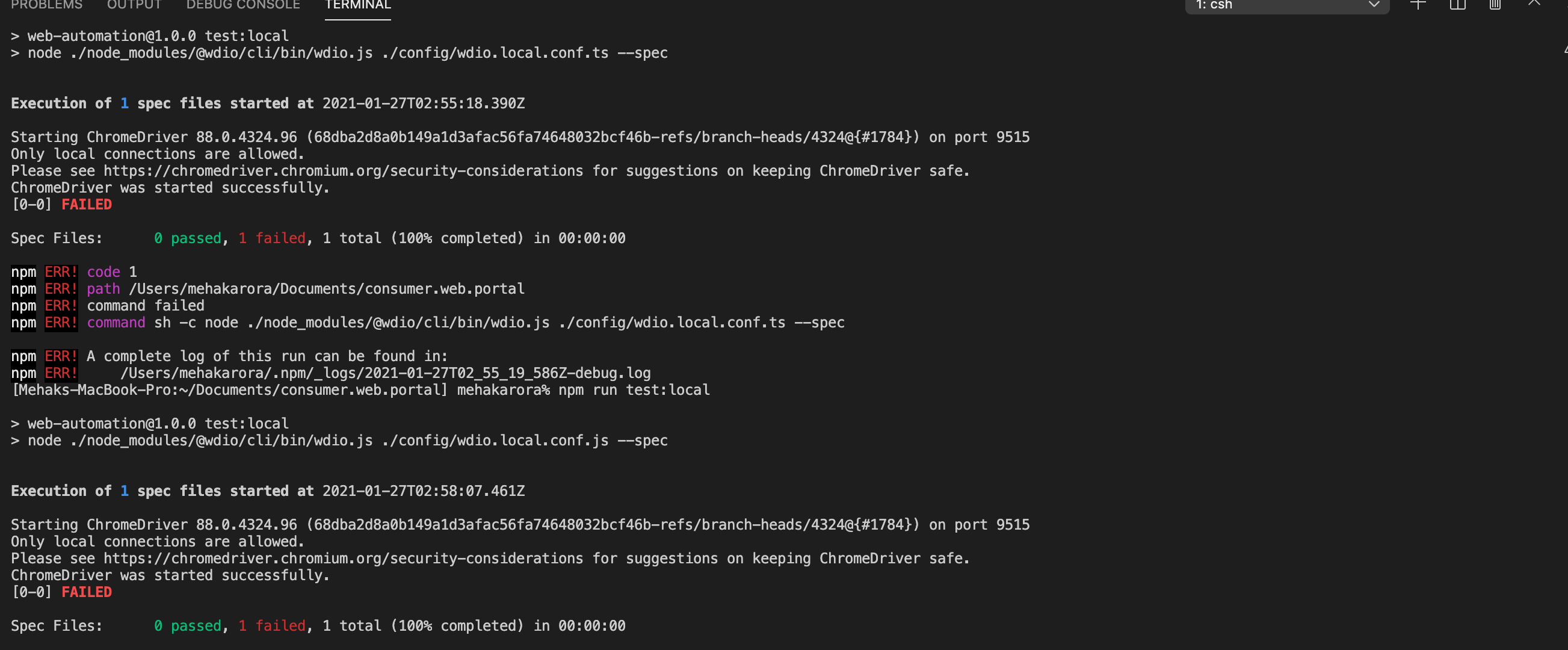
但我无法运行测试,如下所示:
回答 1
Stack Overflow用户
发布于 2021-01-28 09:20:48
为了像这样使用path: '/',您必须设置为wdio-chromedriver-service。
页面原文内容由Stack Overflow提供。腾讯云小微IT领域专用引擎提供翻译支持
原文链接:
https://stackoverflow.com/questions/65912389
复制相关文章
相似问题
腾讯云开发者

Copyright © 2013 - 2026 Tencent Cloud. All Rights Reserved. 腾讯云 版权所有
深圳市腾讯计算机系统有限公司 ICP备案/许可证号:粤B2-20090059  粤公网安备44030502008569号
腾讯云计算(北京)有限责任公司 京ICP证150476号 | 京ICP备11018762号