
为什么在对容器进行上下缩放后将pointerdown事件传递给错误的PIXI.Container?附加测试用例
为什么在对容器进行上下缩放后将pointerdown事件传递给错误的PIXI.Container?附加测试用例
提问于 2021-02-06 16:07:29
我有一个名为Tile扩展PIXI.Container的自定义类。
它被实例化三次,并存储在变量中:r、g和b。
首先,我将3个瓷砖水平地拖曳(即将瓷砖保持在第4行):
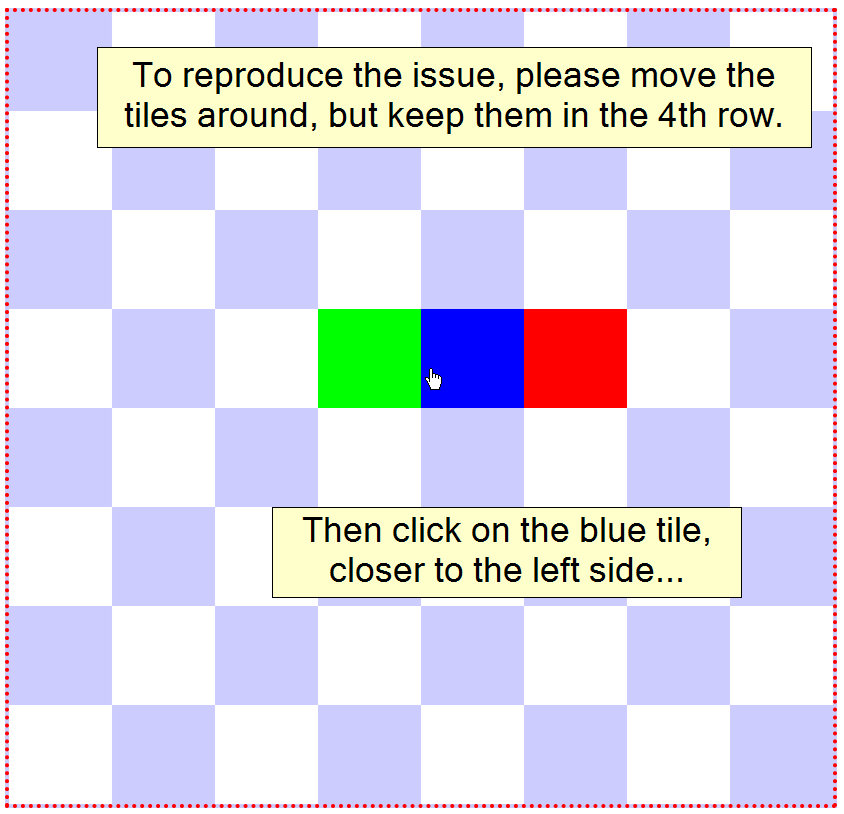
过了一段时间后,当我单击中间瓷砖时,错误地调用了左瓷砖的onDragStart方法(在下面的屏幕截图中,您可以看到我单击了蓝色瓷砖,但绿色已被提升):
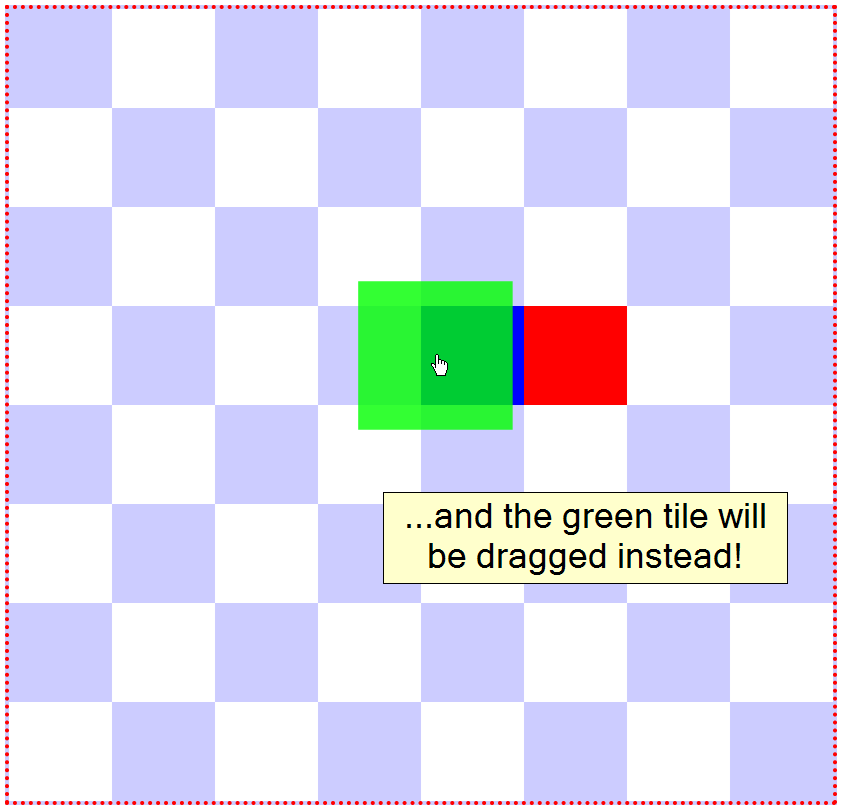
因此,在错误的对象上调用pointerdown事件!
我有一种感觉,造成这种情况的根本原因是Tile对象在单击时被放大,因此Pixi.js认为它应该将事件传递给仍然很大的对象。
但我还没有想出解决办法或解决办法。
下面是我的问题的完整和简单的测试用例。
这个bug对我来说总是可以复制的,只要把瓷砖移动5-10次,你就可以看到它了。
function Tile(color, onDragStart, onDragMove, onDragEnd, x, y) {
    PIXI.Container.call(this);

    this.x = x;
    this.y = y;

    this.interactive = true;
    this.buttonMode = true;
    this.on('pointerdown', onDragStart)
        .on('pointermove', onDragMove)
        .on('pointerup', onDragEnd)
        .on('pointerupoutside', onDragEnd);

    this.graph = new PIXI.Graphics();
    this.graph.beginFill(color);
    this.graph.drawRect(0, 0, Tile.W, Tile.W);
    this.graph.endFill();
    this.addChild(this.graph);
    this.cacheAsBitmap = true;
}

Tile.W = 100;
Tile.prototype = Object.create(PIXI.Container.prototype);
Tile.prototype.constructor = Tile;

Tile.prototype.startDragging = function() {
    this.scale.x = 1.6;
    this.scale.y = 1.6;
    this.alpha = 0.8;
};

Tile.prototype.stopDragging = function() {
    this.scale.x = 1;
    this.scale.y = 1;
    this.alpha = 1;
    // align x, y to the checker board grid
    this.x = Tile.W * Math.floor((this.x + Tile.W / 2) / Tile.W);
    this.y = Tile.W * Math.floor((this.y + Tile.W / 2) / Tile.W);
};

var app = new PIXI.Application({
    width: Tile.W * 8,
    height: Tile.W * 8,
    view: document.getElementById('pixiCanvas'),
    backgroundColor: 0xFFFFFF
});

var background = new PIXI.Graphics();
for (var i = 0; i < 8; i++) {
    for (var j = 0; j < 8; j++) {
        if ((i + j) % 2 == 0) {
            background.beginFill(0xCCCCFF);
            background.drawRect(i * Tile.W, j * Tile.W, Tile.W, Tile.W);
            background.endFill();
        }
    }
}
app.stage.addChild(background);

var r = new Tile(0xFF0000, onDragStart, onDragMove, onDragEnd, 3 * Tile.W, 3 * Tile.W);
var g = new Tile(0x00FF00, onDragStart, onDragMove, onDragEnd, 4 * Tile.W, 3 * Tile.W);
var b = new Tile(0x0000FF, onDragStart, onDragMove, onDragEnd, 5 * Tile.W, 3 * Tile.W);

app.stage.addChild(r);
app.stage.addChild(g);
app.stage.addChild(b);

function onDragStart(ev) {
    this.data = ev.data;
    var pos = this.data.getLocalPosition(this.parent);
    this.x = pos.x - this.width / 2;
    this.y = pos.y - this.height / 2;
    // put the tile on top
    app.stage.removeChild(this);
    app.stage.addChild(this);
    this.startDragging();
}

function onDragMove() {
    if (this.data) {
        var pos = this.data.getLocalPosition(this.parent);
        this.x = pos.x - this.width / 2;
        this.y = pos.y - this.height / 2;
    }
}

function onDragEnd() {
    if (this.data) {
        var pos = this.data.getLocalPosition(this.parent);
        this.data = null;
        // the next 2 lines are not needed here, but
        // in my real game I put the tile beneath the HUD
        app.stage.removeChild(this);
        app.stage.addChildAt(this, app.stage.children.length);
        this.stopDragging();
    }
}#pixiCanvas {
width: 100%;
height: 100%;
background: #CCF;
box-sizing: border-box;
border: 4px red dotted;
}<canvas id="pixiCanvas"></canvas>
<script src="https://cdn.jsdelivr.net/npm/pixi.js@5.3.7/dist/pixi.min.js"></script>
<script src="https://cdn.jsdelivr.net/npm/pixi.js-legacy@5.3.7/dist/pixi-legacy.min.js"></script>
此外,我还在Github创建了第7233期,您还可以在我真正的应用程序中看到该bug。
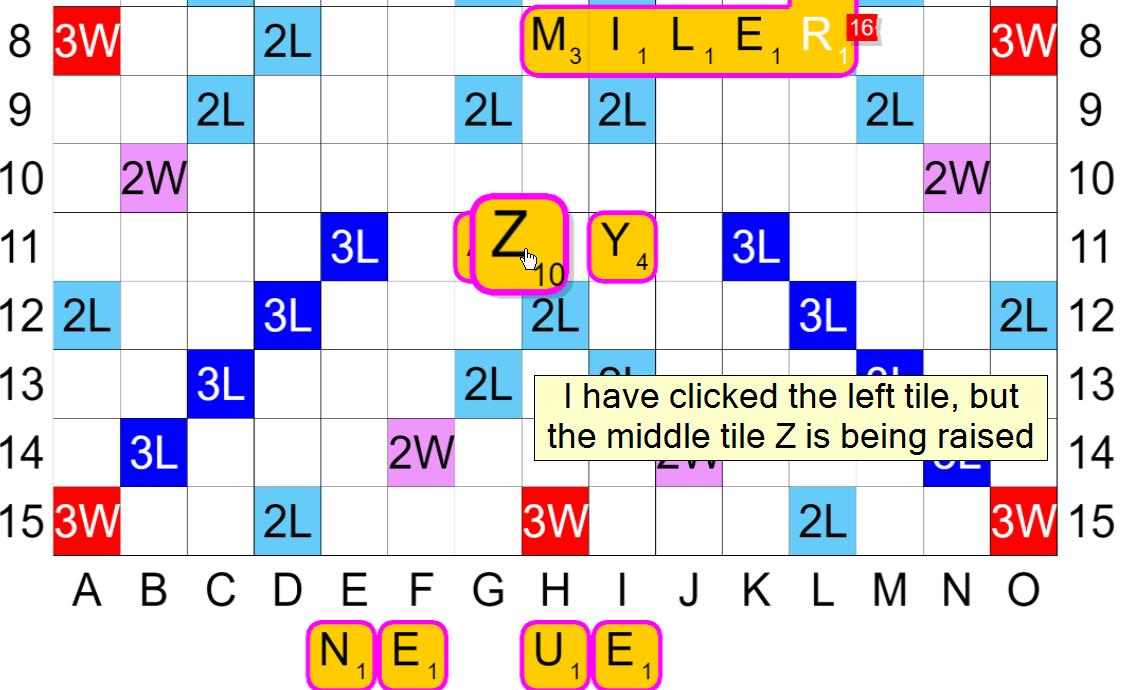
到目前为止,我已经尝试了一些的东西,但却没有帮助:
- 将
Tile基类从PIXI.Container切换到PIXI.Sprite - 在
startDragging和addChild(At)之前移动removeChild和addChild(At)调用 - 完全删除
removeChild和addChild(At)调用 - 去除
this.scale.x = 1.6和this.scale.y = 1.6 - 在下穿回购处搜索Pixi.js (不理解源代码)
回答 1
Stack Overflow用户
回答已采纳
发布于 2021-02-08 20:46:55
用-
this.hitArea = new PIXI.Rectangle(0, 0, Tile.W, Tile.W);页面原文内容由Stack Overflow提供。腾讯云小微IT领域专用引擎提供翻译支持
原文链接:
https://stackoverflow.com/questions/66078935
复制相关文章
相似问题
腾讯云开发者

Copyright © 2013 - 2026 Tencent Cloud. All Rights Reserved. 腾讯云 版权所有
深圳市腾讯计算机系统有限公司 ICP备案/许可证号:粤B2-20090059  粤公网安备44030502008569号
腾讯云计算(北京)有限责任公司 京ICP证150476号 | 京ICP备11018762号