
NSCollectionView中的标头大小错误
NSCollectionView中的标头大小错误
提问于 2021-02-13 21:48:02
我有一个带有头和项的ViewController和NSCollectionView。乍一看,一切看起来都很好:
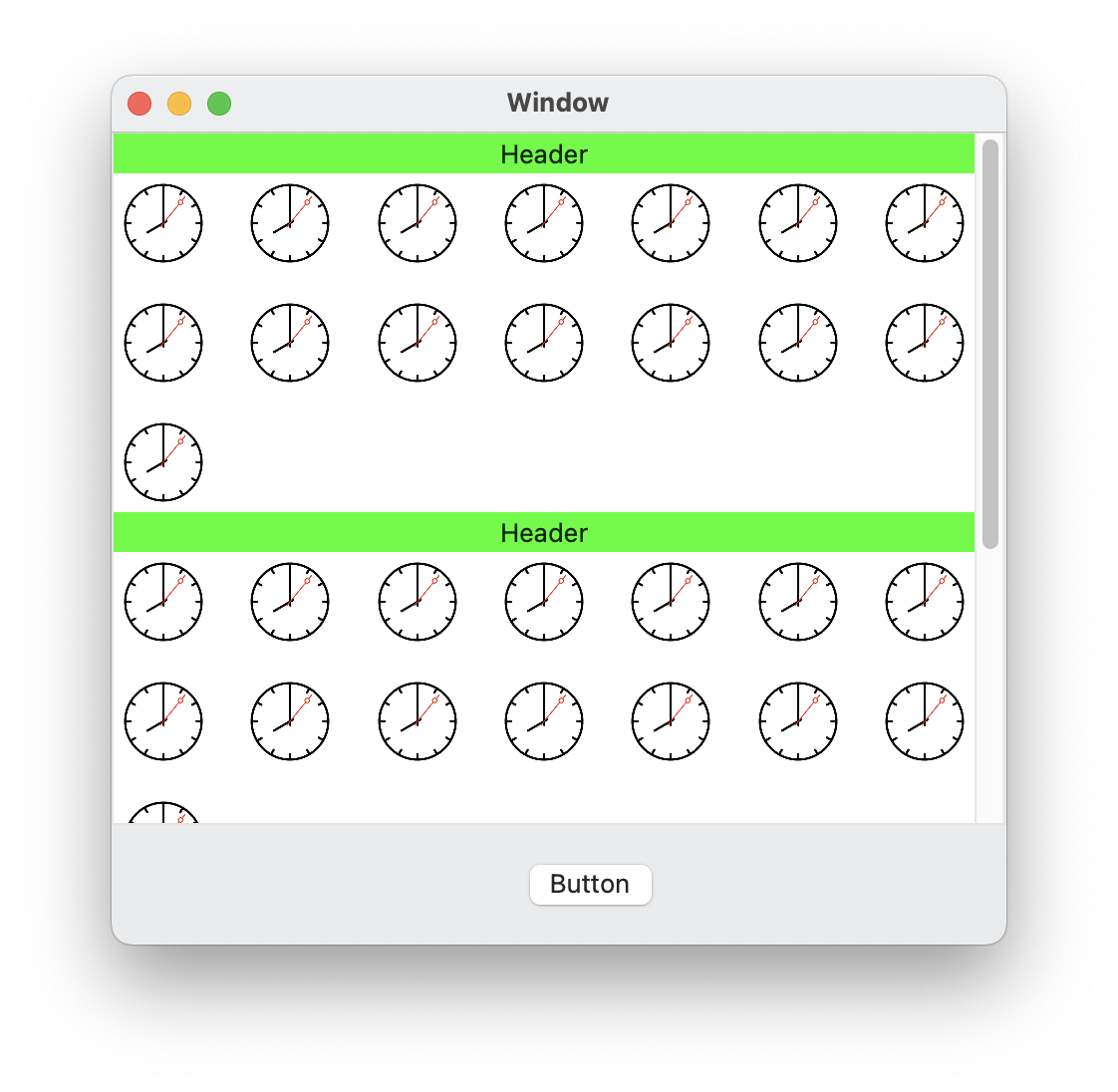
一旦我调整窗口的大小,一个标题就会变成一个项目- and的大小,另一个标题就消失了:
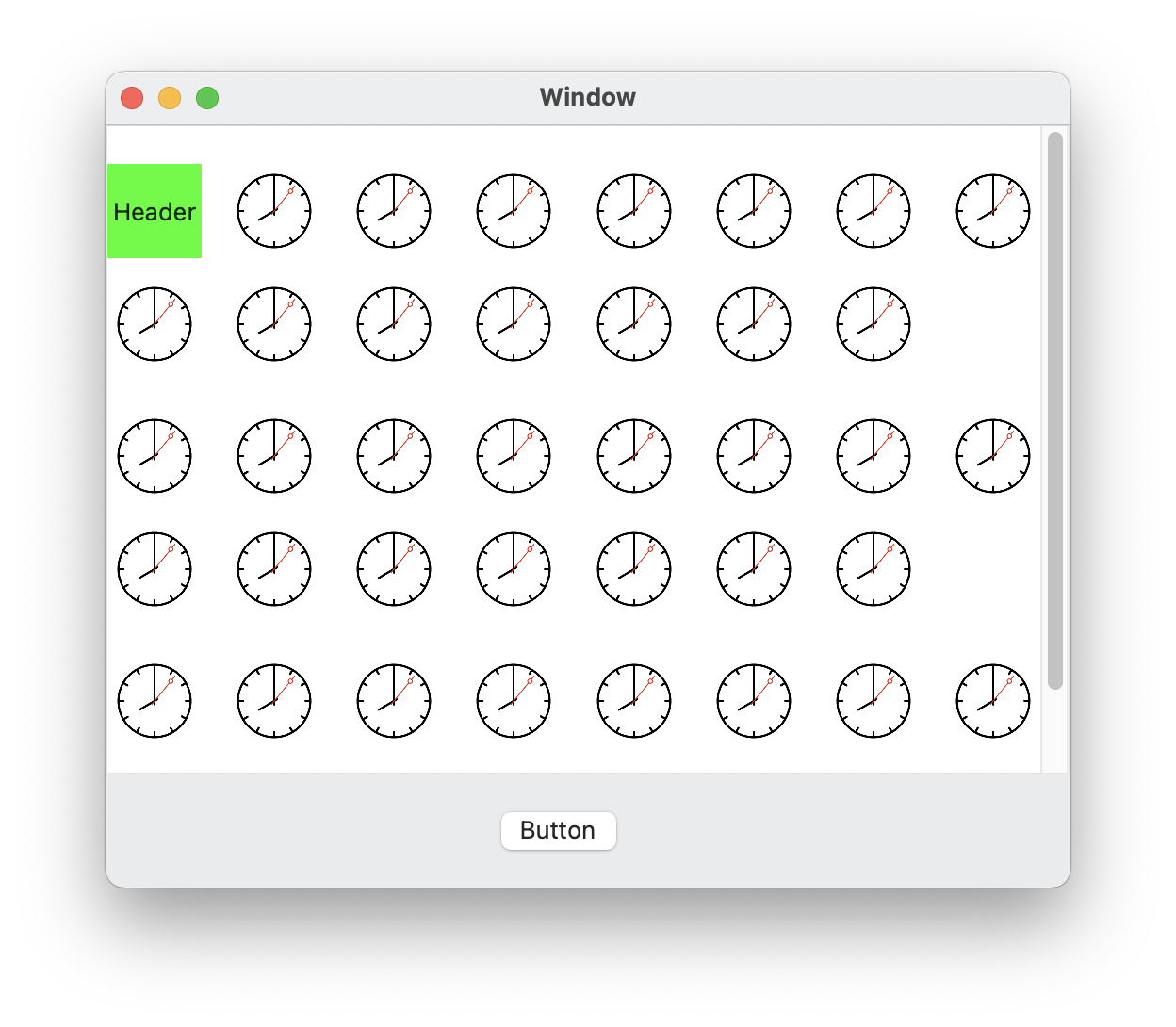
这是我的密码:
extension ViewController:NSCollectionViewDataSource {

    static let picItem = "PictureItem"
    static let headerItem = "HeaderItem"

    func numberOfSections(in collectionView: NSCollectionView) -> Int {
        return 3
    }

    func collectionView(_ collectionView: NSCollectionView, numberOfItemsInSection section: Int) -> Int {
        return 15
    }

    func collectionView(_ collectionView: NSCollectionView, itemForRepresentedObjectAt indexPath: IndexPath) -> NSCollectionViewItem {
        let itemView = collectionView.makeItem(withIdentifier: NSUserInterfaceItemIdentifier(rawValue: ViewController.picItem), for: indexPath)
        return itemView
    }

    func collectionView(_ collectionView: NSCollectionView, viewForSupplementaryElementOfKind kind: NSCollectionView.SupplementaryElementKind, at indexPath: IndexPath) -> NSView {
        let headerView = collectionView.makeSupplementaryView(ofKind: kind, withIdentifier: NSUserInterfaceItemIdentifier(rawValue: ViewController.headerItem), for: indexPath)
        return headerView
    }
}


extension ViewController:NSCollectionViewDelegateFlowLayout {

    func collectionView(_ collectionView: NSCollectionView, layout collectionViewLayout: NSCollectionViewLayout, referenceSizeForHeaderInSection section: Int) -> NSSize {
        return NSSize(width: 0, height: 20)
    }
}
故事板:
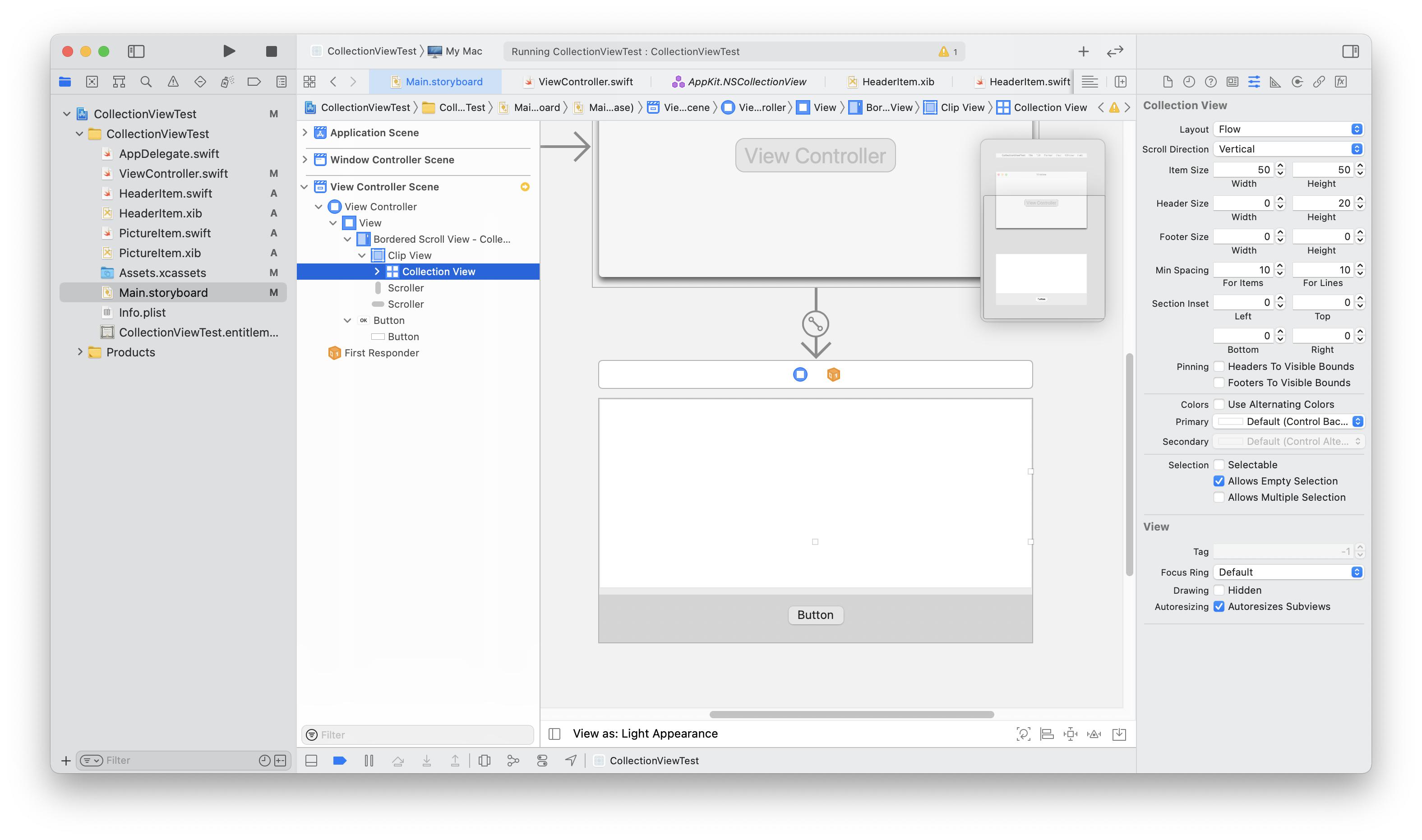
这里发生了什么事?我错过了什么?
附加代码
HeaderItem.swift
class HeaderItem: NSCollectionViewItem {

    override func viewDidLoad() {
        super.viewDidLoad()
        // Do view setup here.

        view.wantsLayer = true
        view.layer?.backgroundColor = NSColor.green.cgColor
    }

}
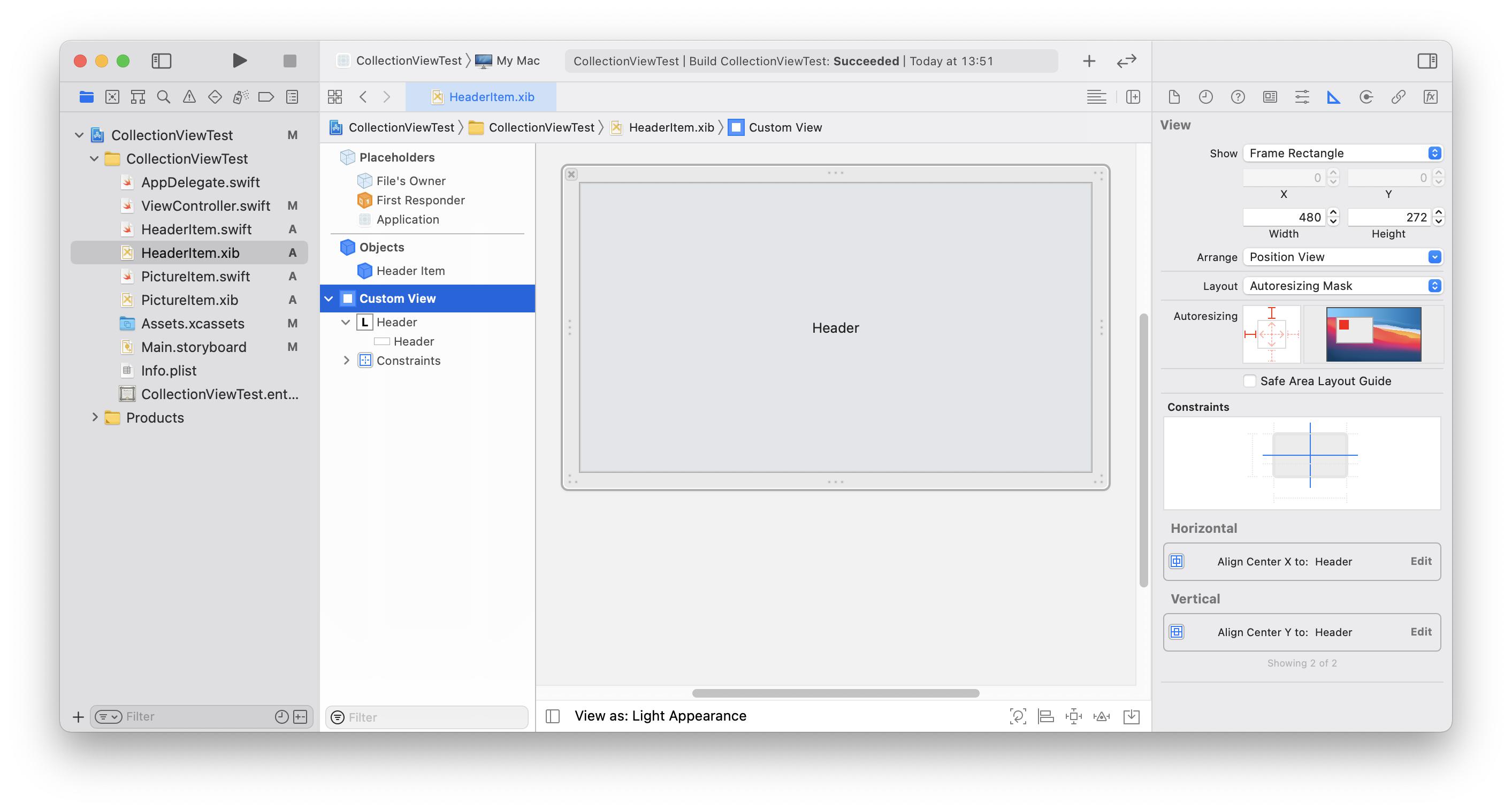
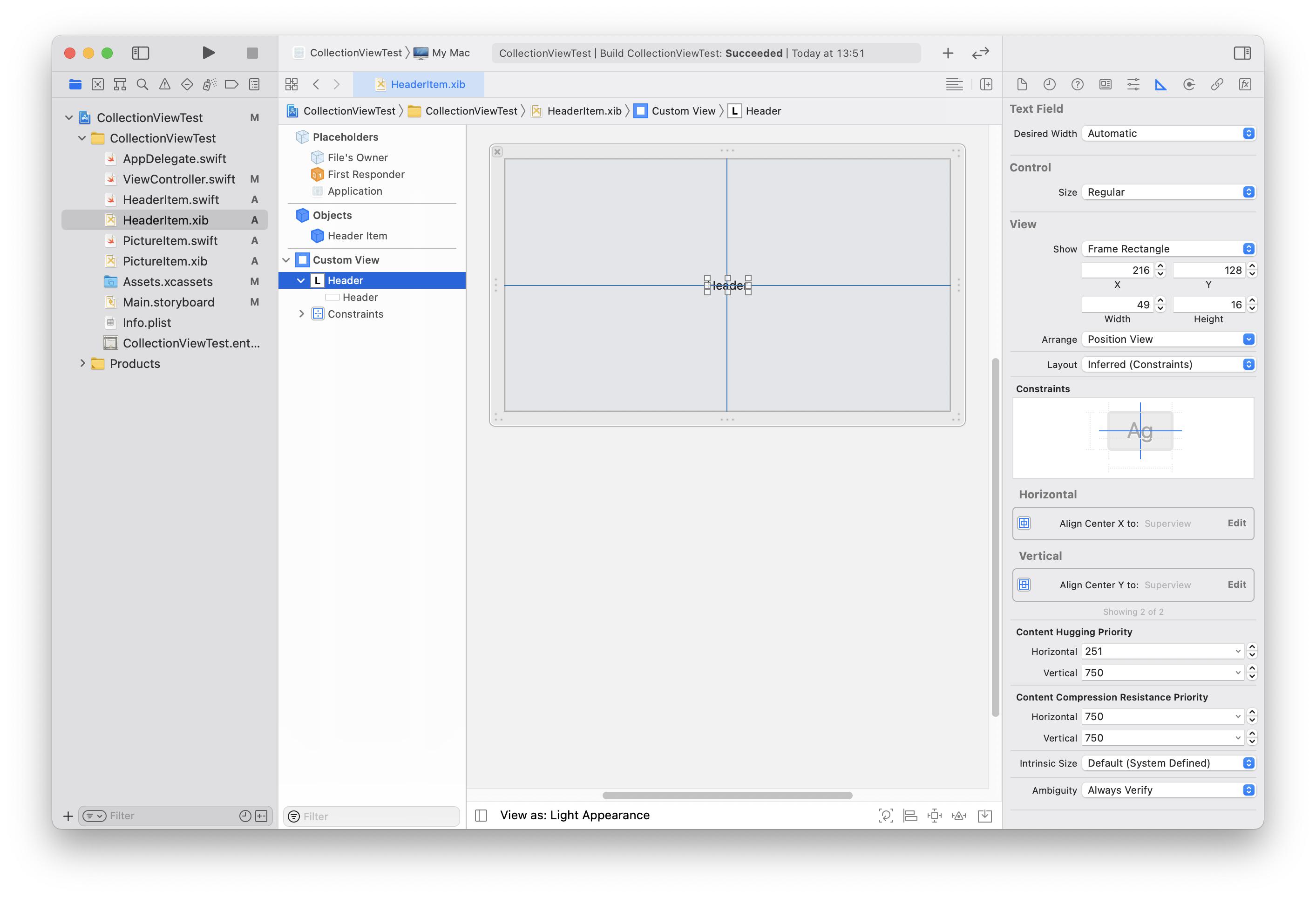
HeaderItem.xib
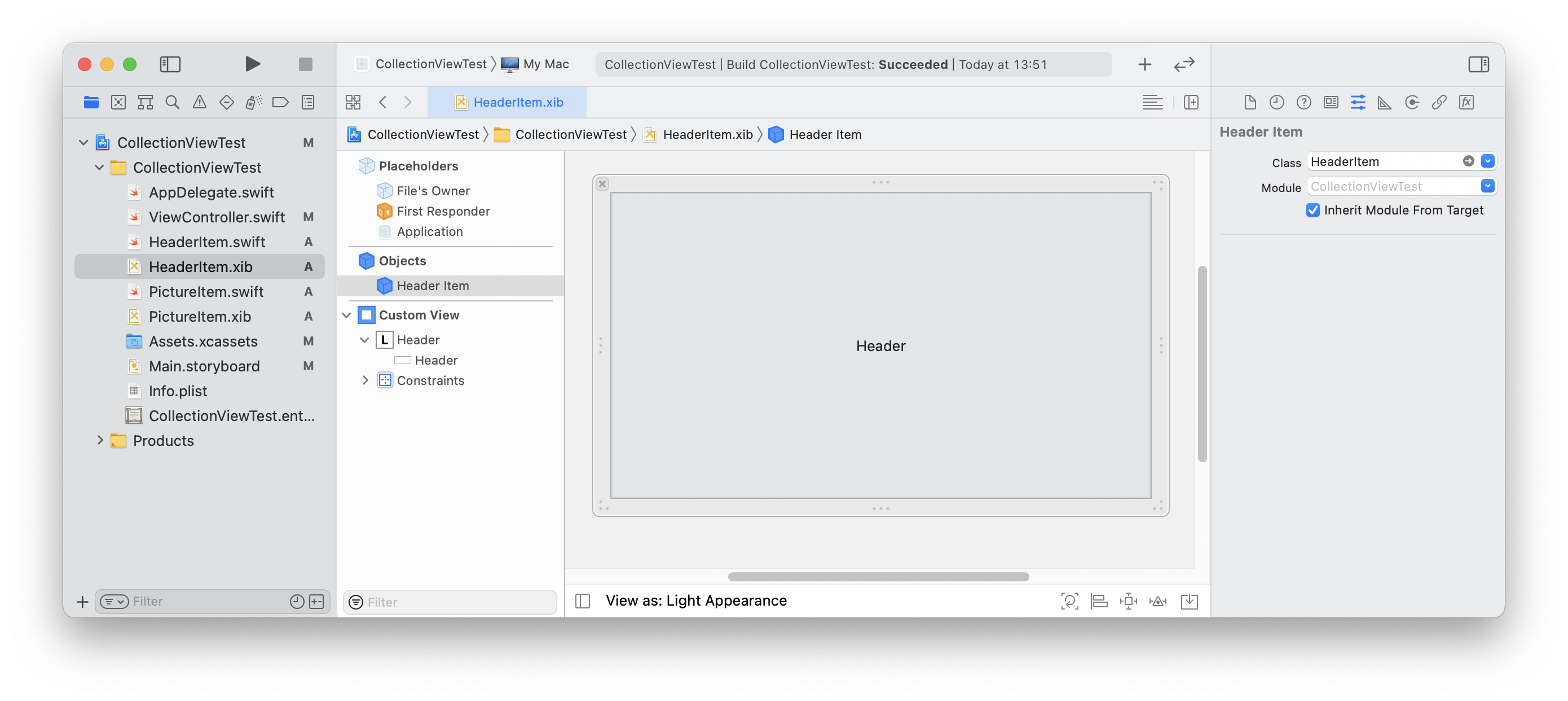
HeaderItem对象的出口视图是CustomView。
回答 1
Stack Overflow用户
发布于 2021-02-15 17:59:44
我认为最好的方法是遵循苹果指南的新方法。首先创建UICollectionView布局,其中指定头、单元格和页脚的所有几何参数,例如:
import UIKit
import Combine
import Resolver

class DeliveryController: UIViewController {

var dataSource: UICollectionViewDiffableDataSource<Order, OrderItem>! = nil

    func createLayout() -> UICollectionViewLayout {

            let itemWidth: CGFloat = 140.0
            let itemHeight: CGFloat = 140.0
            let headerHeight: CGFloat = 140.0
            let footerHeight: CGFloat = 68.0

            let config = UICollectionViewCompositionalLayoutConfiguration()
            config.interSectionSpacing = 10.0

            let layout = UICollectionViewCompositionalLayout(sectionProvider: {
                (sectionIndex: Int, layoutEnvironment: NSCollectionLayoutEnvironment) -> NSCollectionLayoutSection? in

                let order = self.orders[sectionIndex]

                let item = NSCollectionLayoutItem(layoutSize: NSCollectionLayoutSize(
                    widthDimension: .absolute(itemWidth), heightDimension: .absolute(itemHeight)))

                item.contentInsets = NSDirectionalEdgeInsets(top: 10, leading: 0, bottom: 0, trailing: 10)

                let containerGroup = NSCollectionLayoutGroup.horizontal(
                    layoutSize: NSCollectionLayoutSize(widthDimension: .absolute(itemWidth), heightDimension: .estimated(itemHeight)), subitems: [item])

                let section = NSCollectionLayoutSection(group: containerGroup)

                section.orthogonalScrollingBehavior = UICollectionLayoutSectionOrthogonalScrollingBehavior.continuous

                let sectionHeader = NSCollectionLayoutBoundarySupplementaryItem(
                    layoutSize: NSCollectionLayoutSize(widthDimension: .fractionalWidth(1.0),
                                                      heightDimension: .absolute(headerHeight)),
                    elementKind: DeliveryController.sectionHeaderElementKind,
                    alignment: .top)

                let sectionFooter = NSCollectionLayoutBoundarySupplementaryItem(
                    layoutSize: NSCollectionLayoutSize(widthDimension: .fractionalWidth(1.0),
                                                      heightDimension: .absolute(footerHeight)),
                    elementKind: DeliveryController.sectionFooterElementKind,
                    alignment: .bottom)

                if order.hasDriver {

                    section.boundarySupplementaryItems = [sectionHeader, sectionFooter]
                } else {

                    section.boundarySupplementaryItems = [sectionHeader]
                }

                return section

            }, configuration: config)


            return layout
        }
然后使用给定布局的configureHierarchy:
func configureHierarchy(in view: UIView, top: UIView, bottom: UIView) {
        collectionView = UICollectionView(frame: .zero /* create with zero frame and use constarins after we adding collectionView as subview */, collectionViewLayout: createLayout())
        collectionView.autoresizingMask = [.flexibleWidth, .flexibleHeight]
        collectionView.backgroundColor = .white

        view.addSubview(collectionView)

        collectionView.anchor(top: top.bottomAnchor, left: view.leftAnchor, bottom: bottom.topAnchor, right: view.rightAnchor, paddingTop: 8, paddingLeft: 0, paddingBottom: 2, paddingRight: 0)

        collectionView.delegate = self


    }
然后是DataSource:
func configureDataSource() {

        let cellRegistration = UICollectionView.CellRegistration<OrderItemCell, OrderItem> { (cell, indexPath, item) in
            cell.item = item
        }

        dataSource = UICollectionViewDiffableDataSource<Order, OrderItem>(collectionView: collectionView) {
            (collectionView: UICollectionView, indexPath: IndexPath, item: OrderItem) -> UICollectionViewCell? in
            return collectionView.dequeueConfiguredReusableCell(using: cellRegistration, for: indexPath, item: item)
        }


        let headerRegistration = UICollectionView.SupplementaryRegistration
        <OrderHeaderView>(elementKind: "Header") {
            (supplementaryView, string, indexPath) in

            let order = self.orders[indexPath.section]
            supplementaryView.order = order
        }

        let footerRegistration = UICollectionView.SupplementaryRegistration
        <OrderFooterView>(elementKind: "Footer") {
            (supplementaryView, string, indexPath) in

            let order = self.orders[indexPath.section]
            supplementaryView.order = order
            supplementaryView.delegate = self
        }

        dataSource.supplementaryViewProvider = { (view, kind, index) in

            let order = self.orders[index.section]

            if kind == DeliveryController.sectionHeaderElementKind {

                return self.collectionView.dequeueConfiguredReusableSupplementary(using: headerRegistration, for: index)
            } else if order.hasDriver {

                return self.collectionView.dequeueConfiguredReusableSupplementary(using: footerRegistration, for: index)
            }

            return nil
        }

        var snapshot = NSDiffableDataSourceSnapshot<Order, OrderItem>()

        orders.forEach { order in
            snapshot.appendSections([order])
            snapshot.appendItems(order.items, toSection: order)
        }

        dataSource.apply(snapshot, animatingDifferences: false)

    }
}
页面原文内容由Stack Overflow提供。腾讯云小微IT领域专用引擎提供翻译支持
原文链接:
https://stackoverflow.com/questions/66190254
复制相关文章
相似问题
腾讯云开发者

Copyright © 2013 - 2026 Tencent Cloud. All Rights Reserved. 腾讯云 版权所有
深圳市腾讯计算机系统有限公司 ICP备案/许可证号:粤B2-20090059  粤公网安备44030502008569号
腾讯云计算(北京)有限责任公司 京ICP证150476号 | 京ICP备11018762号