
TabbedPage在Xamarin WPF中的应用
TabbedPage在Xamarin WPF中的应用
提问于 2021-02-23 06:02:59
为了获得更多的可移植性,我正在尝试使用Xamarin表单重新构建我的旧WinForms应用程序。
应用程序使用TabControl,医生们表示最近的Xamarin窗体元素是TabbedPage。
以下是代码:
<?xml version="1.0" encoding="utf-8" ?>
<TabbedPage xmlns="http://xamarin.com/schemas/2014/forms"
             xmlns:x="http://schemas.microsoft.com/winfx/2009/xaml" xmlns:local="clr-namespace:MyApp"
            x:Class="MyApp.MainPage">
    <TabbedPage.ToolbarItems>
        <ToolbarItem Text="Settings"
                     Order="Primary"
                     Priority="0" />
        <ToolbarItem Text="Tools"
                     Order="Primary"
                     Priority="1" />
        <ToolbarItem Text="Help"
                     Order="Primary"
                     Priority="2" />
    </TabbedPage.ToolbarItems>

    <TabbedPage.Children>
        <ContentPage Title="Main">
            <Label Text="Coming soon!"/>
        </ContentPage>

        <ContentPage Title="Today">
            <Label Text="Coming soon!"/>
        </ContentPage>

        <ContentPage Title="This week">
            <Label Text="Coming soon!"/>
        </ContentPage>

    </TabbedPage.Children>

</TabbedPage>
它在我的UWP构建上运行得很好:
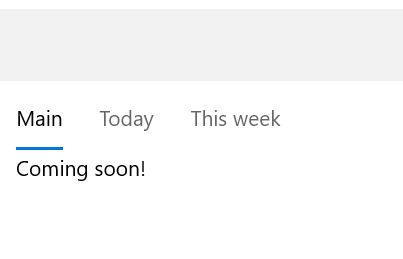
但是,在我的WPF构建中,它没有显示工具栏,因此无法切换选项卡:
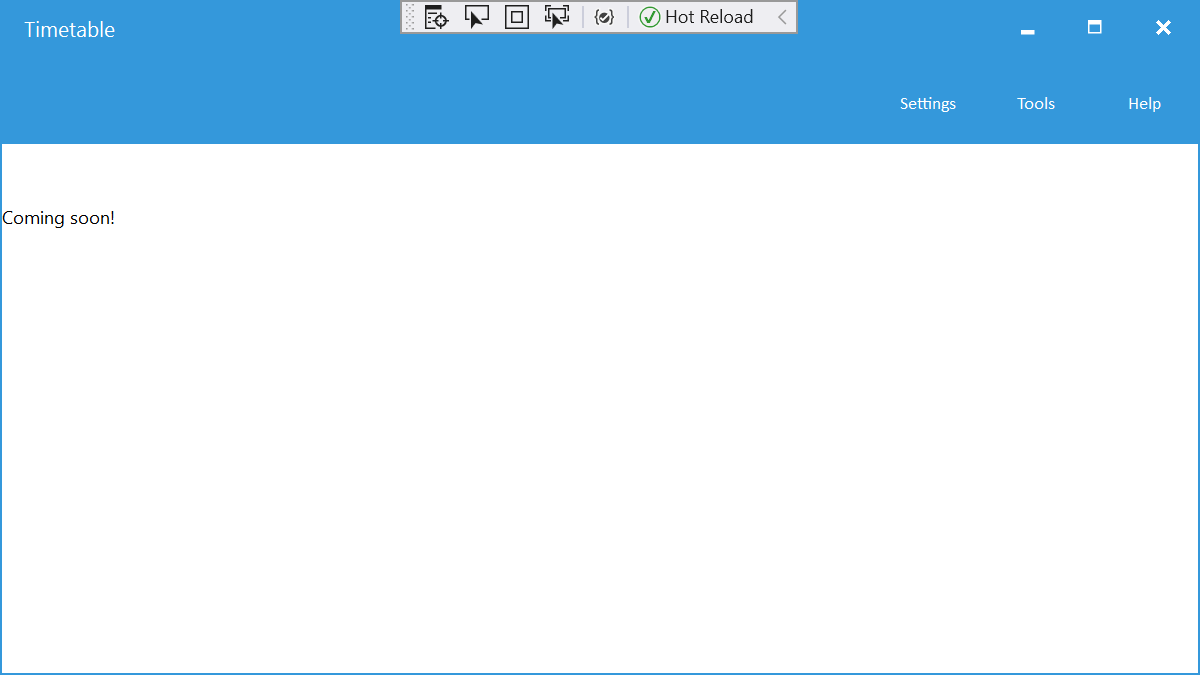
那我在这里做错什么了?
谢谢。
更新1:我尝试构建GTK目标,它正确工作:
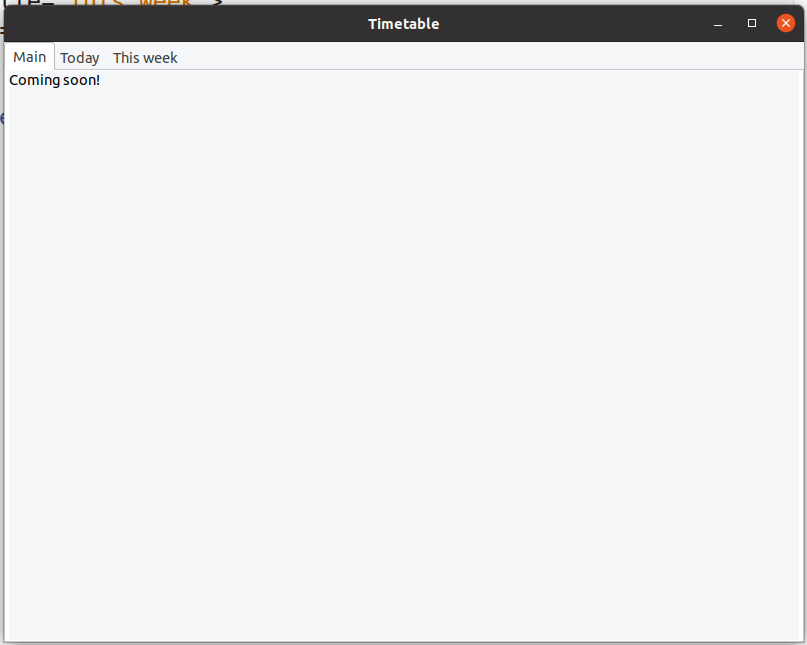
这个截图是在Ubuntu上拍摄的。Windows上的GTK#也是这样工作的,但是控件的绘制太错误了。
回答 1
Stack Overflow用户
回答已采纳
发布于 2021-02-23 16:08:11
在处理了工具栏中的元素选择器之后,我终于找到了一个答案:
在WPF中有一些按钮可以在选项卡之间切换。然而,它们只是看不见的:
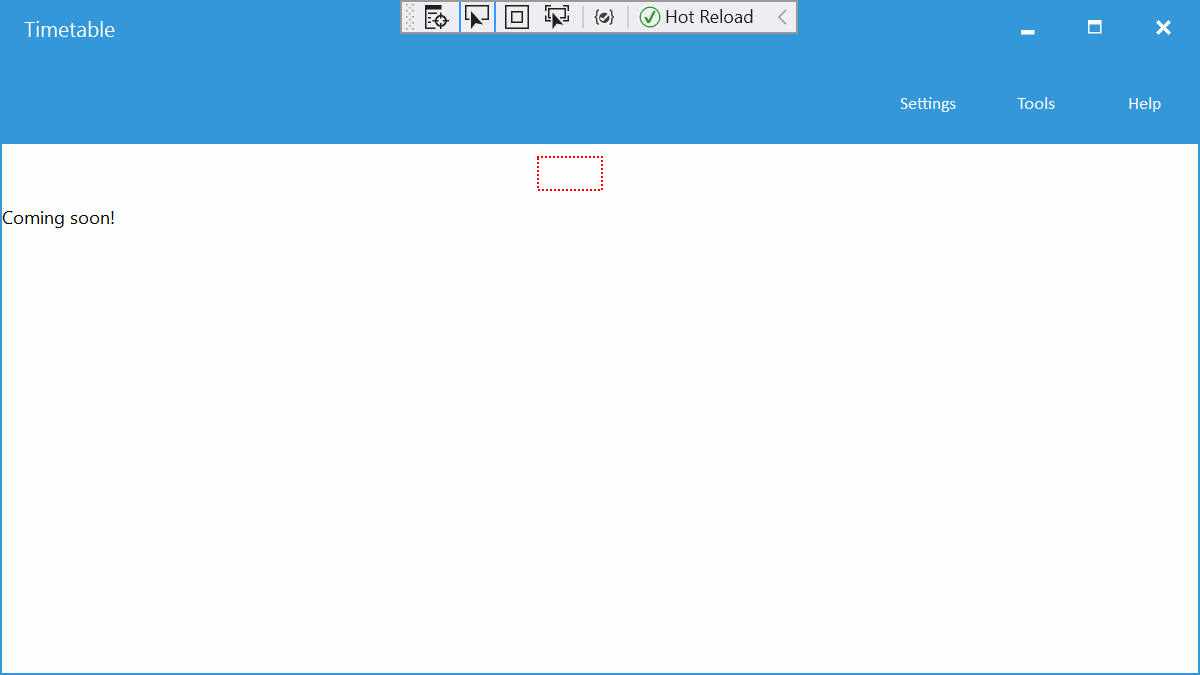
在BarTextColor中设置TabbedPage属性可以解决以下问题:
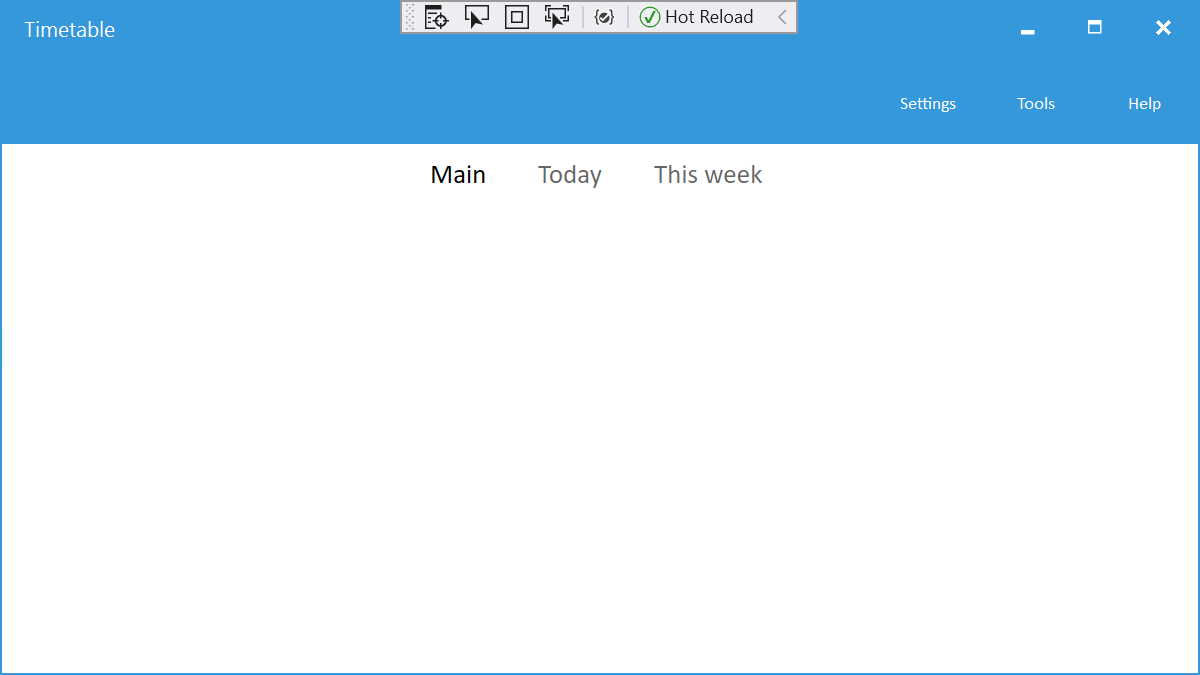
因此产生的代码是:
<?xml version="1.0" encoding="utf-8" ?>
<TabbedPage xmlns="http://xamarin.com/schemas/2014/forms"
             xmlns:x="http://schemas.microsoft.com/winfx/2009/xaml" xmlns:local="clr-namespace:TimetableApp"
            x:Class="TimetableApp.MainPage"
            BarTextColor="Black">
    <TabbedPage.ToolbarItems>
        <ToolbarItem Text="Settings"
                     Order="Primary"
                     Priority="0" />
        <ToolbarItem Text="Tools"
                     Order="Primary"
                     Priority="1" />
        <ToolbarItem Text="Help"
                     Order="Primary"
                     Priority="2" />
    </TabbedPage.ToolbarItems>

    <TabbedPage.Children>
        <ContentPage Title="Main">
            <Label Text="Coming soon!"/>
        </ContentPage>

        <ContentPage Title="Today">
            <Label Text="Coming soon!"/>
        </ContentPage>

        <ContentPage Title="This week">
            <Label Text="Coming soon!"/>
        </ContentPage>

    </TabbedPage.Children>

</TabbedPage>页面原文内容由Stack Overflow提供。腾讯云小微IT领域专用引擎提供翻译支持
原文链接:
https://stackoverflow.com/questions/66327870
复制相关文章
相似问题
腾讯云开发者

Copyright © 2013 - 2026 Tencent Cloud. All Rights Reserved. 腾讯云 版权所有
深圳市腾讯计算机系统有限公司 ICP备案/许可证号:粤B2-20090059  粤公网安备44030502008569号
腾讯云计算(北京)有限责任公司 京ICP证150476号 | 京ICP备11018762号