
JPEG张量:提高质量
JPEG张量:提高质量
提问于 2021-02-24 19:09:53
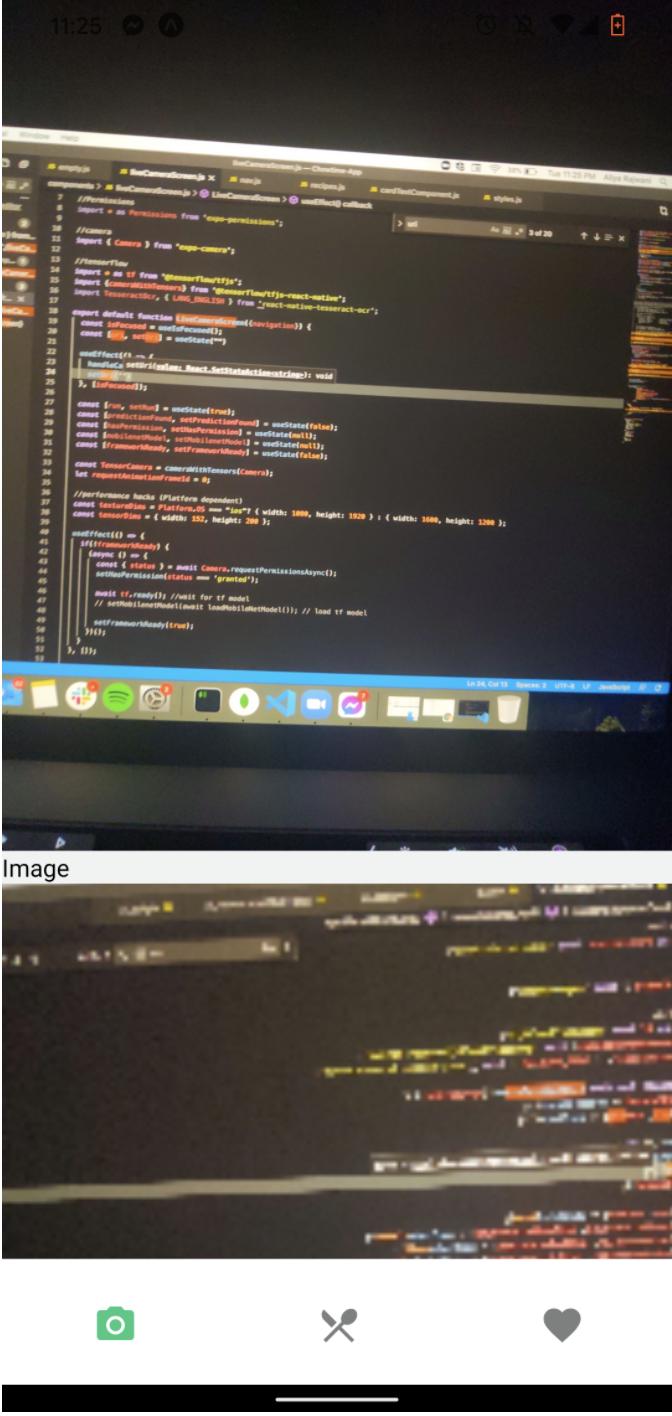
我正在把从tensorflow相机返回的张量转换成jpeg。我已经做到了,但jpeg图像质量很差。这是为一个移动反应-本地应用开发与博览会。我用来将张量转换成图像的库是jpeg-js。
这是我用来将张量转换成图像的代码:
const handleCameraStream = async (imageAsTensors) => {
  const loop = async () => {
    const tensor = await imageAsTensors.next().value;
    console.log(tensor)
    const [height, width] = tensor.shape
    const data = new Buffer(
      // concat with an extra alpha channel and slice up to 4 channels to handle 3 and 4 channels tensors
      tf.concat([tensor, tf.ones([height, width, 1]).mul(255)], [-1])
        .slice([0], [height, width, 4])
        .dataSync(),
    )

    const rawImageData = {data, width, height};
    const jpegImageData = jpeg.encode(rawImageData, 200);

    const imgBase64 = tf.util.decodeString(jpegImageData.data, "base64")
    const salt = `${Date.now()}-${Math.floor(Math.random() * 10000)}`
    const uri = FileSystem.documentDirectory + `tensor-${salt}.jpg`;
    await FileSystem.writeAsStringAsync(uri, imgBase64, {
      encoding: FileSystem.EncodingType.Base64,
    });
    setUri(uri)
    // return {uri, width, height}
  };
  // requestAnimationFrameId = requestAnimationFrame(loop);
  !uri ? setTimeout(() => loop(), 2000) : null;
}
图像上半部分的图片是摄像机流。下面图片的下半部分是转换的张量。
回答 1
Stack Overflow用户
发布于 2022-10-19 21:46:09
我尝试了您的代码,增加了大小,高度和宽度,并能够获得一个良好的质量图像。如果这不起作用,也许你可以把剩下的代码发出来,我会尽力帮你的。

    <TensorCamera
        type={Camera.Constants.Type.front}
        resizeHeight={cameraHeight}
        resizeWidth={cameraWidth}
        resizeDepth={3}
        onReady={handleCameraStream}
        autorender={true}
/>页面原文内容由Stack Overflow提供。腾讯云小微IT领域专用引擎提供翻译支持
原文链接:
https://stackoverflow.com/questions/66357352
复制相关文章
相似问题
腾讯云开发者

Copyright © 2013 - 2026 Tencent Cloud. All Rights Reserved. 腾讯云 版权所有
深圳市腾讯计算机系统有限公司 ICP备案/许可证号:粤B2-20090059  粤公网安备44030502008569号
腾讯云计算(北京)有限责任公司 京ICP证150476号 | 京ICP备11018762号