
如何在运行配置中传递多个pytest命令行选项
如何在运行配置中传递多个pytest命令行选项
提问于 2021-03-04 00:49:06
问题
如何在PyCharm中传递多个pytest命令行选项?
问题
设置pytest日志记录选项--log-level=DEBUG --log-cli=True --log-cli-level=DEBUG失败,因为PyCharm运行配置出现错误。
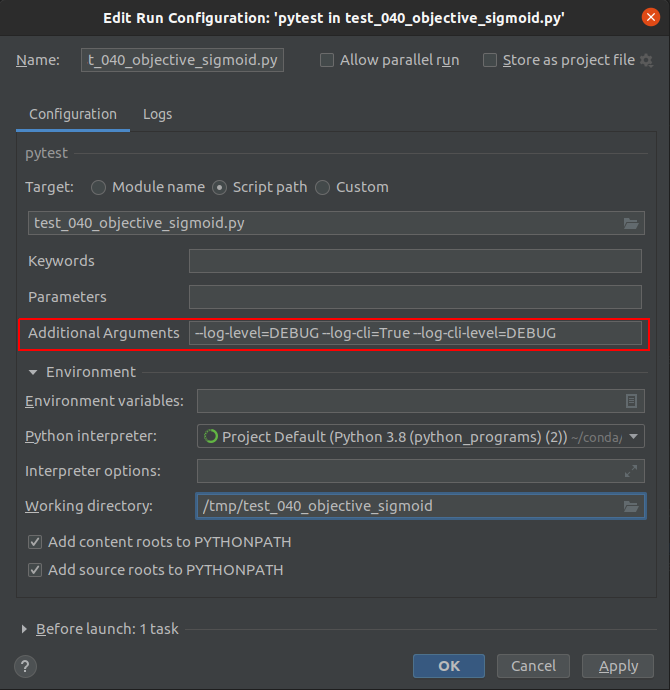
Launching pytest with arguments --log-level=DEBUG --log-cli=True --log-cli-level=DEBUG ****/test_040_objective_sigmoid.py in ****

ERROR: usage: _jb_pytest_runner.py [options] [file_or_dir] [file_or_dir] [...]
_jb_pytest_runner.py: error: unrecognized arguments: --log-cli=True
  inifile: None
  rootdir: ****
使用单个参数,它运行时没有错误。

Launching pytest with arguments --log-level=DEBUG ****test_040_objective_sigmoid.py in ****

============================= test session starts ==============================
platform linux -- Python 3.8.5, pytest-6.2.2, py-1.10.0, pluggy-0.13.1 -- ****/bin/python
cachedir: .pytest_cache
rootdir: ****
plugins: pytest_check-1.0.1
collecting ... collected 5 items
当从命令行运行pytest时,pytest日志记录选项可以工作。
$ pytest --log-level=DEBUG --log-cli=True --log-cli-level=DEBUG --verbose --cache-clear -x ${DIR}
===============================================================================================
test session starts
===============================================================================================
platform linux -- Python 3.8.5, pytest-6.2.2, py-1.10.0, pluggy-0.13.1
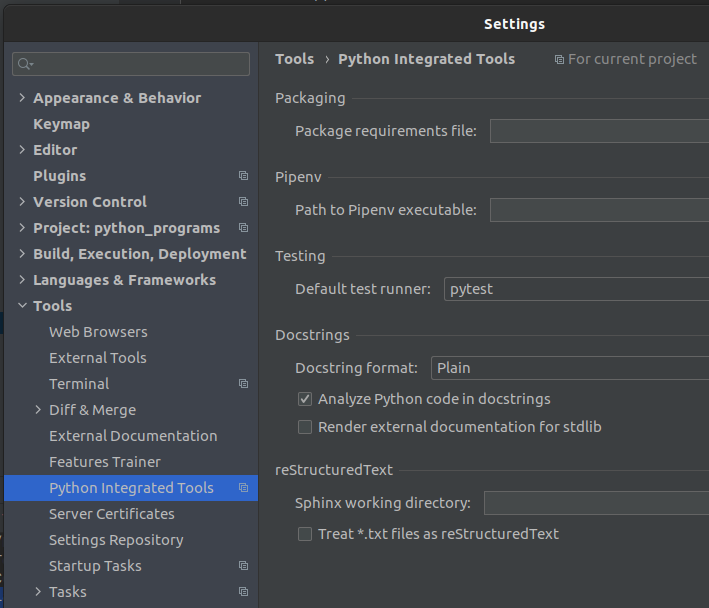
...pytest在PyCharm中的设置
参考资料
回答 1
Stack Overflow用户
回答已采纳
发布于 2021-03-04 03:50:54
pytest在命令行选项之前使用单个-和双--连字符的混合,有些没有连字符。在您的示例中,只有--log-level使用双连字符。
剩下的两个选项log_cli和log_cli_level是在没有任何前导连字符的情况下编写的,并且在名称的中间有一个下划线。这两者也是“配置选项”,可能需要以-o作为前缀。
在命令行旗中可以找到完整的参考资料。
因此,与其:
--log-level=DEBUG --log-cli=True --log-cli-level=DEBUG
尝试:
--log-level=DEBUG -o log_cli=True -o log_cli_level=DEBUG
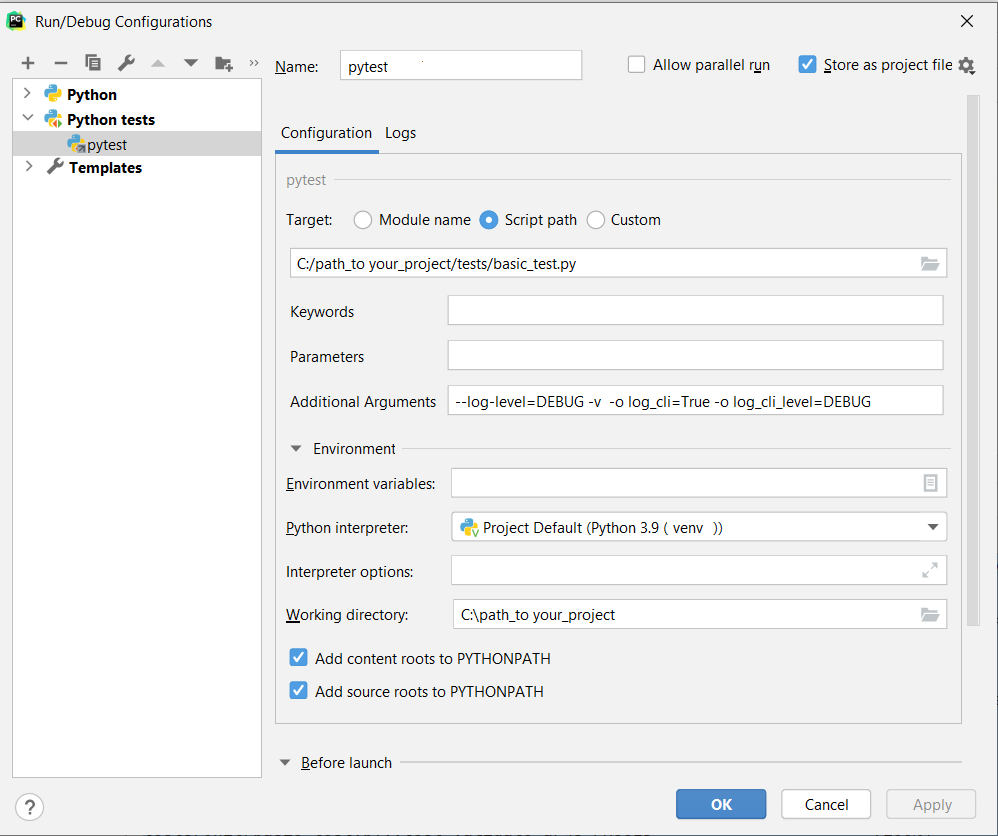
C:\path_to your_project\venv\Scripts\python.exe "C:\Program Files\JetBrains\PyCharm 2019.3.2\plugins\python\helpers\pycharm\_jb_pytest_runner.py" --path C:/path_to your_project/tests/basic_test.py -- --log-level=DEBUG -v -o log_cli=True -o log_cli_level=DEBUG
Testing started at 3:05 AM ...
Launching pytest with arguments --log-level=DEBUG -v -o log_cli=True -o log_cli_level=DEBUG C:/path_to your_project/tests/basic_test.py in C:\path_to your_project

============================= test session starts =============================
platform win32 -- Python 3.9.0, pytest-6.2.2, py-1.10.0, pluggy-0.13.1 -- C:\path_to your_project\venv\Scripts\python.exe
cachedir: .pytest_cache
rootdir: C:\path_to your_project, configfile: pytest.ini
collecting ... collected 1 item

tests/basic_test.py::test_validate_args PASSED                      [100%]

============================== 1 passed in 0.02s ==============================

Process finished with exit code 0页面原文内容由Stack Overflow提供。腾讯云小微IT领域专用引擎提供翻译支持
原文链接:
https://stackoverflow.com/questions/66467021
复制相关文章
相似问题
腾讯云开发者

Copyright © 2013 - 2026 Tencent Cloud. All Rights Reserved. 腾讯云 版权所有
深圳市腾讯计算机系统有限公司 ICP备案/许可证号:粤B2-20090059  粤公网安备44030502008569号
腾讯云计算(北京)有限责任公司 京ICP证150476号 | 京ICP备11018762号