
如何将原始二进制数据转换为blob并将其显示在img标记中?
如何将原始二进制数据转换为blob并将其显示在img标记中?
提问于 2021-03-03 23:21:44
我在电子和斯维特做一份梦想日记的申请。我有一个自定义文件格式,包含一个标题、描述和一个或多个图像。请参见:
程序输入

文件输出
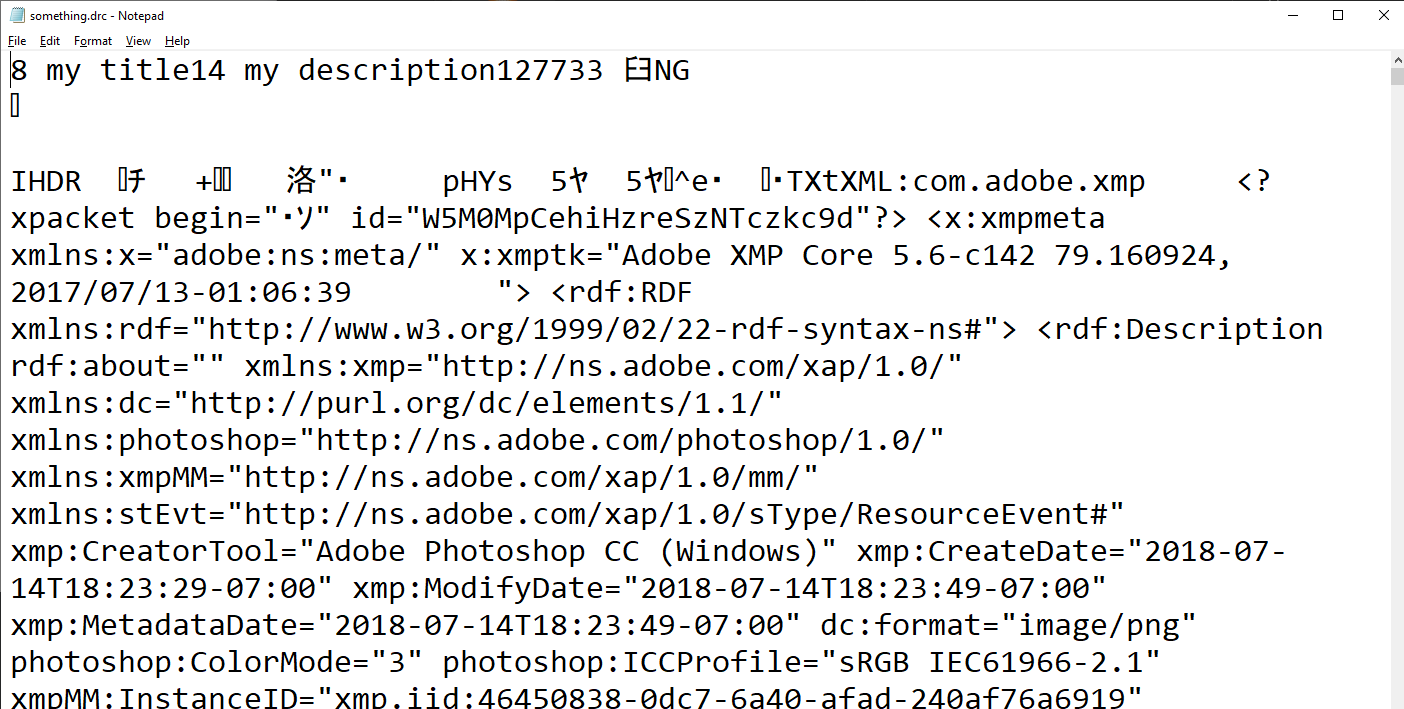
当我需要时,我可以调用ipcRenderer.invoke()在主进程中读取文件,然后在呈现程序进程中返回该文件以检索它(别担心,我正在使用async await来确保我不只是得到一个承诺。此外,为了进行测试,我只发送图像的Uint8Array代表)。
在试图显示图像并失败后,我决定检查是否收到了预期的信息。我以-is返回主进程的形式发送了响应,并将其写入一个文件。当我在画图中打开文件时,它会显示出来。
所以,信息是正确的。这是我试图用以下方式显示图像的代码:
在<script>内部
let src;
onMount(async () => {
  let a = await ipcRenderer.invoke("file-read");
  console.log(a);
  let blob = new Blob(a, {type: 'image/png'});
  console.log(blob);
  ipcRenderer.send("verify-content", a); // this is the test I mentioned, where it was written to a file
  src = URL.createObjectURL(blob);
});
在身体里
{#if src}
  <img src={src} />
{/if}
我还尝试了另一种方法:
在<script>内部
onMount(async () => {
  let a = await ipcRenderer.invoke("file-read");
  console.log(a);
  let blob = new Blob(a, {type: 'image/png'});
  console.log(blob);
  ipcRenderer.send("verify-content", a);
  const img = document.createElement("img");
  img.src = URL.createObjectURL(blob);
  img.onload = function() {
    URL.revokeObjectURL(this.src);
  }
  document.getElementById("target").appendChild(img);
});
在身体里
<div id="target"></div>然而,这就是我所拥有的一切:

它不显示。如何显示这个图像?我找到的所有其他"blob“示例都使用了type="file" <input />标记。如果可能的话,我希望避免使用Base64数据URI。谢谢。
回答 1
Stack Overflow用户
回答已采纳
发布于 2021-03-04 12:08:04
结果是,当我用它做一个blob时,我必须将我的Uint8Array封装在一个数组中(wtf)。
let blob = new Blob([a], {type: "image/png"});页面原文内容由Stack Overflow提供。腾讯云小微IT领域专用引擎提供翻译支持
原文链接:
https://stackoverflow.com/questions/66466412
复制相关文章
相似问题
腾讯云开发者

Copyright © 2013 - 2026 Tencent Cloud. All Rights Reserved. 腾讯云 版权所有
深圳市腾讯计算机系统有限公司 ICP备案/许可证号:粤B2-20090059  粤公网安备44030502008569号
腾讯云计算(北京)有限责任公司 京ICP证150476号 | 京ICP备11018762号