
python + cv2 -确定图像中亮点的半径
我已经有代码可以检测图像中最亮的点(只是高斯模糊+找到最亮的像素)。我正在处理日落的照片,现在很容易就能得到这样的结果:
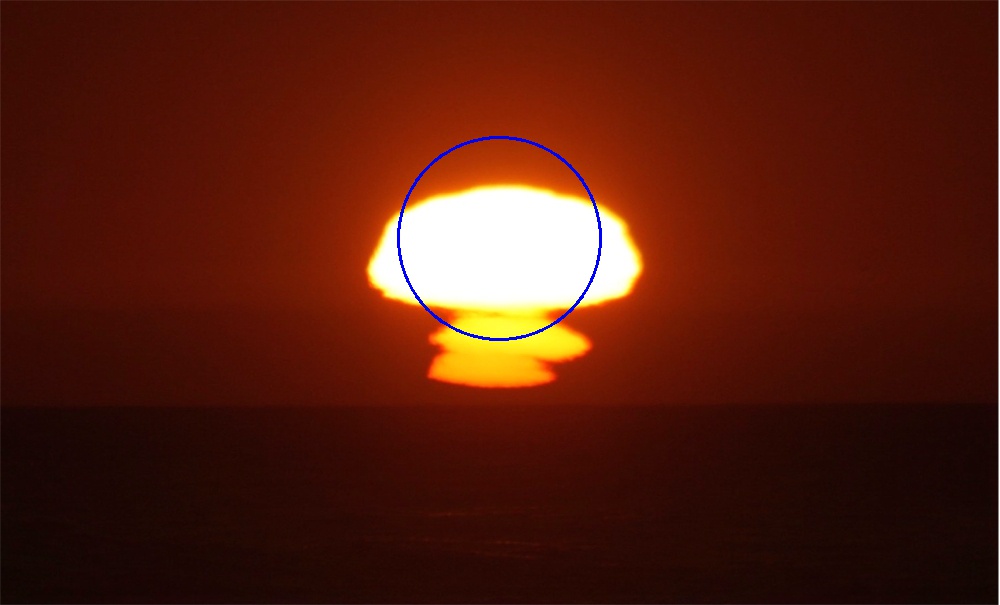
我的问题是,圆圈的半径与我使用的高斯模糊度有关--我想让半径反映照片中太阳的大小(我有一个大约500张日落照片的数据集,我正在试图处理)。
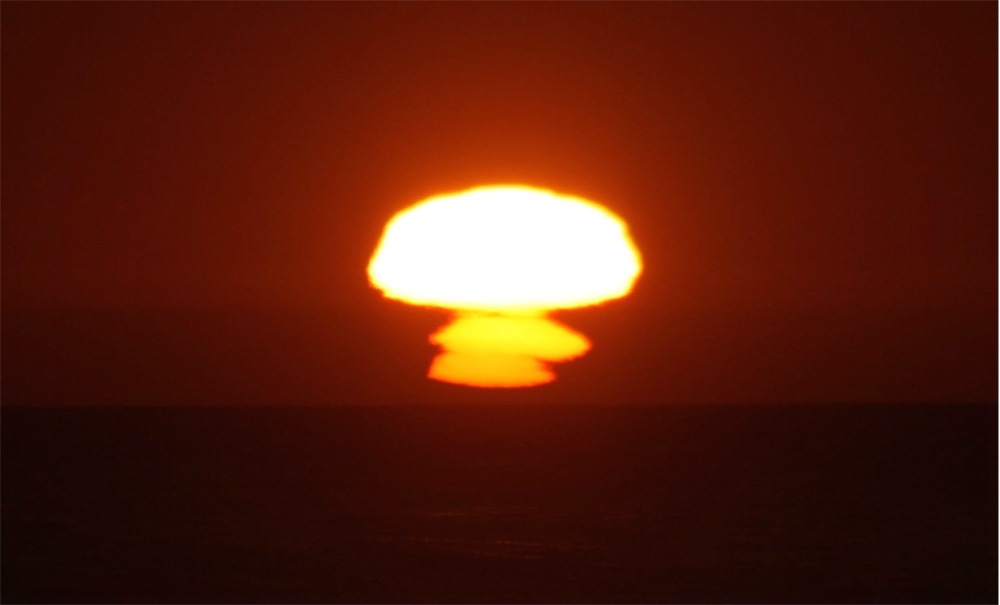
下面是一幅没有圆圈的图像:
我甚至不知道从何说起,我的传统计算机视觉知识是缺乏的。如果我没有得到答案,我可能会尝试做一些类似于计算从圆心到最近的边缘的距离(使用精明的边缘检测)--如果有更好的方法,请告诉我。感谢您的阅读
回答 2
Stack Overflow用户
发布于 2021-03-11 00:26:40
这里有一种方法可以在Python/OpenCV中获得一个有代表性的圆圈。它求出最小围圈。
detection
- Get
- 读取输入的
- 裁剪出右侧的白色
- 转换为灰度
- 应用中值滤波
H 19做Canny边缘
- 的所有白像素的坐标(canny edges)
- Compute最小围圈以求中心和半径
H 115在输入的H 216H 117保存结果
ComputeH 218F 219的副本上画一个圆圈。
输入:
import cv2
import numpy as np

# read image as grayscale
img = cv2.imread('sunset.jpg')
hh, ww = img.shape[:2]

# shave off white region on right side
img = img[0:hh, 0:ww-2]

# convert to gray
gray = cv2.cvtColor(img,cv2.COLOR_BGR2GRAY)

# median filter
median = cv2.medianBlur(gray, 3)

# do canny edge detection
canny = cv2.Canny(median, 100, 200)

# get canny points
# numpy points are (y,x)
points = np.argwhere(canny>0)

# get min enclosing circle
center, radius = cv2.minEnclosingCircle(points)
print('center:', center, 'radius:', radius)

# draw circle on copy of input
result = img.copy()
x = int(center[1])
y = int(center[0])
rad = int(radius)
cv2.circle(result, (x,y), rad, (255,255,255), 1)

# write results
cv2.imwrite("sunset_canny.jpg", canny)
cv2.imwrite("sunset_circle.jpg", result)

# show results
cv2.imshow("median", median)
cv2.imshow("canny", canny)
cv2.imshow("result", result)
cv2.waitKey(0)
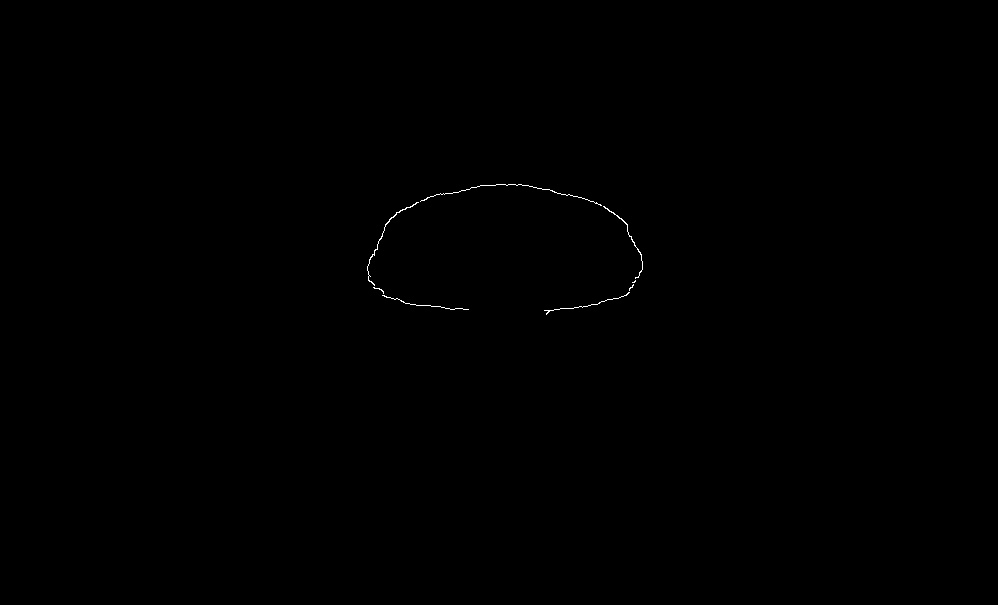
精明的边缘:
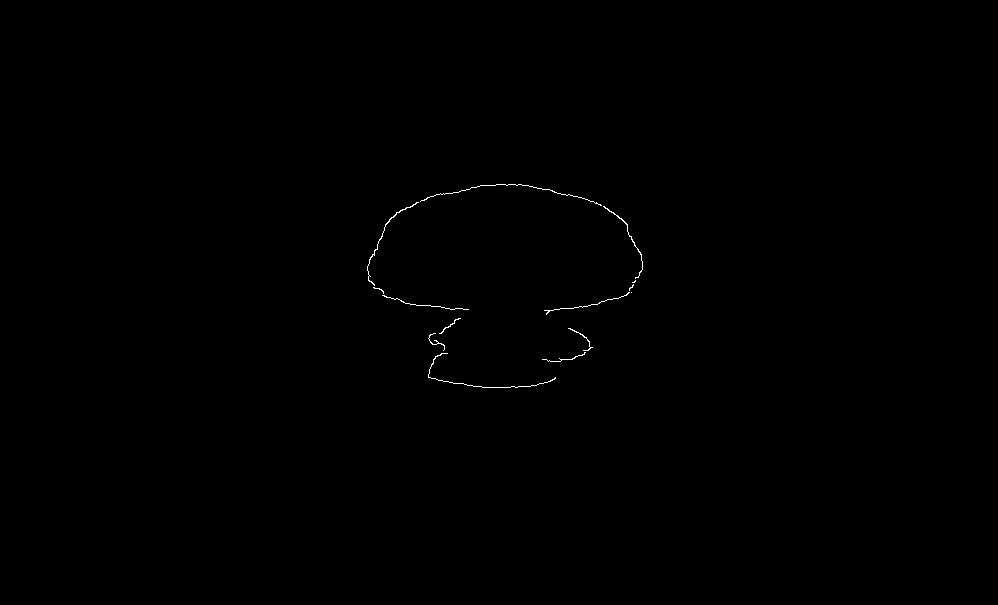
由此产生的圈子:
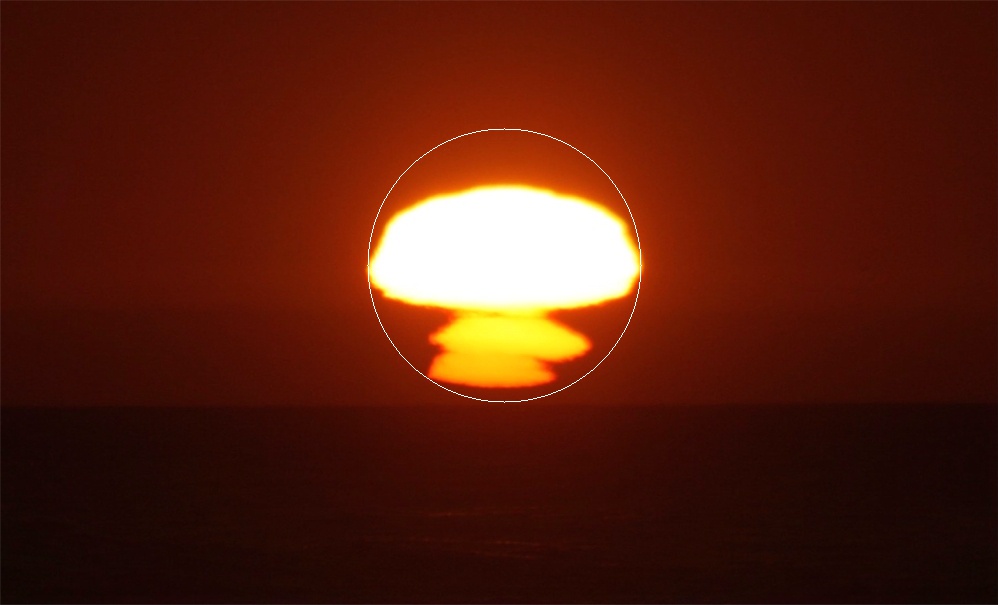
center: (265.5, 504.5) radius: 137.57373046875交替
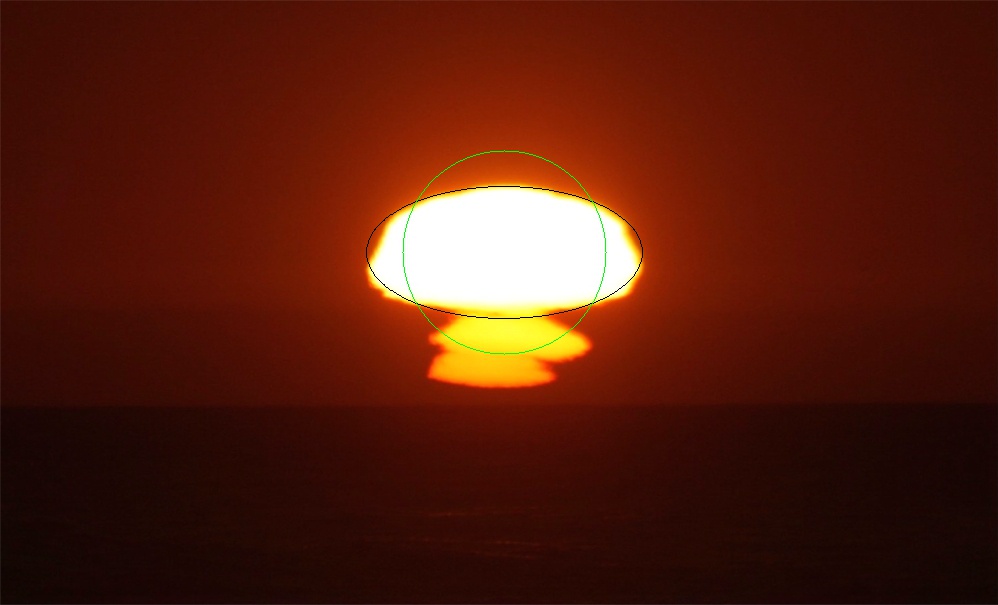
将椭圆拟合到Canny点,然后求出圆半径的两个椭圆半径的平均值。请注意Canny参数中的一个细微变化,以获得日落的顶部。
import cv2
import numpy as np

# read image as grayscale
img = cv2.imread('sunset.jpg')
hh, ww = img.shape[:2]

# shave off white region on right side
img = img[0:hh, 0:ww-2]

# convert to gray
gray = cv2.cvtColor(img,cv2.COLOR_BGR2GRAY)

# median filter
median = cv2.medianBlur(gray, 3)

# do canny edge detection
canny = cv2.Canny(median, 100, 250)

# transpose canny image to compensate for following numpy points as y,x
canny_t = cv2.transpose(canny)

# get canny points
# numpy points are (y,x)
points = np.argwhere(canny_t>0)

# fit ellipse and get ellipse center, minor and major diameters and angle in degree
ellipse = cv2.fitEllipse(points)
(x,y), (d1,d2), angle = ellipse
print('center: (', x,y, ')', 'diameters: (', d1, d2, ')')

# draw ellipse
result = img.copy()
cv2.ellipse(result, (int(x),int(y)), (int(d1/2),int(d2/2)), angle, 0, 360, (0,0,0), 1)

# draw circle on copy of input of radius = half average of diameters = (d1+d2)/4
rad = int((d1+d2)/4)
xc = int(x)
yc = int(y)
print('center: (', xc,yc, ')', 'radius:', rad)
cv2.circle(result, (xc,yc), rad, (0,255,0), 1)

# write results
cv2.imwrite("sunset_canny_ellipse.jpg", canny)
cv2.imwrite("sunset_ellipse_circle.jpg", result)

# show results
cv2.imshow("median", median)
cv2.imshow("canny", canny)
cv2.imshow("result", result)
cv2.waitKey(0)
Canny边缘图像:
根据输入绘制的椭圆和圆圈:
Stack Overflow用户
发布于 2021-03-10 19:32:13
先使用Canny边缘。然后尝试边缘图像上的Hough圆或Hough椭圆。这些都是蛮力的方法,所以他们将是缓慢的,但他们是抵抗非圆形或非椭圆形轮廓。您可以轻松地过滤结果,以便检测到的结果在最亮点附近有一个中心。此外,了解太阳的估计大小将有助于计算速度。
您还可以使用cv2.findContours和cv2.approxPolyDP从图像中提取连续轮廓。你可以过滤周长和形状,然后运行最小二乘拟合,或霍夫拟合。
编辑
在Canny边缘检测之前,尝试强度滤波器可能是值得的。我怀疑它会大大地清理边缘图像。
https://stackoverflow.com/questions/66571431
复制相似问题
腾讯云开发者

Copyright © 2013 - 2026 Tencent Cloud. All Rights Reserved. 腾讯云 版权所有
深圳市腾讯计算机系统有限公司 ICP备案/许可证号:粤B2-20090059  粤公网安备44030502008569号
腾讯云计算(北京)有限责任公司 京ICP证150476号 | 京ICP备11018762号