
SwiftUI:在min和max之间改变值的放大手势
SwiftUI:在min和max之间改变值的放大手势
提问于 2021-04-06 19:32:55
我想用滑块做同样的事情:
@State itemSize: CGFloat = 55.60

....

Text("ItemSize: \(itemSize)")
Slider(value: $itemSize, in: 45...120),但是用放大的手势。。
我已经为此创建了修饰符:
import SwiftUI

@available(OSX 11.0, *)
public extension View {
    func magnificationZoomer(value: Binding<CGFloat>,min: CGFloat, max: CGFloat) -> some View
    {
         self.modifier( MagnificationZoomerMod(minZoom: min, maxZoom: max, zoom: value) )
    }
}

@available(OSX 11.0, *)
public struct MagnificationZoomerMod: ViewModifier {
    let minZoom: CGFloat
    let maxZoom: CGFloat
    @Binding var zoom: CGFloat

    public func body (content: Content) -> some View
    {
        content
            .gesture(
                MagnificationGesture()
                    .onChanged() { val in
                        let magnification = (val - 1) * 2.2

                        print("magnification = \(magnification)")

                        zoom = max(min(zoom + magnification, maxZoom), minZoom)
                    }
            )
    }
}
使用样本:
@State itemSize: CGFloat = 55.60

var body: some View {
    HStack {
       VStack {
           Text("ItemSize: \(itemSize)")
           Slider(value: $itemSize, in: 45...120)
       }
    }
    .frame(width: 500, height: 500)
    .magnificationZoomer(value: $itemSize, min: 45, max: 120)
}
但我在这段代码中有几个问题:
- It以一种奇怪的方式滑动值--有时以正确的速度,在使用了一段时间之后,它并没有改变它的
- ,它停止在
上工作。
我做错什么了?
回答 1
Stack Overflow用户
回答已采纳
发布于 2021-04-09 01:15:27
它的工作原理就像魔法一样,你可以通过MagnificationGesture,上的Slider或你的手指来改变圆圈的大小/规模,这两种方法都可以一起工作,也可以一起下沉。
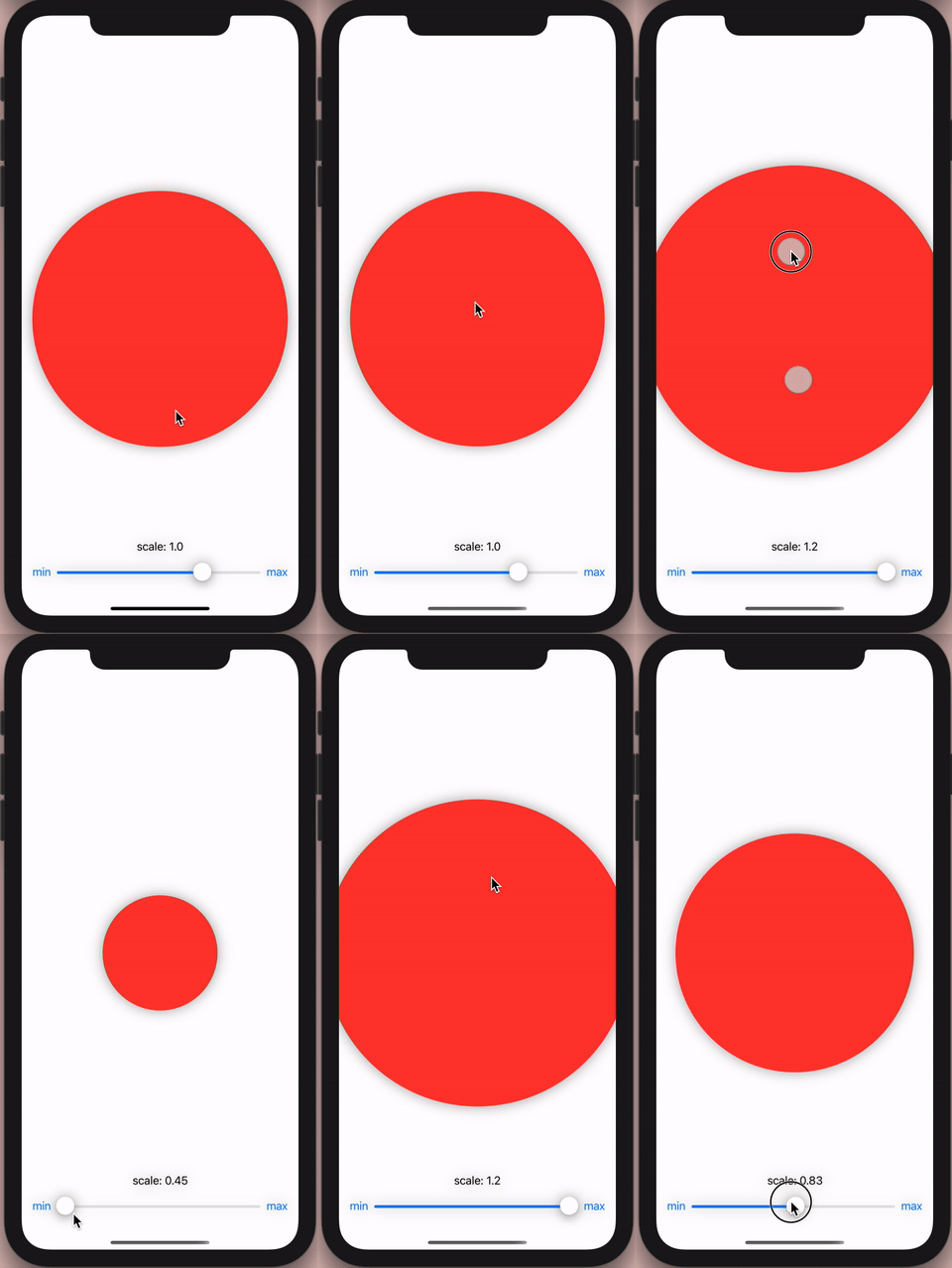
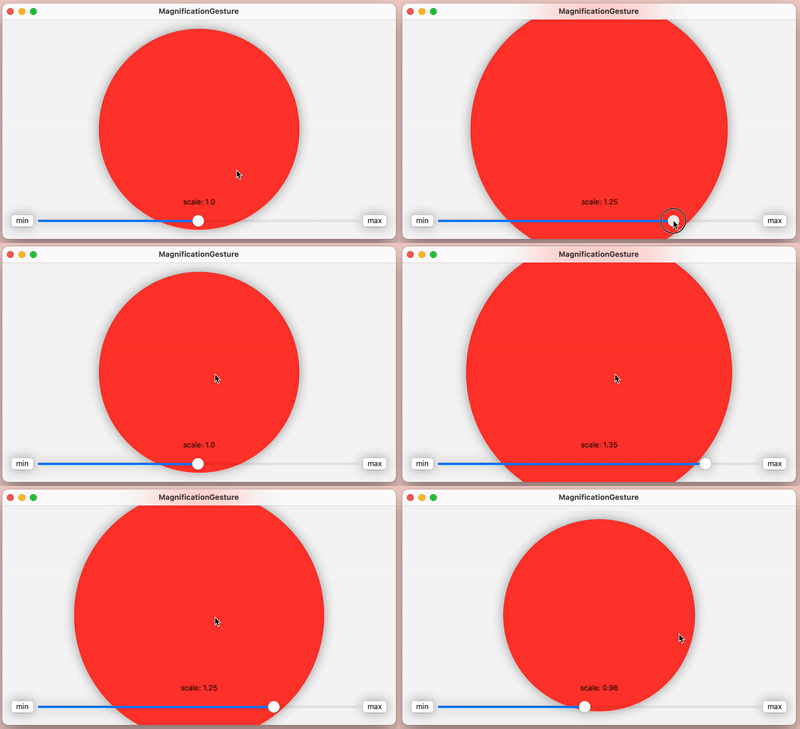
import SwiftUI

struct ContentView: View {

    let minZoom: CGFloat = 0.5
    let maxZoom: CGFloat = 1.5

    @State private var scale: CGFloat = 1.0
    @State private var lastScale: CGFloat = 1.0
    @State private var magnitudeIsActive: Bool = Bool()

    var body: some View {

        ZStack {

            Circle()
                .fill(Color.red)
                .scaleEffect(scale)
                .gesture(magnificationGesture.simultaneously(with: dragGesture)) // <<: Here: adding unneeded dragGesture! on macOS! no need on iOS!

            VStack {

                Spacer()

                Text("scale: " + scale.rounded)

                HStack {

                    Button("min") { scale = minZoom; lastScale = scale }

                    Slider(value: Binding.init(get: { () -> CGFloat in return scale },
                                               set: { (newValue) in if !magnitudeIsActive { scale = newValue; lastScale = newValue } }), in: minZoom...maxZoom)

                    Button("max") { scale = maxZoom; lastScale = scale }
                }

            }

        }
        .padding()
        .compositingGroup()
        .shadow(radius: 10.0)
        .animation(Animation.easeInOut(duration: 0.2), value: scale)


    }

    var magnificationGesture: some Gesture {

        MagnificationGesture(minimumScaleDelta: 0.0)
            .onChanged { value in

                if !magnitudeIsActive { magnitudeIsActive = true }

                let magnification = (lastScale + value.magnitude - 1.0)

                if (magnification >= minZoom && magnification <= maxZoom) {

                    scale = magnification

                }
                else if (magnification < minZoom) {

                    scale = minZoom
                }
                else if (magnification > maxZoom) {

                    scale = maxZoom
                }

            }
            .onEnded { value in

                let magnification = (lastScale + value.magnitude - 1.0)

                if (magnification >= minZoom && magnification <= maxZoom) {

                    lastScale = magnification

                }
                else if (magnification < minZoom) {

                    lastScale = minZoom
                }
                else if (magnification > maxZoom) {

                    lastScale = maxZoom
                }

                scale = lastScale
                magnitudeIsActive = false

            }

    }


    var dragGesture: some Gesture { DragGesture(minimumDistance: 0.0) } // <<: Here: this Extra un-needed gesture would keep magnificationGesture alive! And Stop it to get killed in macOS! We do not need this line of code in iOS!

}extension CGFloat { var rounded: String { get { return String(Double(self*100.0).rounded()/100.0) } } }页面原文内容由Stack Overflow提供。腾讯云小微IT领域专用引擎提供翻译支持
原文链接:
https://stackoverflow.com/questions/66975357
复制相关文章
相似问题
腾讯云开发者

Copyright © 2013 - 2026 Tencent Cloud. All Rights Reserved. 腾讯云 版权所有
深圳市腾讯计算机系统有限公司 ICP备案/许可证号:粤B2-20090059  粤公网安备44030502008569号
腾讯云计算(北京)有限责任公司 京ICP证150476号 | 京ICP备11018762号